


CSIS 330 – Lab 11: Troubleshooting–
OS Command Line Tools
Answer Template
Part I: Netstat Syntax
Command
Description
Example:
netstat -a
Displays all connections and listening ports
Netstat -n
Displays addresses and port numbers in numeric form
Netstat interval
Redisplays statistics every 5 second. Press Ctrl-C to stop redisplaying
statistics.
Netstat -p proto
Shows connections for the TCP protocol
Netstat -f
Displays fully qualified domain names for foreign addresses.
Netstat -r
Displays the routing table.
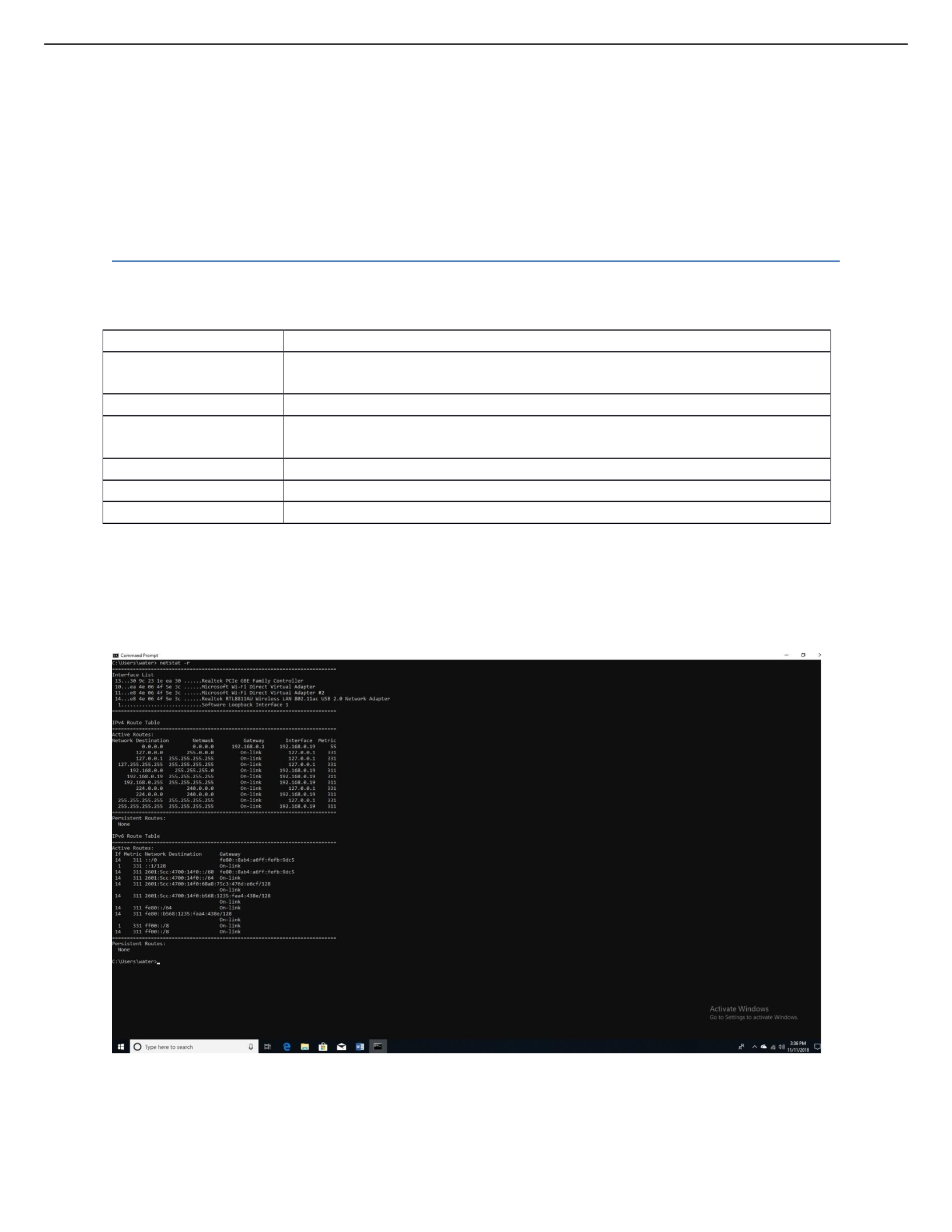
Part II: NetStat Routing Table
Screenshot #1:
Question #1: What does this table show you?
Displays protocol statistics and current TCP/IP network connections.
Part III: NetStat Output
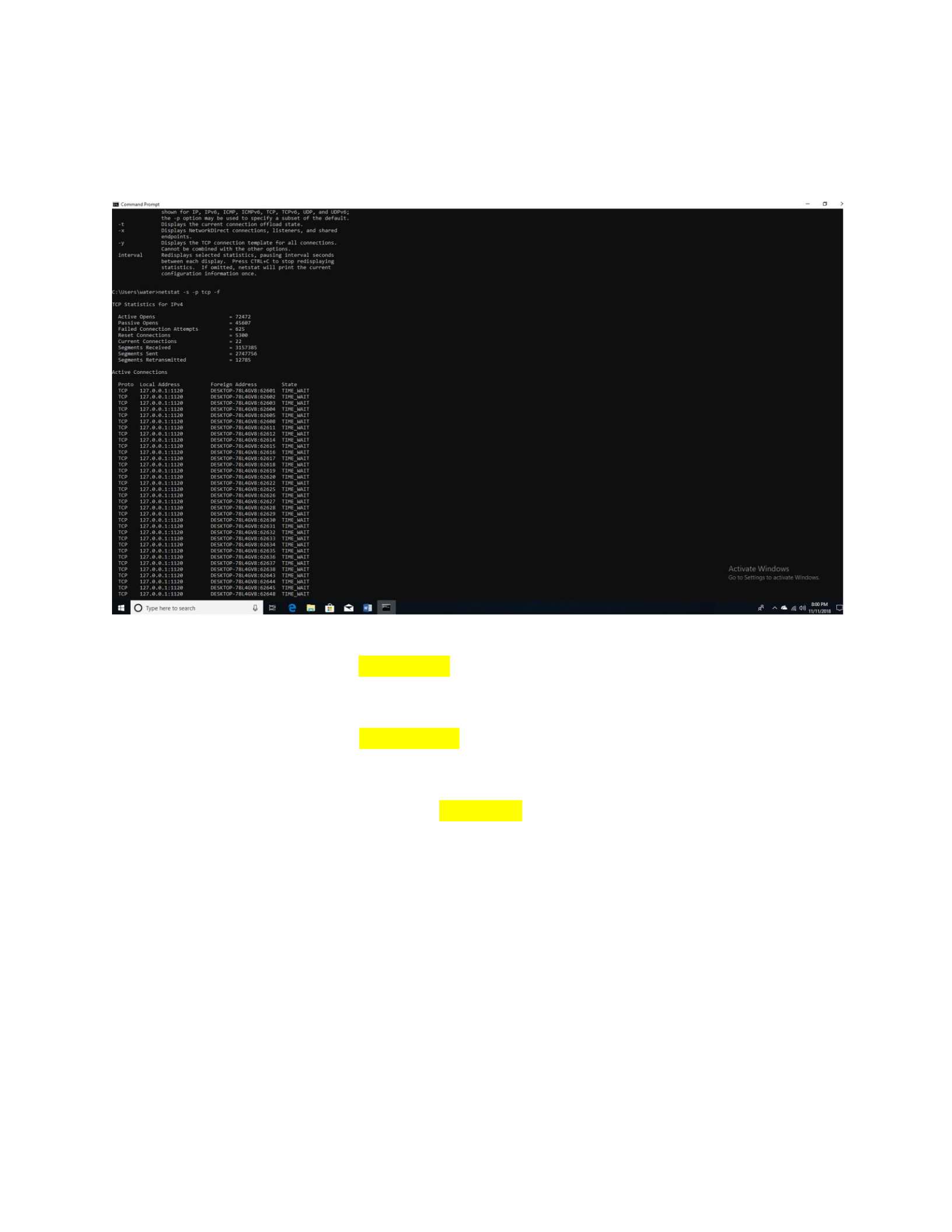
Screenshot #2:
Questions:
1. How many active opens were recorded? 72472
2. How many failed connection attempts were recorded? 625
3. How many segments were received? 3157385
4. How many segments were sent? 2747756
5. How many segments were retransmitted? 12785
Part IV: IPCONFIG
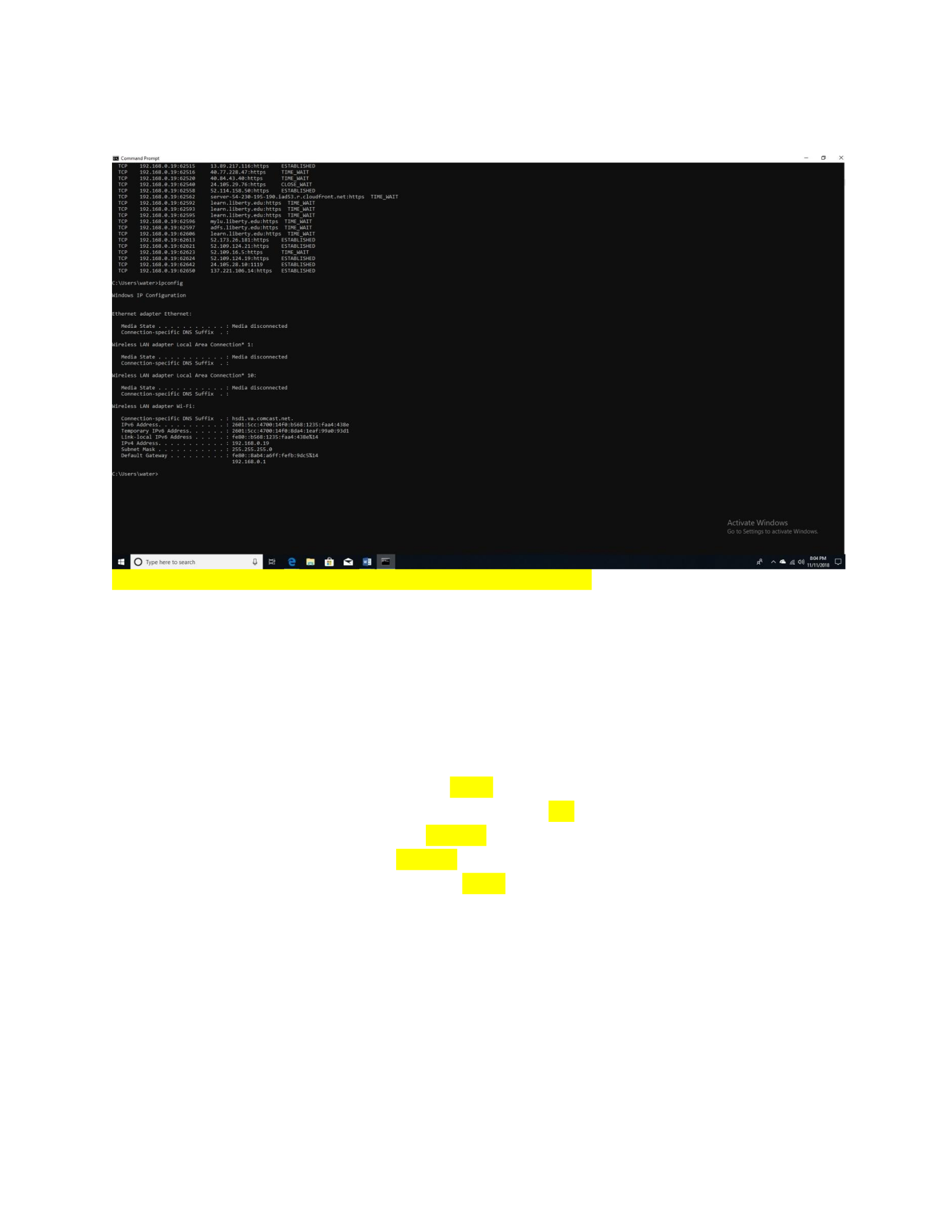
Screenshot #3:
Questions:
1. What is your IPv4 address? 192.168.0.19
2. What is your subnet mask? 255.255.255.0
3. What is your default gateway address? 192.168.0.1
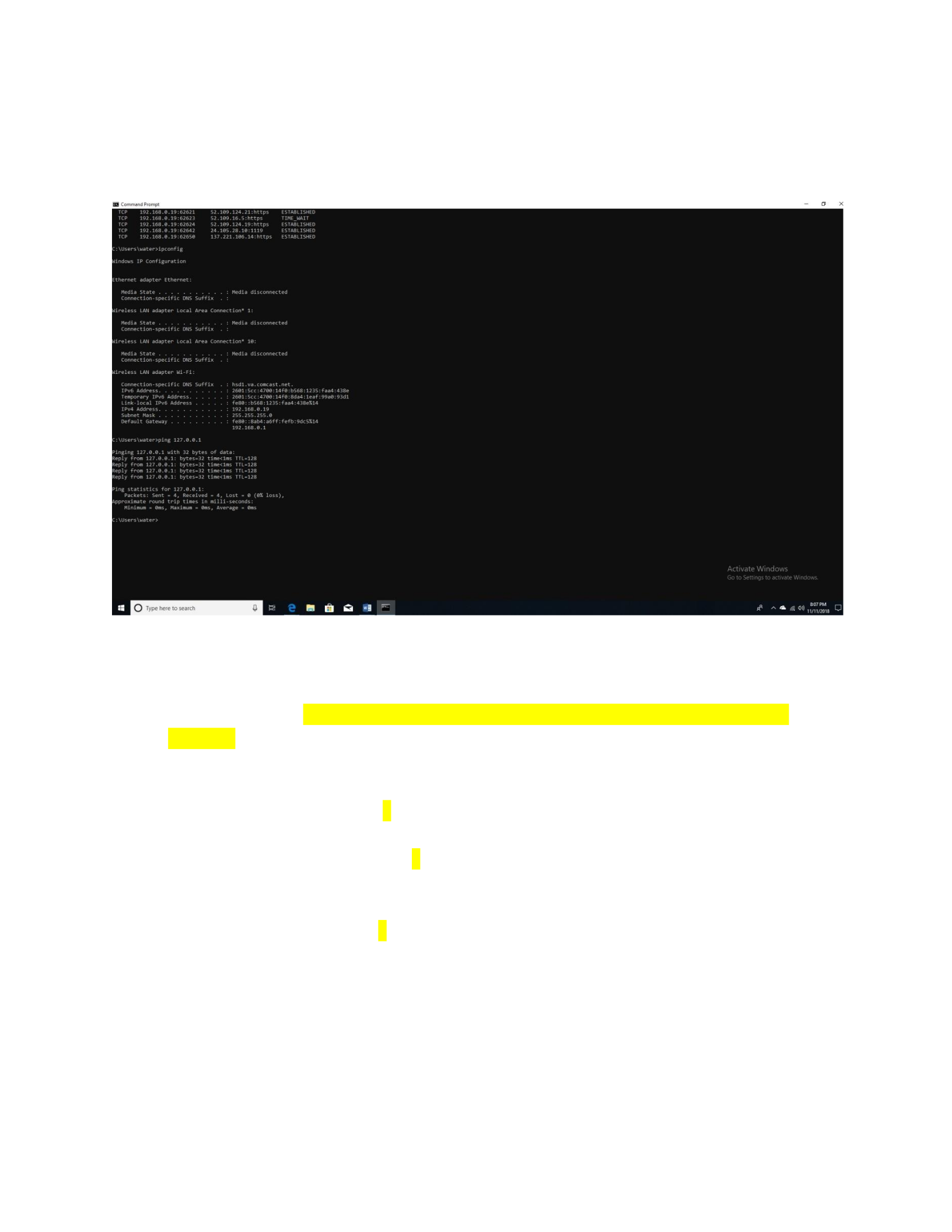
Part V: PING
Screenshot #4:
Questions:
1. Were you able to ping this address? YES
2. How do you know? 0 packets were lost, all 4 packets were received back. No errors were
returned.
3. How many packets were sent? 4
4. How many packets were received? 4
5. How many packets were lost? 0

Part VI: TRACERT
Screenshot #5:
Questions:
1. Was the trace successful? Yes, no errors were returned/trace complete.
2. If the trace was successful, how many hops were performed to reach the destination?
1 hop

