


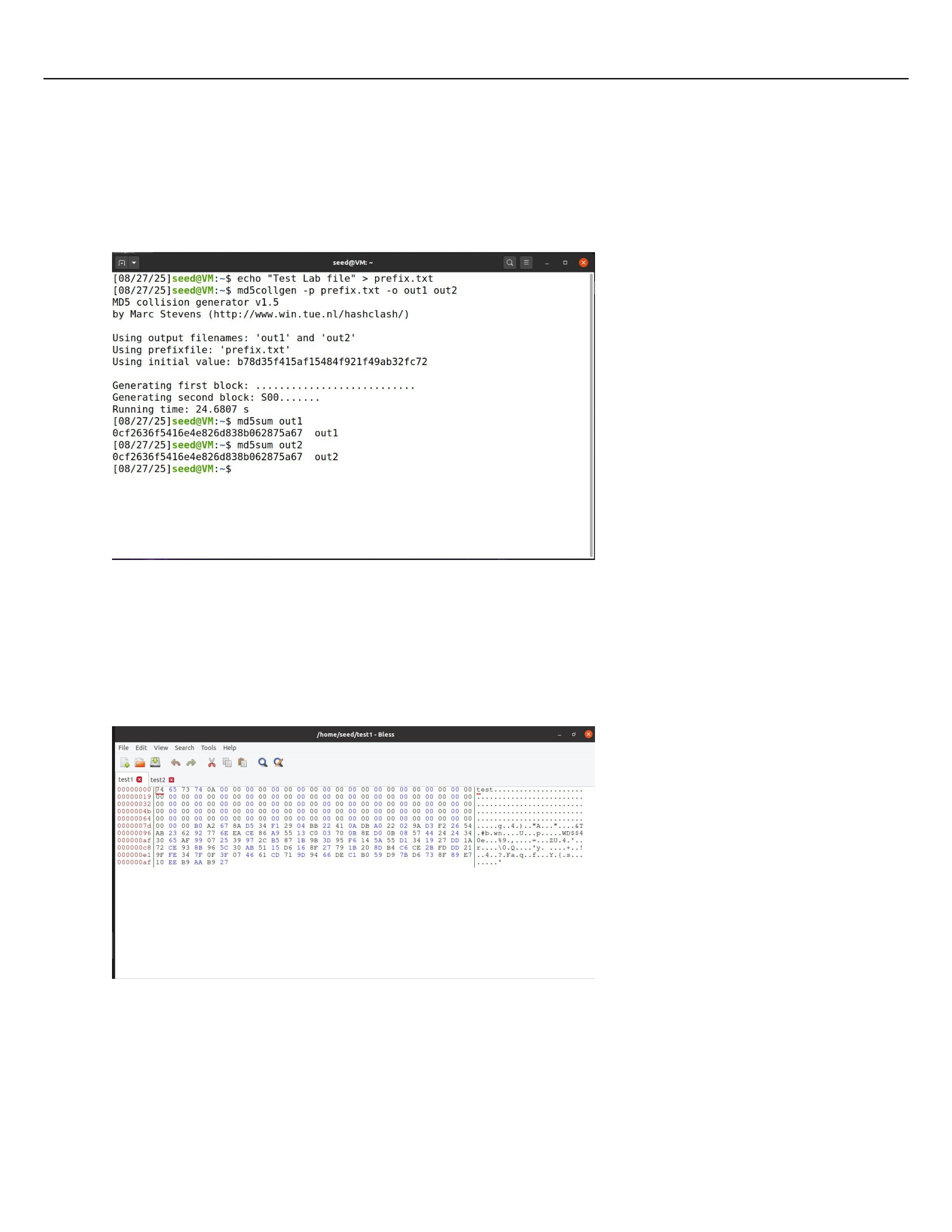
Task 2.1 Generating two different files with the same MD5 Hash
To get two different files with the same hash we do it using ‘md5collgen -p prefix.txt -o out1
out2’
Question 1: If the length of your prefix file is not a multiple of 64, what is going to happen?
It will be padded with zeros
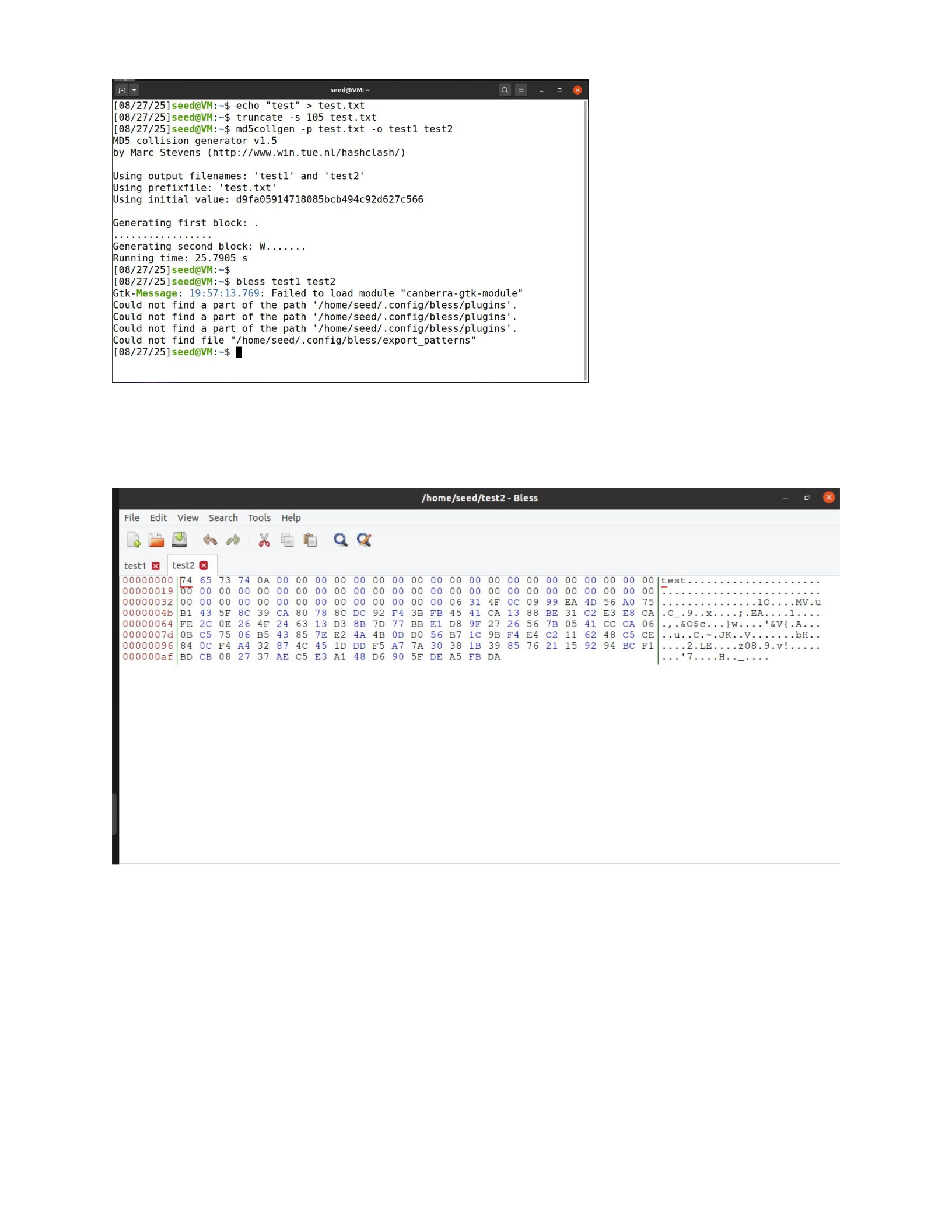
To test this out I have created a file, test.txt, and truncated it the file. I ran ‘md5collgen -p
test.txt -o test1 test2’ and looked at the results with ‘bless test1 test2’ and see that they both
are padded with zeros.
Question 2: Create a prefix file with exactly 64 bytes, and run the collision tool again, and see
what happens.
No zero padding is observed
Question 3: Are the data (128) generated by md5collgen completely different for the two
output files? Please identify all the bytes that are different.
No, not all bytes are different. In previous case, the bytes only differ at the positions 20,60,84,
and 110. After multiple trials, it is noted that these differences are not constant.
Task 2.2 Understanding MD5’s Property
I am able to append the same file to the outpus generated by md5collgen and it changes
the hash, both the new hashes become identical. This happens because many hash functions
are subject to length extensions. The hash function processes in fixed blocks by compressing to
the current state and block.

Since both files have the same hash we can assume that the internal state after the
algorithm has been run was the same. After appending the file the next stage is compressing
the internal state and the current block. This results in the MD5 has being the same for both
files.
Test this theory by using the test.txt file and run ‘md5collgen -p test.txt -o test1 test2’.
Verify the hashes using ‘md5sum test1 test2’
Then we append these two files and check to make sure the hashes change with them and stays
the same.
Task 2.3 Generating two executable files with the same MD5 Hash
With this task I was able to see how it is able to hide malicious code in a system. This task shows
how it is possible to add code that looks like it is supposed to be there. I was able to, with help,
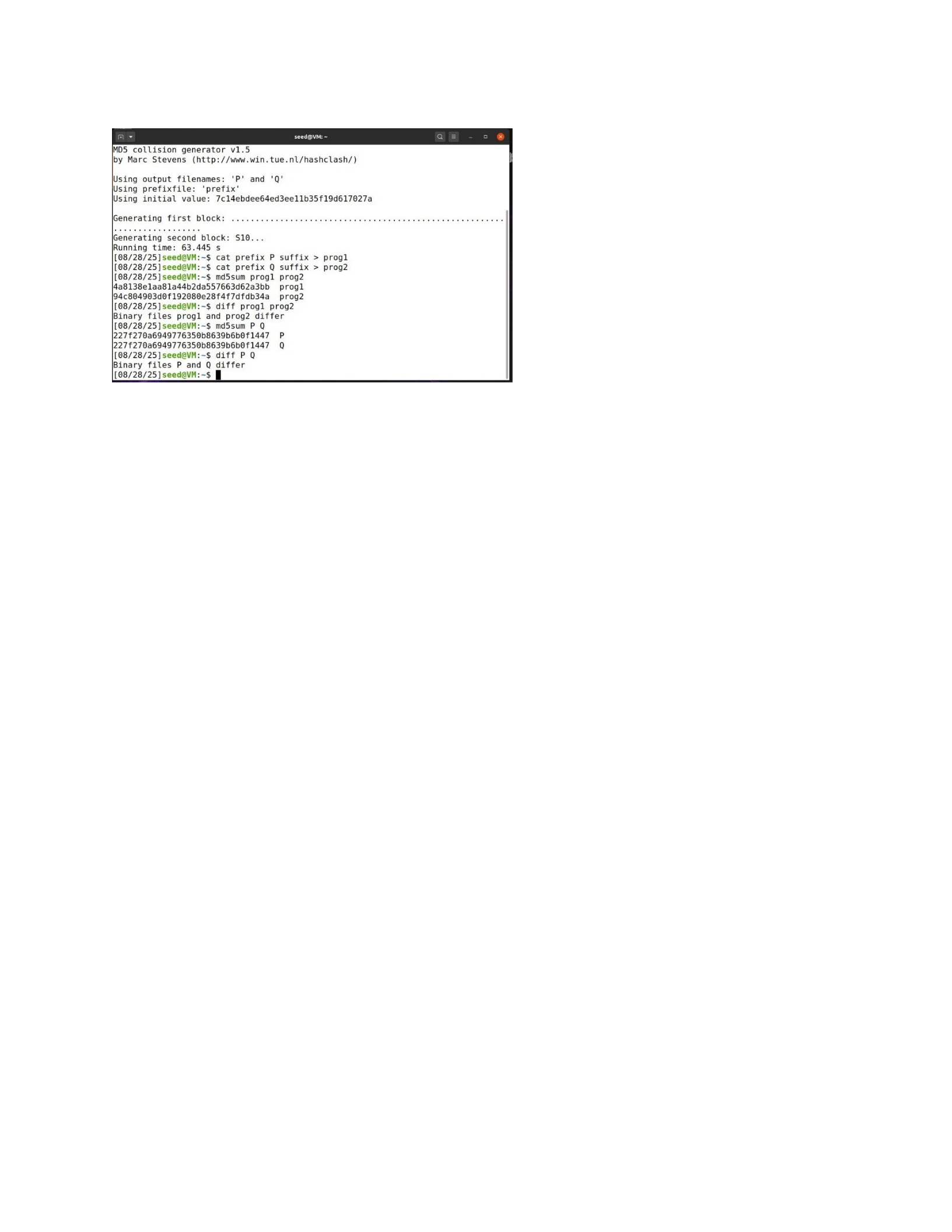
to get the new code added into the files and show that they have the same hash number but
the files differ.
2.4
While working on the final task I have been able to see that it is meant to show how one could
replace a file with malicious code in a system hidden as a safe file. There would be no way to
know the file was bad until it was ran. The only way I could see being able to find the bad file
would be to have to look at individual hash numbers and then use a hex editor to check each
one for bad code. This lab shows how a if given enough time an attacker could place several
types of malicious code in a system that would take forever to find.
Powered by TCPDF (www.tcpdf.org)

