


DOTNET LAB
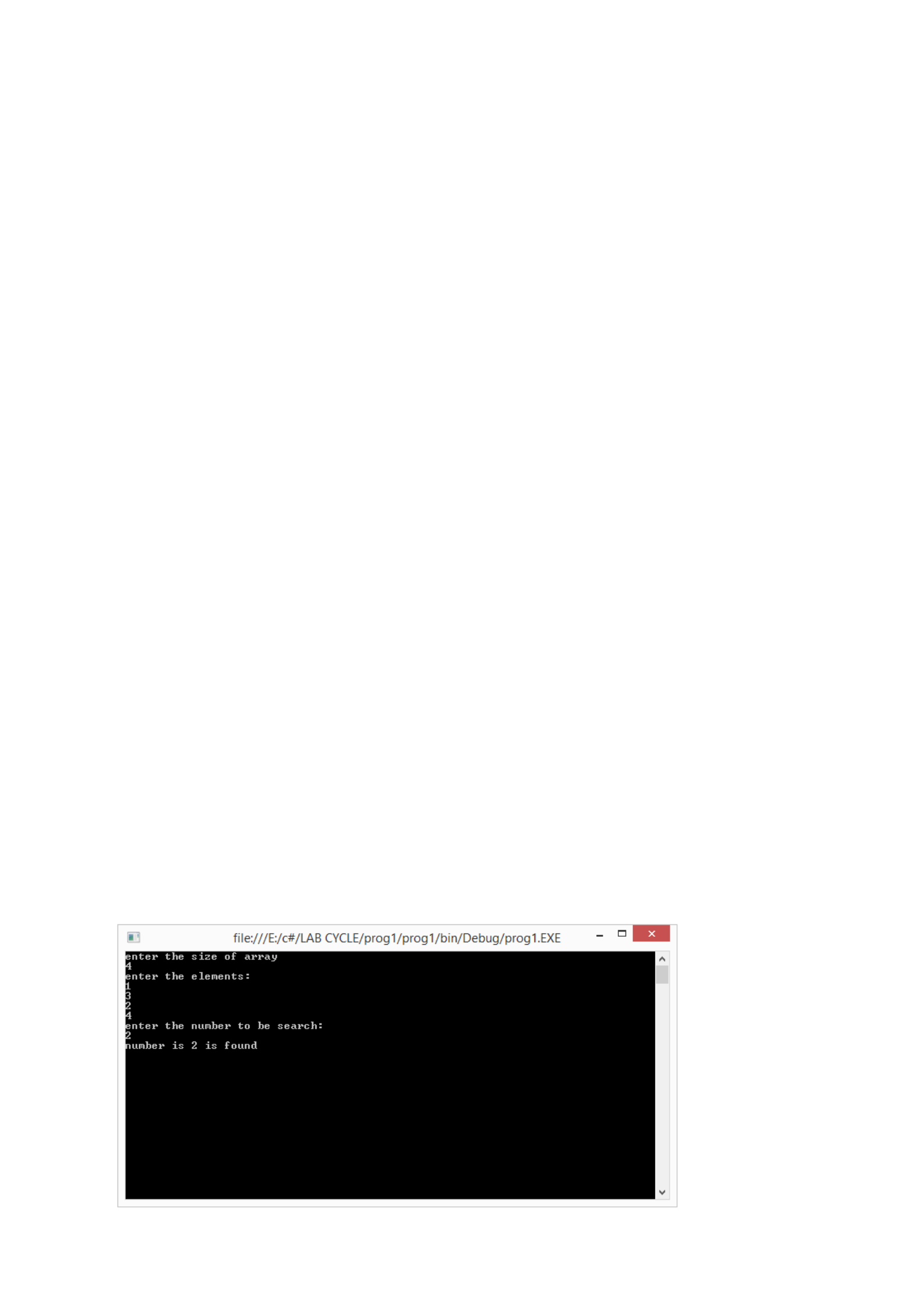
PROGRAM 1
/**************************************************************************
Read n elements into an array and search for a given element.
**************************************************************************/
Program
using System;
using System.Collections.Generic;
using System.Linq;
using System.Text;
namespace prog1
{
public class Arrays
{
public static void Main(string[] args)
{
int k, n, f = 1;
int[] b = new int[5];
Console.WriteLine("enter the size of array");
n = int.Parse(Console.ReadLine());
Console.WriteLine("enter the elements:");
for (int i = 0; i < n; i++)
b[i] = int.Parse(Console.ReadLine());
Console.WriteLine("enter the number to be search:");
k = int.Parse(Console.ReadLine());
foreach (int i in b)
{
if (i == k)
{
Console.WriteLine("number is {0} is found ", k);
f = 0;
}
}
if (f == 1)
{
Console.WriteLine("number is {0} is not found ", k);
}
Console.ReadKey();
}
}
}
Output

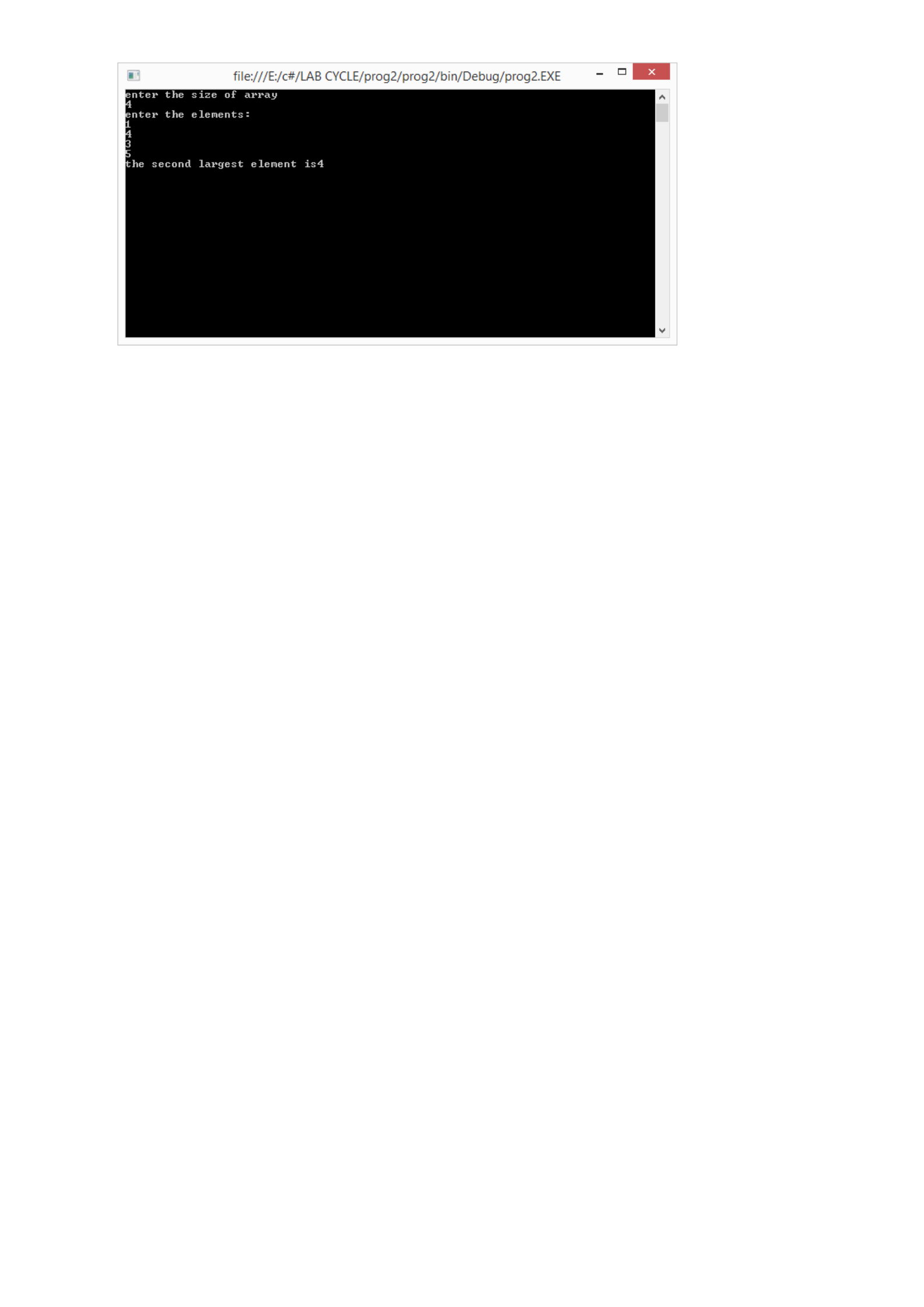
PROGRAM 2
/**************************************************************************
Find the second largest element in an array.
*************************************************************************/
Program
using System;
using System.Collections.Generic;
using System.Linq;
using System.Text;
namespace prog2
{
public class second
{
public static void Main(string[] args)
{
int n, temp;
int[] b = new int[5];
Console.WriteLine("enter the size of array");
n = int.Parse(Console.ReadLine());
Console.WriteLine("enter the elements:");
for (int i = 0; i < n; i++)
b[i] = int.Parse(Console.ReadLine());
for (int i = 0; i < n; i++)
{
for (int j = 0; j < n; j++)
{
if (b[i] > b[j])
{
temp = b[i];
b[i] = b[j];
b[j] = temp;
}
}
}
Console.WriteLine("the second largest element is{0}", b[1]);
Console.ReadKey();
}
}
}
Output
PROGRAM 3
/**************************************************************************
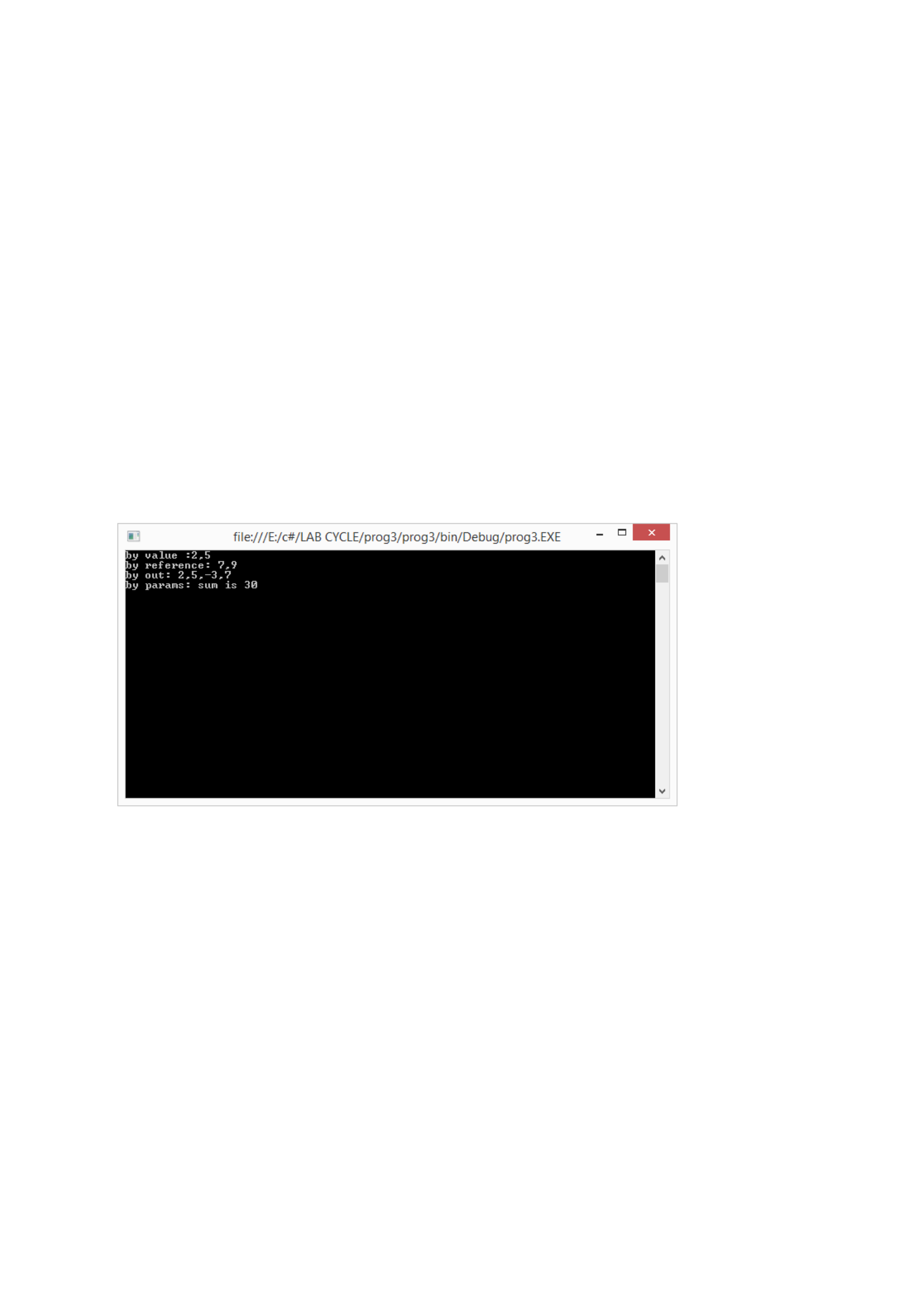
Write a program which demonstrates the three types of parameter passing mechanisms.
*************************************************************************/
Program
using System;
using System.Collections.Generic;
using System.Linq;
using System.Text;
namespace prog3
{
public class pr
{
public static void change(int a, int b)
{
a = a + 5;
b = b + 4;
}
public static void changer(ref int a, ref int b)
{
a = a + 5;
b = b + 4;
}
public static int addsub(int a, int b, out int c)
{
c = a - b;
return (a + b);
}
public static void add(params int[] a)
{
int s = 0;
for (int i = 0; i < a.Length; i++)
{
s = s + a[i];
}
Console.WriteLine("by params: sum is {0}", s);
}
public static void Main(string[] args)
{
int x = 2, y = 5, u, v;
change(x, y);
Console.WriteLine("by value :{0},{1}", x, y);
x = 2; y = 5;
changer(ref x, ref y);
Console.WriteLine("by reference: {0},{1}", x, y);
x = 2; y = 5;
v = addsub(x, y, out u);
Console.WriteLine("by out: {0},{1},{2},{3}", x, y, u, v);
x = 2; y = 3;
add(2, 3, 4, 5, 7, 9);
Console.ReadKey();
}
}
}
Output

PROGRAM 4
/**************************************************************************
Write a c# program to interchange the values of two variable in three different methods
**************************************************************************/
Program
using System;
using System.Collections.Generic;
using System.Linq;
using System.Text;
namespace prog4
{
public class second
{
public static void change(ref int a, ref int b)
{
int temp;
temp = a;
a = b;
b = temp;
}
public static void change1(ref int a, ref int b)
{
a = a + b;
b = a - b;
a = a - b;
}
public static void change2(ref int a, ref int b)
{
a = a ^ b;
b = a ^ b;
a = a ^ b;
}
public static void Main()
{
int x, y;
Console.WriteLine("enter the numbers");
x = int.Parse(Console.ReadLine());
y = int.Parse(Console.ReadLine());
Console.WriteLine(" before swap:{0},{1}", x, y);
change(ref x, ref y);
Console.WriteLine(" after swap with temp:{0},{1}", x, y);
change1(ref x, ref y);
Console.WriteLine(" after swap without temp:{0},{1}", x, y);
change2(ref x, ref y);
Console.WriteLine(" after swap without temp:{0},{1}", x, y);
Console.ReadKey();
}
}
}
Output

PROGRAM 5
/**************************************************************************
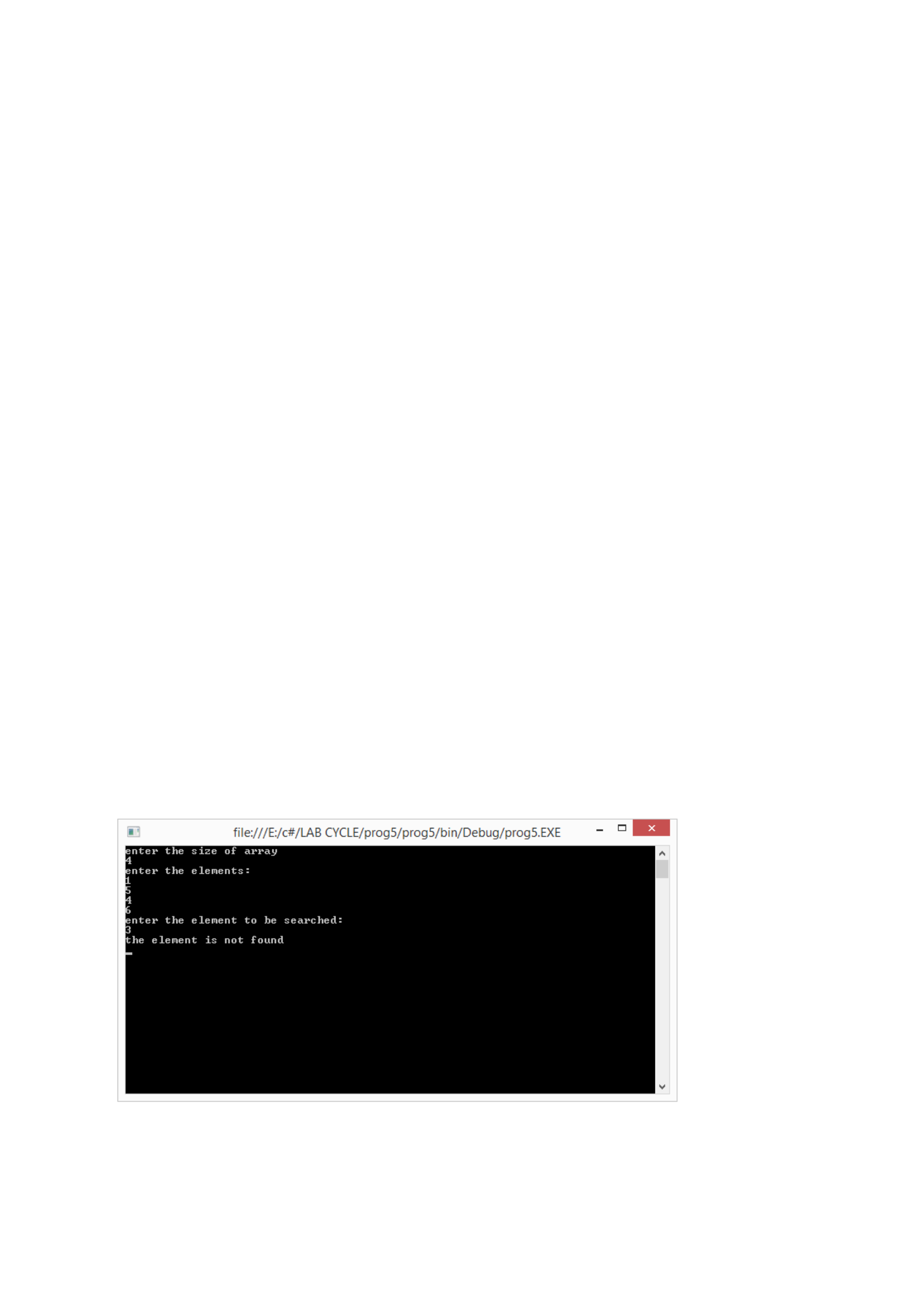
Perform binary search by implementing two functions one using recursion and other without
using recursion.
**************************************************************************/
Program
using System;
using System.Collections.Generic;
using System.Linq;
using System.Text;
namespace prog5
{
public class second
{
int n,temp,k;
int [] b = new int[5];
public void sort()
{
Console.WriteLine("enter the size of array");
n=int.Parse(Console.ReadLine());
Console.WriteLine("enter the elements:");
for(int i=0;i<n;i++)
b[i]=int.Parse(Console.ReadLine());
Console.WriteLine("enter the element to be searched:");
k=int.Parse(Console.ReadLine());
for(int i=0;i<n;i++)
{
for(int j=0;j<n;j++)
{
if(b[i]<b[j])
{
temp=b[i];
b[i]=b[j];
b[j]=temp;
}
}
}
search(0,n,k);
}
public void search(int l,int u,int k)
{
int mid,f=1,n;
n=l+u;
mid=(l+u)/2;
if(mid>0&&mid<n)
{
if(b[mid]==k)
{
Console.WriteLine("the element is found");
f=0;
}
else if(b[mid]>k)
{
search(l,mid-1,k);
}
else if (b[mid]<k)
{
search(mid+1,u,k);
}
if (f==1)
{
Console.WriteLine("the element is not found");
}
}
}
}
class MainProg
{
public static void Main(string[] args)
{
second s;
s= new second();
s.sort();
Console.ReadKey();
}
}
}
Output
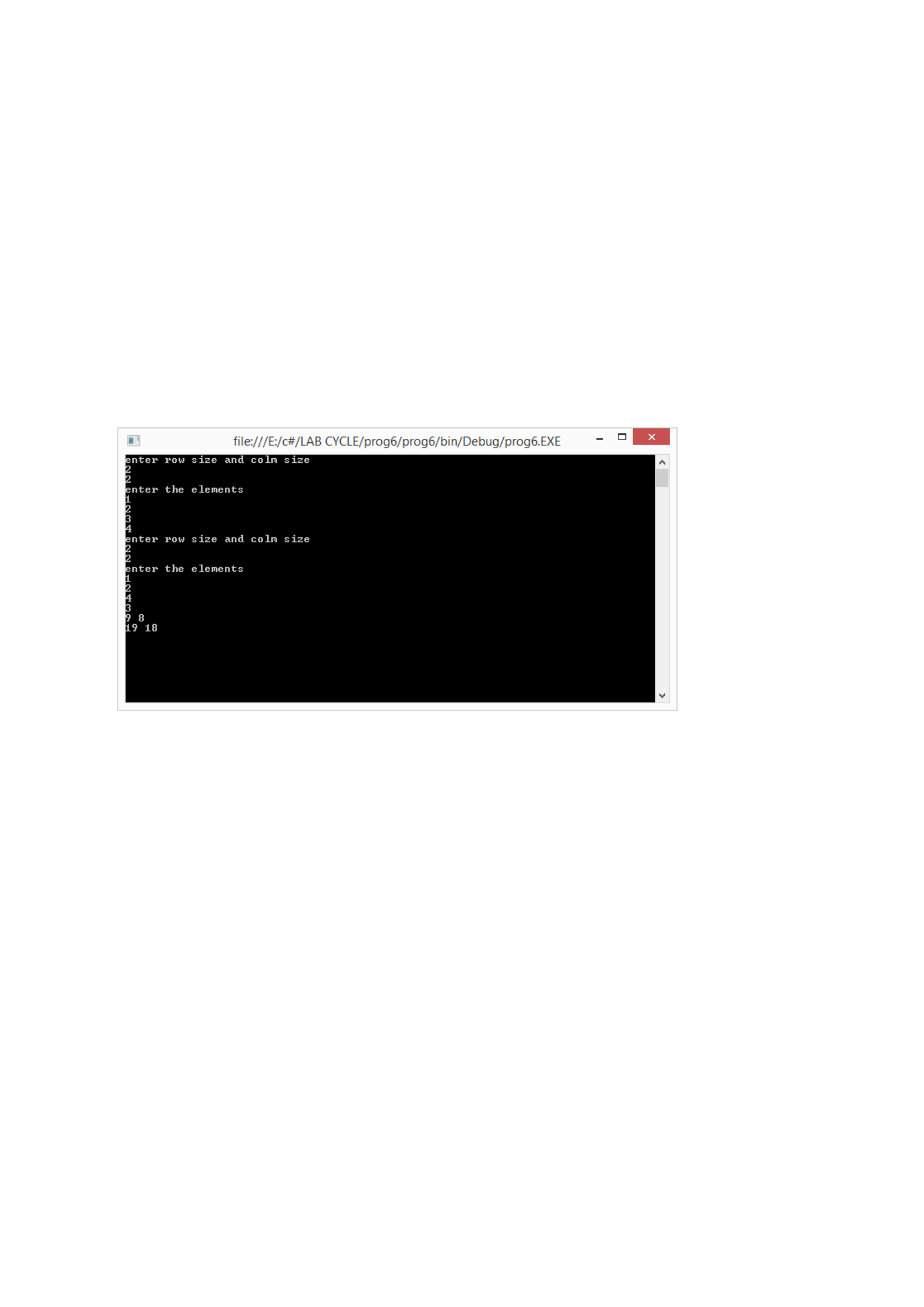
PROGRAM 6
/**************************************************************************
Write a program to multiply two matrix.
**************************************************************************/

Program
using System;
using System.Collections.Generic;
using System.Linq;
using System.Text;
namespace prog6
{
class Matrix
{
int[,] a;
int r, c;
public Matrix()
{
for (int i = 0; i < r; i++)
{
for (int j = 0; j < c; j++)
{
a[i, j] = 0;
}
}
}
public void read()
{
Console.WriteLine("enter row size and colm size");
r = int.Parse(Console.ReadLine());
c = int.Parse(Console.ReadLine());
a = new int[r, c];
Console.WriteLine("enter the elements");
for (int i = 0; i < r; i++)
{
for (int j = 0; j < c; j++)
{
a[i, j] = int.Parse(Console.ReadLine());
}
}
}
public void display()
{
for (int i = 0; i < r; i++)
{
for (int j = 0; j < c; j++)
{
Console.WriteLine("{0}", a[i, j]);
}
}
}
public static void mult(Matrix m1, Matrix m2)
{
Matrix m3 = new Matrix();
int s;
if (m1.c == m2.r)
{
for (int i = 0; i < m1.r; i++)
{
for (int j = 0; j < m2.c; j++)
{
s = 0;
for (int k = 0; k < m1.c; k++)
{
s = s + m1.a[i, k] * m2.a[k, j];
}
Console.Write("{0} ", s);
}
Console.WriteLine(" ");
}
}
}
}
class Program
{
static void Main(string[] args)
{
Matrix m1 = new Matrix();
Matrix m2 = new Matrix();
Matrix m3 = new Matrix();
m1.read();
m2.read();
Matrix.mult(m1, m2);
Console.ReadKey();
}
}
}
Output
PROGRAM 7
/**************************************************************************
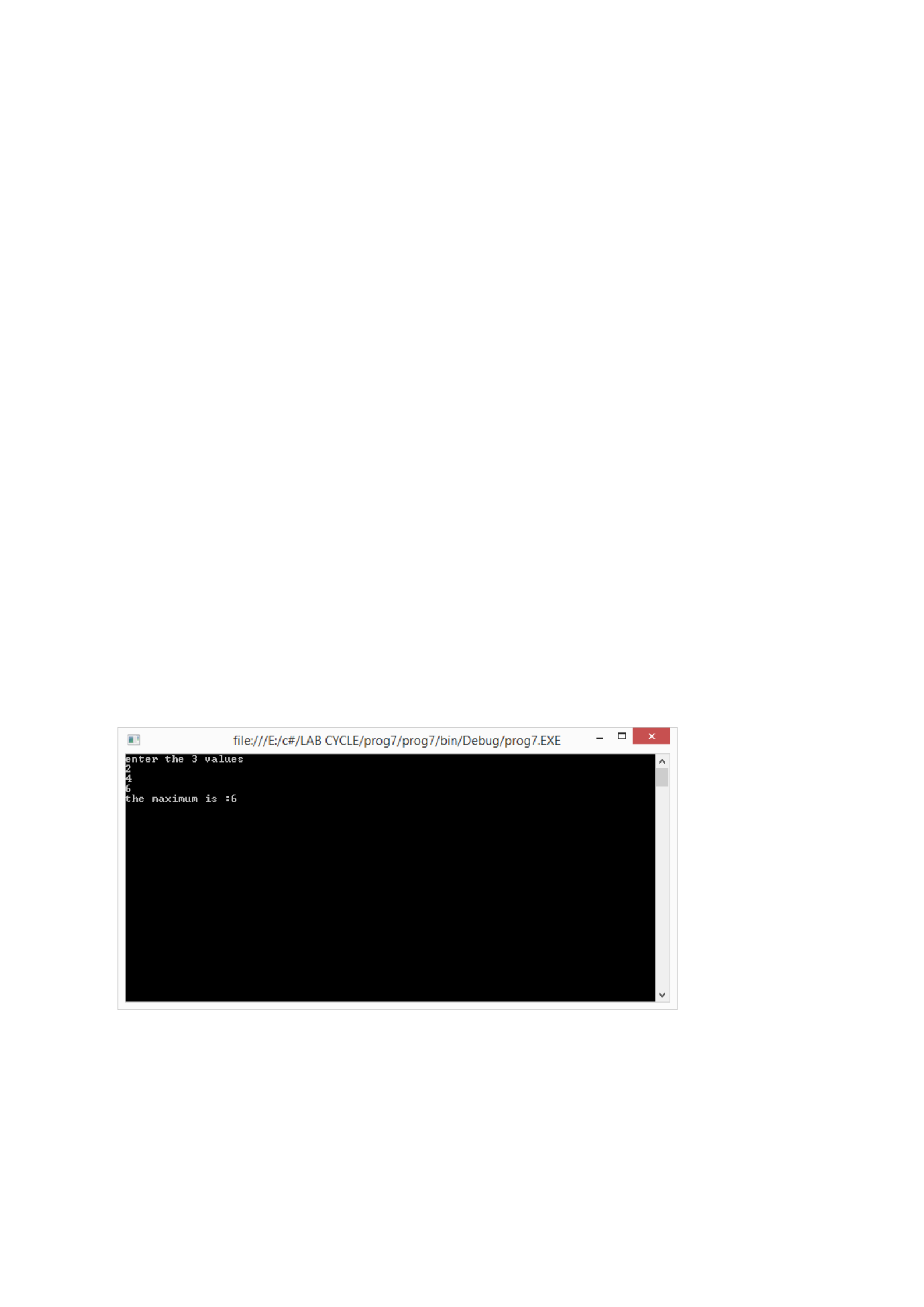
A function takes two integer arguments and returns the maximum. Use this function to find
the maximum of three numbers
**************************************************************************/
Program
using System;
using System.Collections.Generic;
using System.Linq;
using System.Text;
namespace prog7
{
public class maximum
{
public int max(int a, int b)
{
if (a > b)
return a;
else
return b;
}
static void Main(string[] args)
{
int n, temp, k, b;
maximum s;
s = new maximum();
Console.WriteLine("enter the 3 values");
n = int.Parse(Console.ReadLine());
b = int.Parse(Console.ReadLine());
k = int.Parse(Console.ReadLine());
temp = s.max(n, b);
temp = s.max(temp, k);
Console.WriteLine("the maximum is :{0}", temp);
Console.ReadKey();
}
}
}
Output

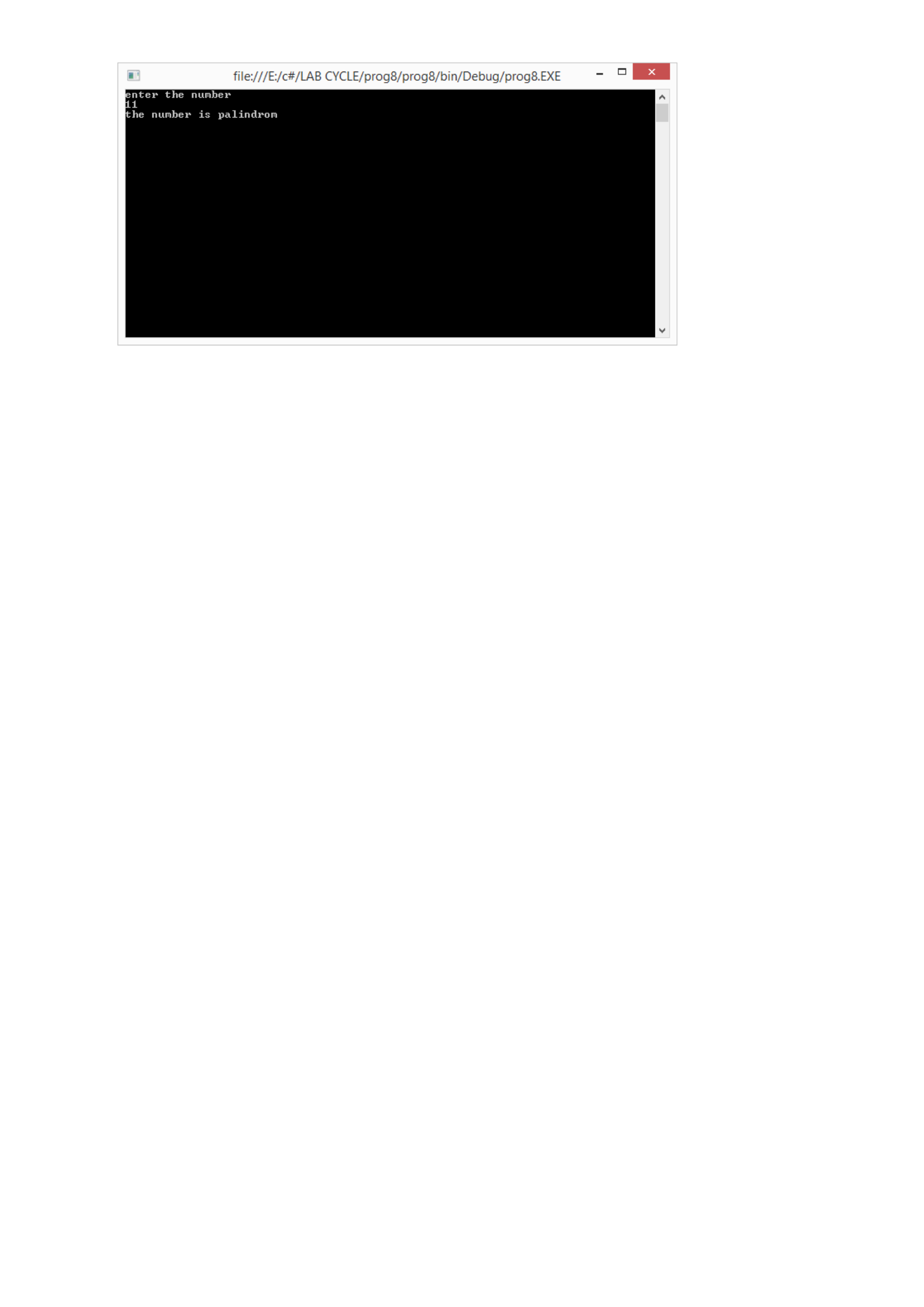
PROGRAM 8
/**************************************************************************
A function takes an integer argument and returns the reverse of the same. Another function
takes an integer argument and return true or false if the number is palindrome with the help of
the above function.
**************************************************************************/
Program
using System;
using System.Collections.Generic;
using System.Linq;
using System.Text;
namespace prog8
{
public class maximum
{
public int reverse(int a)
{
int temp = 0, n;
while (a > 0)
{
n = a % 10;
temp = temp * 10 + n;
a = a / 10;
}
return temp;
}
public bool pallan(int a)
{
int temp;
temp = reverse(a);
if (a == temp)
{
return true;
}
else
{
return false;
}
}
}
class Program
{
static void Main(string[] args)
{
int n;
bool a;
maximum s;
s = new maximum();
Console.WriteLine("enter the number");
n = int.Parse(Console.ReadLine());
a = s.pallan(n);
if (a)
{
Console.WriteLine("the number is palindrom");
}
else
{
Console.WriteLine("the number is not palindrom");
}
Console.ReadKey();
}
}
}
Output
PROGRAM 9
/*************************************************************************
Create a class for student having (sno, sname, sprogram) [example sno-1,sname-
sanjay,sprogram-MCA]. Provide functions for reading and displaying the same information.
Also provide a function for comparing two student objects for equality.
**************************************************************************/
Program
using System;
using System.Collections.Generic;
using System.Linq;
using System.Text;
namespace prog9
{
public class student
{
int sno;
string sname, sprogram;

public void get()
{
Console.WriteLine("enter the sno");
sno = int.Parse(Console.ReadLine());
Console.WriteLine("enter the name");
sname = Console.ReadLine();
Console.WriteLine("enter the sprogram");
sprogram = Console.ReadLine();
}
public void display()
{
Console.WriteLine(" the sno:{0}", sno);
Console.WriteLine(" the name:{0}", sname);
Console.WriteLine(" the sprogram:{0}", sprogram);
}
public void compares(student ob1, student ob2)
{
if (ob1.sprogram == ob2.sprogram)
{
Console.WriteLine("STUDENTS ARE DOING SAME PROGRAMS");
}
else
Console.WriteLine("STUDENTS ARE DOING DIFFERENT PROGRAM");
}
}
class Program
{
static void Main(string[] args)
{
student s = new student();
student s1 = new student();
s.get();
s1.get();
s.display();
s1.display();
s.compares(s,s1);
Console.ReadKey();
}
}
}
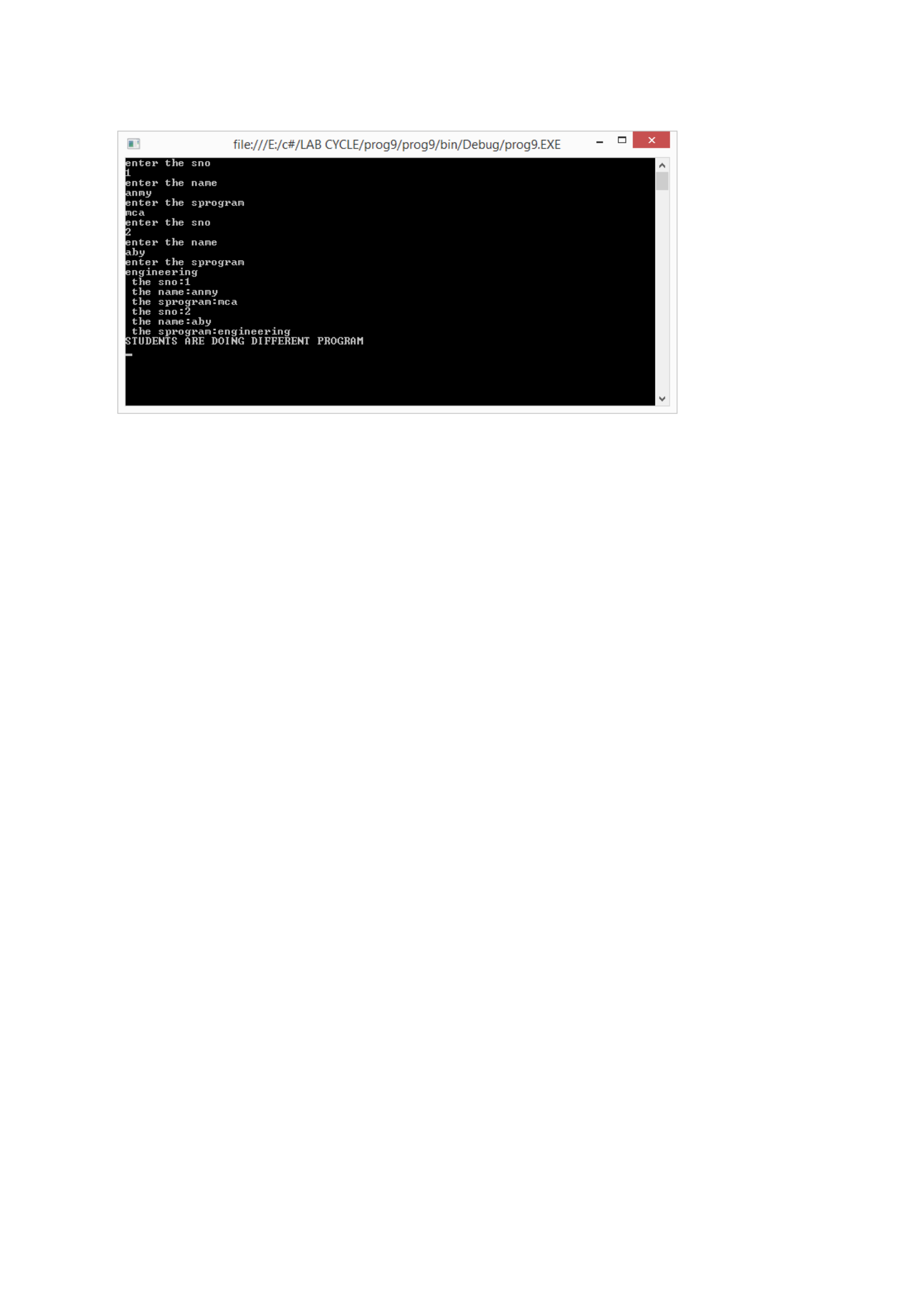
Output
PROGRAM 10
/**************************************************************************
Create a class for storing date and perform the following operations. Adding days to a date.
Printing in various formats [mm/dd/yyy,dd/mm/yy,dd-AUG-yyyy]. Use necessary
constructors and member functions.
**************************************************************************/
Program
using System;
using System.Collections.Generic;
using System.Linq;
using System.Text;
using System.Threading.Tasks;
namespace pgm10
{
class Date
{
int date, mon, yy;
public Date(int d,int m,int y)
{
date = d;
mon =m;
yy = y;
}

public void add(int x)
{
int nd = date + x;
if (nd > 31)
{
date = date % 31;
mon = mon + 1;
}
else
date = date + x;
}
public void print1()
{
Console.WriteLine("{0}/{1}/{2}", mon, date, yy);
}
public void print2()
{
Console.WriteLine("{0}/{1}/{2}",date,mon,yy);
}
public void print3()
{
String m;
if (mon == 1)
m = "JAN";
else if (mon == 2)
m = "FEB";
else if (mon == 3)
m = "MAR";
else if (mon == 4)
m = "APR";
else if (mon == 5)
m = "MAY";
else if (mon == 6)
m = "JUN";
else if (mon == 7)
m = "JULY";
else if (mon == 8)
m = "AUG";
else if (mon == 9)
m = "SEP";
else if (mon == 10)
m = "OCT";
else if (mon == 11)
m = "NOV";
else
m = "DEC";
Console.WriteLine("{0}/{1}/{2}", date, m, yy);
}
}
class Program
{
static void Main(string[] args)
{
Date d1 = new Date(05,09,1995);
Console.WriteLine("enter number of days added");
int x=int.Parse(Console.ReadLine());
d1.add(x);
d1.print1();
d1.print2();
d1.print3();
Console.ReadKey();
}
}
}
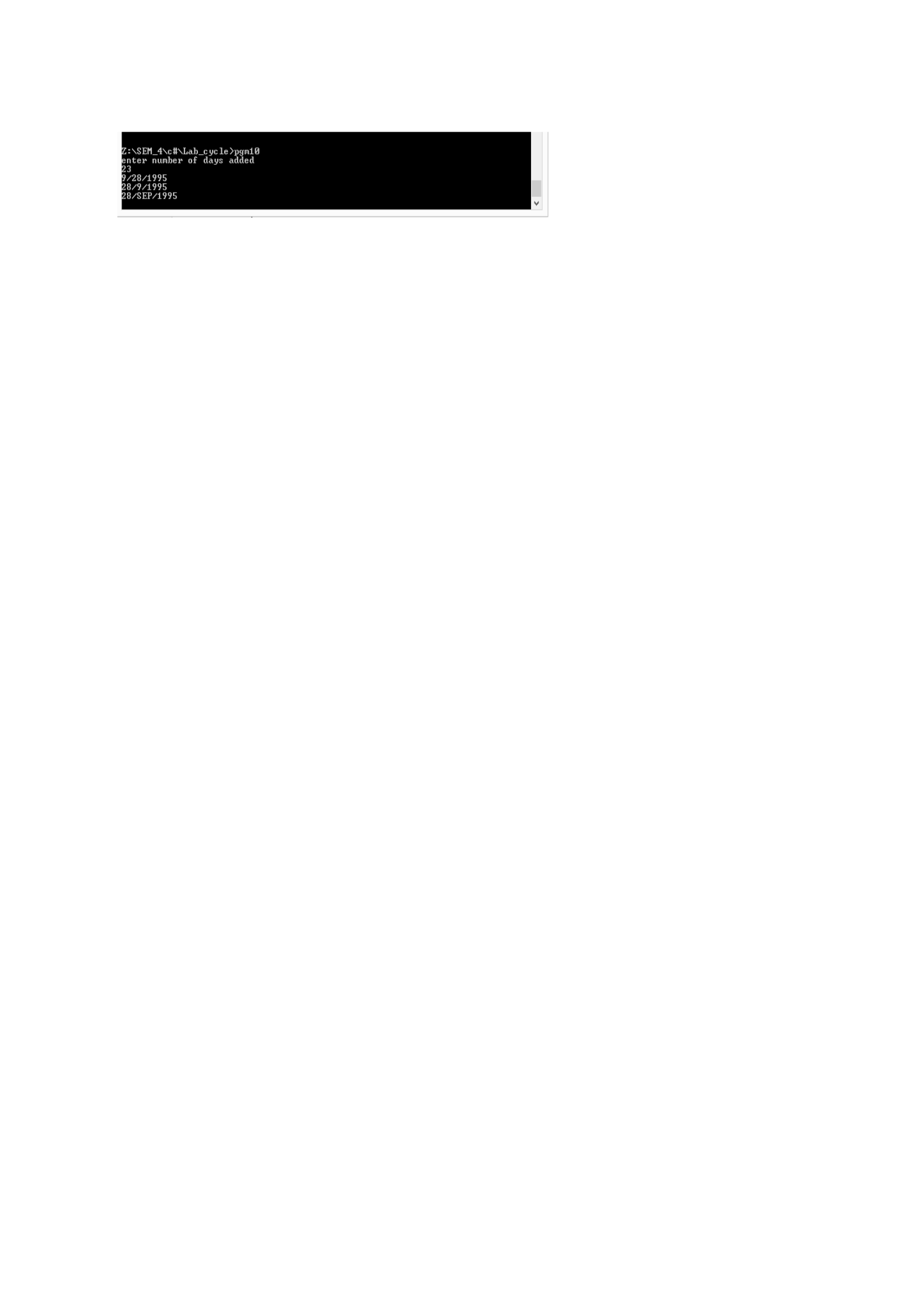
OUTPUT
PROGRAM 11
/**************************************************************************
Establish inheritance relationship between Team and Player. Team class is the base class
having Team name, Team category[cricket/football etc.], no of players. Player class has
playername, player role[keeper / defender/captain etc.] . provide necessary constructors and
member functions
*************************************************************************/
Program
using System;
using System.Collections.Generic;
using System.Linq;
using System.Text;
using System.Threading.Tasks;
namespace pgm11
{
class Team
{
String name;
String category;
int no;
public Team(String tname, String tcate, int tno)
{
name = tname;
category = tcate;
no = tno;
}
public void display1()
{
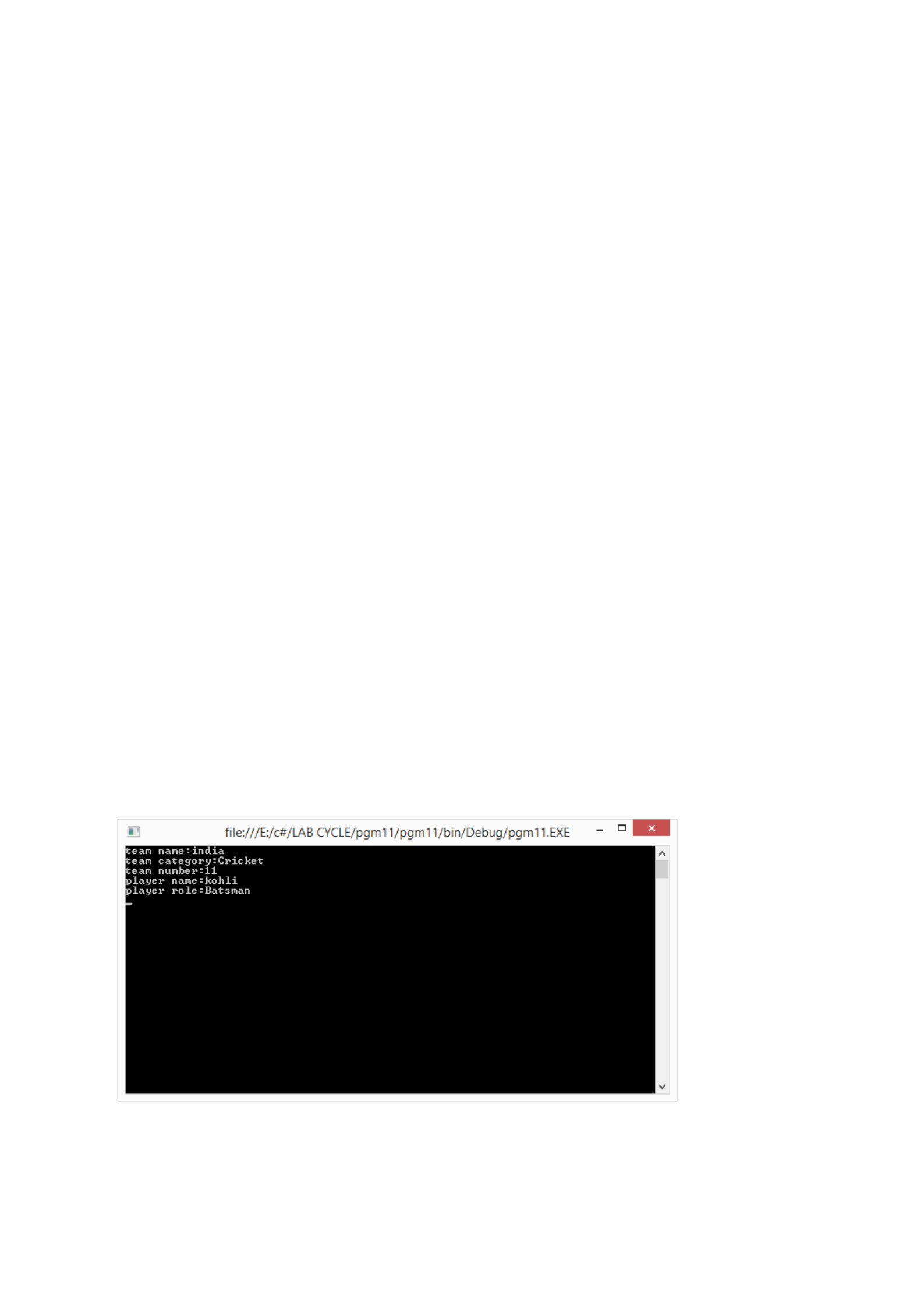
Console.WriteLine("team name:{0}", name);
Console.WriteLine("team category:{0}", category);
Console.WriteLine("team number:{0}", no);
}
}
class Player : Team
{
String pname;
String prole;
public Player(String tname, String tcate, int tno, String pnam, String prol)
: base(tname, tcate, tno)
{
pname = pnam;
prole = prol;
}
public void display()
{
display1();
Console.WriteLine("player name:{0}", pname);
Console.WriteLine("player role:{0}", prole);
}
}
class Program
{
static void Main(string[] args)
{
Player p1 = new Player("india", "Cricket", 11, "kohli", "Batsman");
p1.display();
Console.ReadKey();
}
}
}
Output

PROGRAM 12
/**************************************************************************
Program for complex number addition, subtraction and multiplication
**************************************************************************/
Program
using System;
using System.Collections.Generic;
using System.Linq;
using System.Text;
using System.Threading.Tasks;
namespace pgm12
{
class Complex
{
int r, i;
public Complex()
{
r = 0;
i = 0;
}
public void read()
{
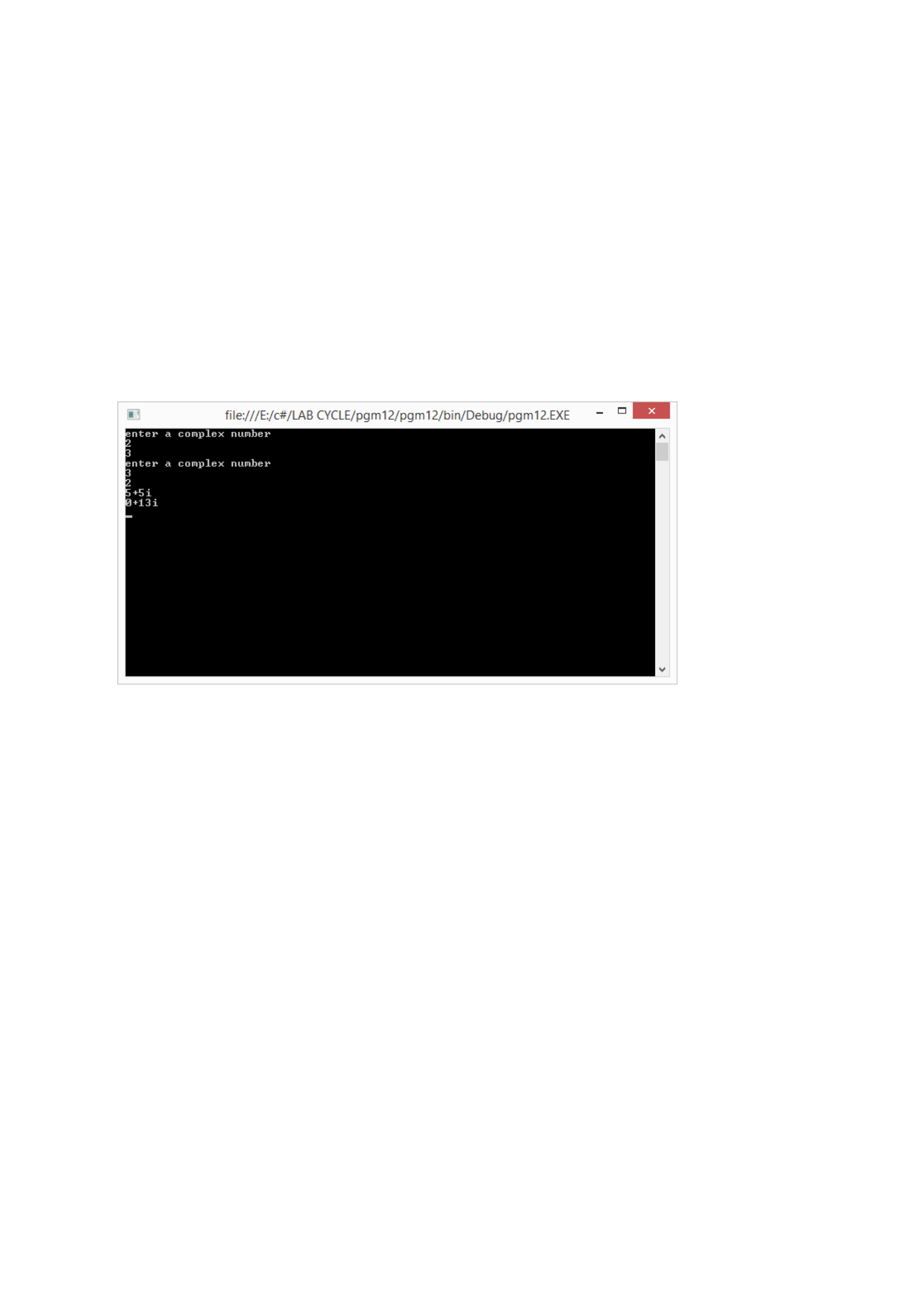
Console.WriteLine("enter a complex number");
r = int.Parse(Console.ReadLine());
i = int.Parse(Console.ReadLine());
}
public Complex add(Complex c2)
{
Complex c3 = new Complex();
c3.r = r + c2.r;
c3.i = i + c2.i;
return c3;
}
public Complex mult(Complex c2)
{
Complex c4 = new Complex();
c4.r = r * c2.r - i * c2.i;
c4.i = r * c2.i + i * c2.r;
return c4;
}
public void display()
{
Console.WriteLine("{0}+{1}i", r, i);
}
}
class Program
{
static void Main(string[] args)
{
Complex c1 = new Complex();
Complex c2 = new Complex();
c1.read();
c2.read();
Complex c3 = new Complex();
c3 = c1.add(c2);
c3.display();
Complex c4 = new Complex();
c4 = c1.mult(c2);
c4.display();
Console.ReadKey();
}
}
}
Output
PROGRAM 13
/**************************************************************************
Demonstrate function overloading and overriding using an example of your choice using base
method and base object.
**************************************************************************/
Program
using System;
class BaseClass
{
public void Add(int num1, int num2)
{
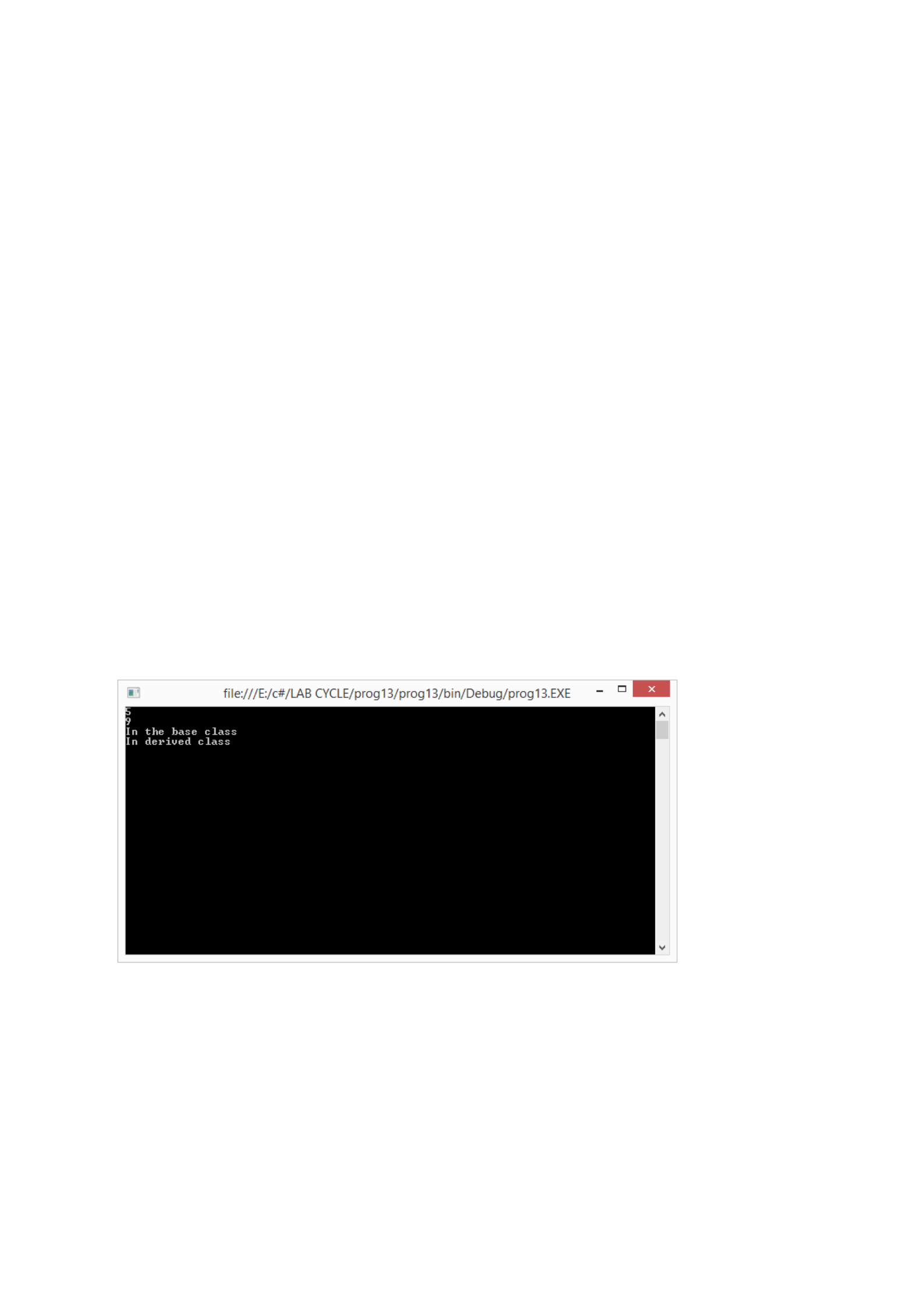
Console.WriteLine("{0}", num1 + num2);
}
public void Add(int num1, int num2, int num3)
{
Console.WriteLine("{0}", num1 + num2 + num3);
}
public virtual void display()
{
Console.WriteLine("In the base class");
}
}
class SuperClass : BaseClass
{
public override void display()
{
Console.WriteLine("In derived class");
}
}
class MainClass
{
public static void Main()
{
BaseClass obj = new BaseClass();
obj.Add(2, 3);
obj.Add(2, 3, 4);
obj.display();
obj = new SuperClass();
obj.display();
Console.ReadKey();
}
}
Output
PROGRAM 14
/**************************************************************************
Demonstrate static functions for adding two numbers which takes the input using command
line arguments.
**************************************************************************/
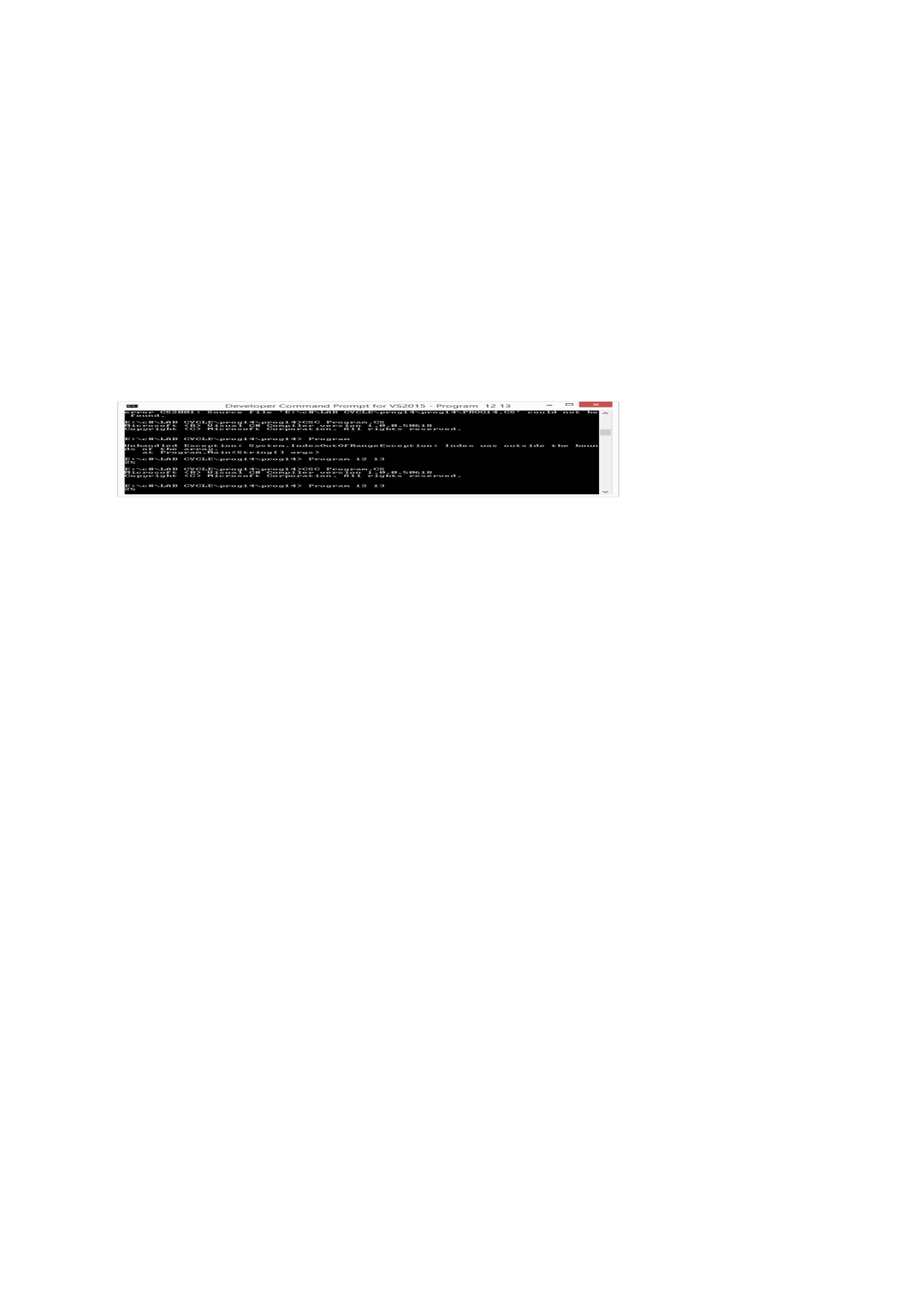
Program
using System;
class Program
{
public static long add(long n, long m)
{
return n + m;
}
static void Main(String[] args)
{
long n = long.Parse(args[0]);
long m = long.Parse(args[1]);
long s = add(n, m);
Console.WriteLine("{0}", s);
Console.ReadKey();
}
}
Output
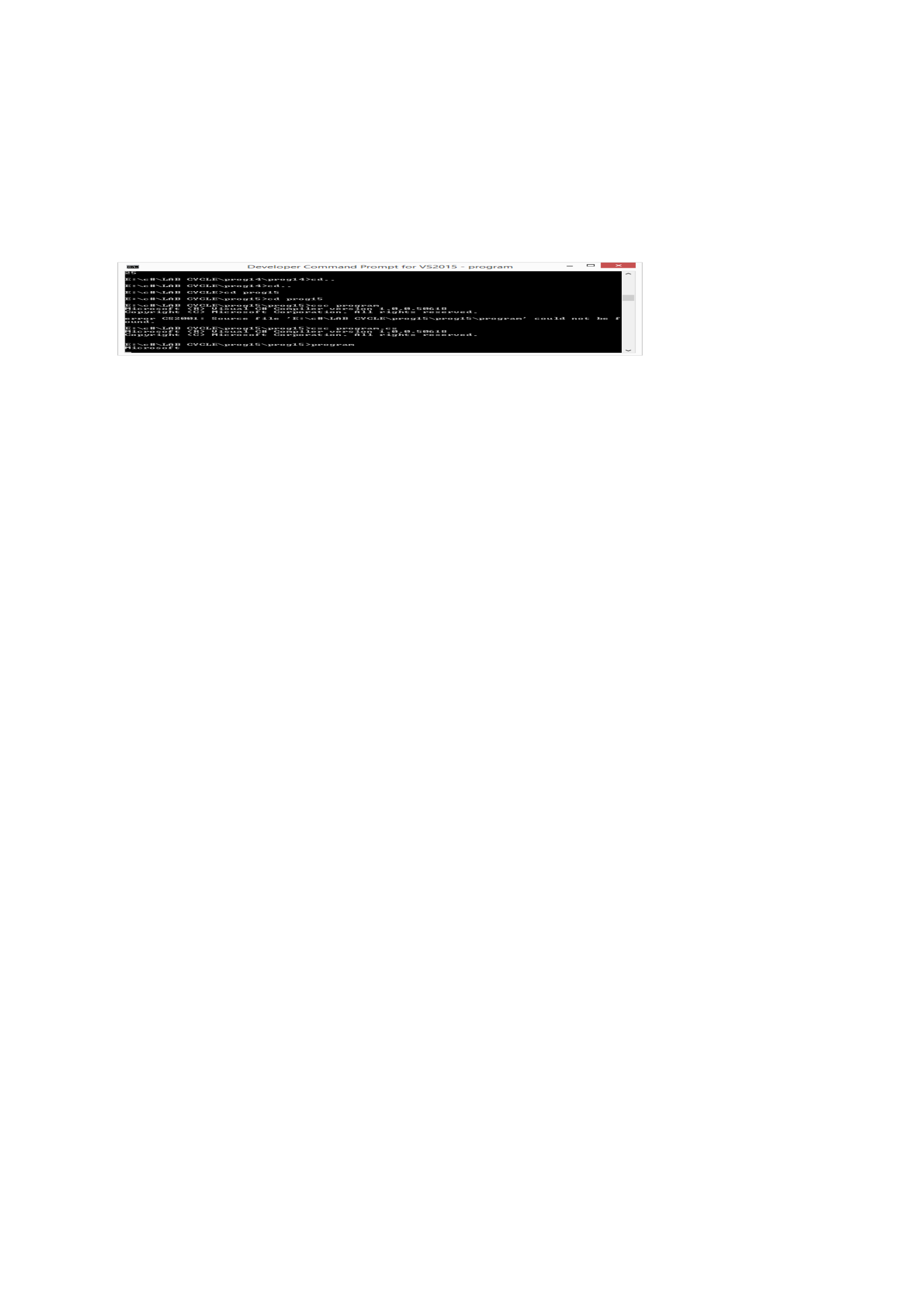
PROGRAM 15
/**************************************************************************
Write a program to demonstrate reflection and attribute?
**************************************************************************/
Program
using System;
using System.Collections.Generic;
using System.Linq;
using System.Text;
namespace prog15
{
[AttributeUsage(AttributeTargets.All, AllowMultiple = true)] // Multiuse attribute.
class Auther : Attribute
{
public string auther;
public string date;
}
[Auther(auther = "Microsoft", date = "22-11-2017")]
class test
{
[Auther(auther = "qwer", date = "22-11-2017")]
public void display()
{
Console.WriteLine("Function member");
}
[Auther(auther = "qwer", date = "22-11-2017")]
public static void print()
{
Console.WriteLine("Static Function");
}
}
class prog
{
static void Main(string[]arg)
{
Type t = typeof(test);
Attribute[] a = Attribute.GetCustomAttributes(t);
foreach (Attribute aa in a)
{
Auther ab = (Auther)aa;
Console.WriteLine(ab.auther);
}
Console.ReadKey();
}
}
}
Output
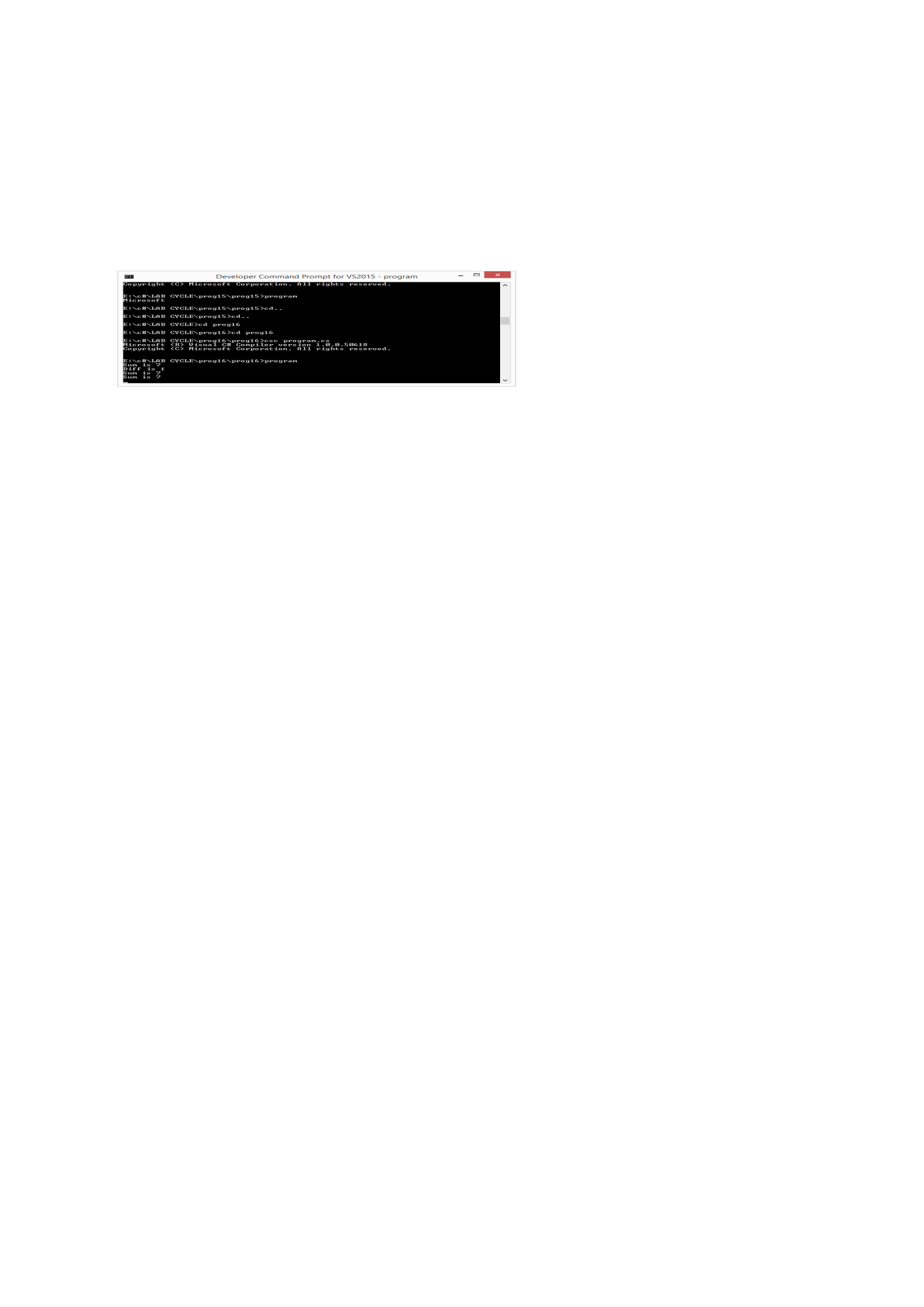
PROGRAM 16
/**************************************************************************
Write a program to demonstrate delegates?
**************************************************************************/
Program
using System;
using System.Collections.Generic;
using System.Linq;
using System.Text;
namespace prog16
{
class math
{
public static void sum(int a, int b)
{
Console.WriteLine("Sum is {0}", a + b);
}
public static void diff(int a, int b)
{
Console.WriteLine("Diff is {0}", Math.Abs(a - b));
}
public void summ(int a, int b)
{
Console.WriteLine("Sum is {0}", a + b);
}
}
class prog
{
delegate void funcdelegate(int a, int b); // creating a delegate reference
static void Main(string[]arg)
{
funcdelegate addsum = new funcdelegate(math.sum); // creating a new instance for
the delegate funcdelegate and mapping to method sum
addsum += math.diff; // adding more methods to that delegate.
addsum(3, 4); // single delegate call, makes tow different calls separately.
math m1 = new math();
math m2 = new math();
funcdelegate addobj = new funcdelegate(m1.summ);
addobj += m2.summ;
addobj(2, 5);
Console.ReadKey();
}
}
}
Output
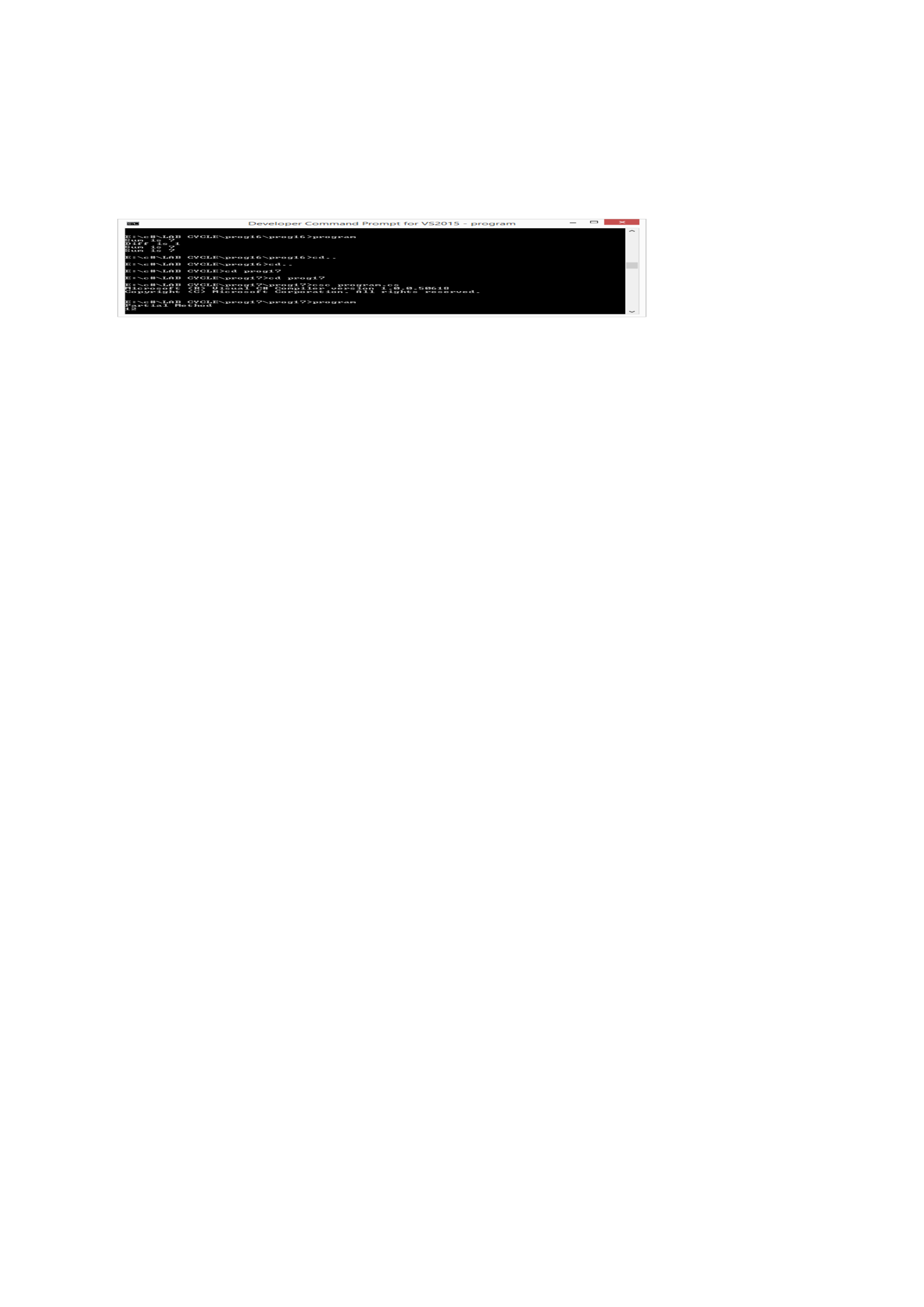
PROGRAM 17
/**************************************************************************
Write a program to demonstrate partial class and partial method?
**************************************************************************/
Program
using System;
using System.Collections.Generic;
using System.Linq;
using System.Text;
namespace prog17
{
partial class one
{
partial void print();
public void display()
{
print();
}
}
partial class one
{
public void add(int a, int b)
{
Console.WriteLine(a + b);
}
partial void print()
{
Console.WriteLine("Partial Method");
}
}
class Prog
{
static void Main(string[] arg)
{
one o = new one();
o.display();
o.add(5, 7);
Console.ReadKey();
}
}
}
Output
PROGRAM 18
/**************************************************************************
Program to demonstrate three types of properties?
**************************************************************************/
Program
using System;
using System.Collections.Generic;
using System.Linq;
using System.Text;
namespace prog18
{
class Student
{
private float code = 0;
private string name = "not known";
private int age = 0;
// Declare a Code property of type string:
public float Code
{
get
{
return code;
}
set
{
code = value;
}
}
// Declare a Name property of type string:
public string Name
{
get
{
return name;
}
set
{
name = value;
}
}
// Declare a Age property of type int:
public int Age
{
get
{
return age;
}
set
{
age = value;
}
}
public override string ToString()
{
return "Code = " + Code + ", Name = " + Name + ", Age = " + Age;
}
}
class ExampleDemo
{
public static void Main(String[] arg)
{
// Create a new Student object:
Student s = new Student();
// Setting code, name and the age of the student
s.Code = 56;
s.Name = "aby";
s.Age = 21;
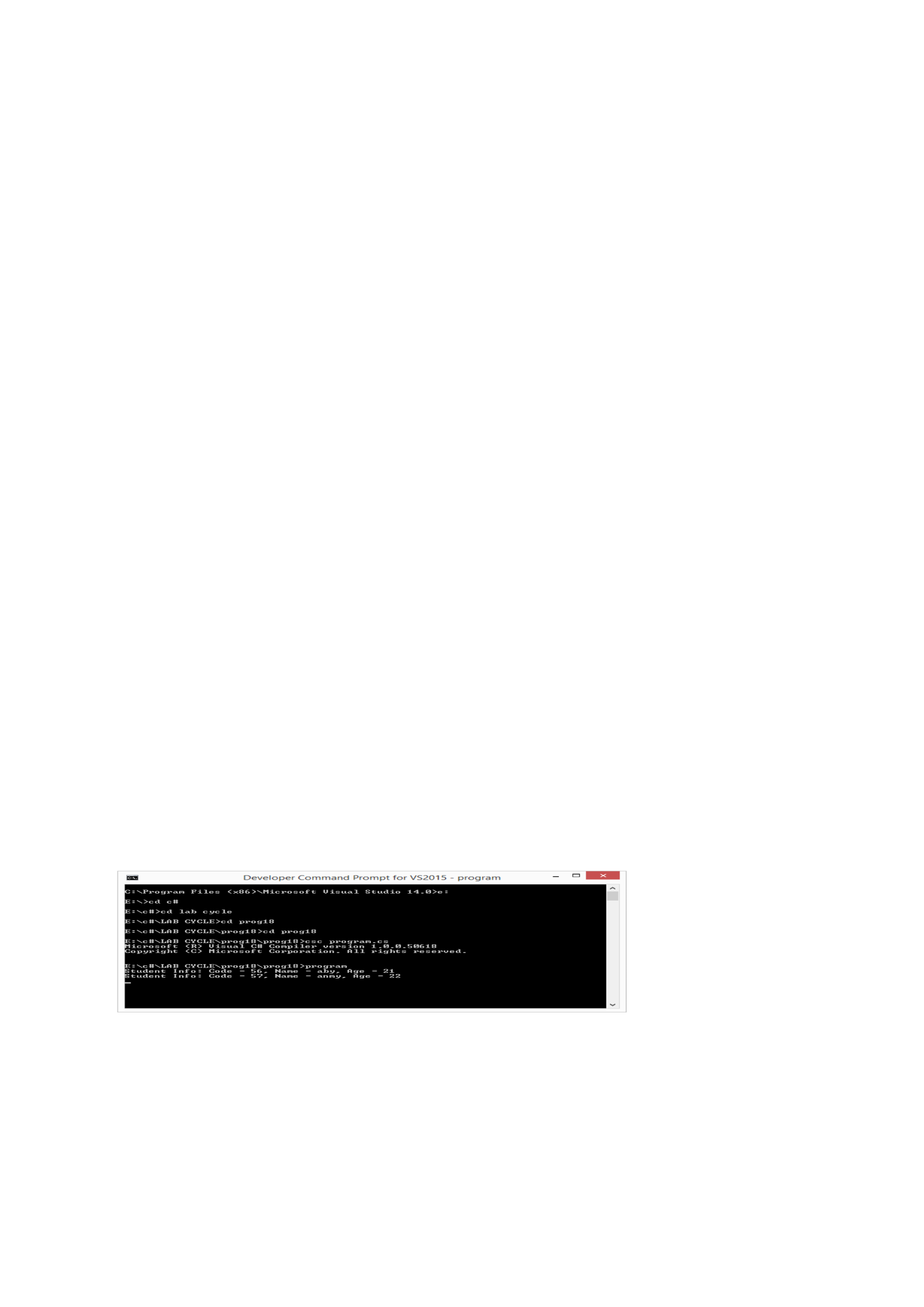
Console.WriteLine("Student Info: {0}", s);
//let us increase age
s.Code = 57;
s.Name = "anmy";
s.Age += 1;
Console.WriteLine("Student Info: {0}", s);
Console.ReadKey();
}
}
}
Output
PROGRAM 19
/**************************************************************************
Write a program to implement five string functions?
**************************************************************************/
Program
using System;
using System.Collections.Generic;
using System.Linq;
using System.Text;
namespace prog19
{
class Program
{
static void Main(string[] args)
{
string ss = "*hellow sir,how are u*";
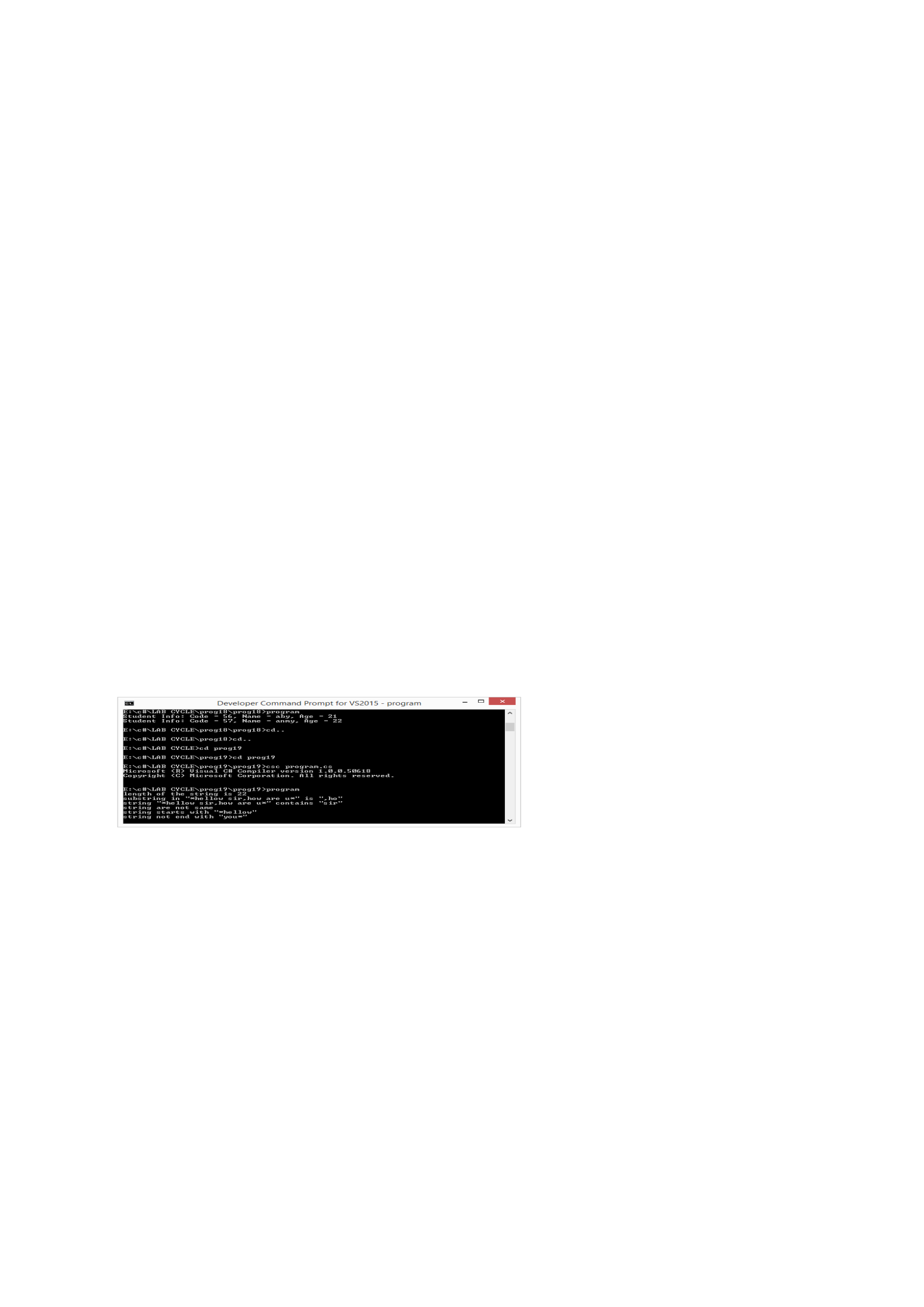
Console.WriteLine("length of the string is " + ss.Length);
string st = ss.Substring(11, 3);
Console.WriteLine("substring in \"" + ss + "\" is \"" + st + "\"");
if (ss.Contains("sir"))
Console.WriteLine("string \"" + ss + "\" contains \"sir\"");
if (ss.Equals(st))
Console.WriteLine("string are same");
else
Console.WriteLine("string are not same");
if (ss.StartsWith("*hellow"))
Console.WriteLine("string starts with \"*hellow\"");
else
Console.WriteLine("string not starts with \"*hellow\"");
if (ss.EndsWith("you*"))
Console.WriteLine("string end with \"you*\"");
else
Console.WriteLine("string not end with \"you*\"");
Console.ReadKey();
}
}
}
Output
PROGRAM 20
/**************************************************************************
Write a program to demonstrate structure?
**************************************************************************/
Program
using System;
using System.Collections.Generic;
using System.Linq;
using System.Text;
namespace prog20
{
enum days { sun,mon,tue,wed,thu,fri,sat};
struct employee // cannot inherit from class or struct, can inherit from the inheritence.
{
public int emnum;
public days shift;
public string name;
public void get_empl_det()
{
Console.WriteLine("Enter the Employee details,[number,shift,name]");
emnum = int.Parse(Console.ReadLine());
string s = Console.ReadLine();
shift = (days)Enum.Parse(typeof(days),s,true);
}
public void show_empl_det()
{
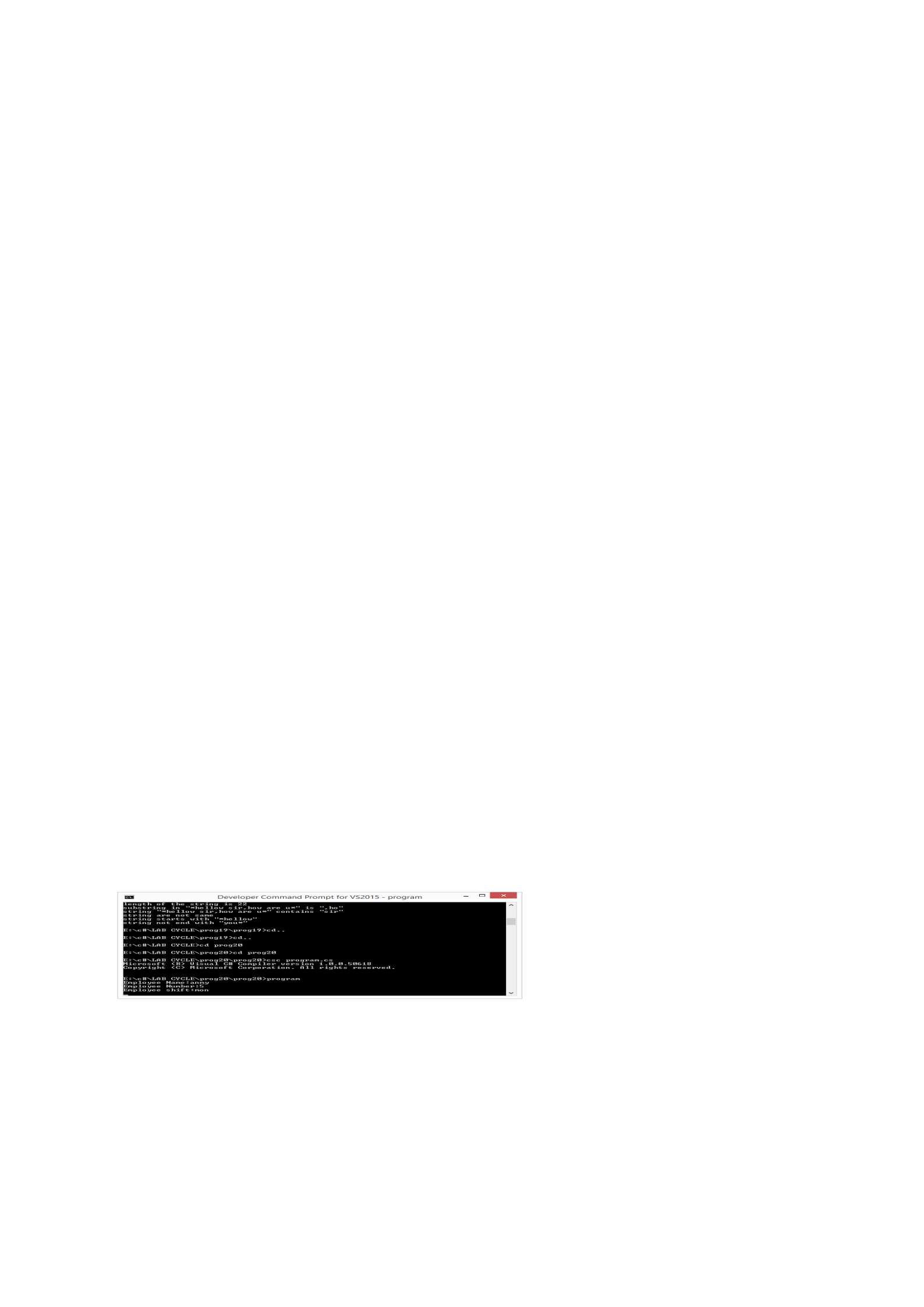
Console.WriteLine("Employee Name:{1} \nEmployee Number:{0}\nEmployee shift:
{2}",emnum,name,shift);
}
};
class Program
{
static void Main(string[] args)
{
employee e1; // will work like value type. means no "new" keyword is
required. but constructor will not be invoked.
e1.name = "anmy";
e1.shift = days.mon;
e1.emnum = 5;
//e1.get_empl_det();
e1.show_empl_det(); // all field should be inialized before any function call. or new
keyword should be used.
Console.ReadKey();
}
}
}
Output

PROGRAM 21
/**************************************************************************
Display m to n and n to m using Threading
*************************************************************************/
Program
using System;
using System.Threading;
namespace prog21
{
class Test
{
int m, n, i, j;
public Test(int m, int n)
{
this.m = m;
this.n = n;
}
public void disp()
{
for (i = m, j = m; i <= n || j >= n; i++, j--)
{
if (m < n)
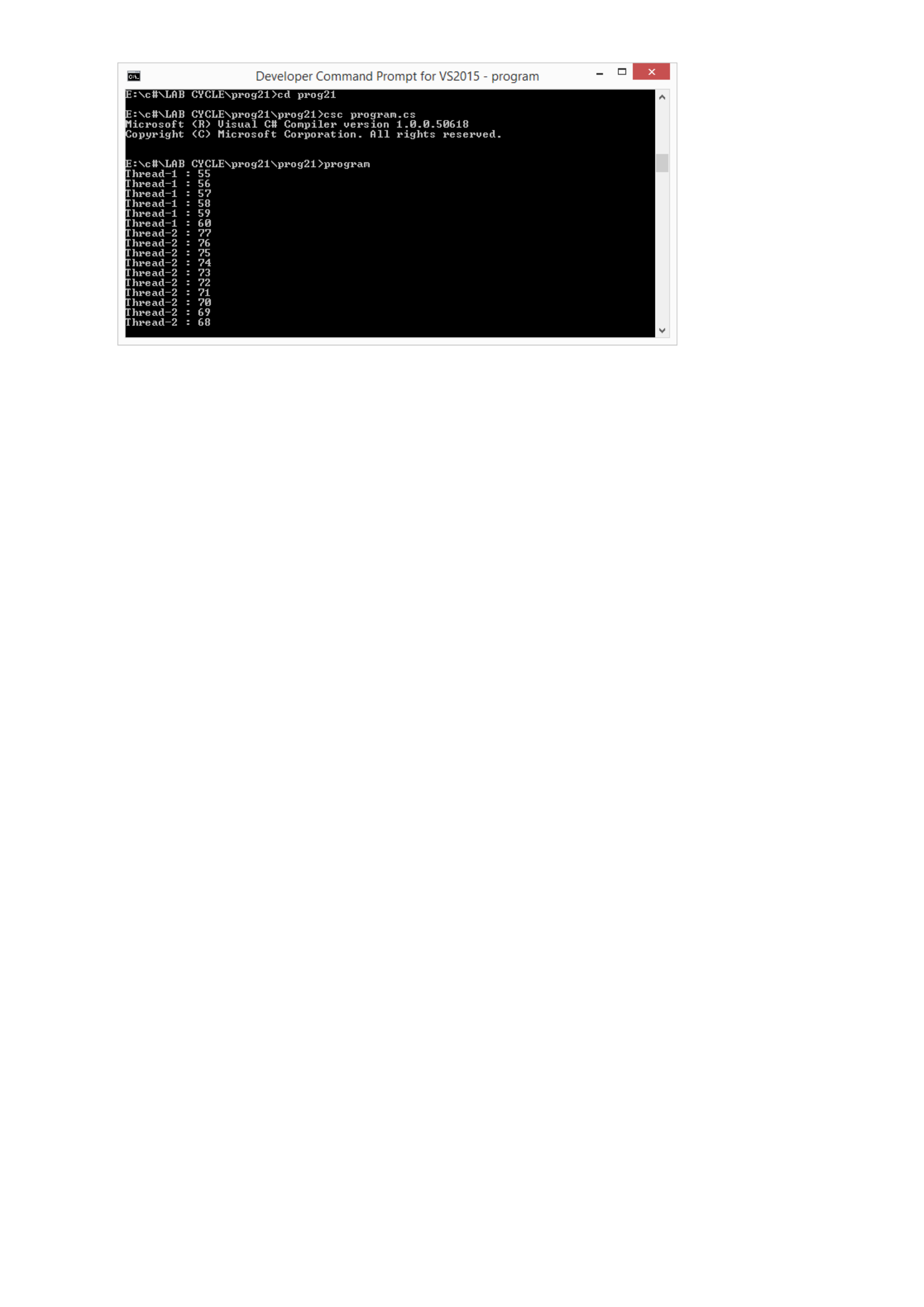
Console.WriteLine(Thread.CurrentThread.Name + ": " + i);
else
Console.WriteLine(Thread.CurrentThread.Name + ": " + j);
Thread.Sleep(1000);
}
}
}
class main
{
static void Main()
{
Test t1 = new Test(55, 60);
Test t2 = new Test(77, 68);
ThreadStart td1 = new ThreadStart(t1.disp);
ThreadStart td2 = new ThreadStart(t2.disp);
Thread th1 = new Thread(td1);
th1.Name = "Thread-1 ";
Thread th2 = new Thread(td2);
th2.Name = "Thread-2 ";
th1.Start();
th1.Join();
th2.Start();
Console.ReadKey();
}
}
}
Output
PROGRAM 22
/**************************************************************************
Synchronization in multithreading using mutex and lock?
**************************************************************************/
Program
using System;
using System.Threading;
namespace prog21
{
class Test
{
int m, n, i, j;
public Test(int m, int n)
{
this.m = m;
this.n = n;
}
public void disp()
{
for (i = m, j = m; i <= n || j >= n; i++, j--)
{
if (m < n)
Console.WriteLine(Thread.CurrentThread.Name + ": " + i);
else
Console.WriteLine(Thread.CurrentThread.Name + ": " + j);
Thread.Sleep(1000);
}
}
}
class main
{
static void Main()
{
Test t1 = new Test(55, 60);
Test t2 = new Test(77, 68);
ThreadStart td1 = new ThreadStart(t1.disp);
ThreadStart td2 = new ThreadStart(t2.disp);
Thread th1 = new Thread(td1);
th1.Name = "Thread-1 ";
Thread th2 = new Thread(td2);
th2.Name = "Thread-2 ";
th1.Start();
th1.Join();
th2.Start();
Console.ReadKey();
}
}
}
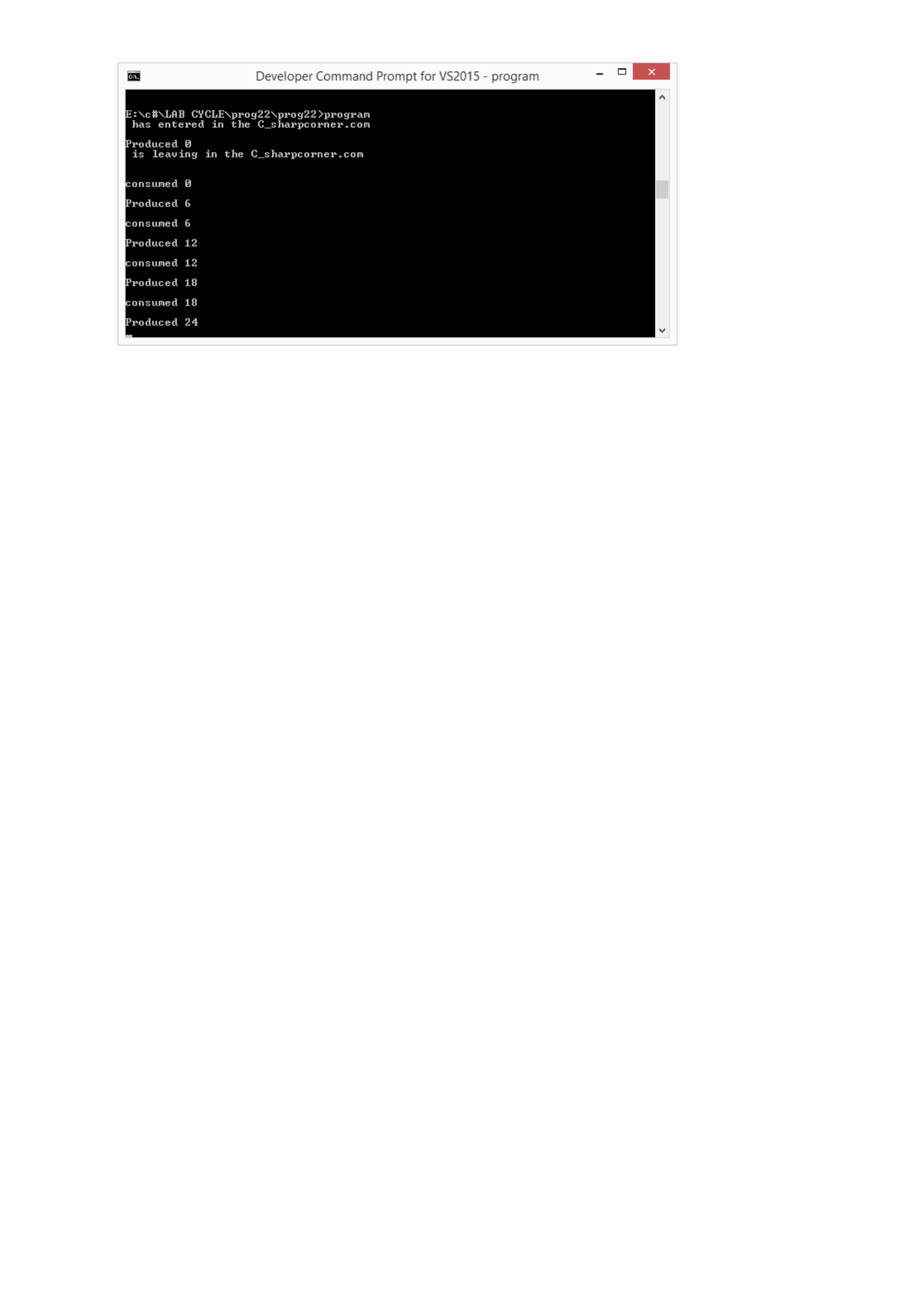
Output
PROGRAM 23
/**************************************************************************
Program for copy the content of a file to another file
**************************************************************************/
Program
using System;
using System.Collections.Generic;
using System.Linq;
using System.Text;
using System.Threading.Tasks;
using System.IO;
namespace Pgm23
{
class Program
{
static void Main(string[] args)
{
FileStream f = new FileStream("txt1.txt", FileMode.Open, FileAccess.Read);
FileStream f1 = new FileStream("txt2.txt", FileMode.OpenOrCreate,
FileAccess.ReadWrite);
StreamReader s = new StreamReader(f);
string temp = "";
using (StreamWriter s1 = new StreamWriter(f1))
{
while (!s.EndOfStream)
{
temp = s.ReadLine();
s1.WriteLine(temp);
}
}
f1.Close();
f.Close();
Console.ReadKey();
}
}
}
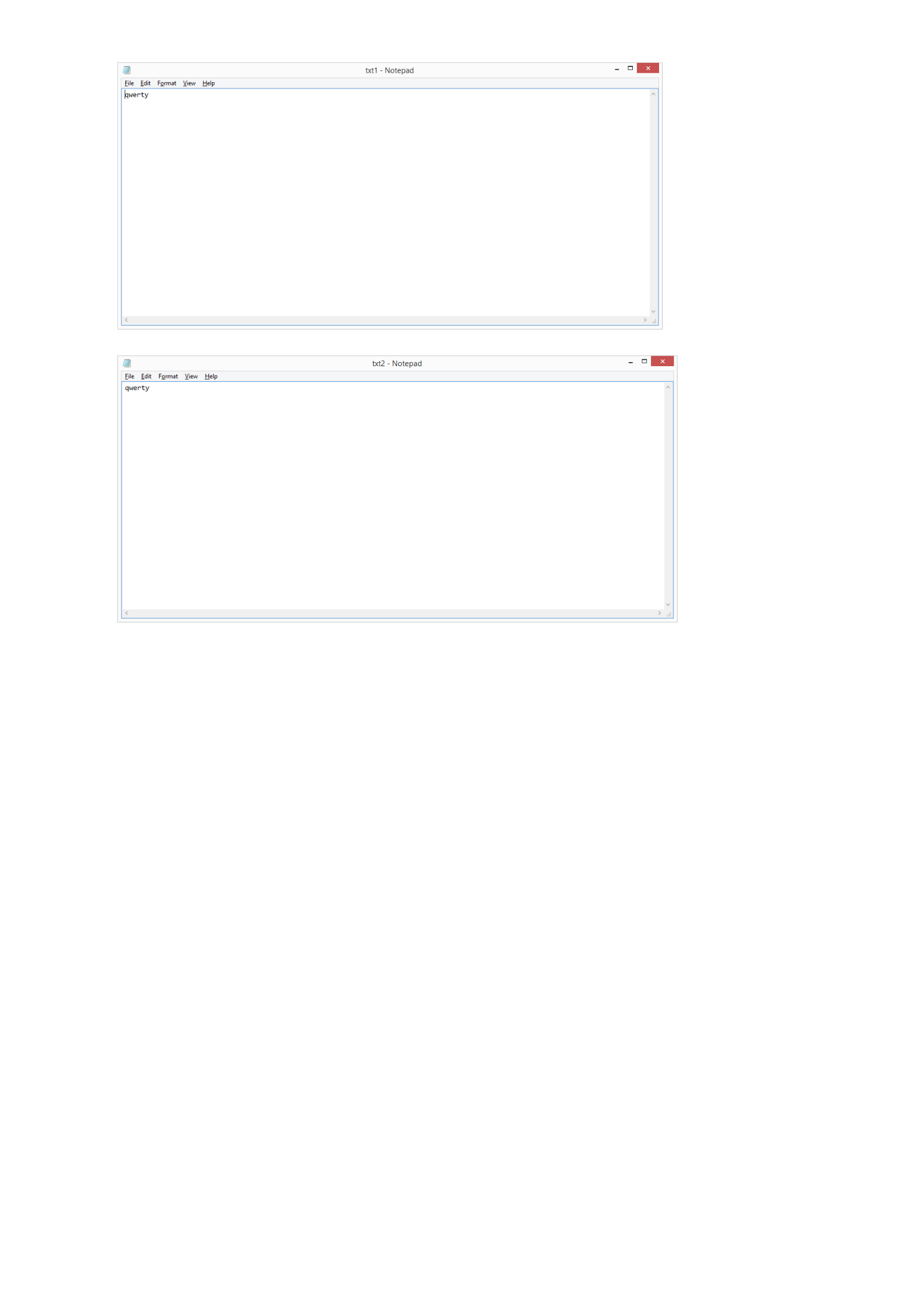
Output
PROGRAM 24
/**************************************************************************
Demonstrate private and shared assembly with examples.
**************************************************************************/
Program
using System;
using System.Collections.Generic;
using System.Linq;
using System.Text;
using System.Threading.Tasks;
namespace math
{
public class Class1
{
public int math1(int n,int m)
{
return n + m;
}
}
}
using System;
using System.Collections.Generic;
using System.Linq;
using System.Text;
using System.Threading.Tasks;
namespace new1
{
class Program
{
static void Main(string[] args)
{
math.Class1 s = new math.Class1();
int sum = s.math1(5, 6);
Console.WriteLine(sum);
Console.ReadKey();
}
}
}
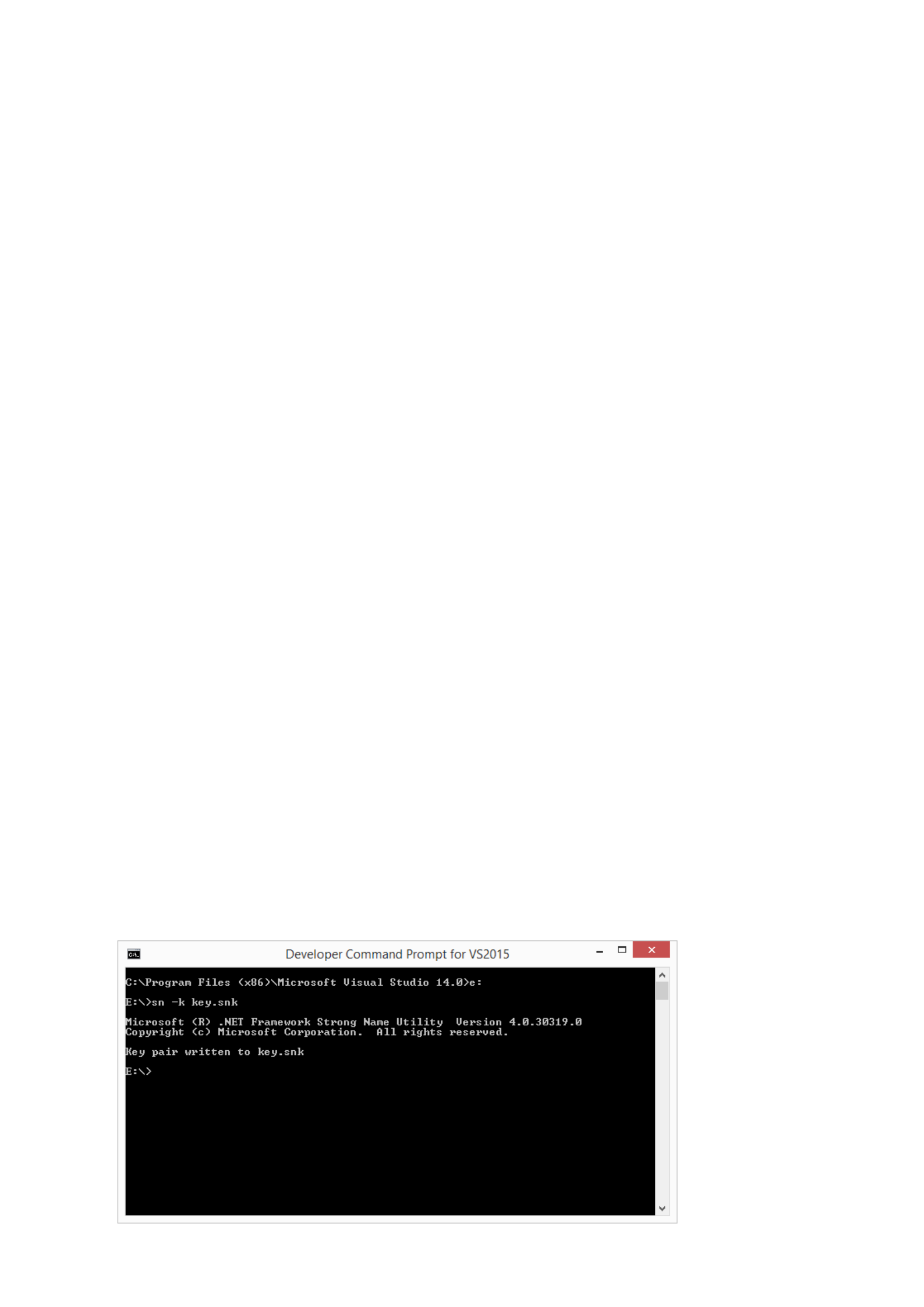
Output

PROGRAM 25
/**************************************************************************
Display the content of directory.
*************************************************************************/
Program
using System;
using System.Collections.Generic;
using System.Linq;
using System.Text;
using System.Threading.Tasks;
using System.IO;
namespace pgm25
{
class Program
{
static void Main(string[] args)
{
string[] ss = Directory.GetDirectories("E:\\c#");
foreach(string s in ss)
{
Console.WriteLine("Folder name " + s);
string[] f = Directory.GetFiles(s);
foreach(string x in f)
{
Console.WriteLine("File " + x);
}
}
Console.ReadKey();
}
}
}
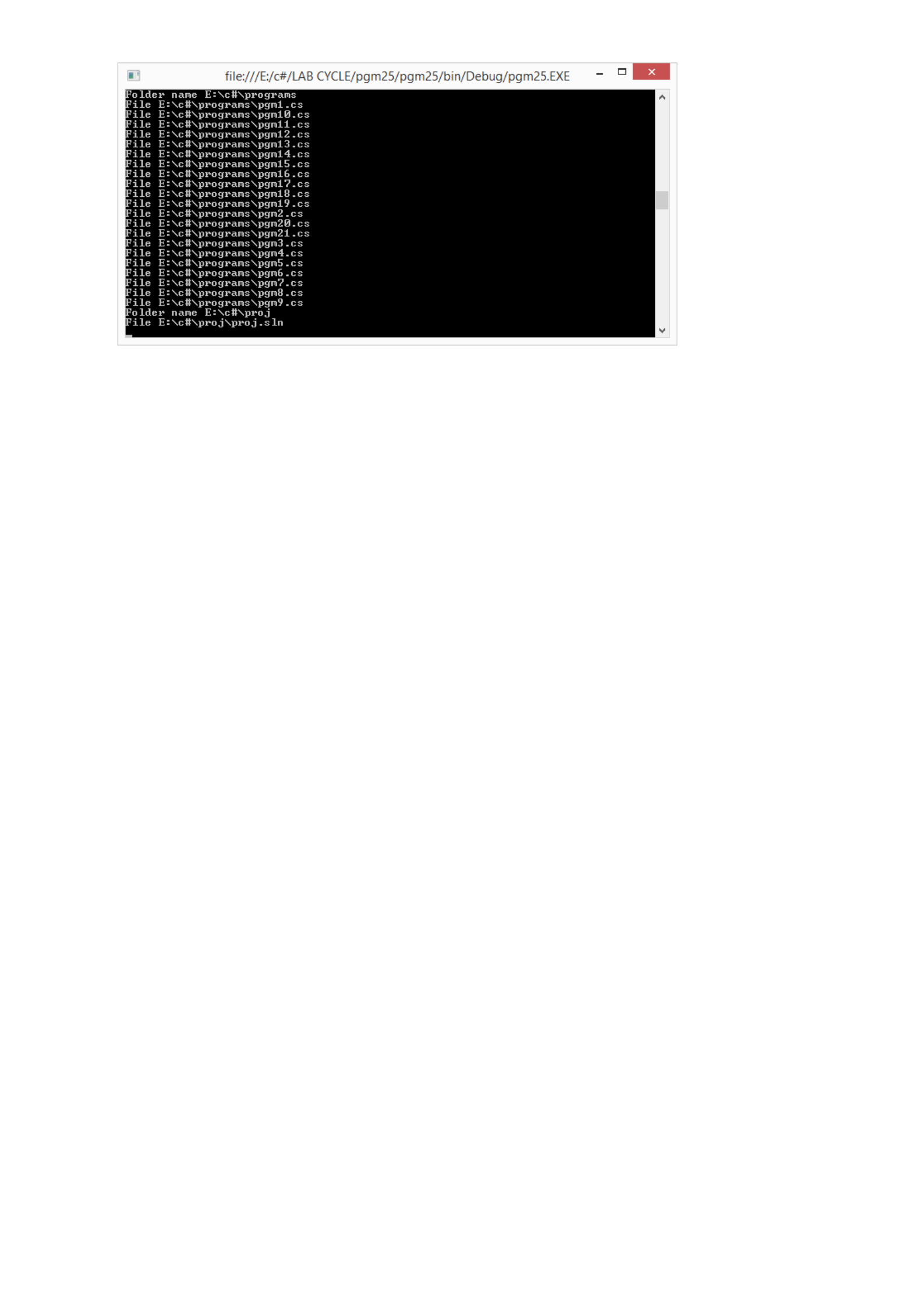
Output
PROGRAM 26
/**************************************************************************
Create a file reading and writing program using TextReader and TextWriter
**************************************************************************/
Program
using System;
using System.Collections.Generic;
using System.Linq;
using System.Text;
using System.Threading.Tasks;
using System.IO;
namespace pgm26
{
class Program
{
static void Main(string[] args)
{
TextWriter s1 = new StreamWriter("file1.txt");
Console.WriteLine("Enter data/quit");
String c = Console.ReadLine();
while (c!="quit")
{
s1.Write(c);
Console.WriteLine("Enter data/quit");
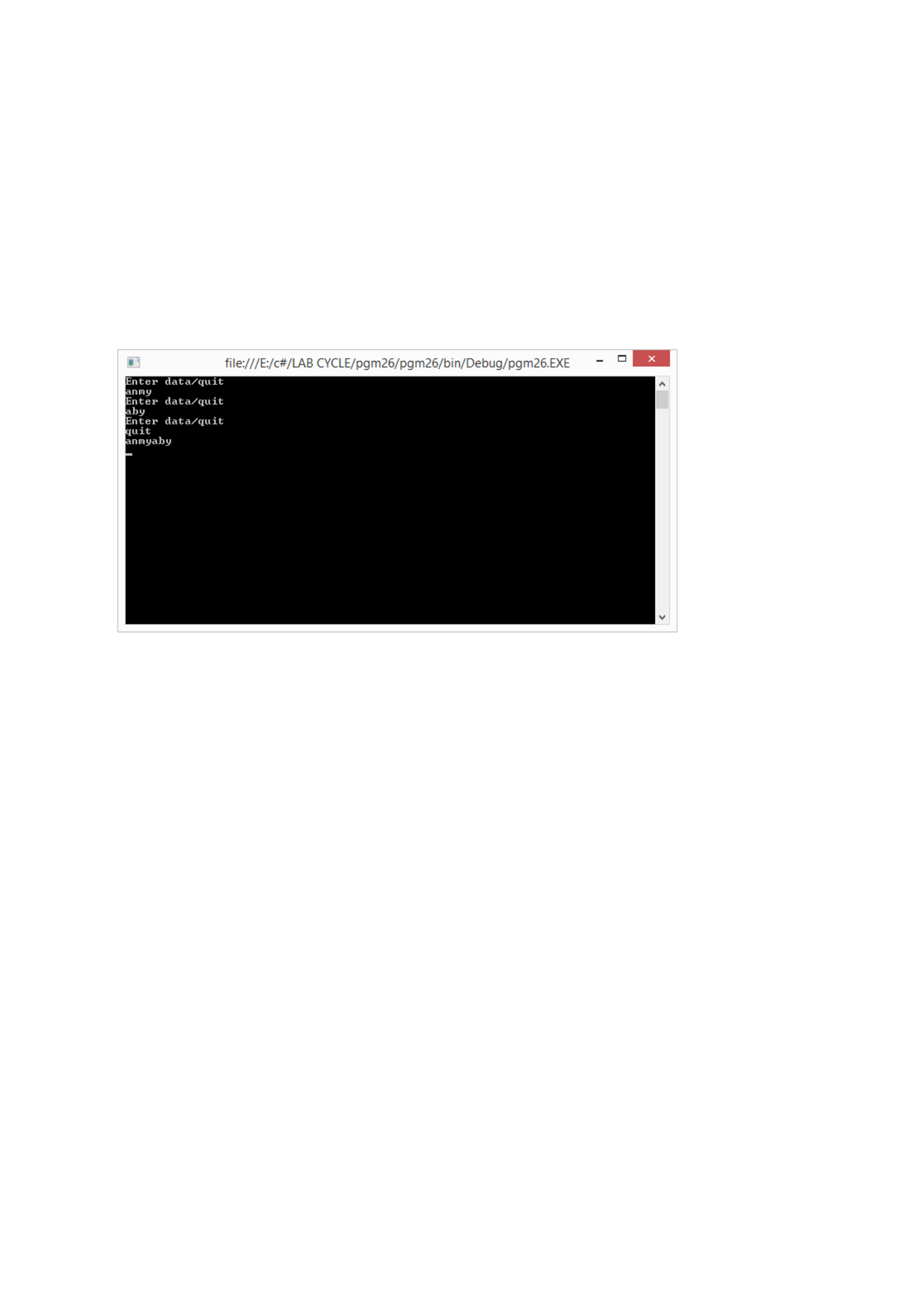
c = Console.ReadLine();
}
s1.Close();
TextReader s2 = new StreamReader("file1.txt");
while(true)
{
String str = s2.ReadLine();
if(str !=null)
Console.WriteLine(str);
}
Console.ReadKey();
}
}
}
Output
PROGRAM 27
/**************************************************************************
Use BinaryWriter and BinaryReader for storing and retrieving content to a file?
**************************************************************************/
Program
using System;
using System.Collections.Generic;
using System.Linq;
using System.Text;
using System.Threading.Tasks;
using System.IO;
namespace pgm27
{
public class Program
{
private void Writer()
{
FileStream fout = new FileStream("aboutme.txt", FileMode.OpenOrCreate,
FileAccess.Write);
BinaryWriter bw = new BinaryWriter(fout);
string name = "Anmy";
int age = 23;
char gender = 'F';
bw.Write(name);
bw.Write(age);
bw.Write(gender);
bw.Close();
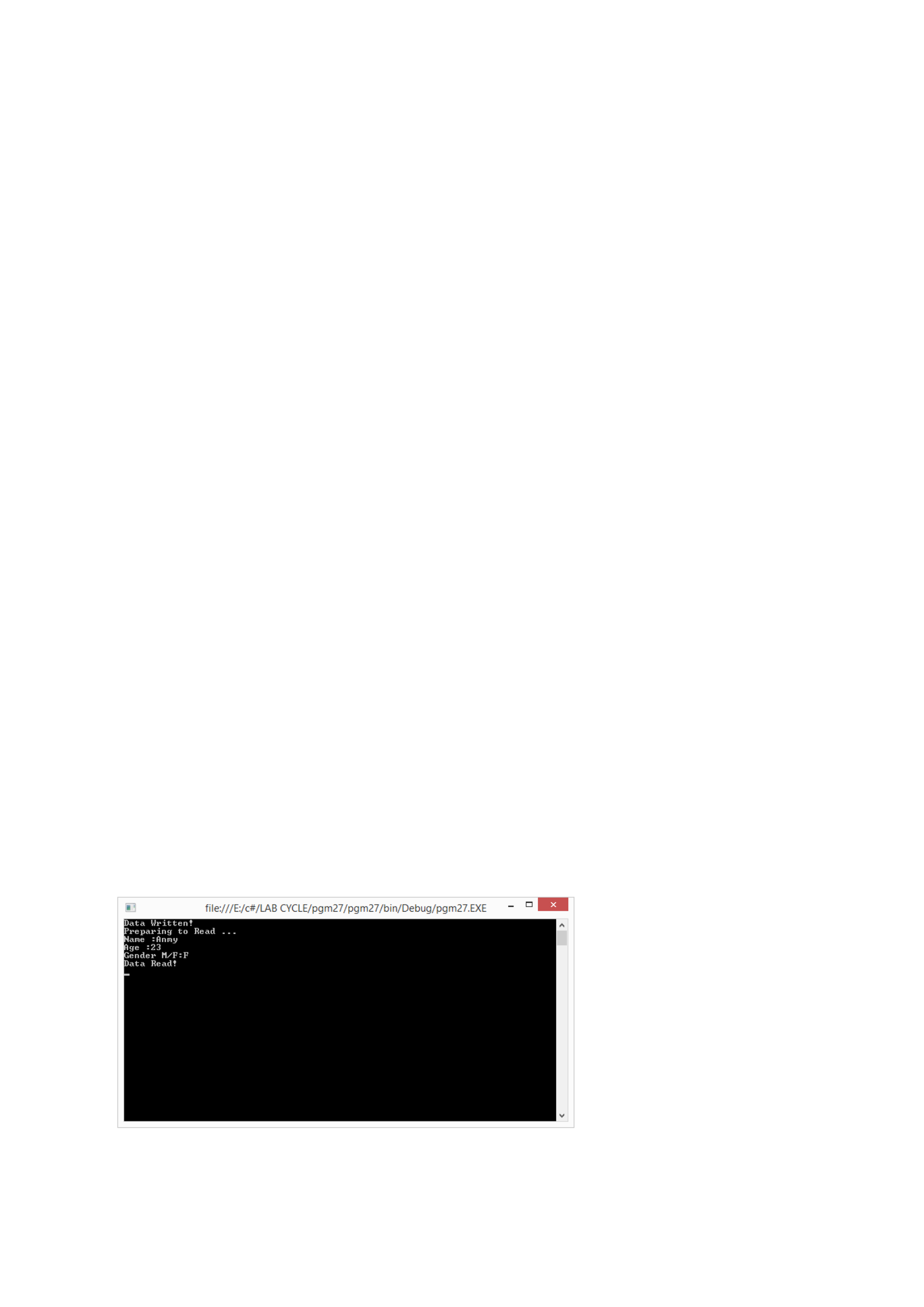
Console.WriteLine("Data Written!");
}
private void Reader()
{
Console.WriteLine("Preparing to Read ...");
FileStream fin = new FileStream("aboutme.txt", FileMode.Open, FileAccess.Read);
BinaryReader br = new BinaryReader(fin);
//Seek to the start of the file
br.BaseStream.Seek(0, SeekOrigin.Begin);
string name = br.ReadString();
int age = br.ReadInt32();
char gender = br.ReadChar();
Console.WriteLine("Name :" + name);
Console.WriteLine("Age :" + age);
Console.WriteLine("Gender M/F:" + gender);
br.Close();
Console.WriteLine("Data Read!");
}
public static void Main()
{
Program bs = new Program();
bs.Writer();
bs.Reader();
Console.ReadLine();
}
}
}
Output

PROGRAM 28
/**************************************************************************
Demonstrate user defined and predefined exceptions with examples
*************************************************************************/
Program
using System;
using System.Collections.Generic;
using System.Linq;
using System.Text;
using System.Threading.Tasks;
namespace pgm29
{
class TempIsZero:ApplicationException
{
public TempIsZero(String message):base(message)
{
}
}
class Program
{
public void get()
{
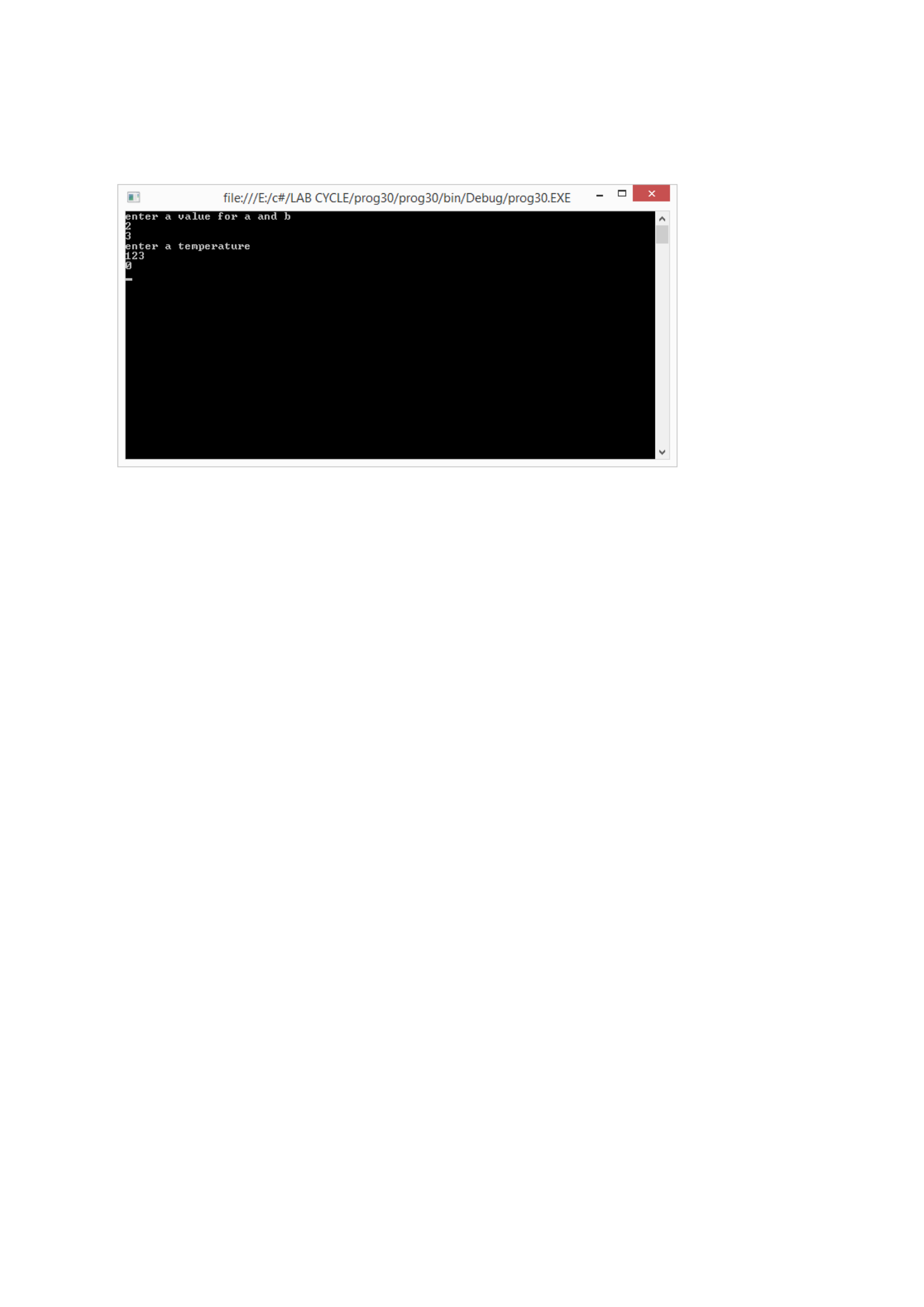
Console.WriteLine("enter a value for a and b");
int a = int.Parse(Console.ReadLine());
int b = int.Parse(Console.ReadLine());
Console.WriteLine("enter a temperature");
int temp = int.Parse(Console.ReadLine());
try
{
Console.WriteLine("{0}",a / b);
if(temp==0)
throw (new TempIsZero("Zero Temperature found"));
}
catch(DivideByZeroException)
{
Console.WriteLine("Division by zero not allowed");
}
catch(TempIsZero)
{
Console.WriteLine("Temperature is zero not allowed");
}
}
static void Main(string[] args)
{
Program obj = new Program();
obj.get();
Console.ReadKey();
}
}
}
Output
PROGRAM 29
/**************************************************************************
Create a console application to perform all the database operations using connectionless
connection.
**************************************************************************/
using System;
using System.Collections.Generic;
using System.Linq;
using System.Text;
using System.Threading.Tasks;
namespace pgm29
{
class TempIsZero:ApplicationException
{
public TempIsZero(String message):base(message)
{
}
}
class Program
{
public void get()
{
Console.WriteLine("enter value for a and b");
int a = int.Parse(Console.ReadLine());
int b= int.Parse(Console.ReadLine());
Console.WriteLine("enter temparature");
int temp = int.Parse(Console.ReadLine());
try
{
Console.WriteLine("{0}", a / b);
if (temp == 0)
throw (new TempIsZero("Zero temparature found"));
}
catch(DivideByZeroException)
{
Console.WriteLine("Division by zero is not allowed");
}
catch(TempIsZero)
{
Console.WriteLine("temparature zero, not allowed");
}
}
static void Main(string[] args)
{
Program obj = new Program();
obj.get();
Console.ReadKey();
}
}
}
Output
PROGRAM 30
/**************************************************************************
Write a program for storing an object using Binary serialization
**************************************************************************/
Program
using System;
using System.IO;
using System.Runtime.Serialization;
using System.Runtime.Serialization.Formatters.Binary;
namespace Pgm30
{
[Serializable]
class Student
{
public int roll;
public string name;
public int mark;
}
class Program
{
static void Main(string[] args)
{
Console.WriteLine("enter number of students");
int n = int.Parse(Console.ReadLine());
Student[] s = new Student[n];
for (int i = 0; i < n; i++)
{
s[i] = new Student();
}
for (int i = 0; i < n; i++)
{
Console.WriteLine("enter roll number");
s[i].roll = int.Parse(Console.ReadLine());
Console.WriteLine("enter name");
s[i].name = Console.ReadLine();
Console.WriteLine("enter mark:");
s[i].mark = int.Parse(Console.ReadLine());
}
FileStream f = new FileStream("txt1.txt", FileMode.OpenOrCreate,
FileAccess.ReadWrite);
BinaryFormatter b = new BinaryFormatter();
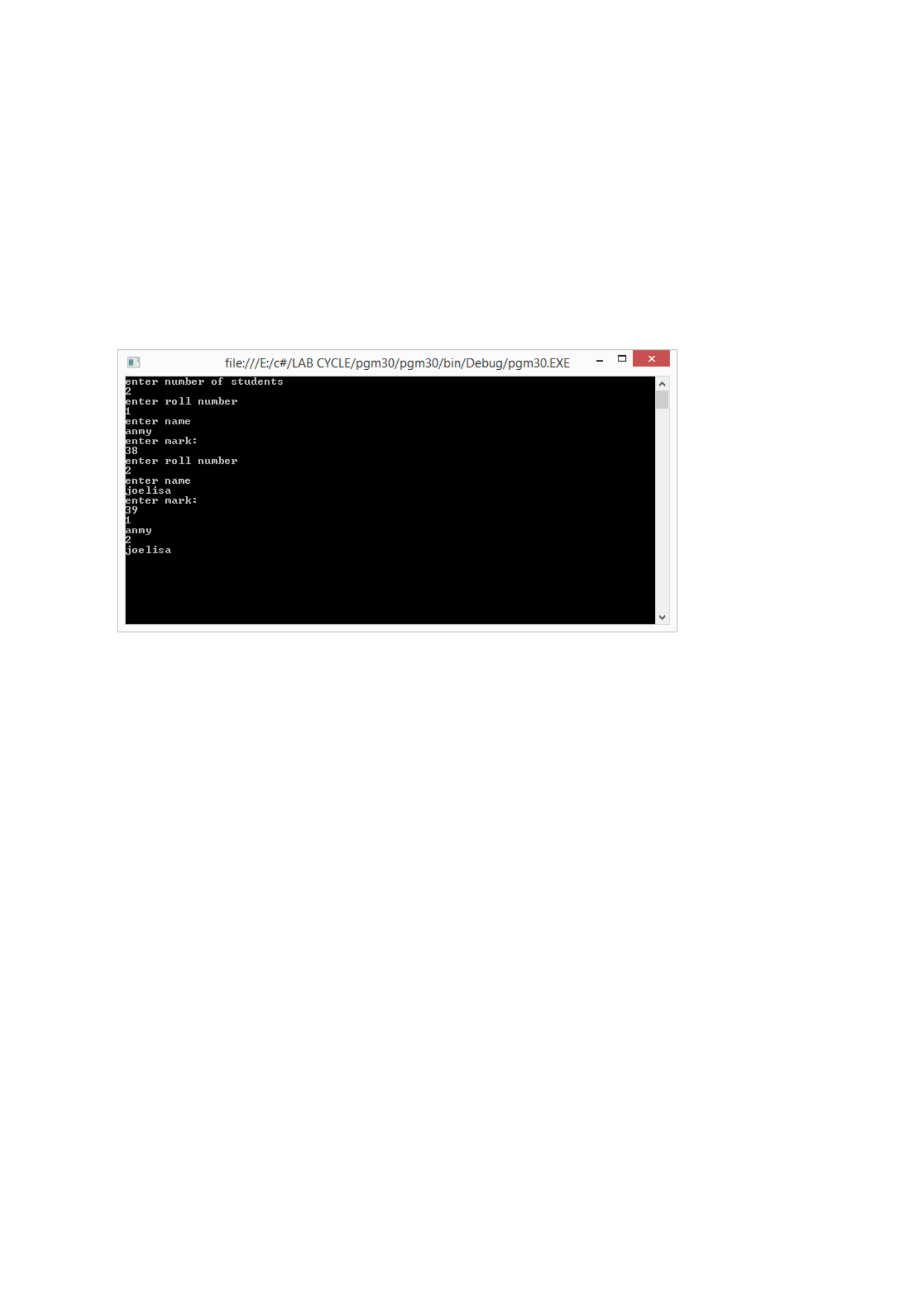
b.Serialize(f, s);
s = null;
f.Seek(0, SeekOrigin.Begin);
s = (Student[])b.Deserialize(f);
f.Close();
for (int i = 0; i < n; i++)
{
Console.WriteLine(s[i].roll);
Console.WriteLine(s[i].name);
}
Console.ReadKey();
}
}
}
Output
PROGRAM 31
/**************************************************************************
Write a program for storing an object using SOAP serialization
*************************************************************************/
Program
using System;
using System.IO;
using System.Runtime.Serialization;
using System.Runtime.Serialization.Formatters.Soap;
namespace Pgm31
{
[Serializable]
class Student
{
public int roll;
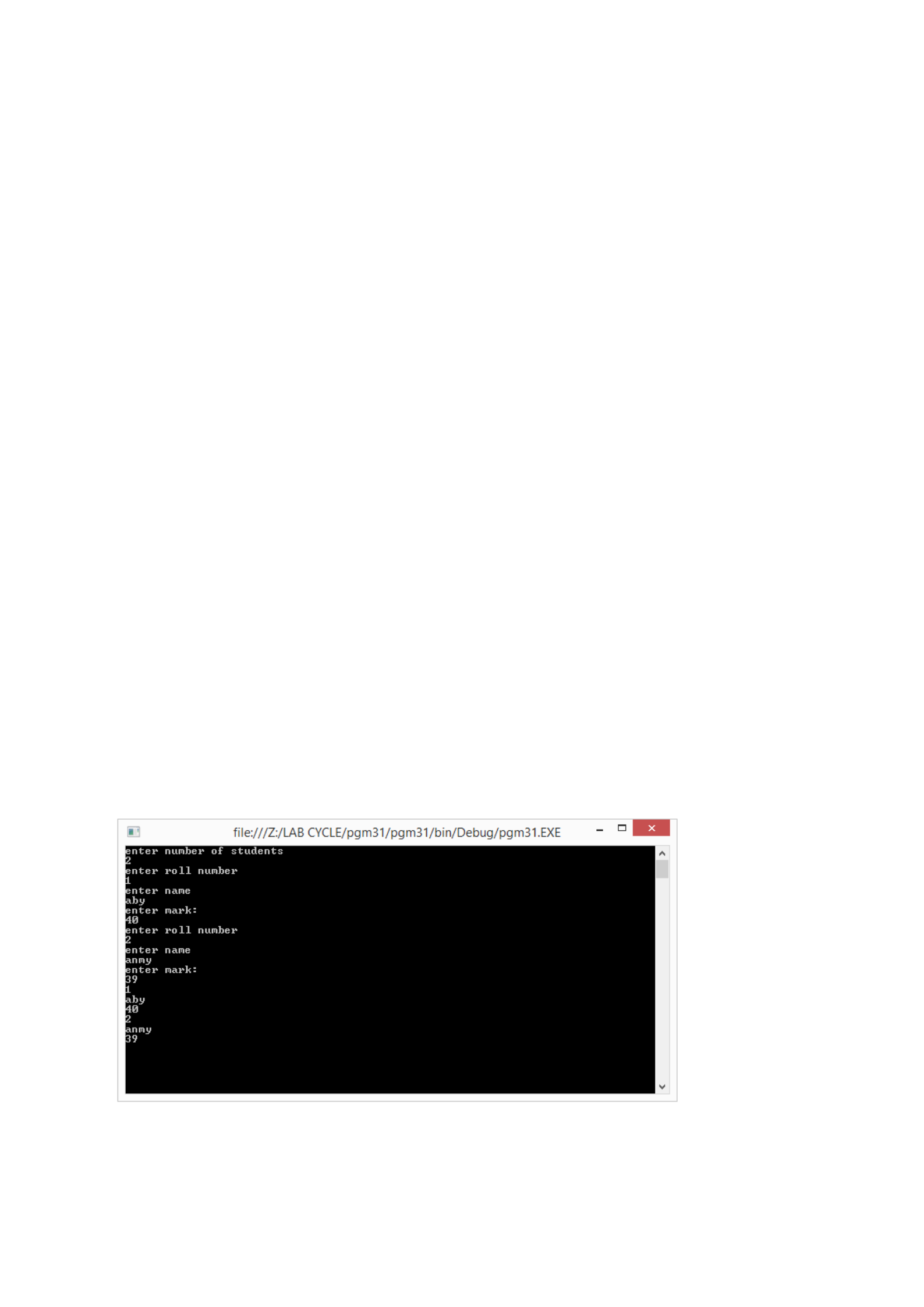
public string name;
public int mark;
}
class Program
{
static void Main(string[] args)
{
Console.WriteLine("enter number of students");
int n = int.Parse(Console.ReadLine());
Student[] s = new Student[n];
for (int i = 0; i < n; i++)
{
s[i] = new Student();
}
for (int i = 0; i < n; i++)
{
Console.WriteLine("enter roll number");
s[i].roll = int.Parse(Console.ReadLine());
Console.WriteLine("enter name");
s[i].name = Console.ReadLine();
Console.WriteLine("enter mark:");
s[i].mark = int.Parse(Console.ReadLine());
}
FileStream f = new FileStream("txt1.txt", FileMode.OpenOrCreate,
FileAccess.ReadWrite);
SoapFormatter b = new SoapFormatter();
b.Serialize(f, s);
s = null;
f.Seek(0, SeekOrigin.Begin);
s = (Student[])b.Deserialize(f);
f.Close();
for (int i = 0; i < n; i++)
{
Console.WriteLine(s[i].roll);
Console.WriteLine(s[i].name);
Console.WriteLine(s[i].mark);
}
Console.ReadKey();
}
}
}
Output

PROGRAM 32
/**************************************************************************
Implement the concept of remoting for adding two numbers.
**************************************************************************/
Program
interface class1
using System;
using System.Collections.Generic;
using System.Linq;
using System.Text;
using System.Threading.Tasks;
namespace ISum
{
public interface Class1
{
int add(int a, int b);
}
}
RemoteClass service
using System;
using System.Collections.Generic;
using System.Linq;
using System.Text;
using System.Threading.Tasks;
using System.Runtime.Remoting;
using ISum;
namespace RemoteClass
{
public class service : MarshalByRefObject, Class1
{
public int add(int a, int b)
{
return (a + b);
}
}
}
RemoteServer
using System;
using System.Collections.Generic;
using System.Linq;
using System.Text;
using System.Threading.Tasks;
using System.Runtime.Remoting;
using System.Runtime.Remoting.Channels;
using System.Runtime.Remoting.Channels.Http;
using ISum;
using System.IO;
using RemoteClass;
namespace RemoteServer
{
class Program
{
static void Main(string[] args)
{
HttpChannel channel = new HttpChannel(1235);
ChannelServices.RegisterChannel(channel, false);
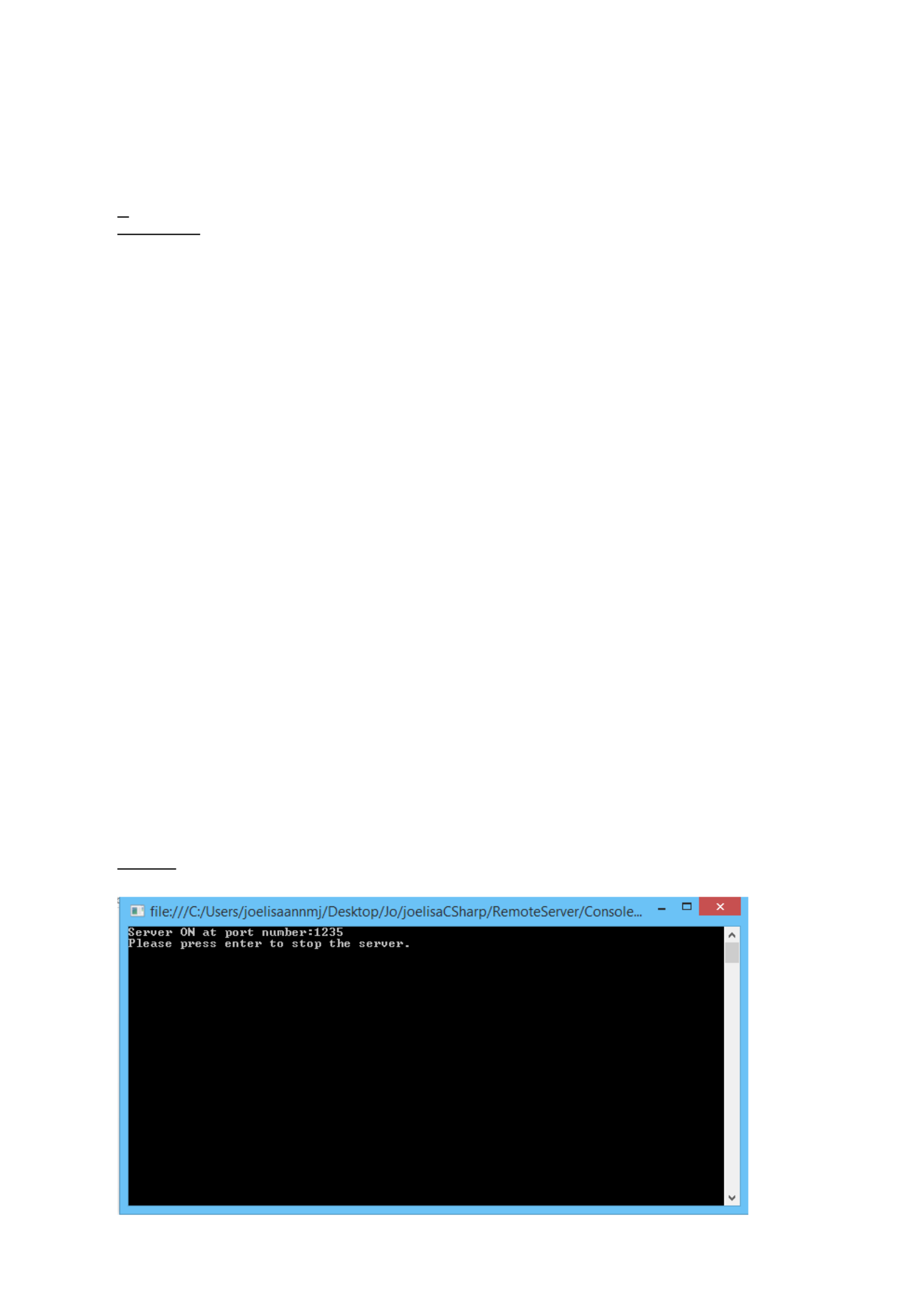
RemotingConfiguration.RegisterWellKnownServiceType(typeof(service),
"remote",WellKnownObjectMode.Singleton);
Console.WriteLine("Server ON at port number:1235");
Console.WriteLine("Please press enter to stop the server.");
Console.ReadKey();
}
}
}
RemoteClient
using System;
using System.Collections.Generic;
using System.Linq;
using System.Text;
using System.Threading.Tasks;
using System.Runtime.Remoting;
using System.Runtime.Remoting.Channels;
using System.Runtime.Remoting.Channels.Http;
using ISum;
using System.IO;
namespace RemoteClient
{
class Program
{
static void Main(string[] args)
{
HttpChannel channel = new HttpChannel();
ChannelServices.RegisterChannel(channel, false);
Class1 obj = (Class1)Activator.GetObject(typeof(Class1),
"http://localhost:1235/remote");
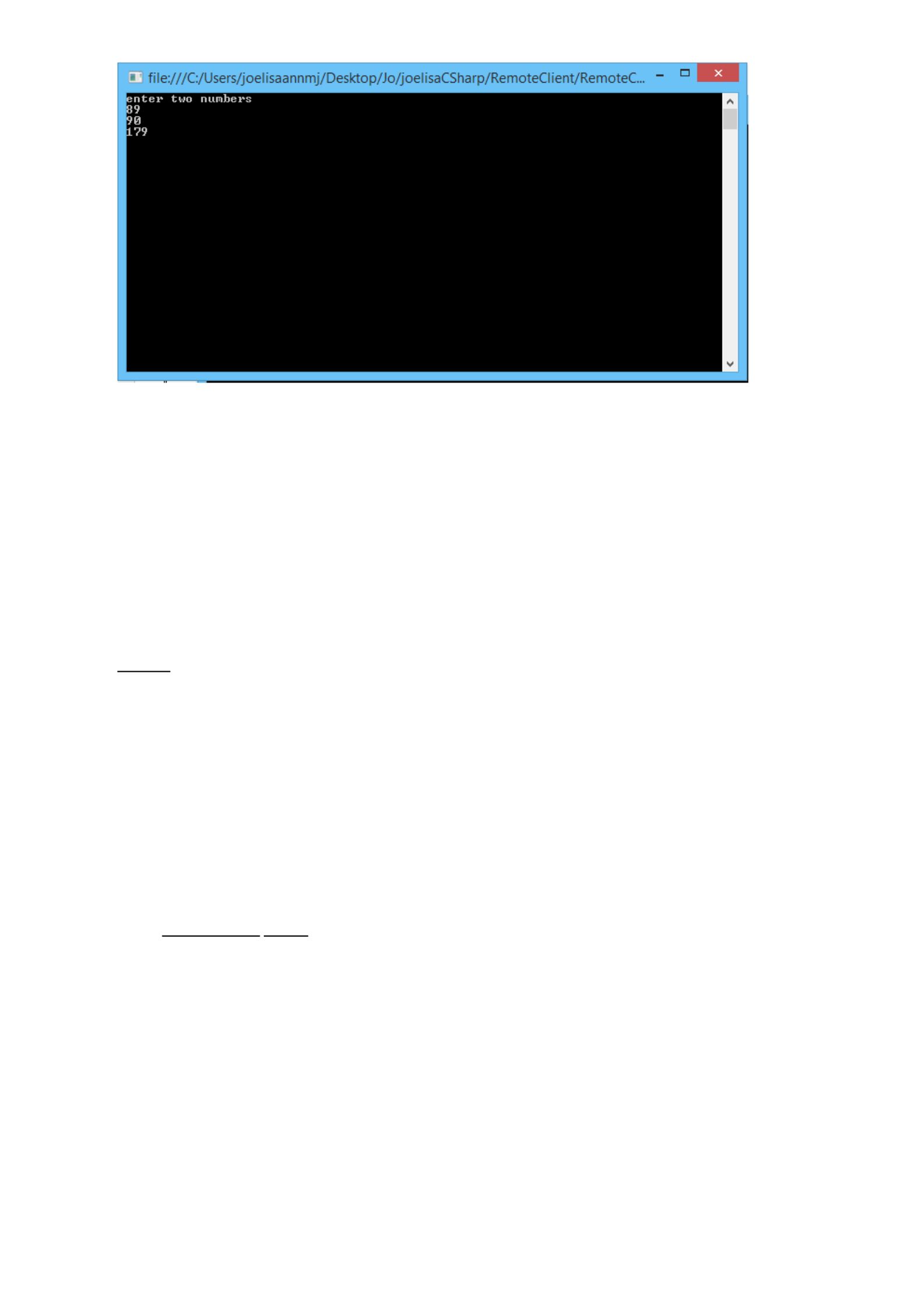
Console.WriteLine("enter two numbers");
int a = int.Parse(Console.ReadLine());
int b = int.Parse(Console.ReadLine());
int c=obj.add(a,b);
Console.WriteLine(c.ToString());
Console.ReadKey();
}
}
}
OUTPUT
PROGRAM 33
/**************************************************************************
File name is given thorough the remote client and download the content from the remote
server, store the file content in client using remoting
**************************************************************************/
Program
Interface
using System;
using System.Collections.Generic;
using System.Linq;
using System.Text;
using System.Threading.Tasks;
namespace pgm33_interface
{
public interface FileInt
{
string download(string path);
}
}
RemoteClass implement
using System;
using System.Collections.Generic;
using System.Linq;
using System.Text;
using System.Threading.Tasks;
using System.IO;
using pgm33_interface;
namespace pgm33_cFile
{

public class implemnt : MarshalByRefObject, FileInt
{
public string download(string path)
{
string s = null;
FileStream f = new FileStream(path, FileMode.Open, FileAccess.Read);
StreamReader st = new StreamReader(f);
s = st.ReadToEnd();
return s;
}
}
}
Server
using System;
using System.Collections.Generic;
using System.Linq;
using System.Text;
using System.Threading.Tasks;
using System.Runtime.Remoting;
using System.Runtime.Remoting.Channels;
using System.Runtime.Remoting.Channels.Http;
using pgm33_interface;
using pgm33_cFile;
using System.IO;
namespace Pgm33_Server
{
class Program
{
static void Main(string[] args)
{
HttpChannel channel = new HttpChannel(1234);
ChannelServices.RegisterChannel(channel, false);
RemotingConfiguration.RegisterWellKnownServiceType(typeof(implemnt),
"remote", WellKnownObjectMode.Singleton);
Console.WriteLine("Server ON at port number:1234");
Console.WriteLine("Please press enter to stop the server.");

Console.ReadKey();
}
}
}
Client
using System;
using System.Collections.Generic;
using System.Linq;
using System.Text;
using System.Threading.Tasks;
using System.Runtime.Remoting;
using System.Runtime.Remoting.Channels;
using System.Runtime.Remoting.Channels.Http;
using remoting;
using System.IO;
namespace client
{
class Program
{
static void Main(string[] args)
{
HttpChannel channel = new HttpChannel();
ChannelServices.RegisterChannel(channel, false);
Icalc obj = (Icalc)Activator.GetObject(typeof(Icalc),
"http://localhost:1234/remote");
int a=obj.add(5, 6);
string filename =Console.ReadLine();
string s = obj.download(filename);
FileStream f = new
FileStream(filename,FileMode.OpenOrCreate,FileAccess.Write);
f.Write(Encoding.ASCII.GetBytes(s),0,s.Length);
Console.WriteLine(a.ToString()+" "+s);
}
}
}
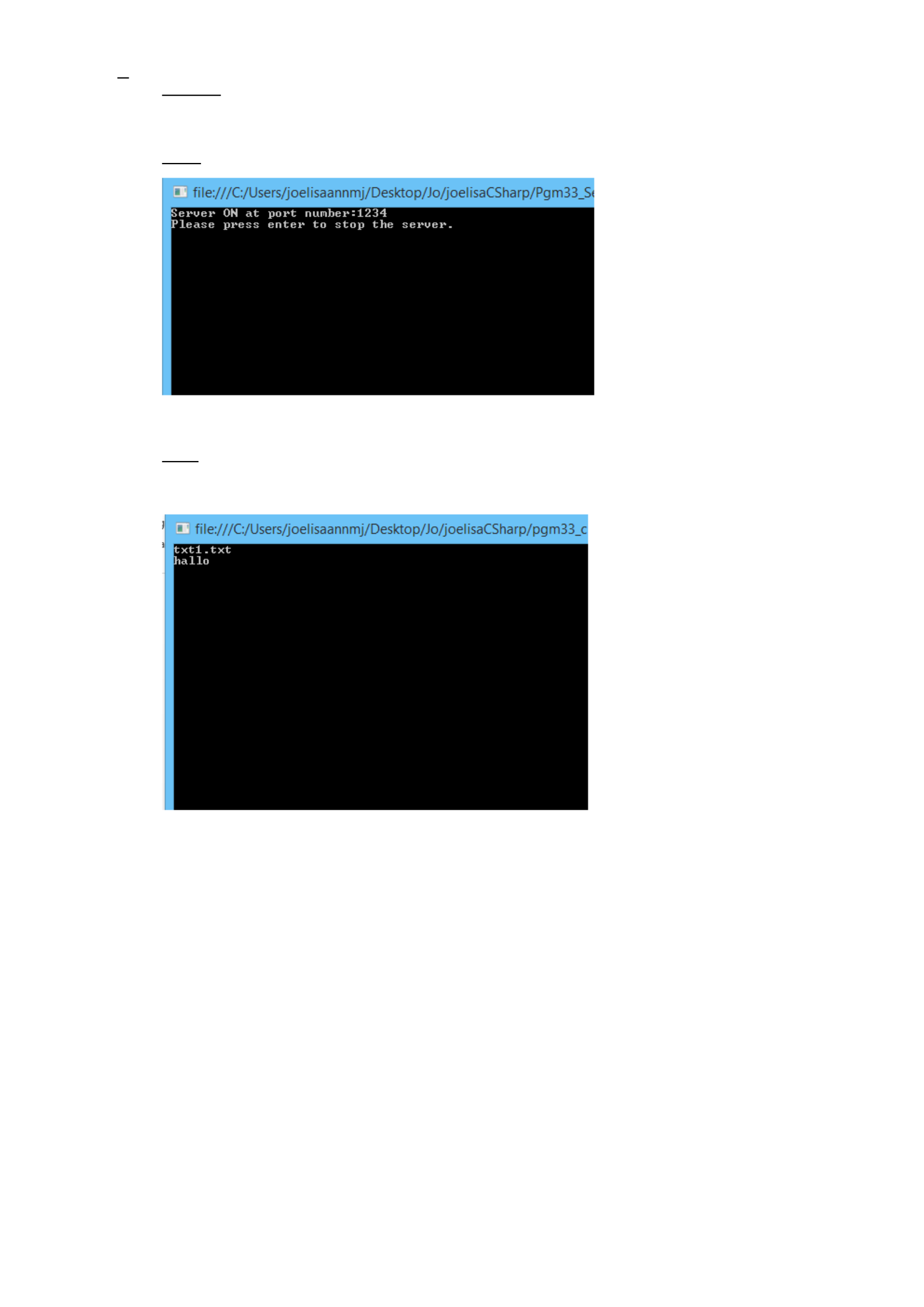
OUTPUT
Server
Client
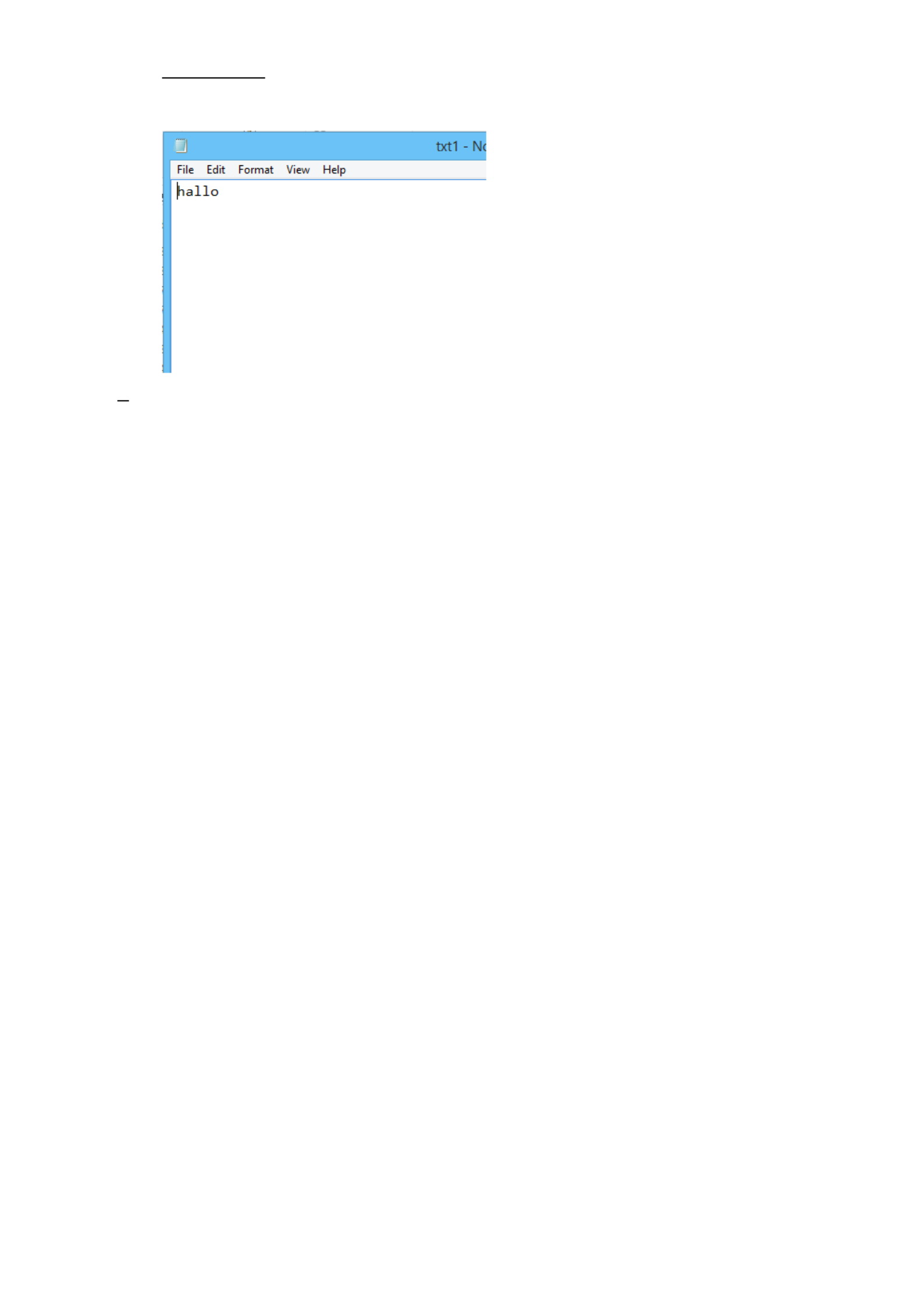
Txt1.txt in server
PROGRAM 34
/**************************************************************************
Username and password is given in the client side check whether such a client exists in the
server by using UDP programming
**************************************************************************/
Program
Server
using System;
using System.Collections.Generic;
using System.Linq;
using System.Text;
using System.Threading.Tasks;
using System.Net;
using System.Net.Sockets;
namespace UDPClient
{
class Program
{
static void Main(string[] args)
{
int clientport = 2345;
string str, un, up;
byte[] msg = new byte[100];
ASCIIEncoding obj = new ASCIIEncoding();
UdpClient client = null;
try
{
client = new UdpClient(clientport);
}
catch (SocketException e)
{
Console.WriteLine(e);
}
IPEndPoint remoteIPEndPoint = new IPEndPoint(IPAddress.Any, 0);
try
{

Console.WriteLine("Username:");
un = Console.ReadLine();
msg = obj.GetBytes(un);
client.Send(msg, msg.Length, "localhost", 1234);
Console.WriteLine("Password");
up = Console.ReadLine();
msg = obj.GetBytes(up);
client.Send(msg, msg.Length, "localhost", 1234);
byte[] byteBuffer = client.Receive(ref remoteIPEndPoint);
str = obj.GetString(byteBuffer);
if (str == "ok")
Console.WriteLine("login complete");
else
Console.WriteLine("login failed");
}
catch (SocketException e)
{
Console.WriteLine(e);
}
Console.ReadKey();
}
}
}
Client
using System;
using System.Collections.Generic;
using System.Linq;
using System.Text;
using System.Net;
using System.Net.Sockets;
using System.Threading.Tasks;
namespace pgm34_udpserver
{
class Program
{
static void Main(string[] args)
{
int serverport = 1234;
string str, str1, un, up;
un = "user";
byte[] msg = new byte[100];
up = "admin";
ASCIIEncoding obj = new ASCIIEncoding();
UdpClient client = null;
try
{
client = new UdpClient(serverport);
}
catch (SocketException e)
{
System.Console.WriteLine(e);
}
IPEndPoint remoteIPEndPoint = new IPEndPoint(IPAddress.Any, 0);
for (;;)
{
try
{
Console.WriteLine("Server Started..");
byte[] byteBuffer = client.Receive(ref remoteIPEndPoint);
str = obj.GetString(byteBuffer);
byte[] byteBuffer1 = client.Receive(ref remoteIPEndPoint);
str1 = obj.GetString(byteBuffer1);
if (str.Equals(un) && str1.Equals(up))
{
msg = obj.GetBytes("ok");
client.Send(msg, msg.Length, remoteIPEndPoint);
}
else
{
msg = obj.GetBytes("notok");
client.Send(msg, msg.Length, remoteIPEndPoint);
}
}
catch (SocketException e)
{
Console.WriteLine(e);
}
}
}
}
}
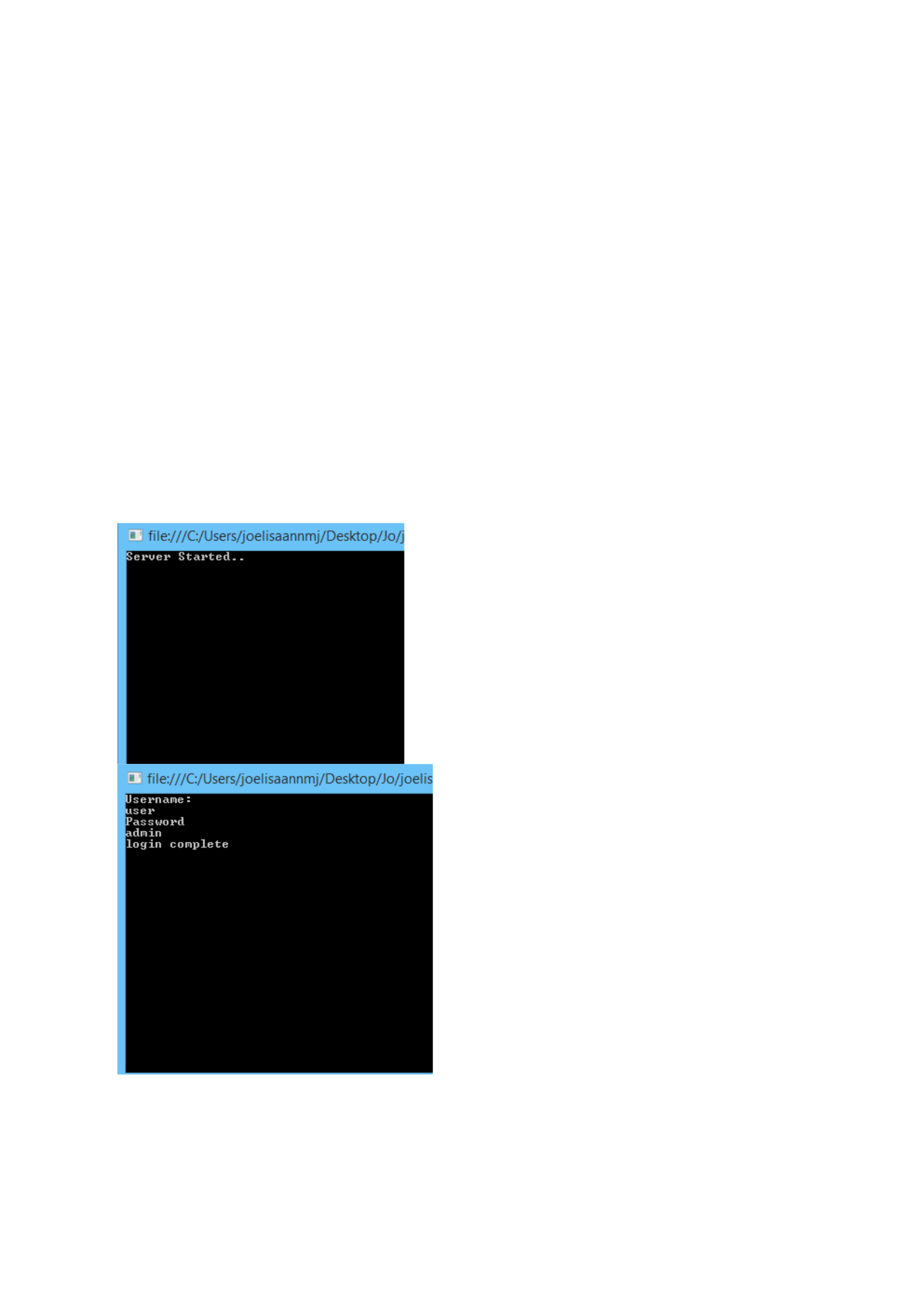
OUTPUT

PROGRAM 35
/**************************************************************************
Implement an echo client server application by using TCP/IP programming
**************************************************************************/
Program
using System;
using System.Threading;
using System.IO;
using System.Net;
using System.Net.Sockets;
class TCPServer
{
static TcpListener listener;
const int LIMIT = 5;
static string[] ar = { "John", "Mathew", "Susan", "Gobi" };
public static void Main(string[] args)
{
IPHostEntry ipHostInfo =
Dns.GetHostEntry(Dns.GetHostName());
IPAddress ipAddress = ipHostInfo.AddressList[0];
IPAddress ip = IPAddress.Parse("127.0.0.1");
listener = new TcpListener(ipAddress, 2055);
listener.Start();
Console.WriteLine("Server running...");
for (int i = 0; i < LIMIT; i++)
{

Thread t = new Thread(new ThreadStart(Service));
t.Start();
}
}
public static void Service()
{
while (true)
{
Socket soc = listener.AcceptSocket();
try
{
Stream s = new NetworkStream(soc);
StreamReader sr = new StreamReader(s);
StreamWriter sw = new StreamWriter(s);
sw.AutoFlush = true; // enable automatic flushing
sw.WriteLine("Enter number:");
while (true)
{
int num = int.Parse(sr.ReadLine());
if (num <= 4)
sw.WriteLine(ar[num]);
else
sw.WriteLine("Index out of bound");
}
s.Close();
}
catch (Exception e)
{
soc.Close();
}
}
}
}
Client
using System;

using System.IO;
using System.Net.Sockets;
using System.Net;
class TCPClient
{
public static void Main(string[] args)
{
IPHostEntry ipHostInfo =
Dns.GetHostEntry(Dns.GetHostName());
IPAddress ipAddress = ipHostInfo.AddressList[0];
TcpClient client = new TcpClient(ipAddress.ToString(),
2055);
try
{
Stream s = client.GetStream();
StreamReader sr = new StreamReader(s);
StreamWriter sw = new StreamWriter(s);
sw.AutoFlush = true;
Console.WriteLine(sr.ReadLine());
while (true)
{
Console.Write("Number: ");
string numb = Console.ReadLine();
sw.WriteLine(numb);
if (numb == "") break;
Console.WriteLine(sr.ReadLine());
}
s.Close();
}
finally
{
client.Close();
}
}
}
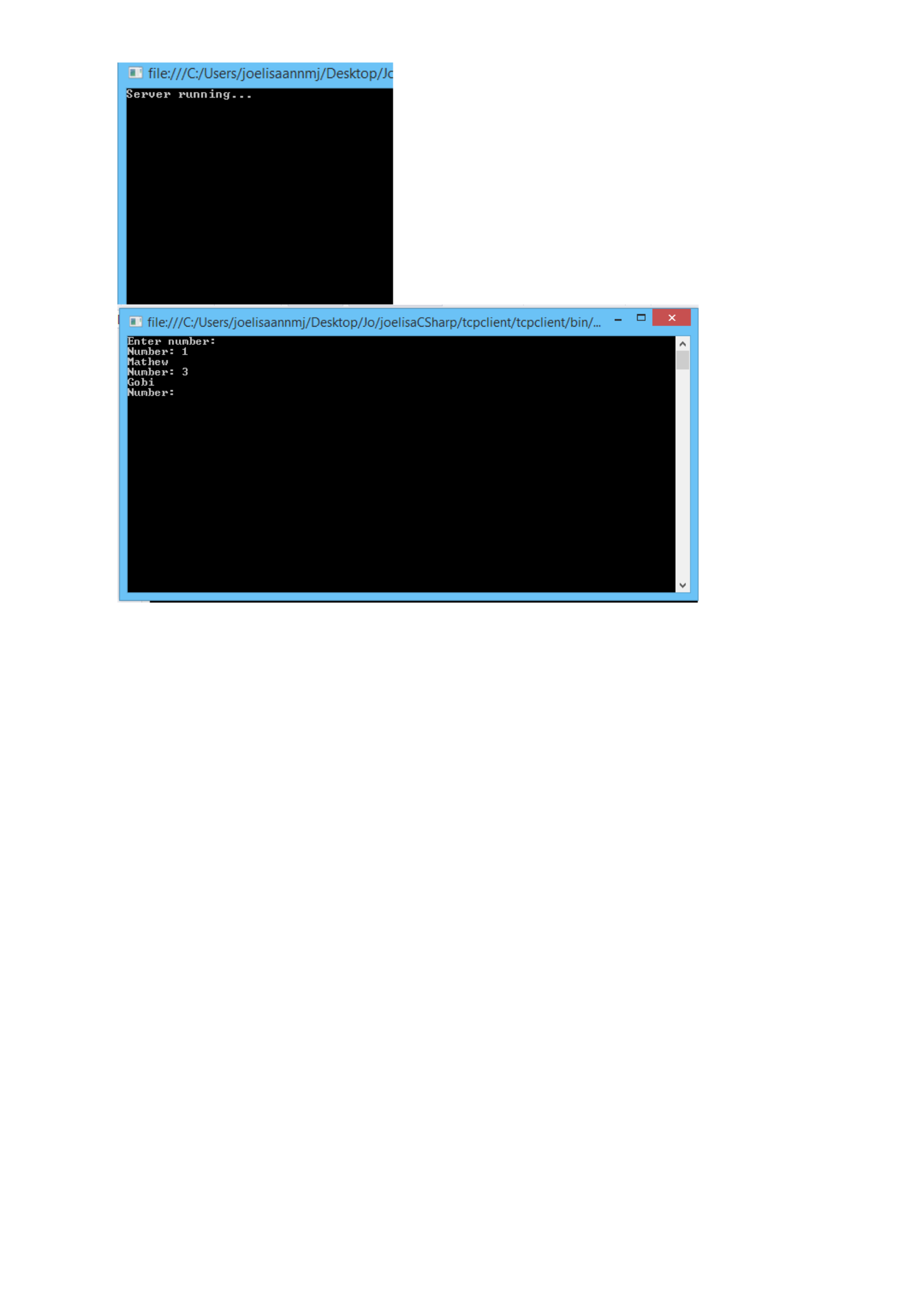
OUTPUT
PROGRAM 36
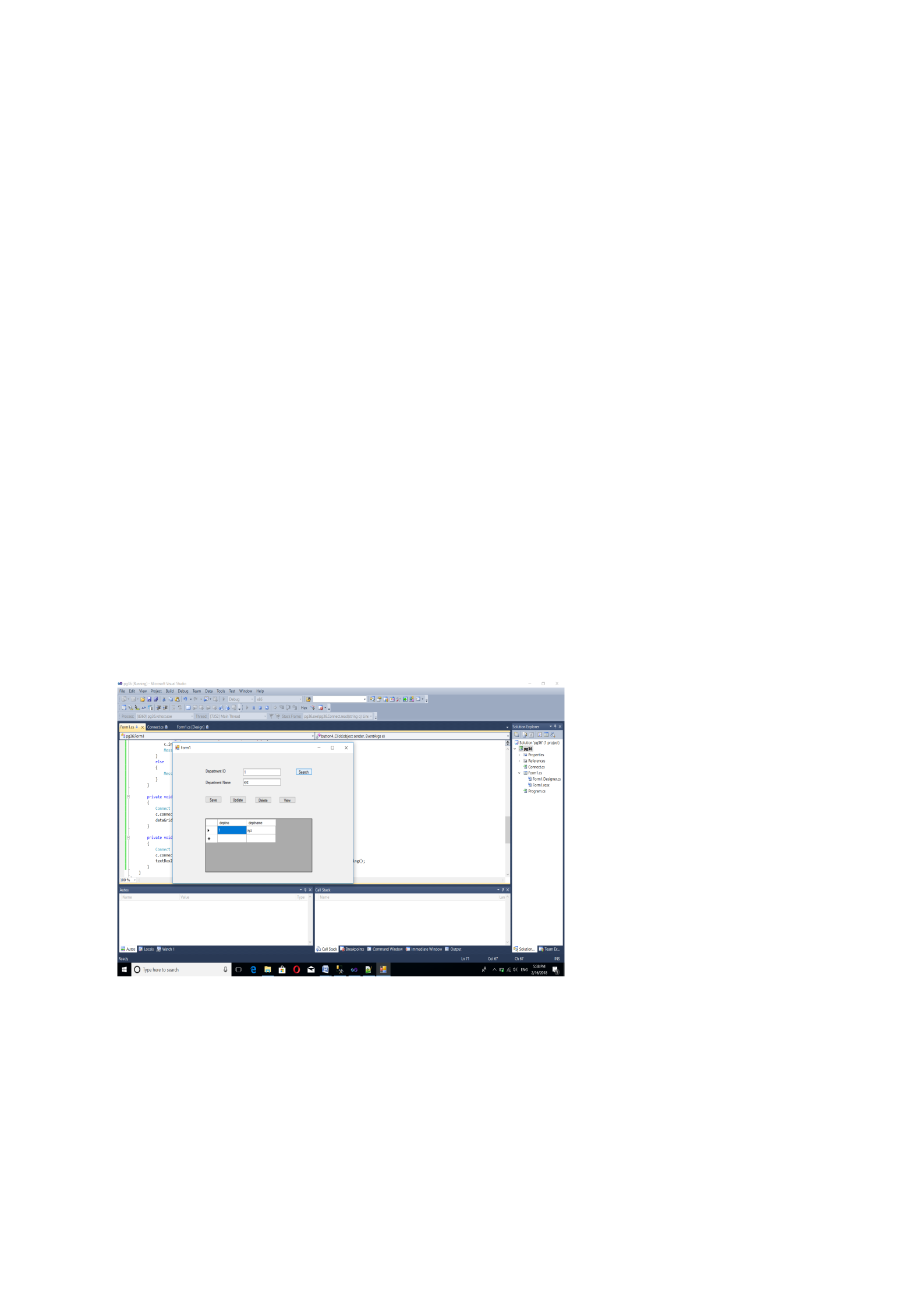
/**************************************************************************
Create a windows application to insert, delete, search, update and display the values in a dept
table [dno, dname] use SqlDataReader.
**************************************************************************/
Program
using System;

using System.Collections.Generic;
using System.Linq;
using System.Text;
using System.Threading.Tasks;
using System.Data;
using System.Data.SqlClient;
namespace WindowsFormsApplication6
{
class pgm44
{
SqlConnection conn;
public void connect()
{
conn = new SqlConnection(@"Data Source=.;Initial Catalog=anmy;User
Id=sa;Password=rajagiri");
}
public DataTable read(string q)
{
SqlCommand comm = new SqlCommand(q, conn);
DataSet d = new DataSet();
DataTable t = new DataTable();
SqlDataAdapter ad = new SqlDataAdapter(comm);
ad.Fill(d, "Table 1");
t = d.Tables[0];
return t;
}
public void insert(string q)
{
conn.Open();
SqlCommand comm = new SqlCommand(q, conn);
comm.ExecuteNonQuery();
conn.Close();
}
}
using System;
using System.Collections.Generic;
using System.ComponentModel;
using System.Data;
using System.Drawing;
using System.Linq;
using System.Text;
using System.Threading.Tasks;
using System.Windows.Forms;
namespace WindowsFormsApplication6
{
public partial class Form1 : Form
{
public Form1()
{
InitializeComponent();
}
private void button1_Click(object sender, EventArgs e)
{
pgm44 c = new pgm44();
c.connect();
if (textBox1.Text != "" && textBox2.Text != "")

{
string q = "insert into dept values ('{0}','{1}')";
c.insert(string.Format(q, textBox1.Text, textBox2.Text));
MessageBox.Show("Inserted Successfully");
}
else
MessageBox.Show("Need all values to be inserted");
}
private void button2_Click(object sender, EventArgs e)
{
pgm44 c = new pgm44();
c.connect();
if (textBox1.Text != "" && textBox2.Text != "")
{
string q = "delete from dept where deptno={0}";
c.insert(string.Format(q, textBox1.Text, textBox2.Text));
MessageBox.Show("Deleted Successfully");
}
else
MessageBox.Show("deleted sucessfully");
}
private void button3_Click(object sender, EventArgs e)
{
pgm44 c = new pgm44();
c.connect();
dataGridView1.DataSource = c.read("select * from dept");
}
private void button4_Click(object sender, EventArgs e)
{
pgm44 c = new pgm44();
c.connect();
if (textBox1.Text != "" && textBox2.Text != "")
{
string q = "update dept set deptno='{0}',deptname={1} where deptno={0}";
c.insert(string.Format(q, textBox1.Text, textBox2.Text));
MessageBox.Show("Updated Successfully");
}
else
MessageBox.Show("Updated");
}
private void dataGridView1_CellContentClick(object sender,
DataGridViewCellEventArgs e)
{
}
}
}
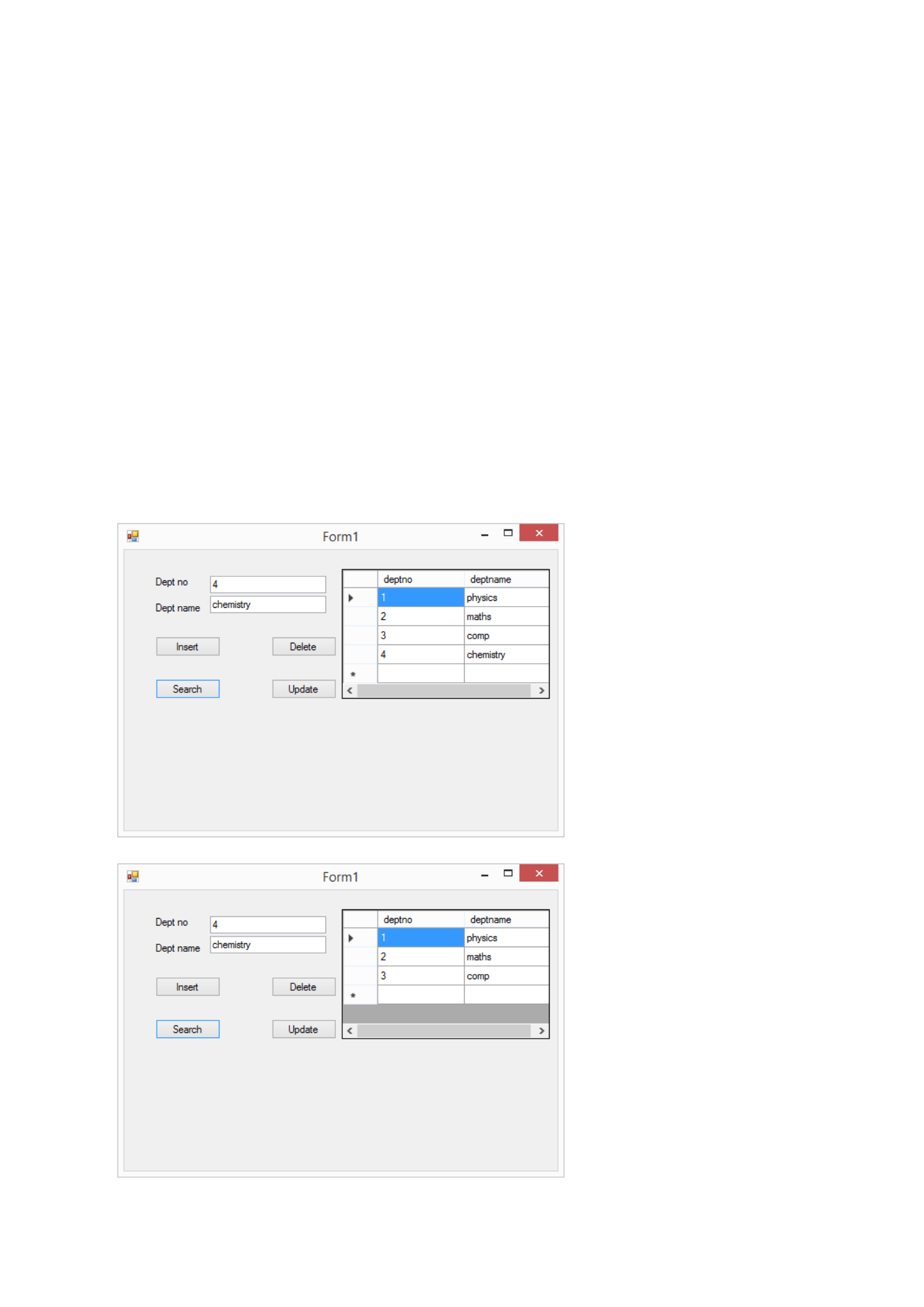
Output

PROGRAM 37
/**************************************************************************
Create a database library/ assembly having common method for insertion, deletion and
updating and another method for selection. Use this assembly in a windows application to
register the user details and also for login verification.
**************************************************************************/
Program
using System;
using System.Collections.Generic;
using System.Linq;
using System.Text;
using System.Threading;
using System.Data.SqlClient;
using System.Data;
namespace pg37
{
class Connect
{
SqlConnection conn;
public void connect()
{
conn = new SqlConnection(@"Data Source= .\SQLEXPRESS;Initial
Catalog=employee; Integrated Security= TRUE;");
}
public int read(string q)
{
SqlCommand comm = new SqlCommand(q, conn);
DataSet ds = new DataSet();
SqlDataAdapter ad = new SqlDataAdapter(comm);
ad.Fill(ds, "users");
foreach (DataRow i in ds.Tables[0].Rows)
{
return 1;
}
return 0;
}
public void insert(string q)
{
conn.Open();
SqlCommand comm = new SqlCommand(q, conn);
comm.ExecuteNonQuery();
conn.Close();
}
}
}
using System;
using System.Collections.Generic;
using System.ComponentModel;
using System.Data;
using System.Drawing;
using System.Linq;
using System.Text;
using System.Windows.Forms;
namespace pg37
{
public partial class Form1 : Form
{

public Form1()
{
InitializeComponent();
}
private void button1_Click(object sender, EventArgs e)
{
Connect c = new Connect();
c.connect();
string q = "insert into users values ('{0}','{1}','{2}')";
c.insert(string.Format(q,textBox1.Text,textBox2.Text, textBox4.Text));
MessageBox.Show("Inserted Successfully");
}
private void button2_Click(object sender, EventArgs e)
{
Form2 f = new Form2();
f.Show();
}
}
}
using System;
using System.Collections.Generic;
using System.ComponentModel;
using System.Data;
using System.Drawing;
using System.Linq;
using System.Text;
using System.Windows.Forms;
namespace pg37
{
public partial class Form2 : Form
{
public Form2()
{
InitializeComponent();
}
private void button1_Click(object sender, EventArgs e)
{
Connect c = new Connect();
c.connect();
int c1 = c.read("select * from users where username='" + textBox1.Text + "' and
password = '" + textBox1.Text + "'");
if (c1 == 1)
{
MessageBox.Show("Valid User");
}
else
MessageBox.Show("Invalid User");
}
}
}
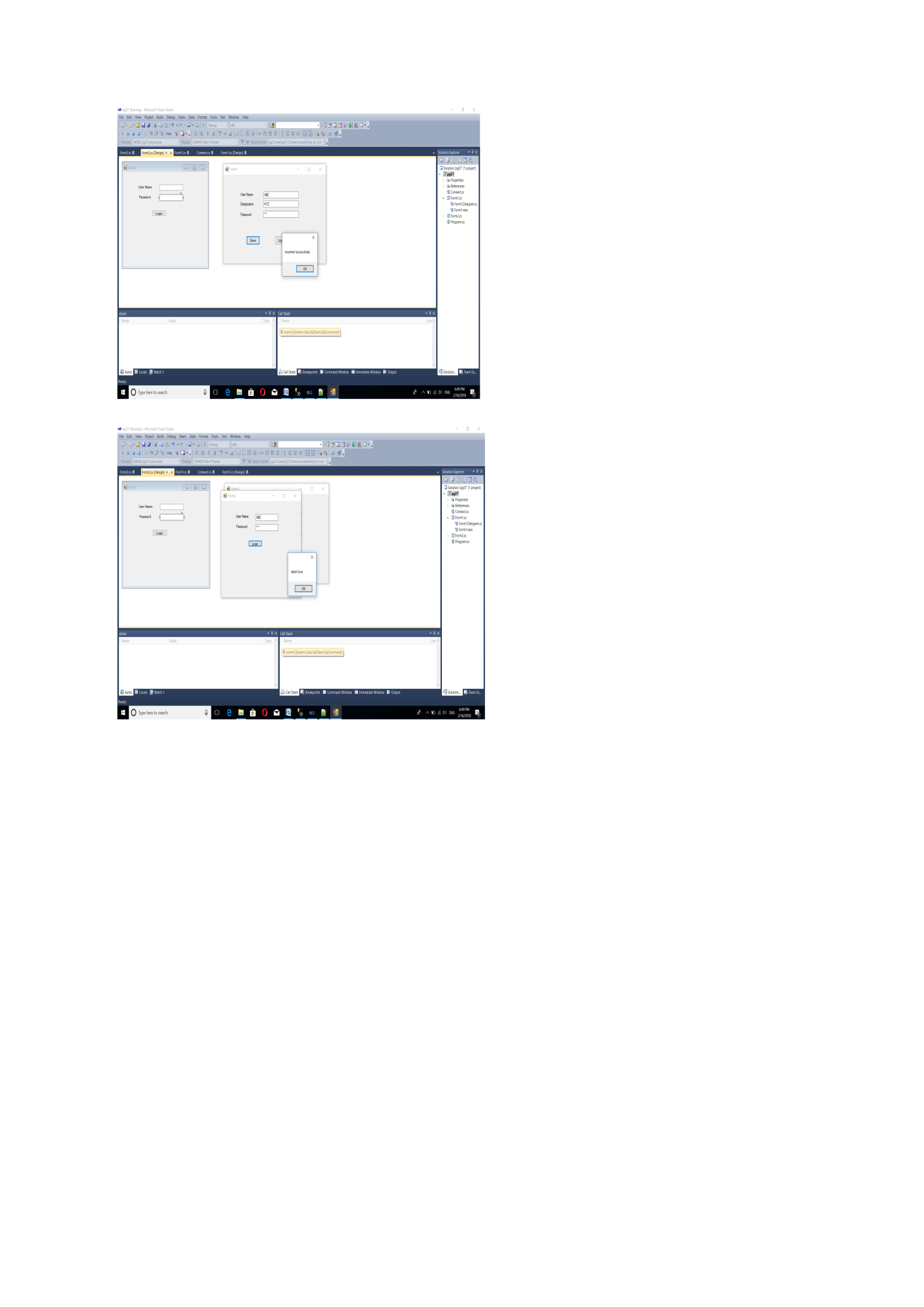
Output
PROGRAM 38
/**************************************************************************
Implement tree view
**************************************************************************/
Program
using System;
using System.Windows.Forms;
namespace pgm38
{
public partial class Form1 : Form
{
public Form1()
{
InitializeComponent();
}
private void Form1_Load(object sender, EventArgs e)
{
treeView1.Nodes.Add("My Computer");
treeView1.Nodes[0].Nodes.Add("local disk s");
treeView1.Nodes[0].Nodes.Add("local disk j");
treeView1.Nodes.Add("fav");
treeView1.Nodes[1].Nodes.Add("pics");
}
}
}
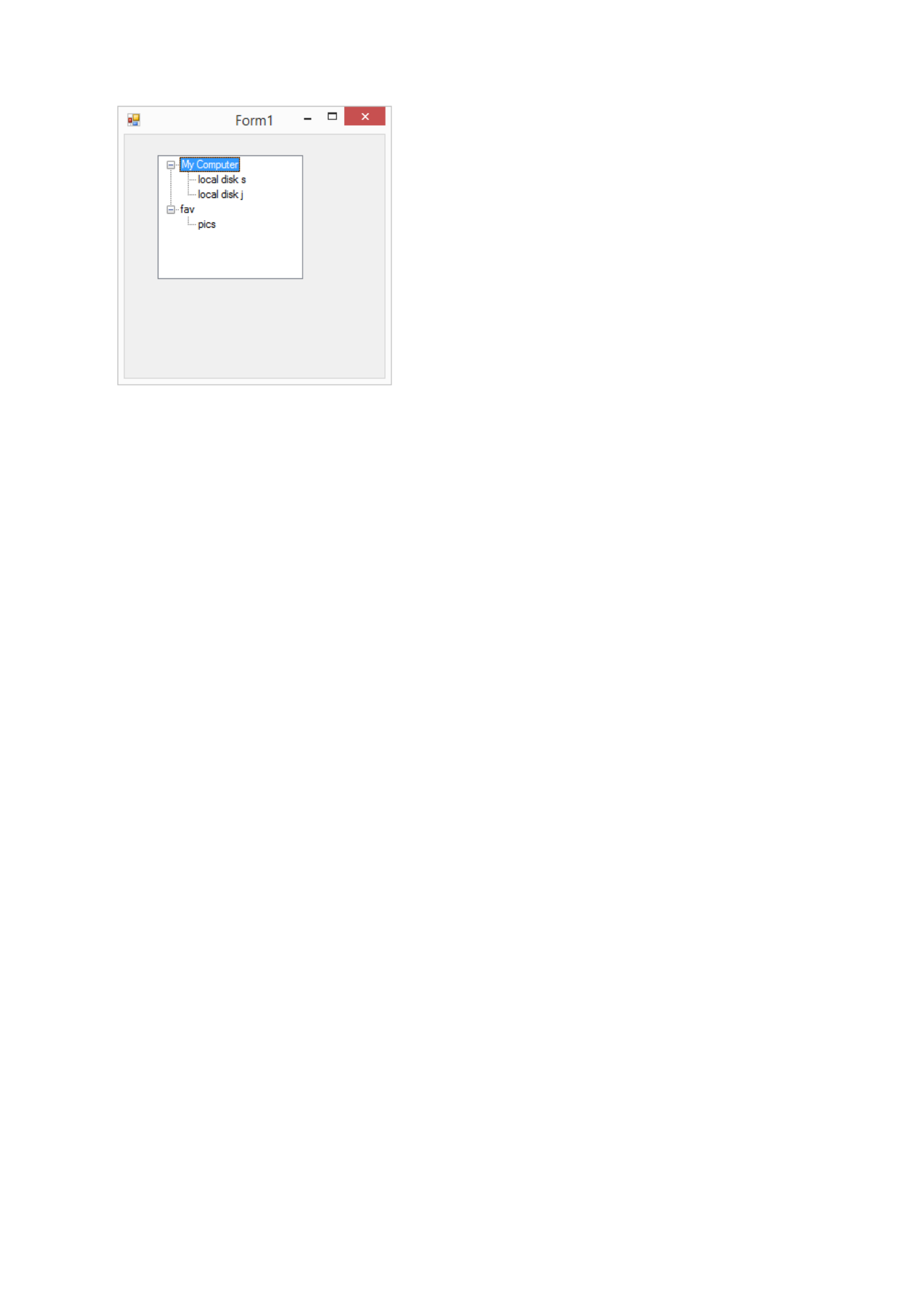
Output
PROGRAM 39
/**************************************************************************
Implement tab control
**************************************************************************/
Program
using System;
using System.Collections.Generic;
using System.ComponentModel;
using System.Data;
using System.Drawing;
using System.Linq;
using System.Text;
using System.Threading.Tasks;
using System.Windows.Forms;
namespace pgm39
{
public partial class Form1 : Form
{
public Form1()
{
InitializeComponent();
}
private void button1_Click(object sender, EventArgs e) {
MessageBox.Show(tabPage1.Text);
}
private void button2_Click(object sender, EventArgs e)
{
MessageBox.Show(tabPage2.Text);
}
}
}
Output
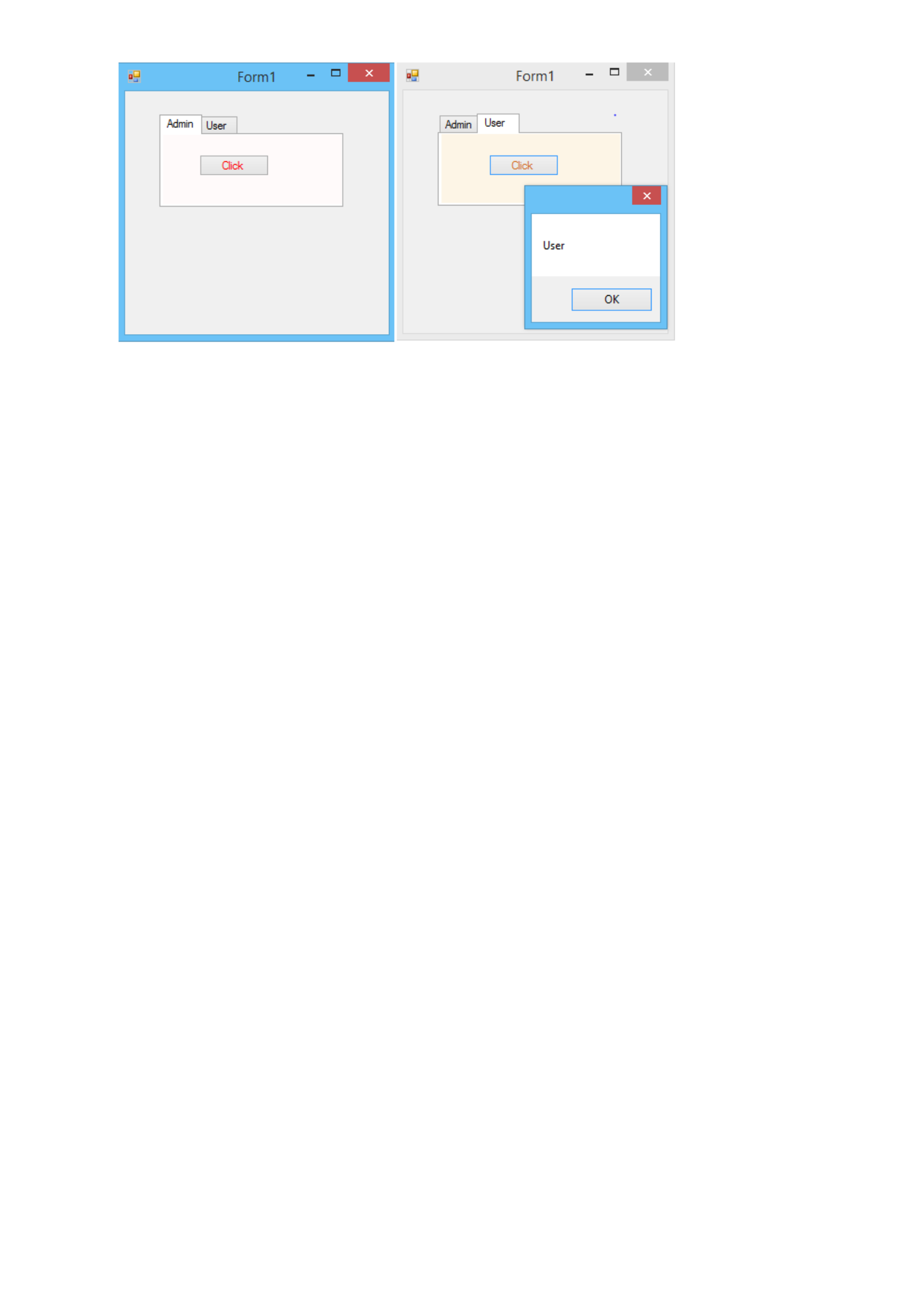
PROGRAM 40
/*************************************************************************
Demonstrate gridview in windows application
**************************************************************************/
Program
using System;
using System.Collections.Generic;
using System.Linq;
using System.Text;
using System.Threading.Tasks;
using System.Data.SqlClient;
using System.Data;
namespace pg36
{
class Connect
{
SqlConnection conn;
public void connect()
{
conn = new SqlConnection(@"Data Source=.;Initial Catalog=employee;User
Id=sa;Password=rajagiri");
}
public String read(string q)
{

SqlCommand comm = new SqlCommand(q, conn);
DataSet ds = new DataSet();
SqlDataAdapter ad = new SqlDataAdapter(comm);
ad.Fill(ds, "deptartment");
String s=null;
foreach (DataRow i in ds.Tables[0].Rows)
{
s= i["dept"].ToString();
}
return s;
}
public DataTable read1(string q)
{
SqlCommand comm = new SqlCommand(q, conn);
DataSet d = new DataSet();
DataTable t = new DataTable();
SqlDataAdapter ad = new SqlDataAdapter(comm);
ad.Fill(d, "department");
t = d.Tables[0];
return t;
}
public void insert(string q)
{
conn.Open();
SqlCommand comm = new SqlCommand(q, conn);
comm.ExecuteNonQuery();
conn.Close();
}
}
}
using System;
using System.Collections.Generic;
using System.ComponentModel;
using System.Data;
using System.Drawing;
using System.Linq;
using System.Text;
using System.Threading.Tasks;
using System.Windows.Forms;
namespace pg36
{
public partial class Form1 : Form
{
public Form1()
{
InitializeComponent();
}
private void button1_Click(object sender, EventArgs e)
{
Connect c = new Connect();
c.connect();
if (textBox1.Text != "" && textBox2.Text != "")
{
string q = "insert into department values ('{0}','{1}')";
c.insert(string.Format(q, int.Parse(textBox2.Text), textBox1.Text));
MessageBox.Show("Inserted Successfully");
}
else
MessageBox.Show("Need all values to be inserted");
}
private void button4_Click(object sender, EventArgs e)
{
Connect c = new Connect();
c.connect();
if (textBox2.Text != "" )
{
string q = "update department set dept ='{1}'where deptno ='{0}'";
c.insert(string.Format(q, int.Parse(textBox2.Text), textBox1.Text));
MessageBox.Show("Updated Successfully");
}
else
MessageBox.Show("Need all values to be inserted");
}
private void button2_Click(object sender, EventArgs e)
{
Connect c = new Connect();
c.connect();
if (textBox2.Text != "")
{
string q = "delete from department where deptno = {0}";
c.insert(string.Format(q, int.Parse(textBox2.Text)));
MessageBox.Show("Deleted Successfully");
}
else
MessageBox.Show("Need Department Id value");
}
private void button3_Click(object sender, EventArgs e)
{
Connect c = new Connect();
c.connect();
textBox1.Text = c.read("select dept from department where deptno='" + textBox2.Text
+ "'").ToString();
}
private void button5_Click(object sender, EventArgs e)
{
Connect c = new Connect();
c.connect();
dataGridView1.DataSource = c.read1("select * from department");
}
}
}
Output
PROGRAM 41
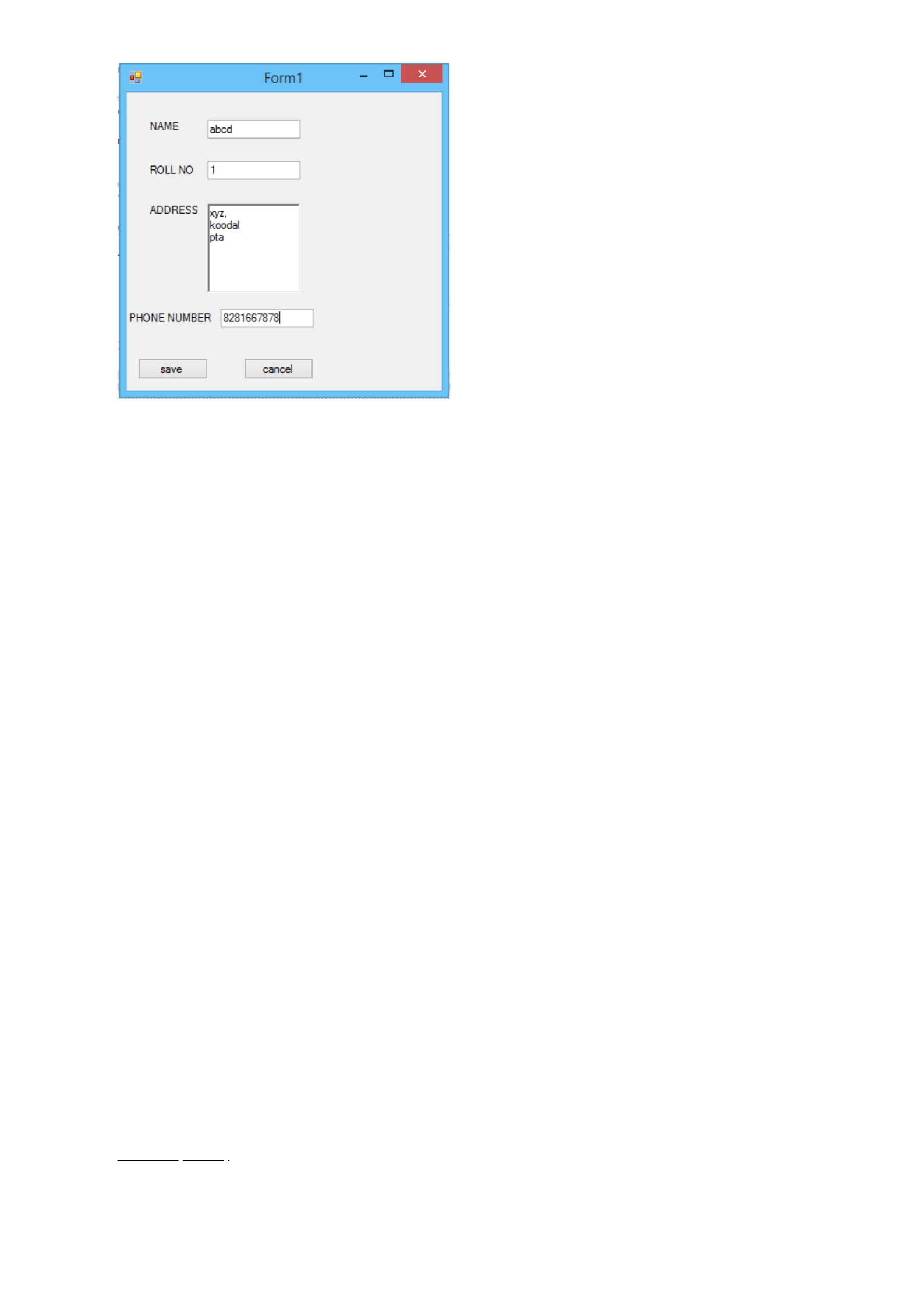
/**************************************************************************
Design a registration form using all necessary controls in windows application
**************************************************************************/
Program
Connection
using System;
using System.Collections.Generic;
using System.Linq;
using System.Text;

using System.Threading.Tasks;
using System.Data;
using System.Data.SqlClient;
namespace pgm41
{
class connection
{
SqlConnection conn;
public void connect()
{
conn = new SqlConnection(@"Data Source=.;Initial catalog=login;User
Id=sa;Password=rajagiri");
}
public DataTable read(string q)
{
SqlCommand comm = new SqlCommand(q, conn);
DataSet d = new DataSet();
DataTable t = new DataTable();
SqlDataAdapter ad = new SqlDataAdapter(comm);
ad.Fill(d, "user");
t = d.Tables[0];
return t;
}
public void insert(string q)
{
conn.Open();
SqlCommand comm = new SqlCommand(q, conn);
comm.ExecuteNonQuery();
conn.Close();
}
}
}
Form1.cs
using System;
using System.Collections.Generic;
using System.ComponentModel;
using System.Data;
using System.Drawing;
using System.Linq;
using System.Text;
using System.Threading.Tasks;
using System.Windows.Forms;
namespace pgm41{
public partial class Form1 : Form {
public Form1(){
InitializeComponent();
}
private void button1_Click(object sender, EventArgs e){
connection c = new connection();
c.connect();
if (textBox1.Text != "" && textBox2.Text != "") {
string q = "insert into user values ('{0}','{1}','{2}','{3}')";
c.insert(string.Format(q, textBox1.Text,
textBox2.Text,richTextBox1.Text,textBox3.Text));
MessageBox.Show("Inserted Successfully");
}
else
MessageBox.Show("Need all values to be inserted");
}
}
}
Output
PROGRAM 42
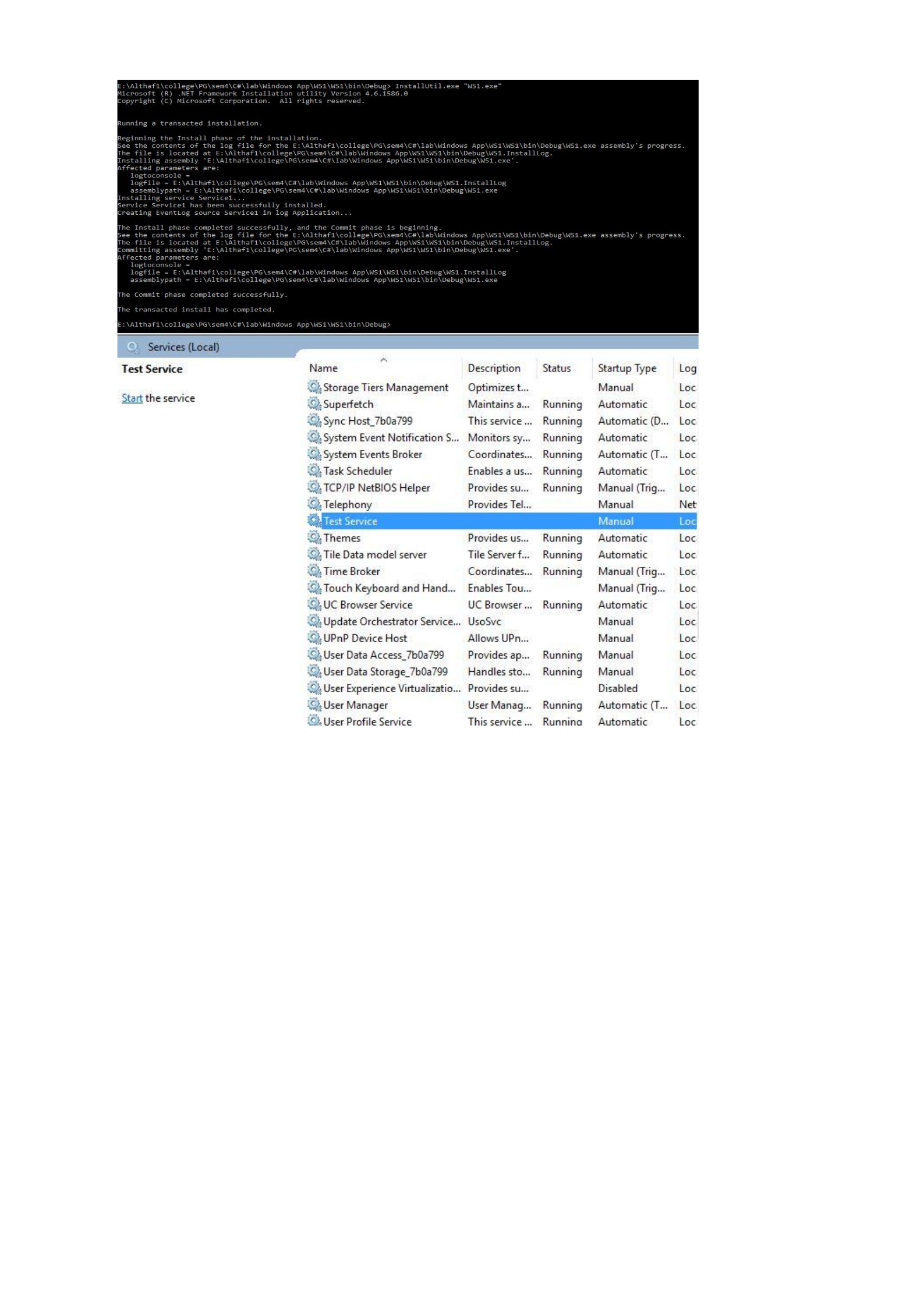
/**************************************************************************
Program to demonstrate window services
**************************************************************************/
Program
using System;
using System.Collections.Generic;
using System.Linq;
using System.Text;
using System.IO;
namespace WS1
{
public static class Library
{
public static void writeErrorLog(String err)
{
StreamWriter st;
try
{
st = new StreamWriter(AppDomain.CurrentDomain.BaseDirectory +
"\\LogFile.txt", true);
st.WriteLine(DateTime.Now.ToString() + ":" + err);
st.Flush();
st.Close();
}
catch (Exception e)
{
}
}
}
}
Wservice (service)
using System;
using System.Collections.Generic;
using System.ComponentModel;
using System.Data;

using System.Diagnostics;
using System.Linq;
using System.ServiceProcess;
using System.Text;
using System.Timers;
namespace WS1
{
public partial class Service1 : ServiceBase
{
Timer t = null;
public Service1()
{
InitializeComponent();
}
protected override void OnStart(string[] args)
{
t = new Timer();
t.Interval = 5000;
t.Elapsed += new ElapsedEventHandler(t_tick);
t.Enabled = true;
Library.writeErrorLog("Service Started...");
}
public void t_tick(object sender, EventArgs ea)
{
Library.writeErrorLog("Some Error!!!...");
}
protected override void OnStop()
{
t.Enabled = false;
Library.writeErrorLog("Service Stoped..");
}
private void button1_Click(object sender, EventArgs e)
{
}
}
}
Output
PROGRAM 43
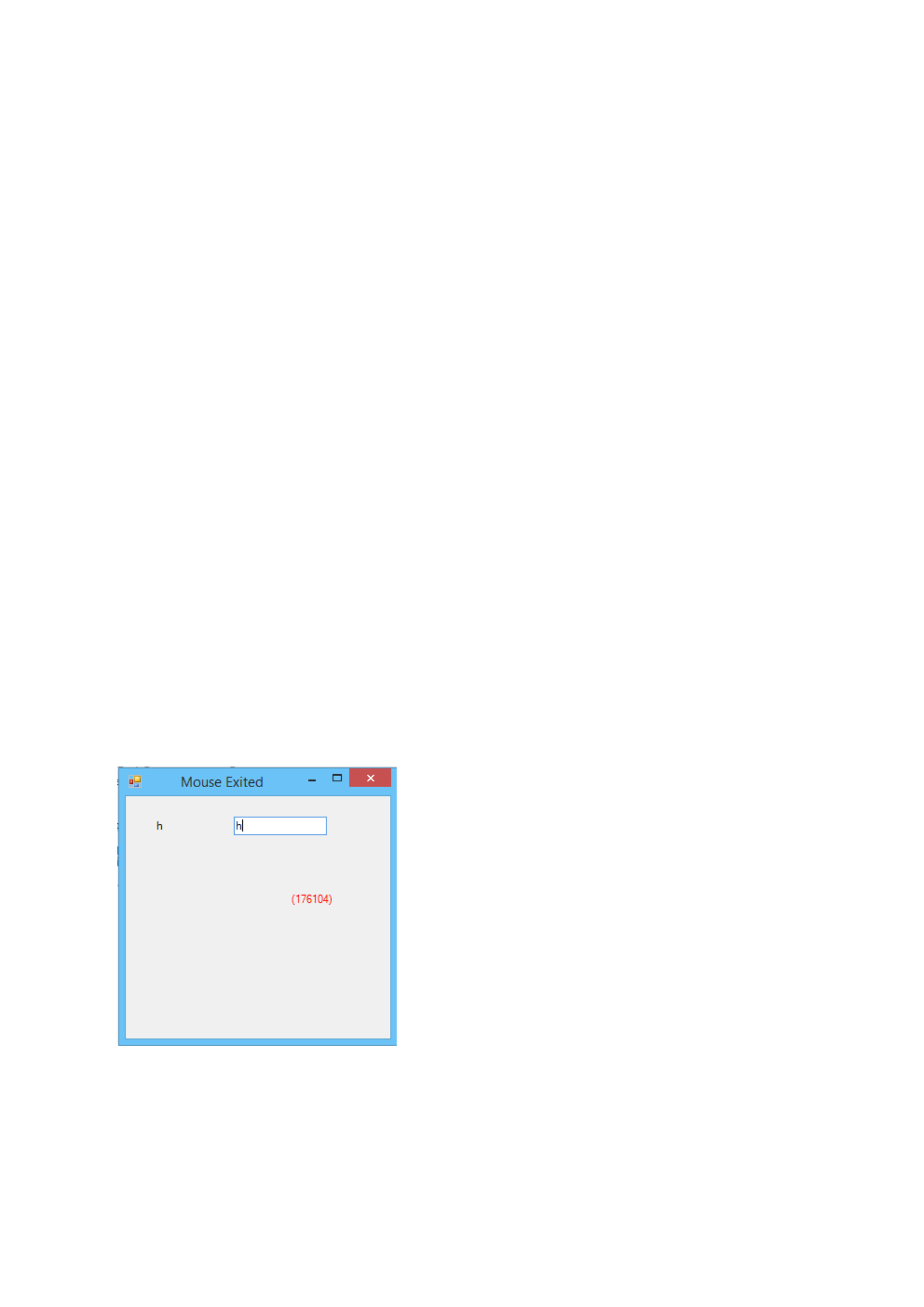
/**************************************************************************
Demonstrate mouse event and keyboard event
**************************************************************************/
Program
using System;
using System.Collections.Generic;
using System.ComponentModel;
using System.Data;
using System.Drawing;
using System.Linq;
using System.Text;
using System.Threading.Tasks;
using System.Windows.Forms;
namespace pgm43
{
public partial class Form1 : Form
{
public Form1()
{
InitializeComponent();
}
private void textBox1_KeyDown(object sender, KeyEventArgs e)
{
this.Text = e.KeyValue.ToString() + "-" + e.KeyCode.ToString();
}
private void textBox1_KeyPress(object sender, KeyPressEventArgs e)
{
label1.Text = e.KeyChar.ToString();
}
private void Form1_MouseClick(object sender, MouseEventArgs e)
{
Graphics g;
g = this.CreateGraphics();
Font f = this.Font;
Brush b = System.Drawing.Brushes.Red;
Point p = new Point(e.X, e.Y);
string str = string.Format("({0}{1})", e.X, e.Y);
g.DrawString(str, f, b, p);
}
private void Form1_MouseEnter(object sender, EventArgs e)
{
this.Text = "Mouse Entered";
}
private void Form1_MouseLeave(object sender, EventArgs e)
{
this.Text = "Mouse Exited";
}
}
}
Output

PROGRAM 44
/**************************************************************************
Use SqlDataSource to perform insertion, deletion, updating and searching on emp table
having eno,ename, esal as the attributes.
**************************************************************************/
Program
using System;
using System.Collections.Generic;
using System.Linq;
using System.Text;
using System.Threading.Tasks;
using System.Data.SqlClient;
using System.Data;
namespace pg44
{
class Connect
{
SqlConnection conn;
public void connect()
{
conn = new SqlConnection(@"Data Source =.;Initial Catalog= employee;User Id=sa;
Password=rajagiri");
}
public void insert(string q)
{
conn.Open();
SqlCommand comm = new SqlCommand(q,conn);
comm.ExecuteNonQuery();
conn.Close();
}
public DataRow read(string q)
{
SqlCommand comm = new SqlCommand(q, conn);
DataSet ds = new DataSet();
SqlDataAdapter ad = new SqlDataAdapter(comm);
ad.Fill(ds, "emp");
DataRow i = ds.Tables[0].Rows[0];
return i;
}
}
}
using System;
using System.Collections.Generic;
using System.ComponentModel;
using System.Data;
using System.Drawing;
using System.Linq;
using System.Text;
using System.Threading.Tasks;
using System.Windows.Forms;

namespace pg44
{
public partial class Form1 : Form
{
public Form1()
{
InitializeComponent();
}
private void button1_Click(object sender, EventArgs e)
{
Connect c = new Connect();
c.connect();
if(textBox1.Text !="" && textBox2.Text !="" && textBox3.Text!="")
{
string q = "insert into emp values ('{0}','{1}','{2}')";
c.insert(string.Format(q,int.Parse(textBox1.Text),textBox2.Text,float.Parse(textBox3.Text)));
MessageBox.Show("Inserted Successfully");
}
else
{
MessageBox.Show("Enter the fields");
}
}
private void button2_Click(object sender, EventArgs e)
{
Connect c = new Connect();
c.connect();
if (textBox1.Text != "")
{
string q = "update emp set eno = {0},ename='{1}',esal='{2}'";
c.insert(string.Format(q, int.Parse(textBox1.Text), textBox2.Text,
float.Parse(textBox3.Text)));
MessageBox.Show("Updated Successfully");
}
else
{
MessageBox.Show("Enter the fields");
}
}
private void button3_Click(object sender, EventArgs e)
{
Connect c = new Connect();
c.connect();
if (textBox1.Text != "")
{
string q = "delete from emp where eno = {0}";
c.insert(string.Format(q, int.Parse(textBox1.Text)));
MessageBox.Show("Deleted Successfully");
}
else
{
MessageBox.Show("Enter the fields");
}
}
private void button4_Click(object sender, EventArgs e)
{
Connect c = new Connect();
c.connect();
DataRow i = c.read("select * from emp where eno='" + textBox1.Text + "'");
textBox2.Text = i["ename"].ToString();
textBox3.Text = i["esal"].ToString();
}
}
}
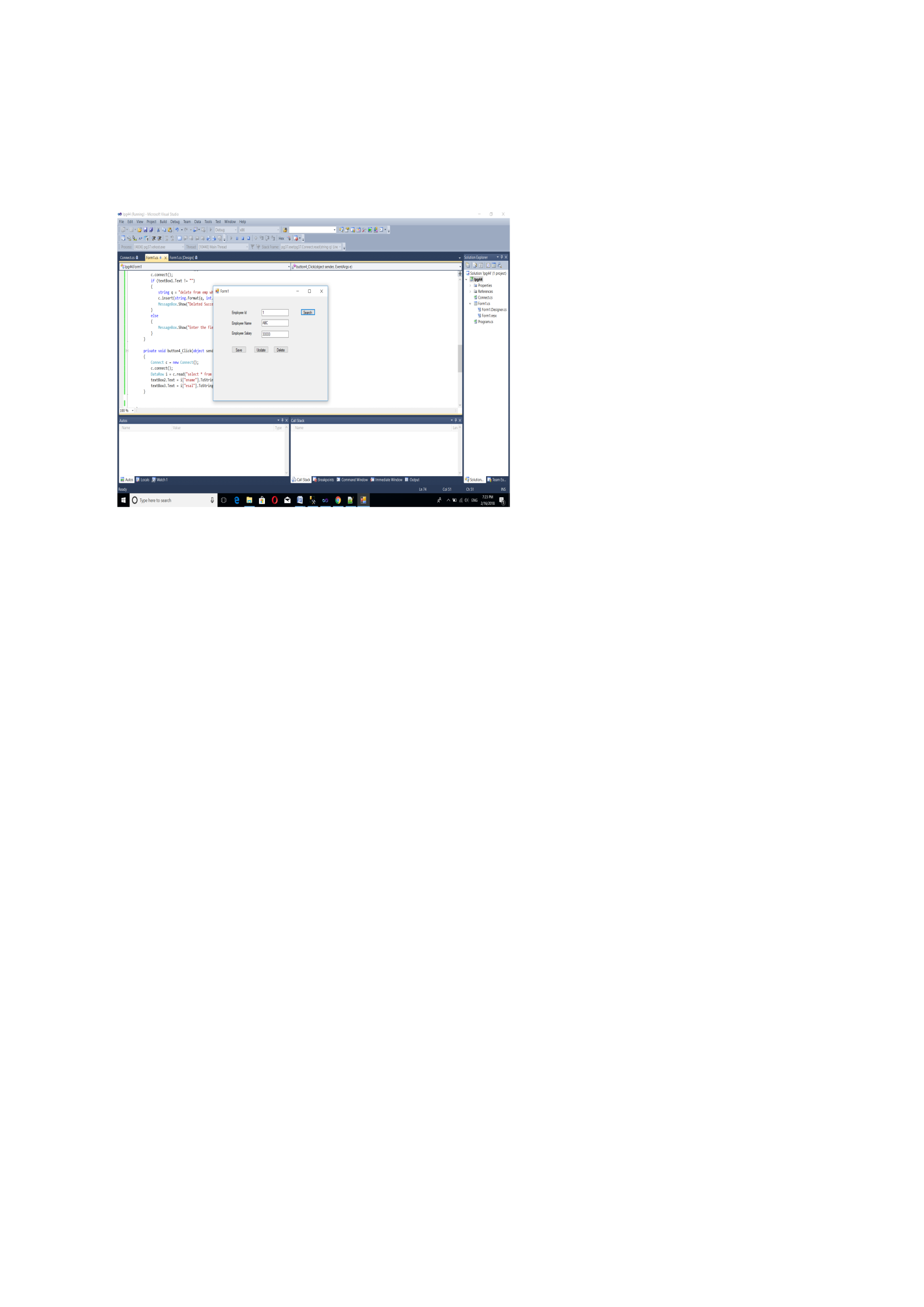
Output
RAJAGIRI COLLEGE OF SOCIAL SCIENCES(AUTONOMOUS)
126

