


1
Wireshark Lab: DNS V7.0
Student Name
Professor
Unit Code
Date
2
1 NsLookup
The nslookup command is a network administration tool used for querying the Domain
Name System (DNS) to obtain domain name or IP address mapping.
The command is available in many OS including windows, Mac OS and also Linux. In
this assignment I decided to use CMD which is enabled by windows.
To understand how nslookup works one need to have basic knowledge of how internet
works
Every device connected to the internet is assigned a unique IP address
The functionality of the nslookup not only check the IP address but it is also used to
query various types of DNS records.
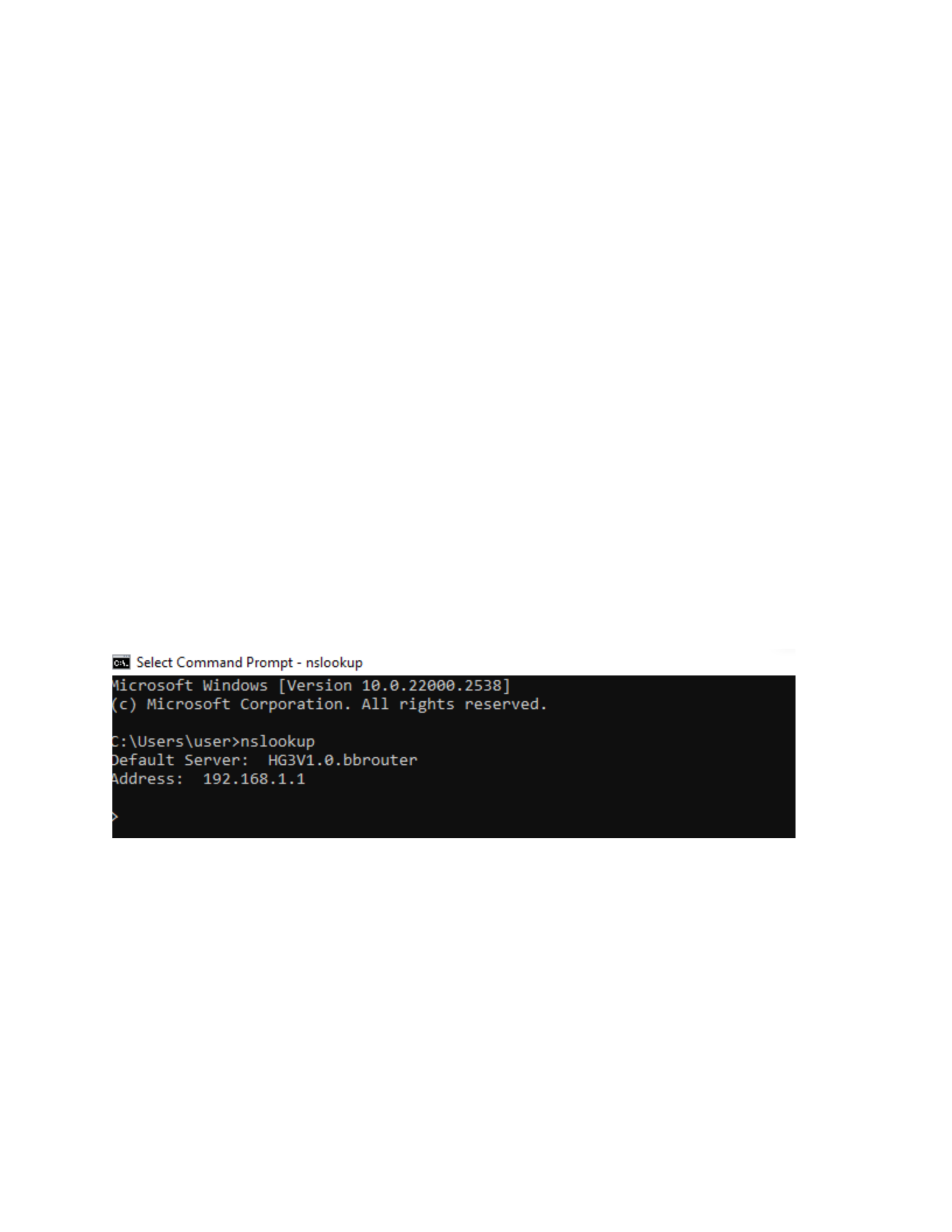
Below is the IP address that I got after running the nslookup command
.

3
2 IP CONFIG/ALL
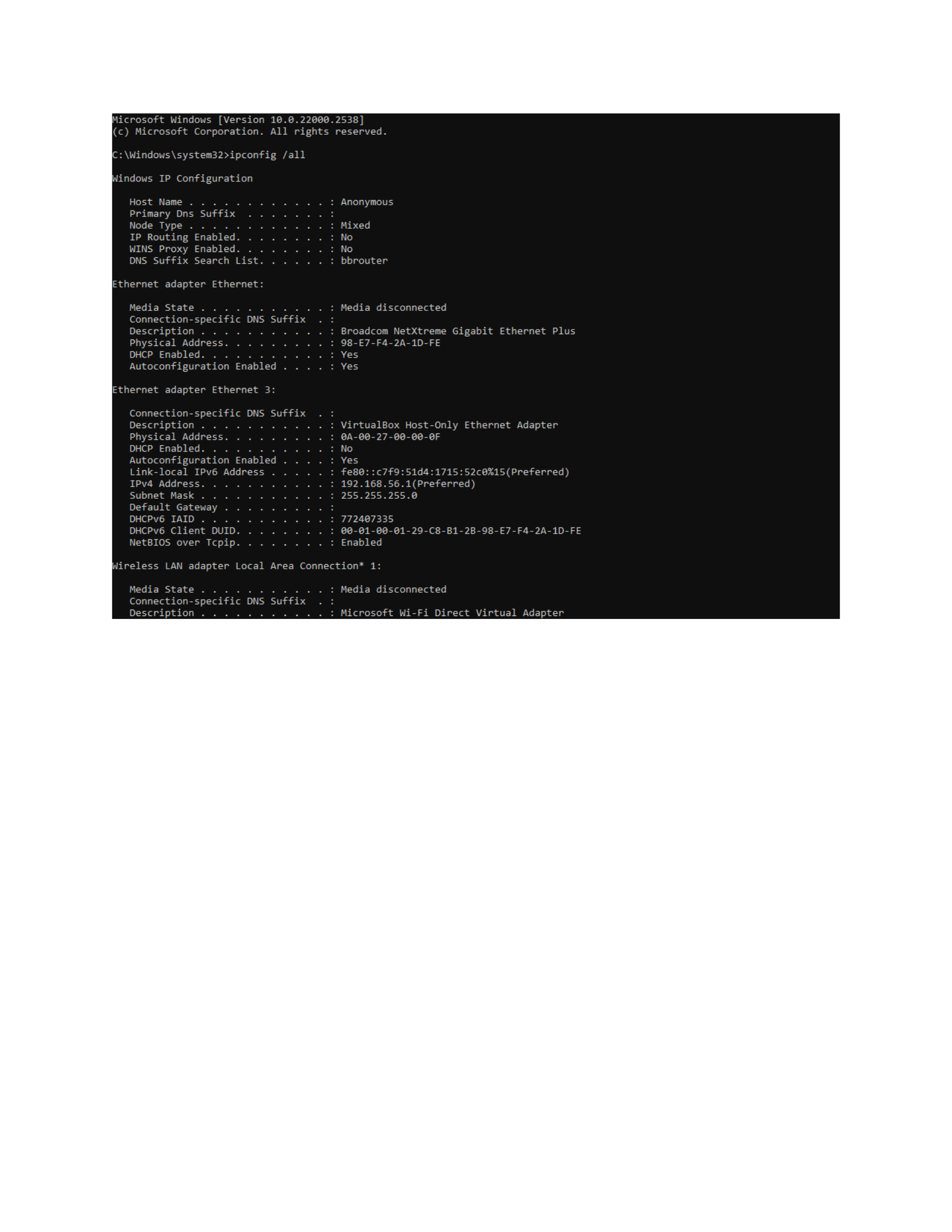
The ipconfig /all command is a command-line instruction used primarily on Windows
operating systems to display all the current TCP/IP network configuration values of the
machine (Oleshchenko, 2023).
When the command is executed, one gets a comprehensive overview of the network
configuration for all network interfaces on a machine.
The command plays an important role in providing the insights of the computers network
connection
It is also aids in troubleshooting network issues and also in understanding the device
connectivity status.
4
5
3 Tracing DNS with Wireshark – ipconfig
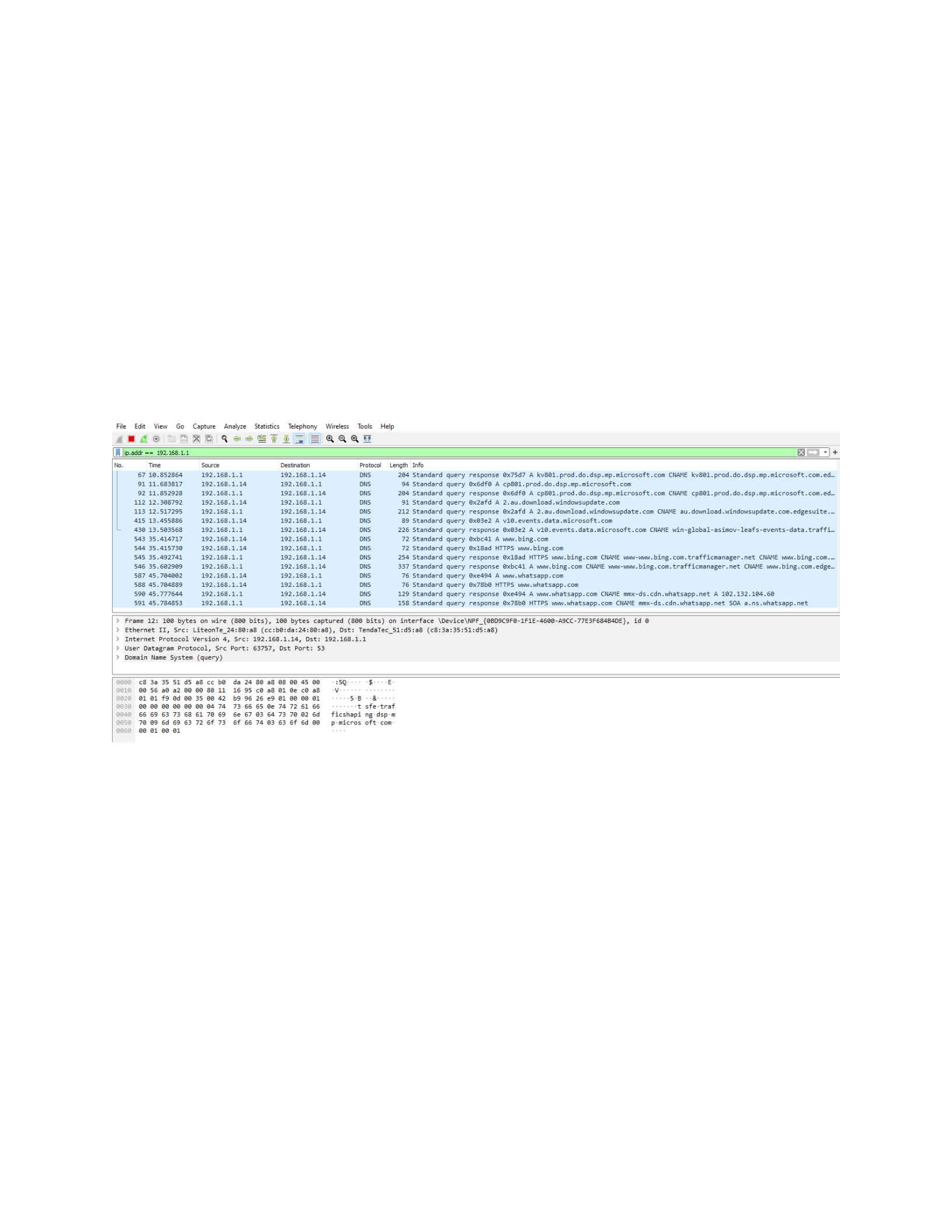
To trace the DNS with Wireshark the first thing that you need to do is to open Wireshark
and the run the command ip. addr == your_IP_address
To get the DNS in the filter feature of the of the Wireshark, type the command ip.addr
and then the IP address of the network and then you will get the DNS. Displayed

6
Reference
Оleshchenko, L. M. (2023). Computer Systems and Networks Fundamentals. Laboratory Work
Tutorial.

