


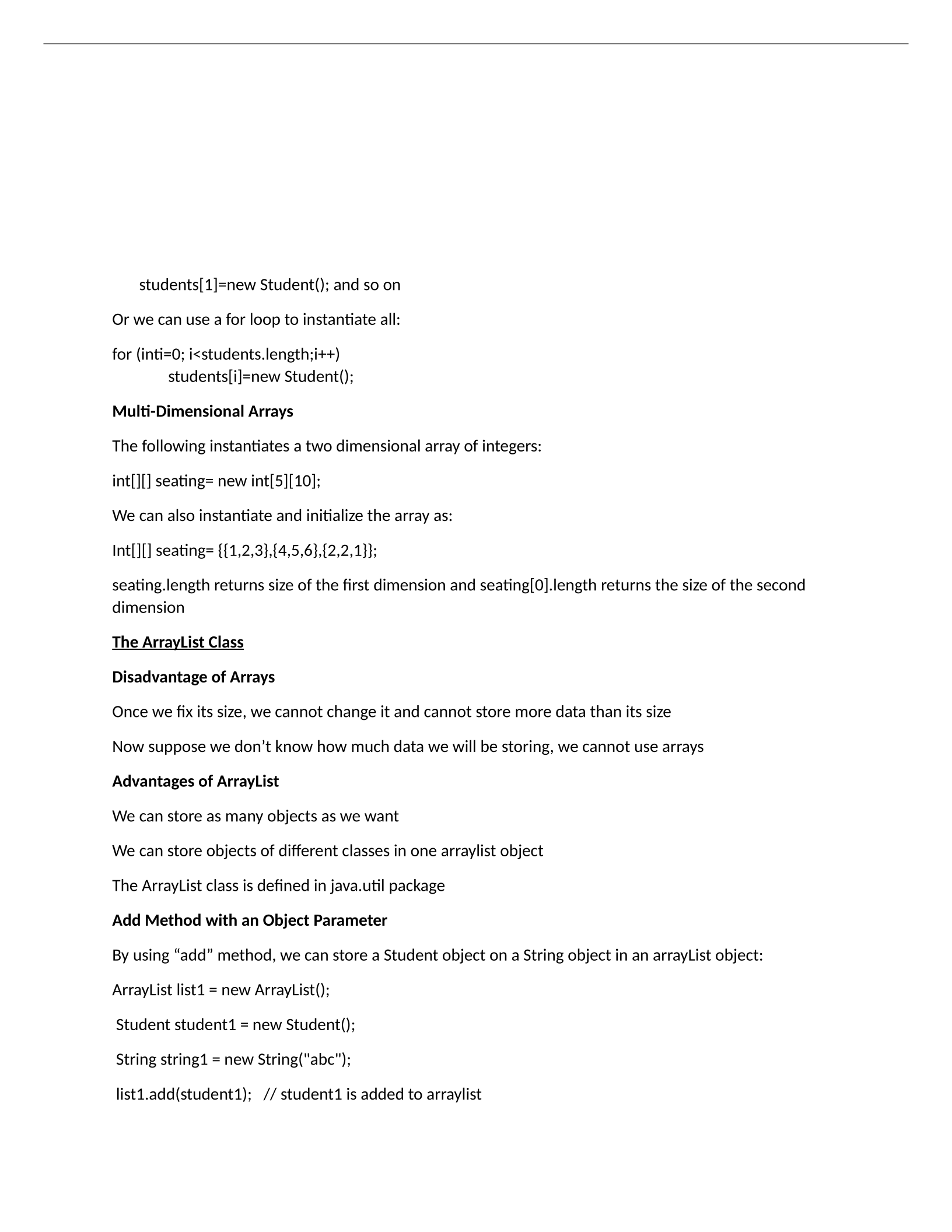
students[1]=new Student(); and so on
Or we can use a for loop to instantiate all:
for (inti=0; i<students.length;i++)
students[i]=new Student();
Multi-Dimensional Arrays
The following instantiates a two dimensional array of integers:
int[][] seating= new int[5][10];
We can also instantiate and initialize the array as:
Int[][] seating= {{1,2,3},{4,5,6},{2,2,1}};
seating.length returns size of the first dimension and seating[0].length returns the size of the second
dimension
The ArrayList Class
Disadvantage of Arrays
Once we fix its size, we cannot change it and cannot store more data than its size
Now suppose we don’t know how much data we will be storing, we cannot use arrays
Advantages of ArrayList
We can store as many objects as we want
We can store objects of different classes in one arraylist object
The ArrayList class is defined in java.util package
Add Method with an Object Parameter
By using “add” method, we can store a Student object on a String object in an arrayList object:
ArrayList list1 = new ArrayList();
Student student1 = new Student();
String string1 = new String("abc");
list1.add(student1); // student1 is added to arraylist
Arrays of Objects
Suppose that we want to have an array of objects of the Student class:
Student[] students= new Student[100];
Before we use each object in this array, for each index, an object needs to be instantiated.
Ex. students[0]=new Student();
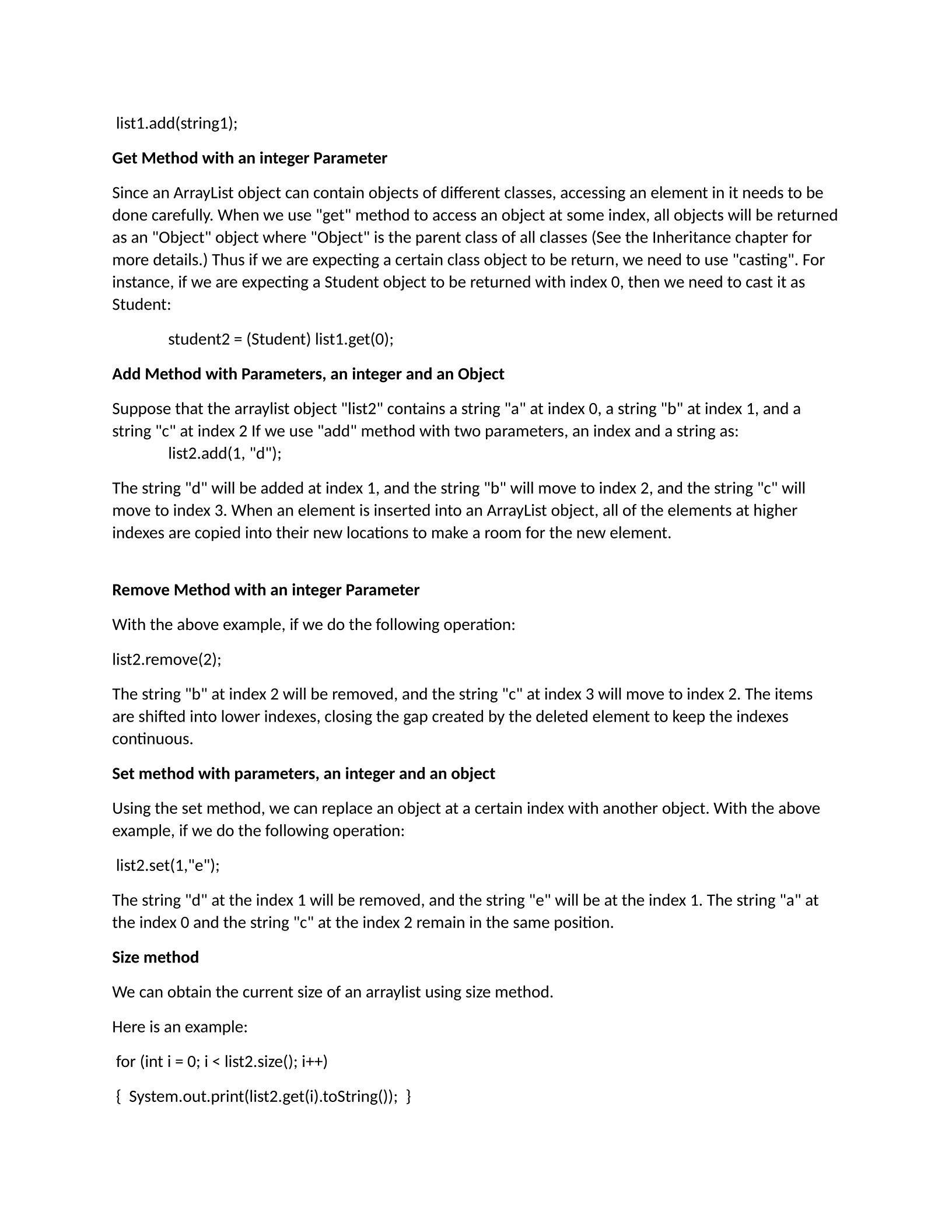
list1.add(string1);
Get Method with an integer Parameter
Since an ArrayList object can contain objects of different classes, accessing an element in it needs to be
done carefully. When we use "get" method to access an object at some index, all objects will be returned
as an "Object" object where "Object" is the parent class of all classes (See the Inheritance chapter for
more details.) Thus if we are expecting a certain class object to be return, we need to use "casting". For
instance, if we are expecting a Student object to be returned with index 0, then we need to cast it as
Student:
student2 = (Student) list1.get(0);
Add Method with Parameters, an integer and an Object
Suppose that the arraylist object "list2" contains a string "a" at index 0, a string "b" at index 1, and a
string "c" at index 2 If we use "add" method with two parameters, an index and a string as:
list2.add(1, "d");
The string "d" will be added at index 1, and the string "b" will move to index 2, and the string "c" will
move to index 3. When an element is inserted into an ArrayList object, all of the elements at higher
indexes are copied into their new locations to make a room for the new element.
Remove Method with an integer Parameter
With the above example, if we do the following operation:
list2.remove(2);
The string "b" at index 2 will be removed, and the string "c" at index 3 will move to index 2. The items
are shifted into lower indexes, closing the gap created by the deleted element to keep the indexes
continuous.
Set method with parameters, an integer and an object
Using the set method, we can replace an object at a certain index with another object. With the above
example, if we do the following operation:
list2.set(1,"e");
The string "d" at the index 1 will be removed, and the string "e" will be at the index 1. The string "a" at
the index 0 and the string "c" at the index 2 remain in the same position.
Size method
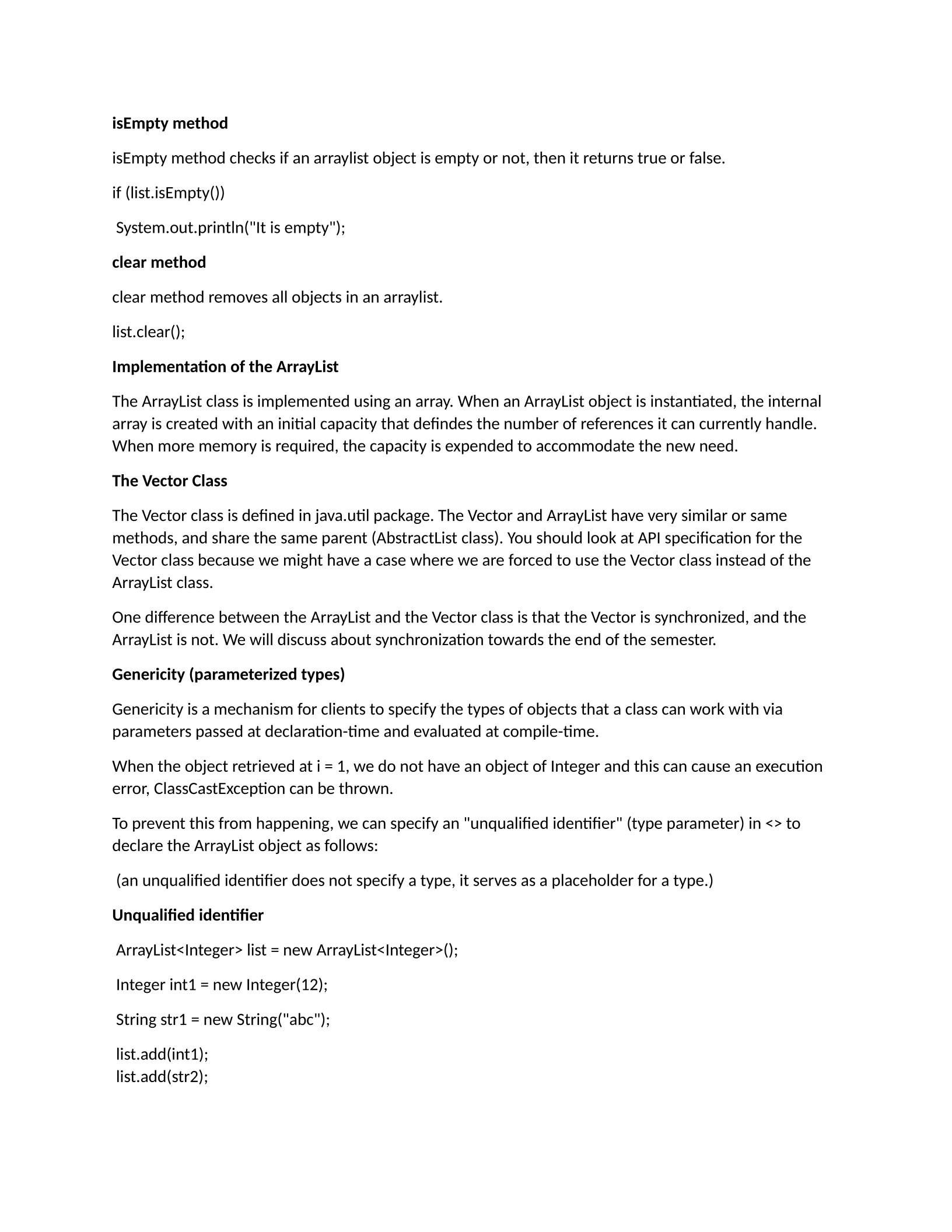
We can obtain the current size of an arraylist using size method.
Here is an example:
for (int i = 0; i < list2.size(); i++)
{ System.out.print(list2.get(i).toString()); }
isEmpty method
isEmpty method checks if an arraylist object is empty or not, then it returns true or false.
if (list.isEmpty())
System.out.println("It is empty");
clear method
clear method removes all objects in an arraylist.
list.clear();
Implementation of the ArrayList
The ArrayList class is implemented using an array. When an ArrayList object is instantiated, the internal
array is created with an initial capacity that defindes the number of references it can currently handle.
When more memory is required, the capacity is expended to accommodate the new need.
The Vector Class
The Vector class is defined in java.util package. The Vector and ArrayList have very similar or same
methods, and share the same parent (AbstractList class). You should look at API specification for the
Vector class because we might have a case where we are forced to use the Vector class instead of the
ArrayList class.
One difference between the ArrayList and the Vector class is that the Vector is synchronized, and the
ArrayList is not. We will discuss about synchronization towards the end of the semester.
Genericity (parameterized types)
Genericity is a mechanism for clients to specify the types of objects that a class can work with via
parameters passed at declaration-time and evaluated at compile-time.
When the object retrieved at i = 1, we do not have an object of Integer and this can cause an execution
error, ClassCastException can be thrown.
To prevent this from happening, we can specify an "unqualified identifier" (type parameter) in <> to
declare the ArrayList object as follows:
(an unqualified identifier does not specify a type, it serves as a placeholder for a type.)
Unqualified identifier
ArrayList<Integer> list = new ArrayList<Integer>();
Integer int1 = new Integer(12);
String str1 = new String("abc");
list.add(int1);
list.add(str2);
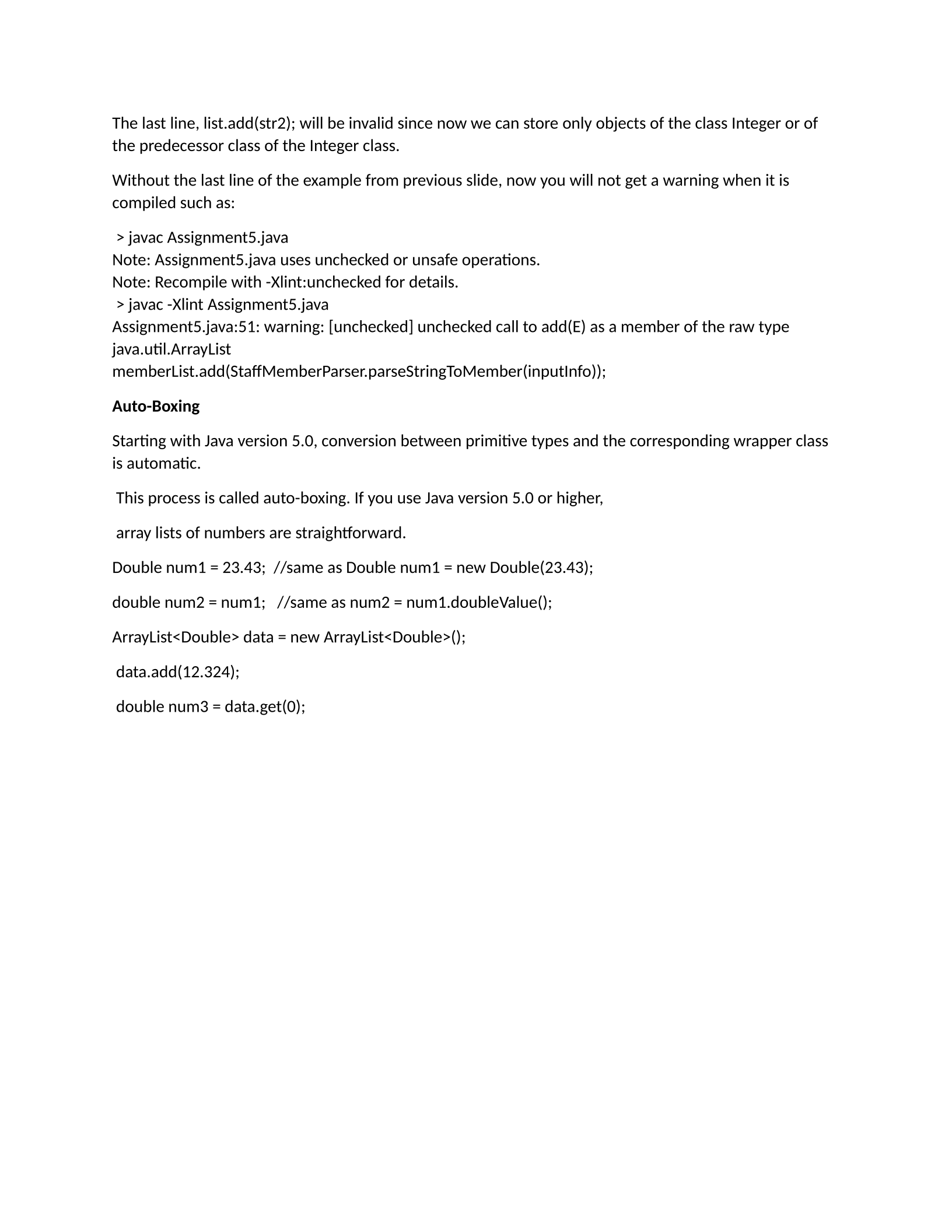
The last line, list.add(str2); will be invalid since now we can store only objects of the class Integer or of
the predecessor class of the Integer class.
Without the last line of the example from previous slide, now you will not get a warning when it is
compiled such as:
> javac Assignment5.java
Note: Assignment5.java uses unchecked or unsafe operations.
Note: Recompile with -Xlint:unchecked for details.
> javac -Xlint Assignment5.java
Assignment5.java:51: warning: [unchecked] unchecked call to add(E) as a member of the raw type
java.util.ArrayList
memberList.add(StaffMemberParser.parseStringToMember(inputInfo));
Auto-Boxing
Starting with Java version 5.0, conversion between primitive types and the corresponding wrapper class
is automatic.
This process is called auto-boxing. If you use Java version 5.0 or higher,
array lists of numbers are straightforward.
Double num1 = 23.43; //same as Double num1 = new Double(23.43);
double num2 = num1; //same as num2 = num1.doubleValue();
ArrayList<Double> data = new ArrayList<Double>();
data.add(12.324);
double num3 = data.get(0);
Powered by TCPDF (www.tcpdf.org)

