


1
CSIS 335 Lab Report #2
Secure Network Lab Design and Deployment Part 2
Joelle Patton
School of Business, Liberty University
CSCN 335-001: Network Security
Instructor Boston
March 31, 2024

2
Abstract
The goal of this lab is to implement a Virtual Private Network (VPN) onto the pfSense firewall
that was created earlier in Part 1 of this lab assignment. The overall objective is to have remote
access to the Local Area Network (LAN) from the Wide Area Network (WAN) by arranging an
OpenVPN server on pfSense. The Metasploitable VM must be moved to the LAN network and
the Kali VM must be moved to the WAN network. To access this network, a user account must
be created. When the OpenVPN client tool is used on the Kali VM, the user can access the VPN
after authenticating to the VPN by inputting the username and password for the account. The
server must also be able to ping the Metasploitable VM. This lab shows how to establish a VPN
network through pfSense and shows the process of remote access through VPN tunnels.
Keywords: Virtual Private Network (VPN), Wide Area Network (WAN), Local Area
Network (LAN), OpenVPN, virtual machine (VM).

3
Introduction
VPNs have a crucial role in making sure the connection between networks is
private and secure. The main goal of this lab is to understand the complexities of VPNs
through the configuration of OpenVPN on the pfSense firewall. The aim is to facilitate
access to the LAN through the VPN while implementing CIA (confidentiality, integrity,
and authentication) principles. This lab shows how to set up a strong VPN infrastructure
under controlled conditions.
Objectives
Install the OpenVPN package through the pfSense package manager
Create a VPN account user on the pfSense firewall
Configure the OpenVPN server on the firewall
Distribute the OpenVPN configuration to the Kali VM
Attach the Metasploitable VM to the LAN network
Attach the Kali VM to the WAN network
Use the OpenVPN client tool on the Kali VM and authenticate to the pfSense VPN
Ping the Metasploitable VM from the Kali VM through the VPN tunnel
Method
Download the OpenVPN package through the Package Manager
Create a user account through the User Manager
Follow the steps of the OpenVPN Remote Access Server Setup Wizard
Use Client Export Utility and download the configuration file
In Virtualbox, move the Kali VM from the internal network (LAN) to the WAN
In Virtualbox, move the Metasploitable VM from internal network (DMZ) to LAN
4
Reboot Kali VM and run OpenVPN
Sign in to the VPN with the user account created previously
Ping Metasploitable VM through Kali VM
Results
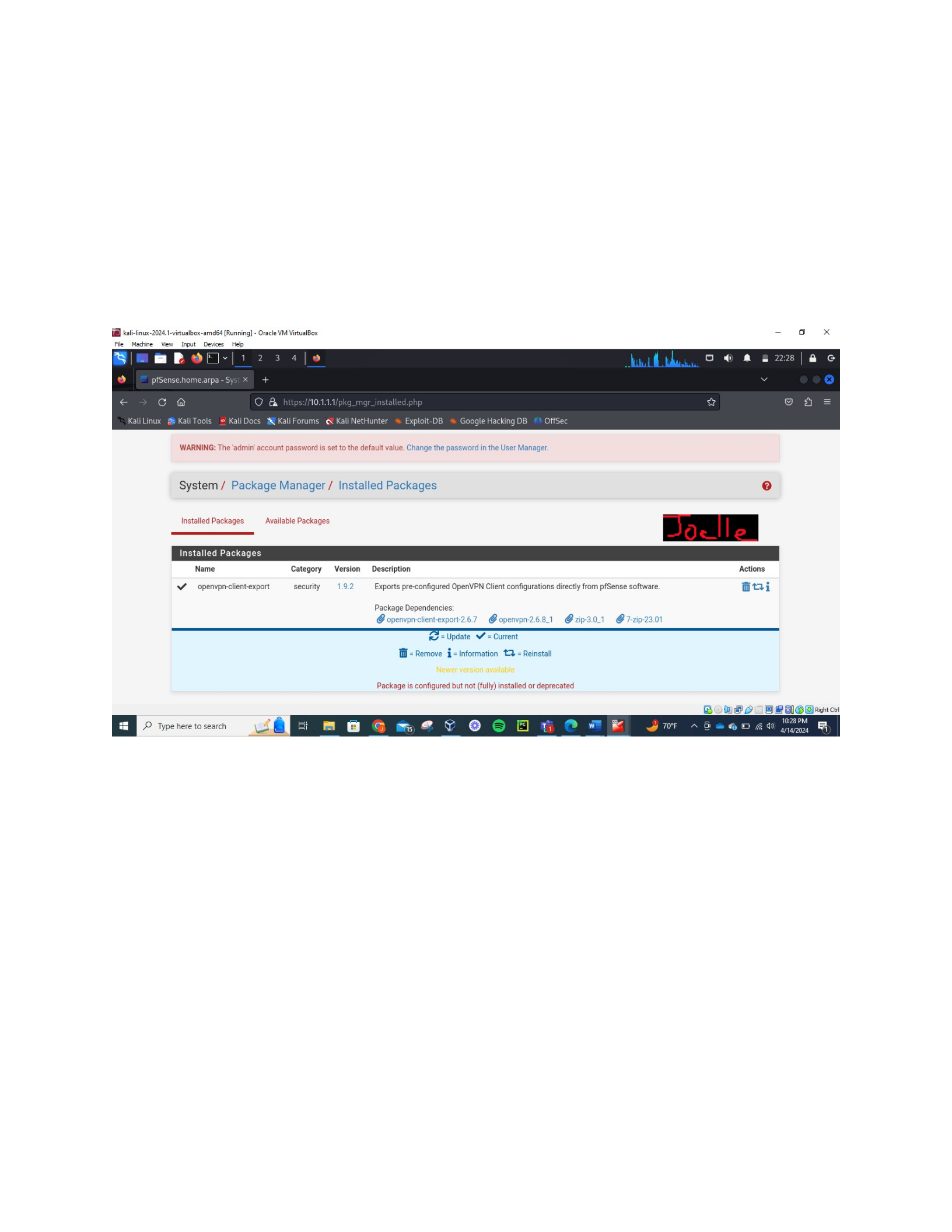
The picture above shows the installation of the OpenVPN package with the pfSense package
manager.
5
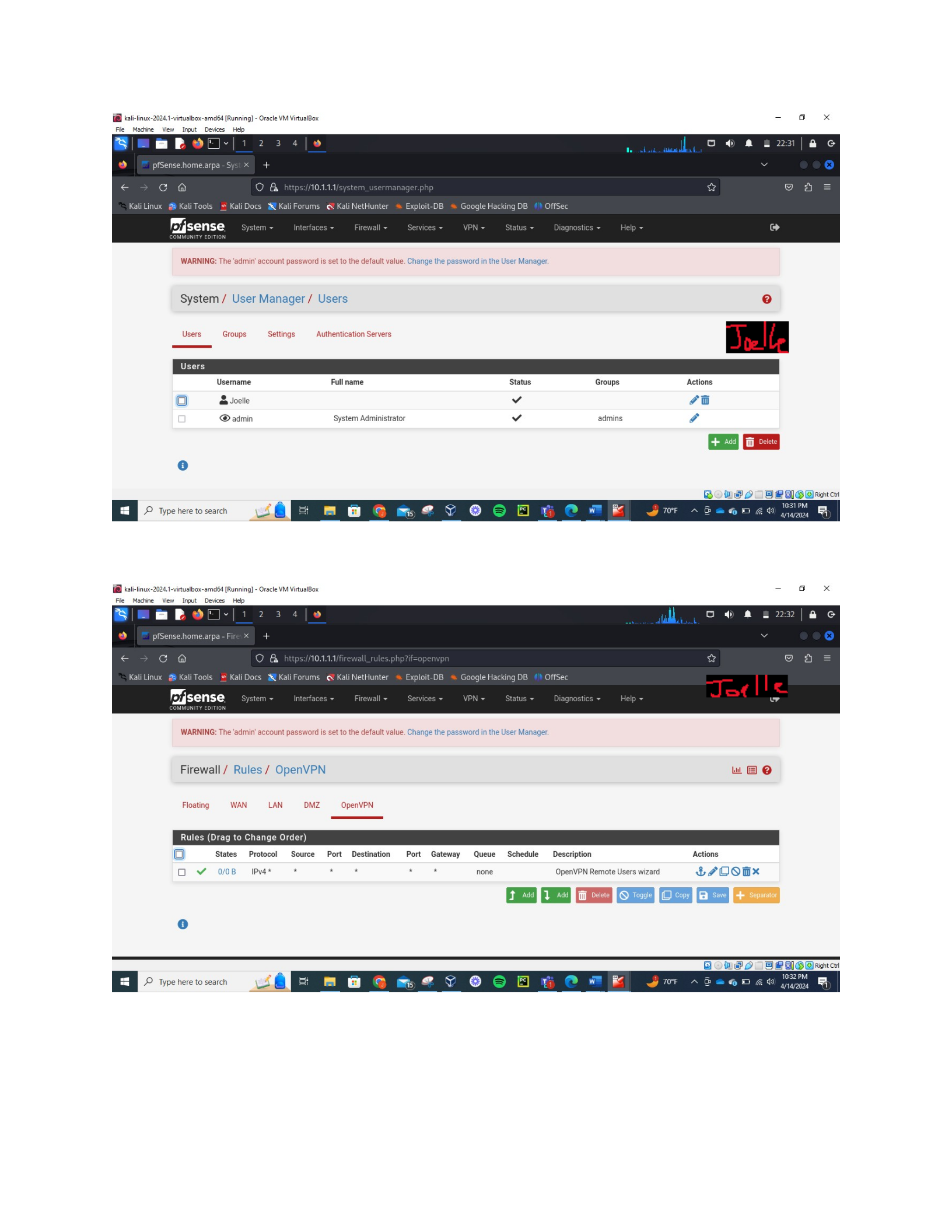
The picture above shows the creation of the user account for the VPN.
The picture above shows the configuration of the OpenVPN on the firewall.
6
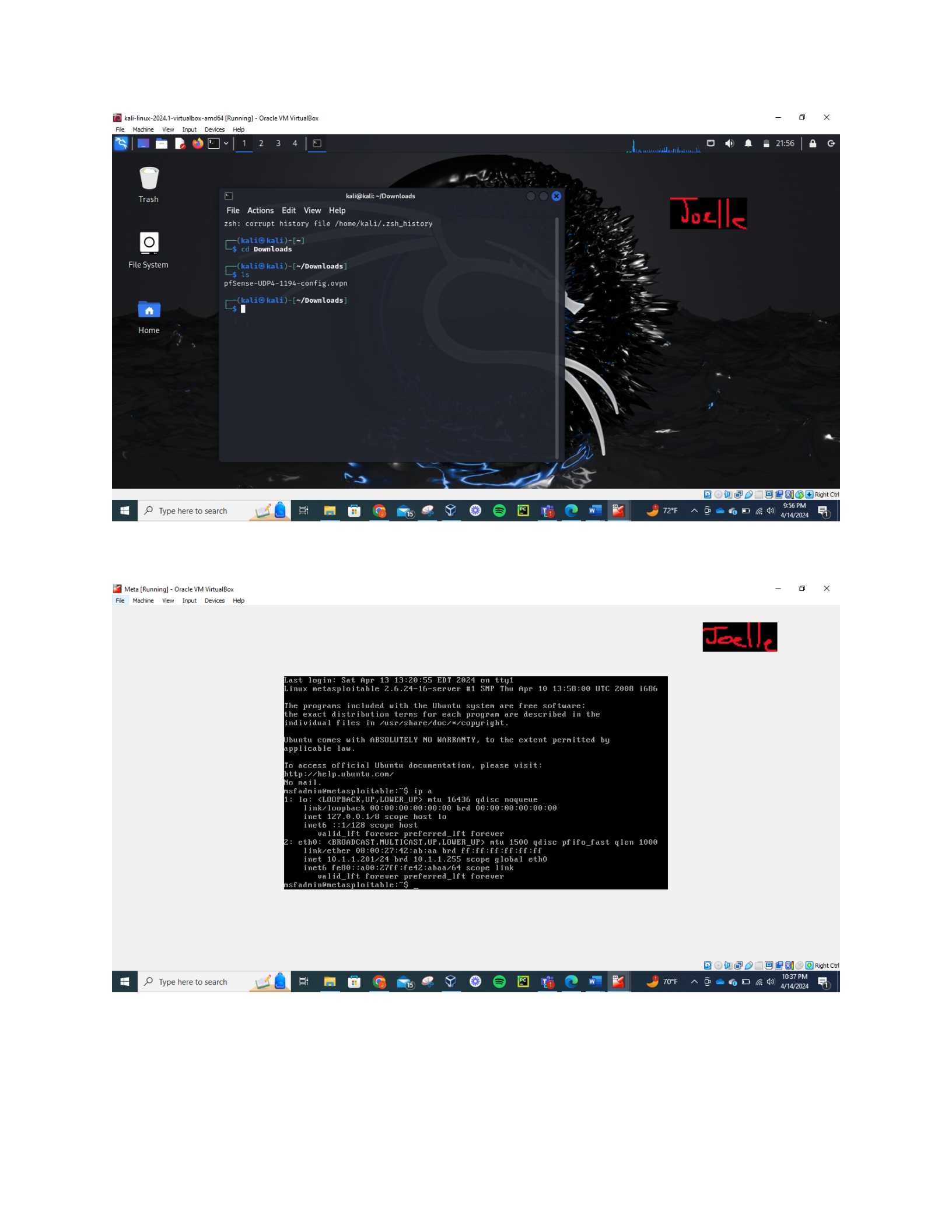
The picture above shows the download configuration file.
This picture shows the Metasploitable VM connected to the LAN network.
7
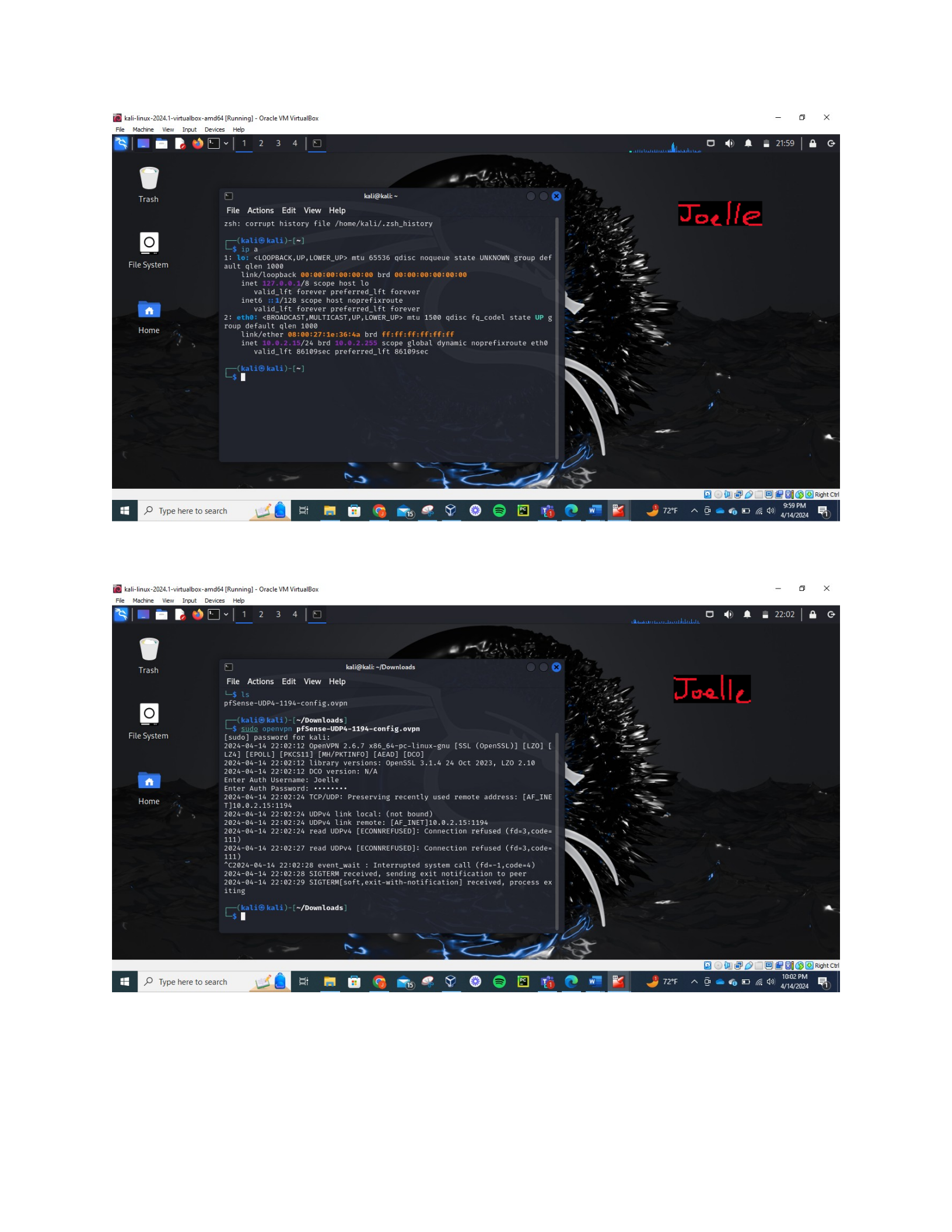
The picture above show the Kali VM connected to the WAN.
The picture above shows the OpenVPN client tool with authentication with the user account.
However, the connection to the VPN did fail. I’m not sure what went wrong there.
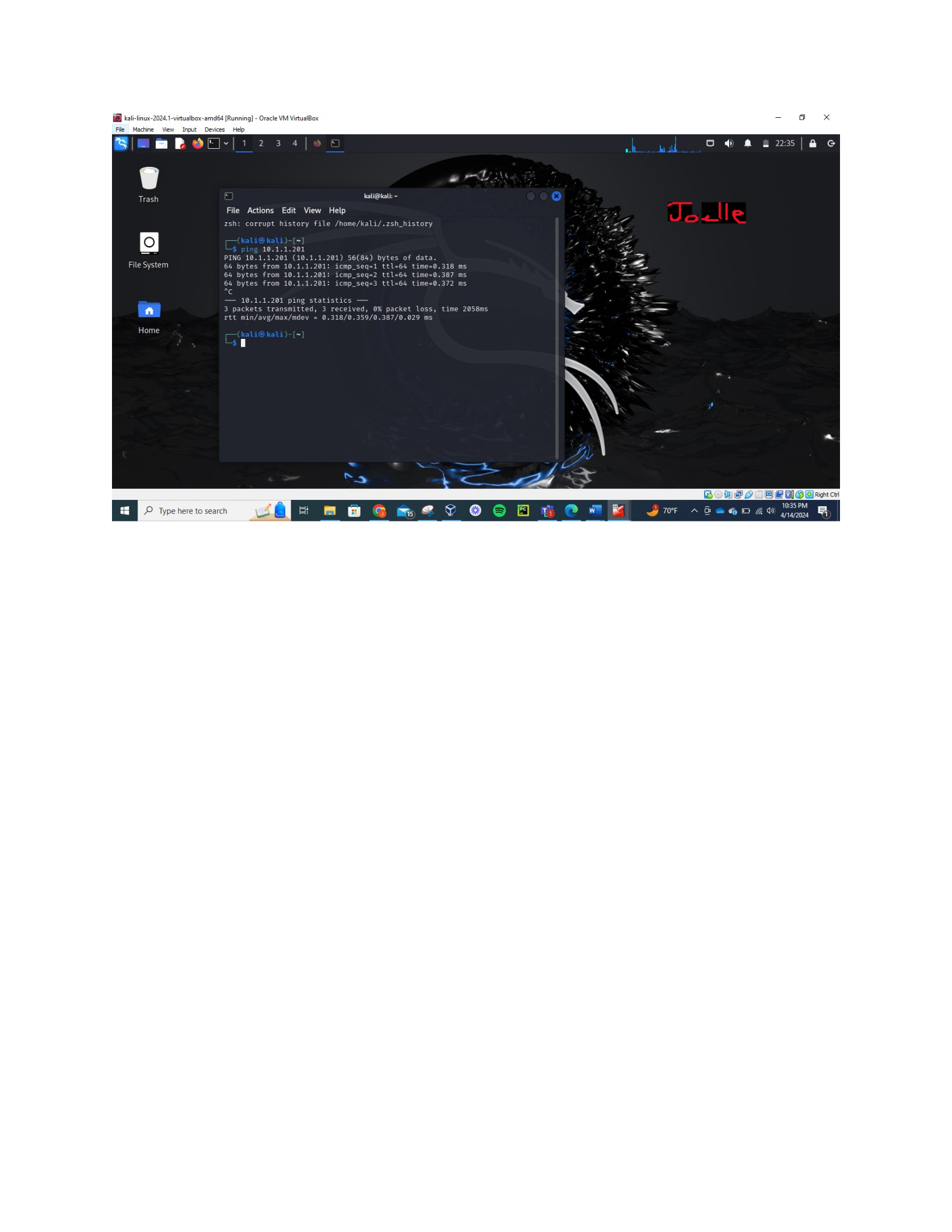
8
The picture above shows the Kali VM pinging the Metasploitable VM.
Discussion
This lab is very practical and outlines how to implement VPN technologies through
pfSense. By completing this lab, it shows a complete understanding of VPN configuration,
network connectivity, and user management. I did have issues connecting to the VM. I’m not
sure if my tunnel address interfered with anything. I tried changing the address multiple times,
but I still don’t know where I went wrong. I also checked the firewall rules for the WAN and the
OpenVPN but everything was fine there as well. Everything else was correct but I just could not
connect to the VPN.
Conclusion
In conclusion, this lab aimed to display the installation and configuration of a VPN on the
pfSense firewall while allowing remote access to the LAN from the WAN. This lab
demonstrated how to set up and secure a VPN connection and showed the importance of
encryption, authentication, and network segmentation. The lab achieved its goal of implementing

9
a VPN on the pfSense firewall which highlights the necessary skills for network administration
and security.

