Transport Layer Security
Task 0:
Opening terminal
Building and powering the docker with dcbuild and dcup commands
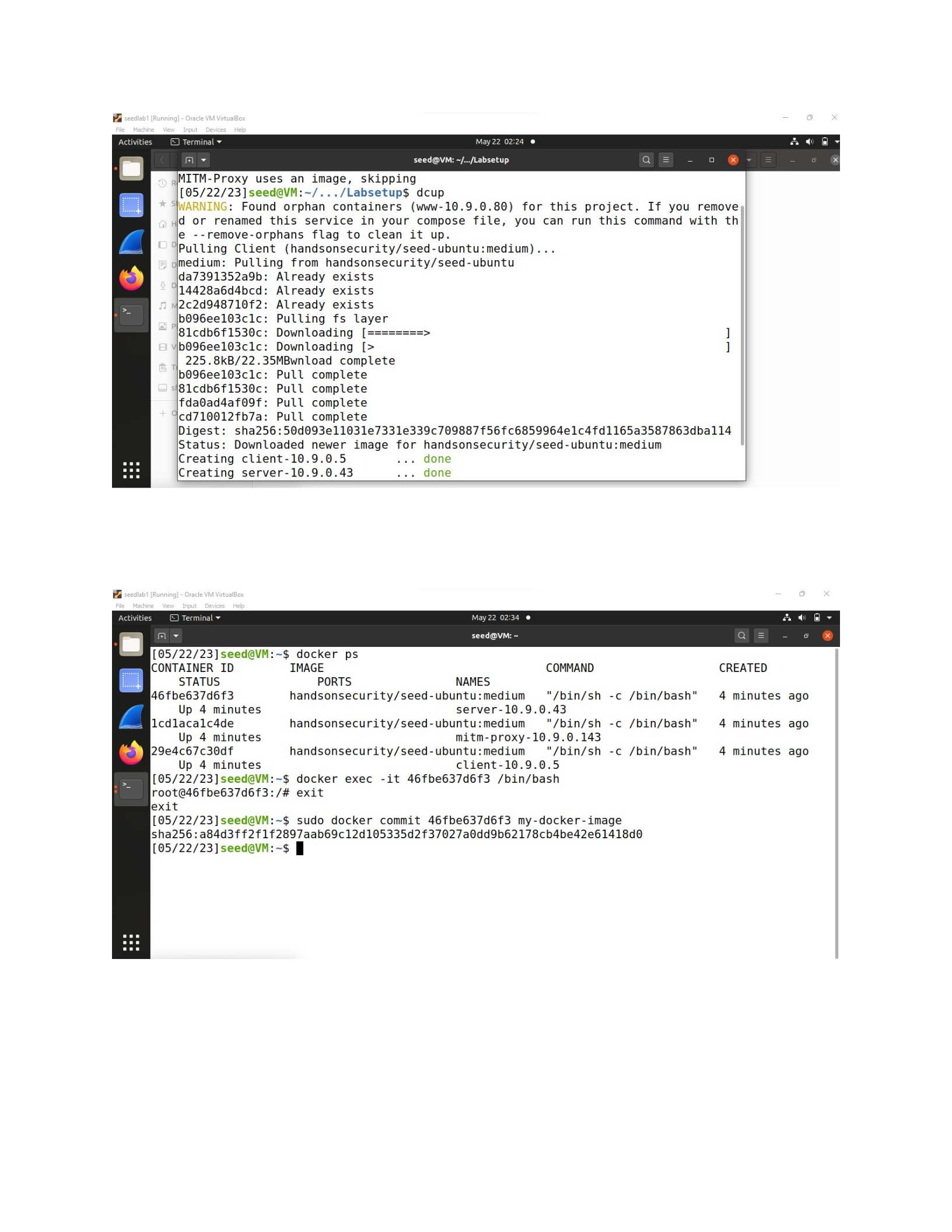
Open a new terminal and type docker ps to list the containers. Connect to the id you see in the
output as with command docksh.
Task 1:
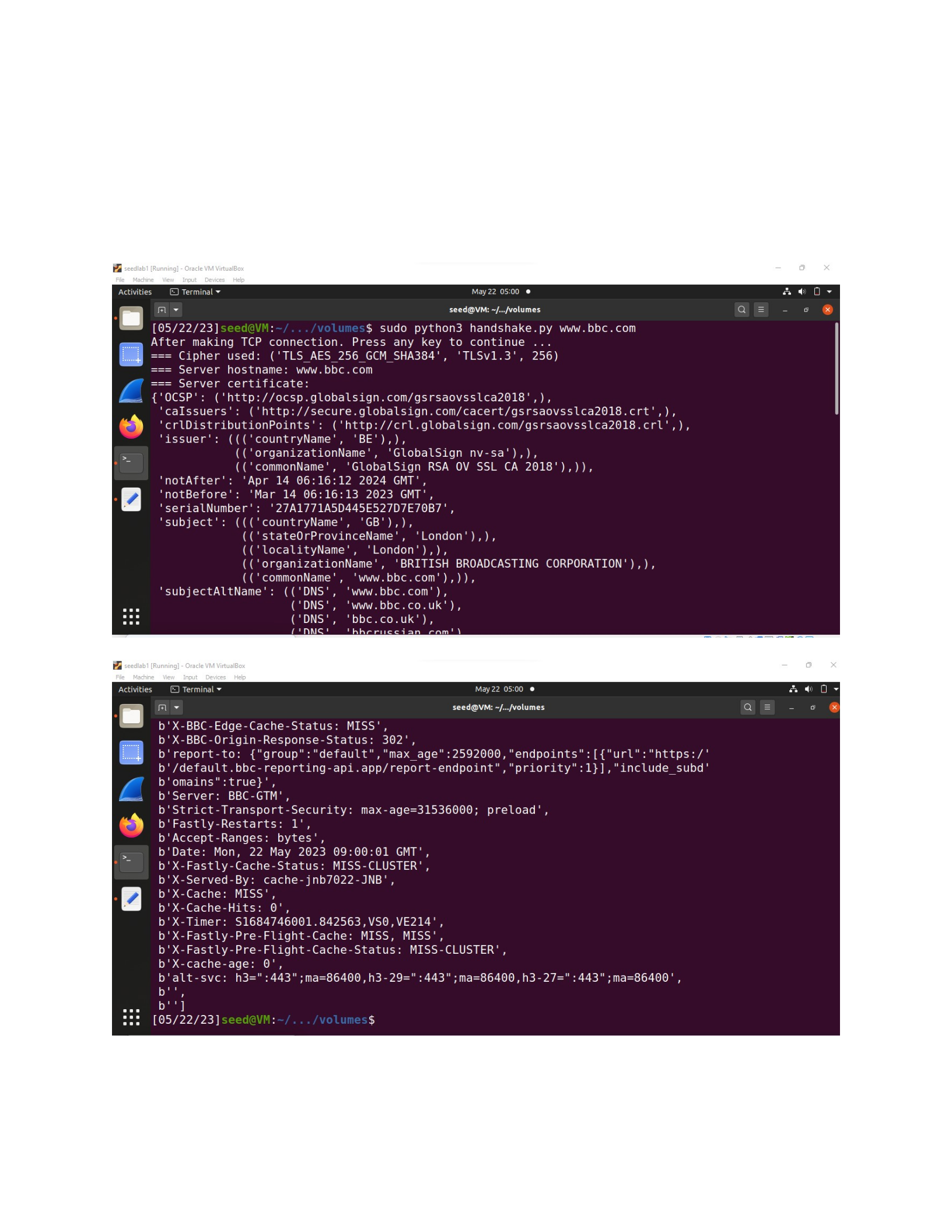
Task 1.a: TLS handshake
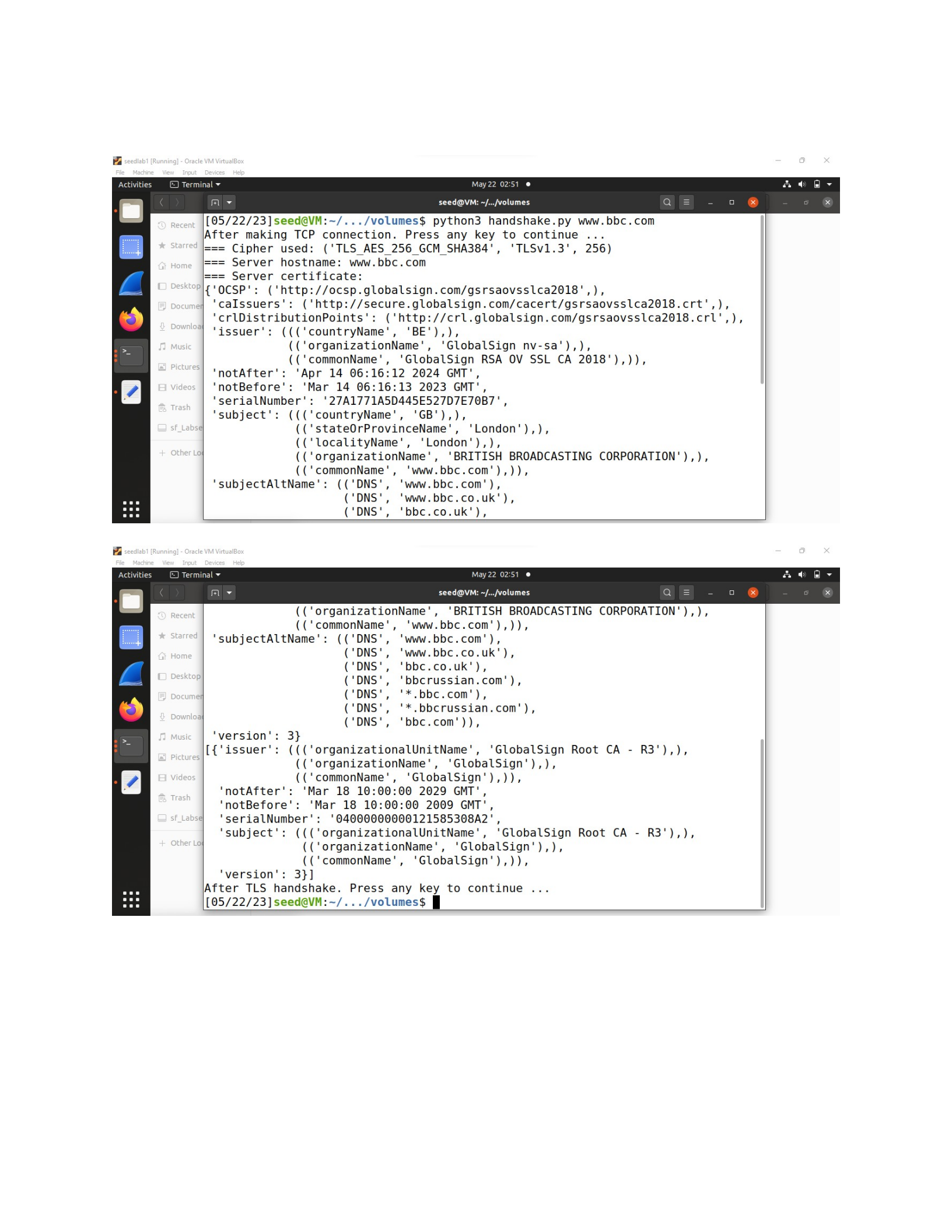
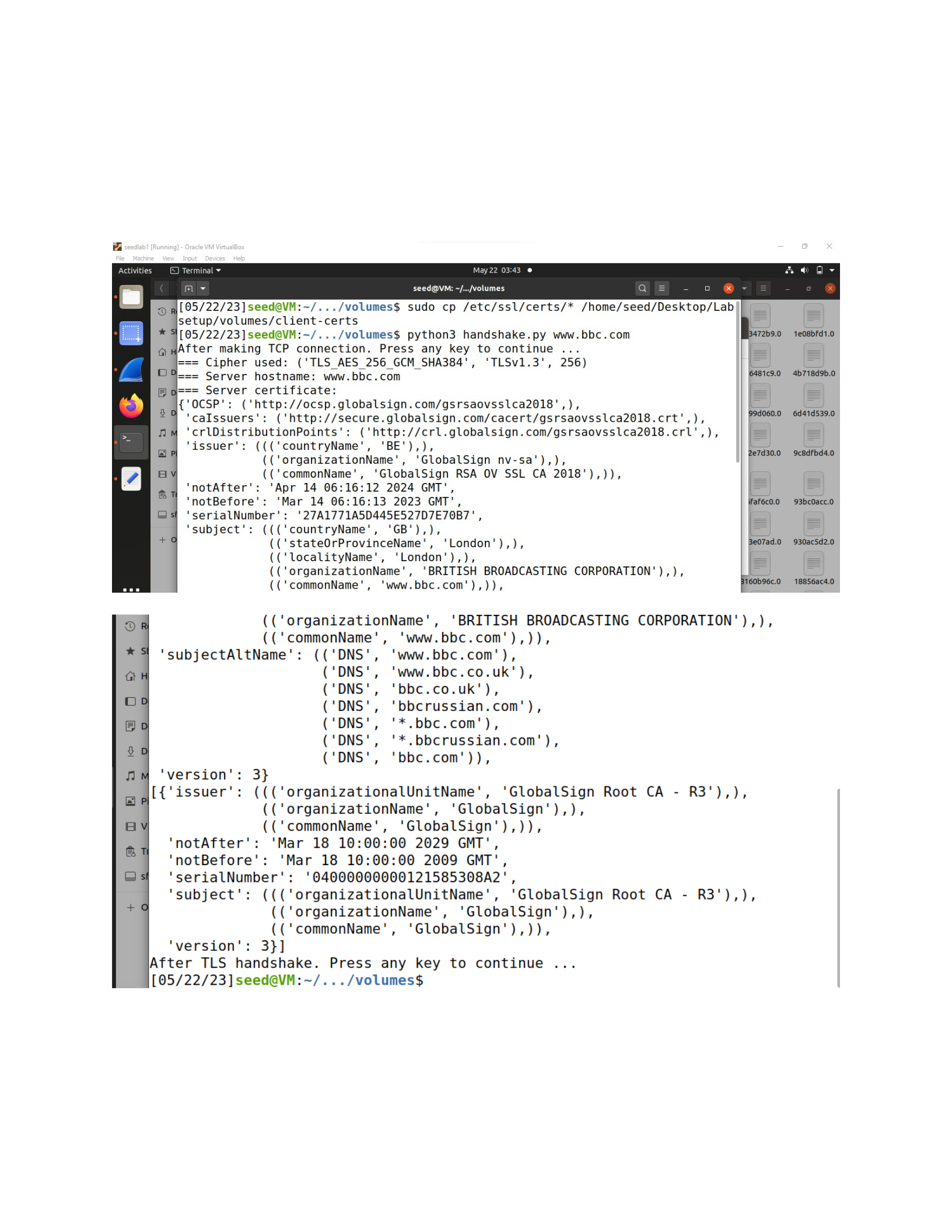
Based on the output above:
1. Cipher used: The TLS cipher used between the client and server is
'TLS_AES_256_GCM_SHA384'` with a key size of 256 bits. The TLS version is
`'TLSv1.3'.
2. Server hostname: The client is connecting to the server with the hostname
`'www.bbc.com'`.
3. Server certificate: The server certificate contains the following information:
Issuer: GlobalSign RSA OV SSL CA 2018
Subject: BRITISH BROADCASTING CORPORATION, www.bbc.com
Validity: The certificate is valid from March 14, 2023, to April 14, 2024.
Serial number: 27A1771A5D445E527D7E70B7
Subject Alternative Names (SANs): www.bbc.com, www.bbc.co.uk, bbc.co.uk,
bbcrussian.com, *.bbc.com, *.bbcrussian.com, bbc.com
4. CA's certificate: The server's certificate is issued by the GlobalSign Root CA - R3. The
CA's certificate has a validity period from March 18, 2009, to March 18, 2029.
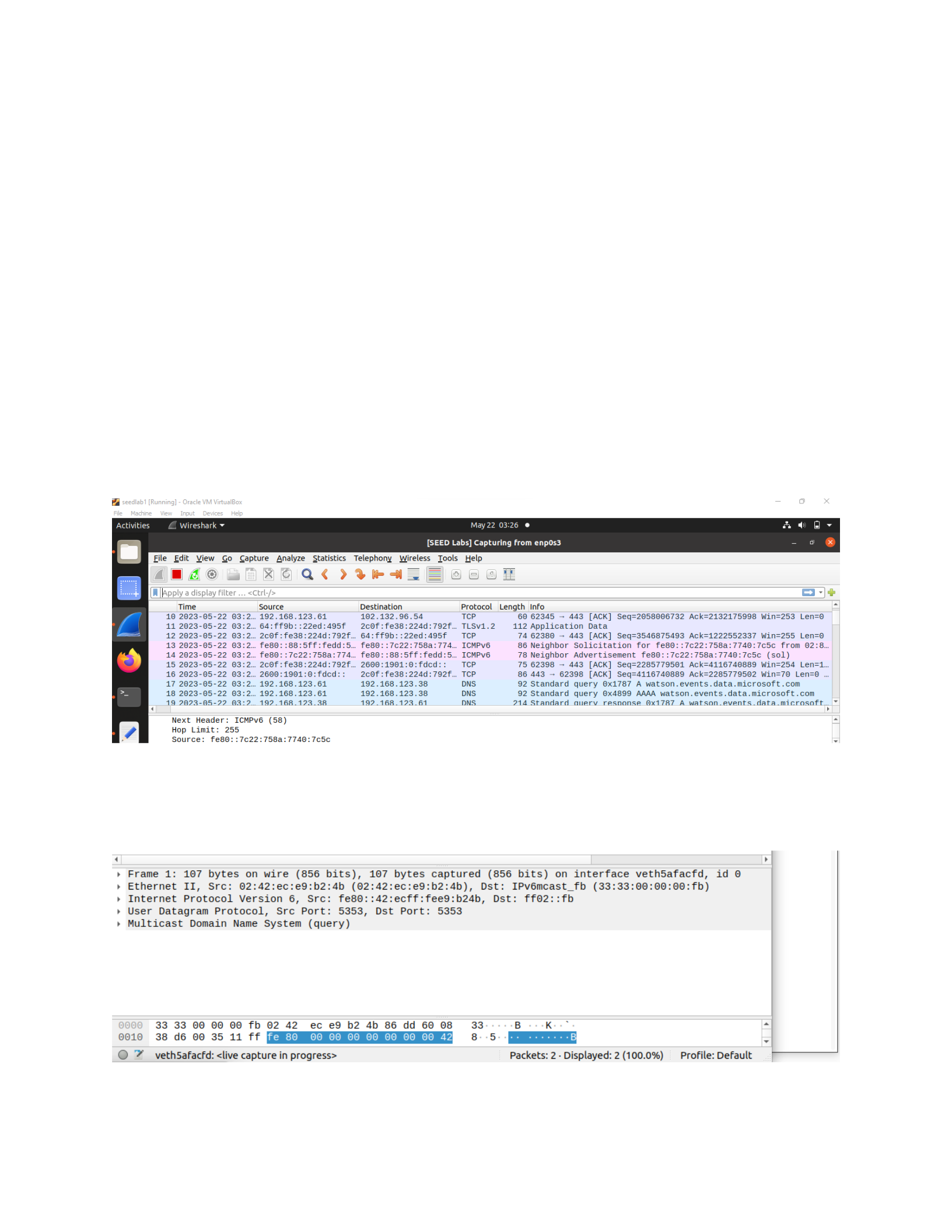
Using wireshark the following packets were captured
The server replies to the client:
Task 1.b: CA’s Certificate
After making the changing the line to “cadir = ’./client-certs’” excute this command to copy
the certificates and then run the program again:
sudo cp /etc/ssl/certs/* /home/seed/Desktop/Labsetup/volumes/client-certs
from the above output no change is noticed . it is the same as task 1b
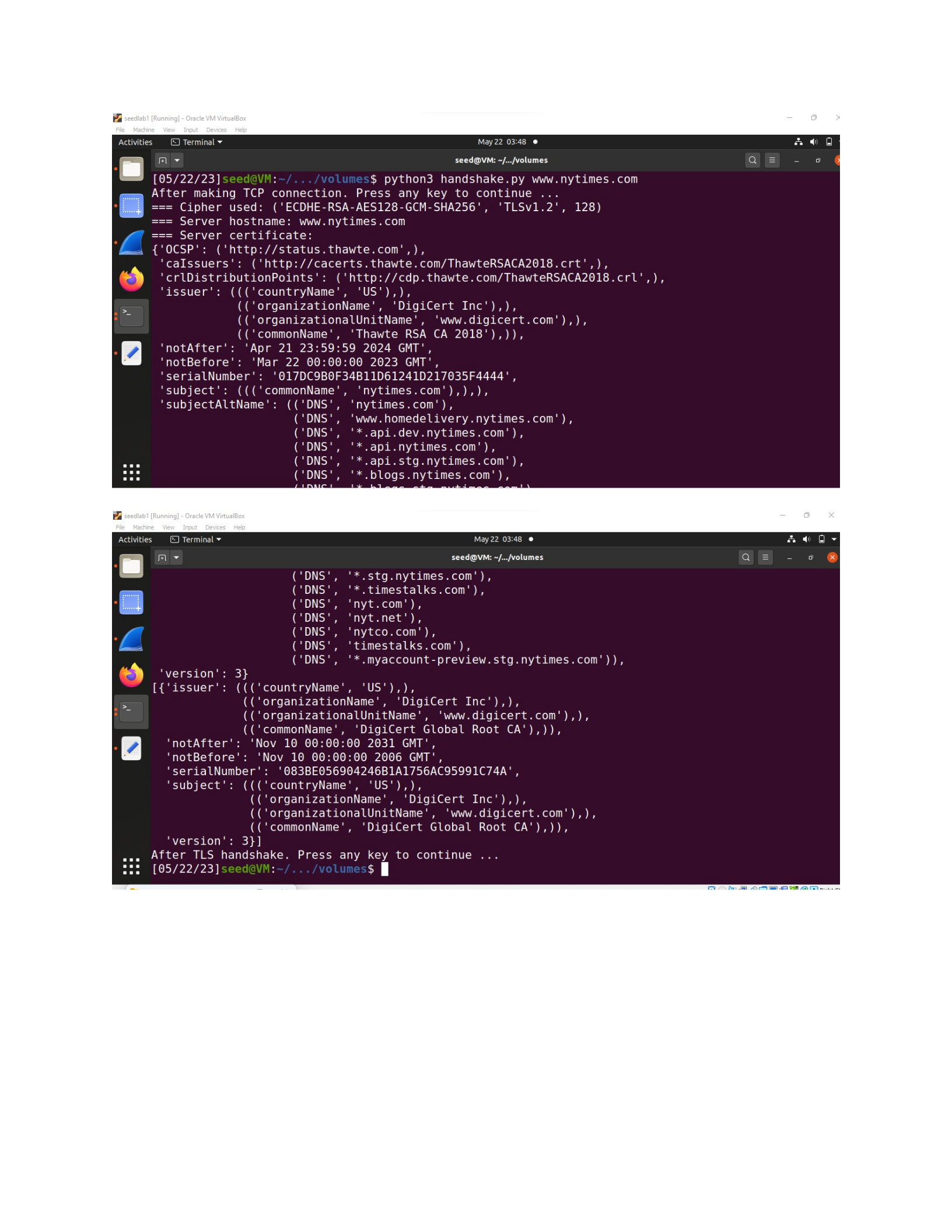
Now conducting this lab on another web server we use python3 handshake.py www.nytimes.com
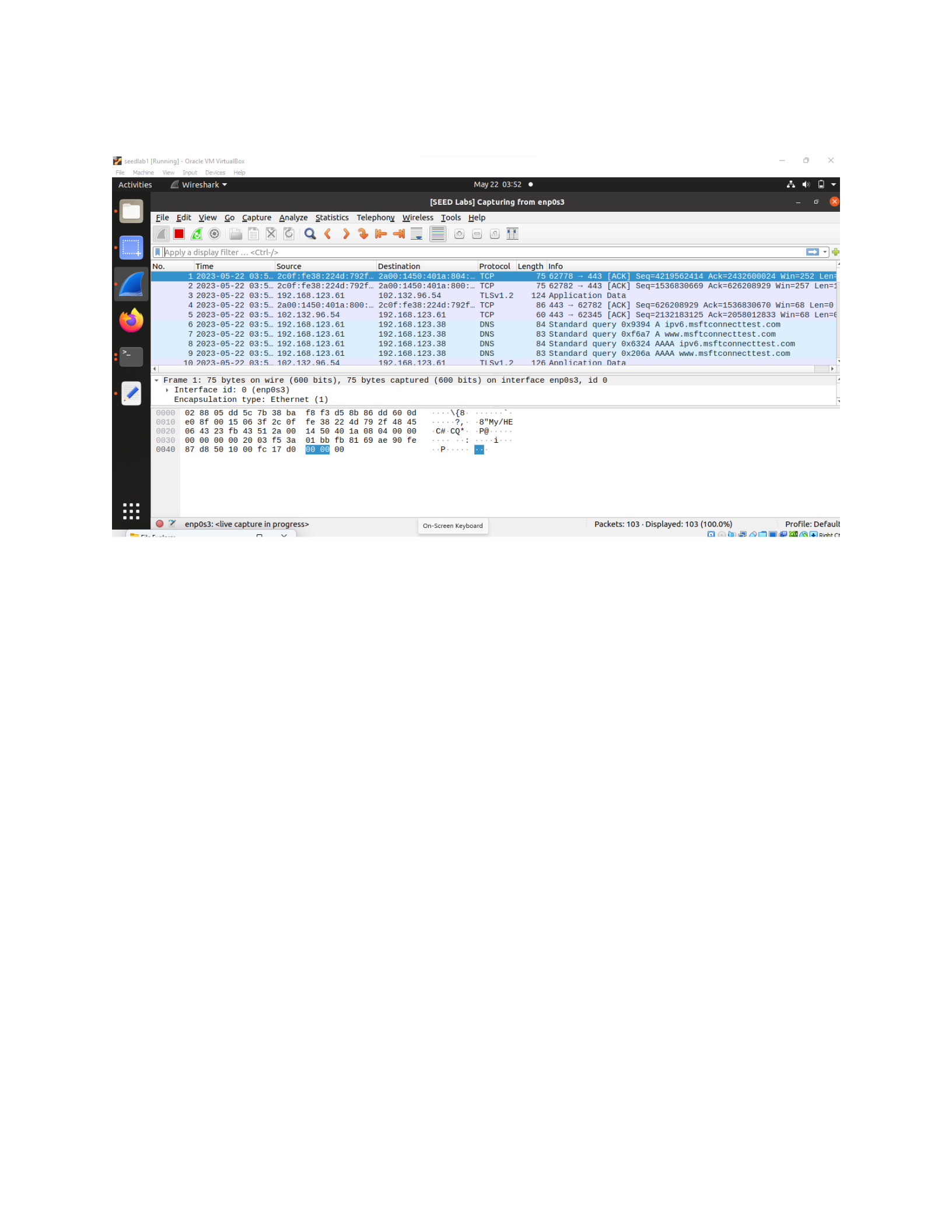
Packets captured
Observations
Based on this output, the client program was able to connect to `www.nytimes.com` and
establish a secure TLS connection using the CA certificate information available in the system's
trusted certificate store.
1. Cipher used: The program indicates that the cipher suite `'ECDHE-RSA-AES128-GCM-
SHA256'` with TLS version 1.2 and a key size of 128 bits was used for the secure
communication.
2. Server hostname: The server's hostname is reported as `www.nytimes.com`, confirming
that the connection was made to the correct server.
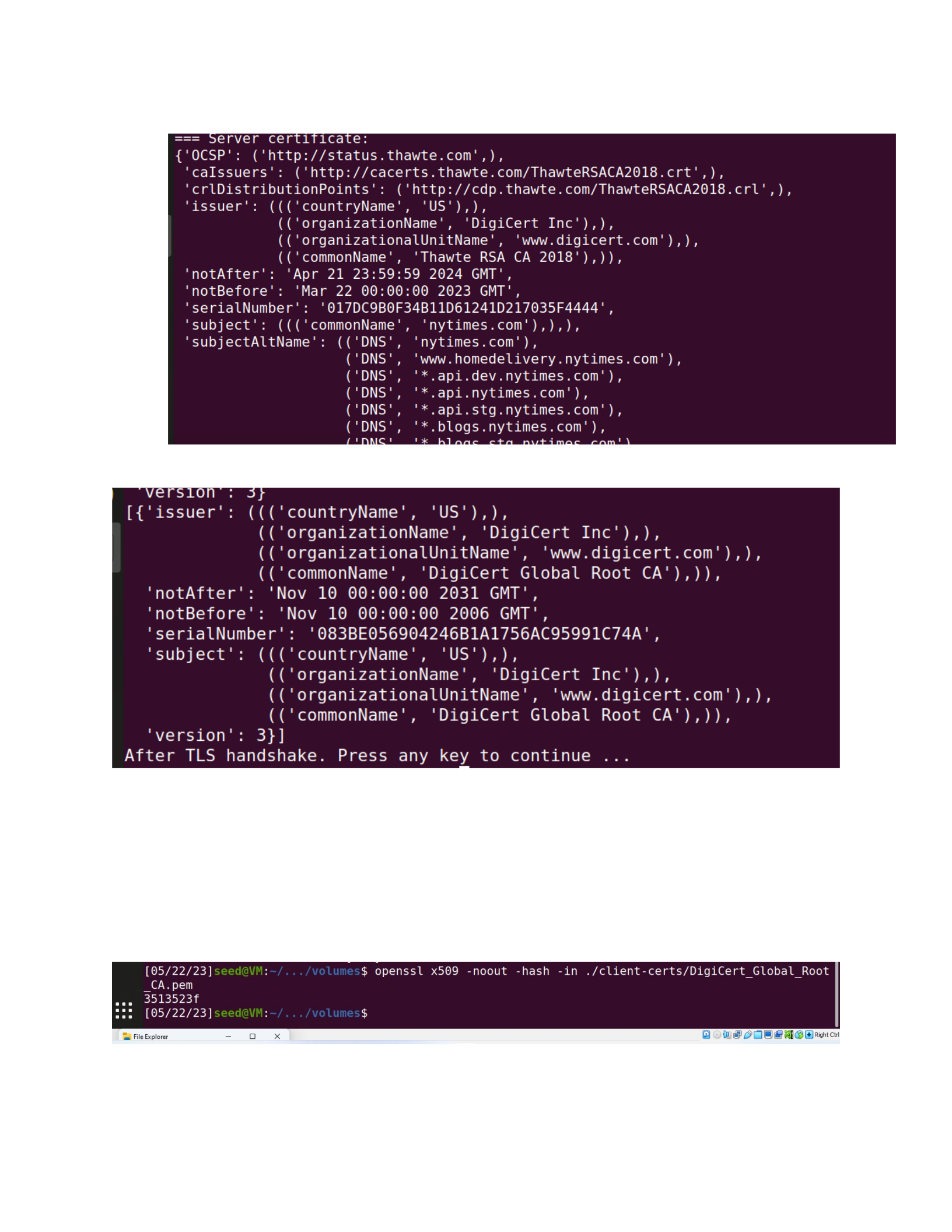
3. Server certificate: The program displays the server's certificate information.
4. CA certificate: The program also displays the information of the CA certificate that issued
the server's certificate. In this case, the issuer is DigiCert Global Root CA.
5. TLS handshake completion: The program indicates that the TLS handshake was
completed successfully.
Rename the CA certificate file using the hash value generated from its subject field
Rename the CA certificate file accordingly using the hash value:
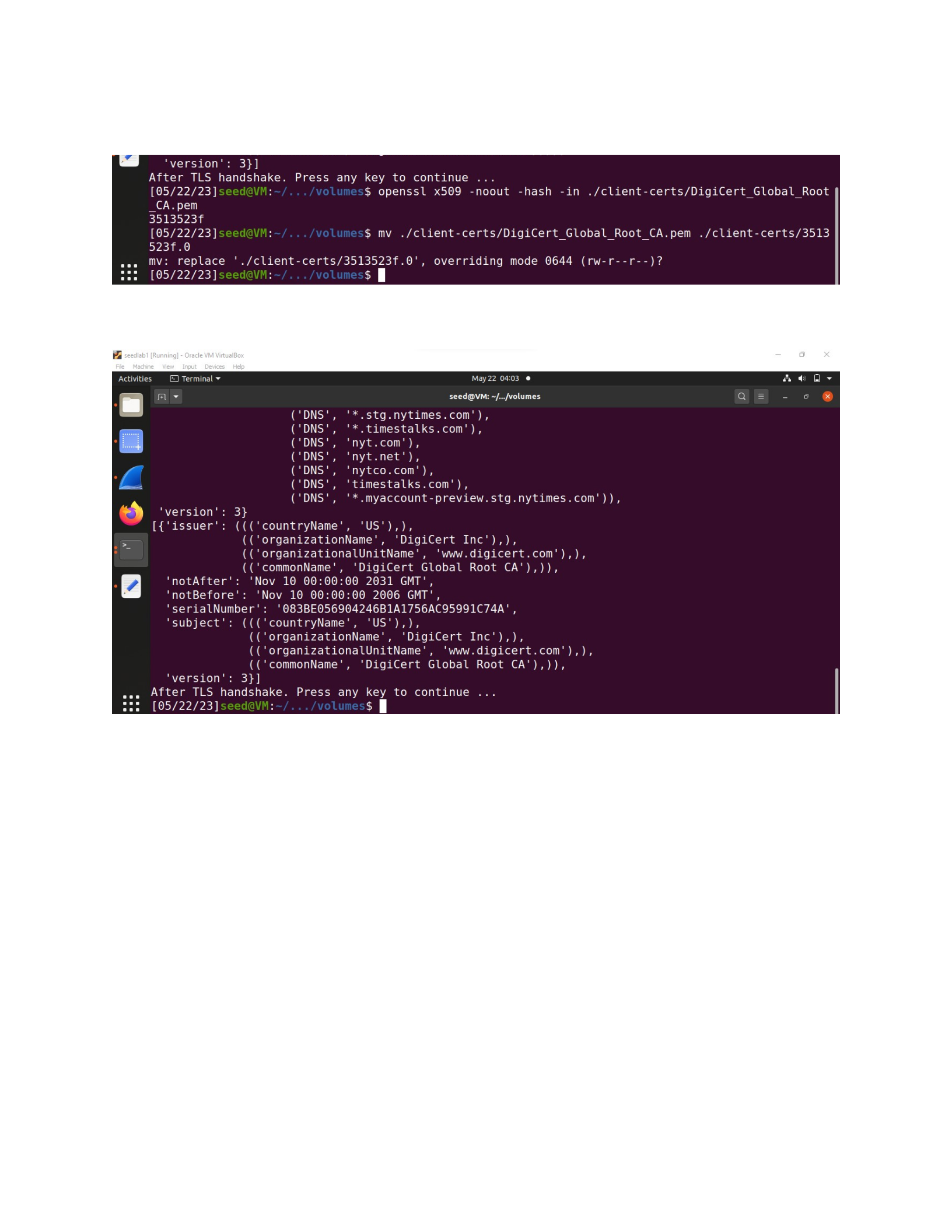
mv ./client-certs/DigiCert_Global_Root_CA.pem ./client-certs/3513523f.0
Run the client program again to ensure successful communication with the server:
The client program successfully established a secure TLS connection with the server using the
provided CA certificate.
Task 1.c: Experiment with the hostname check
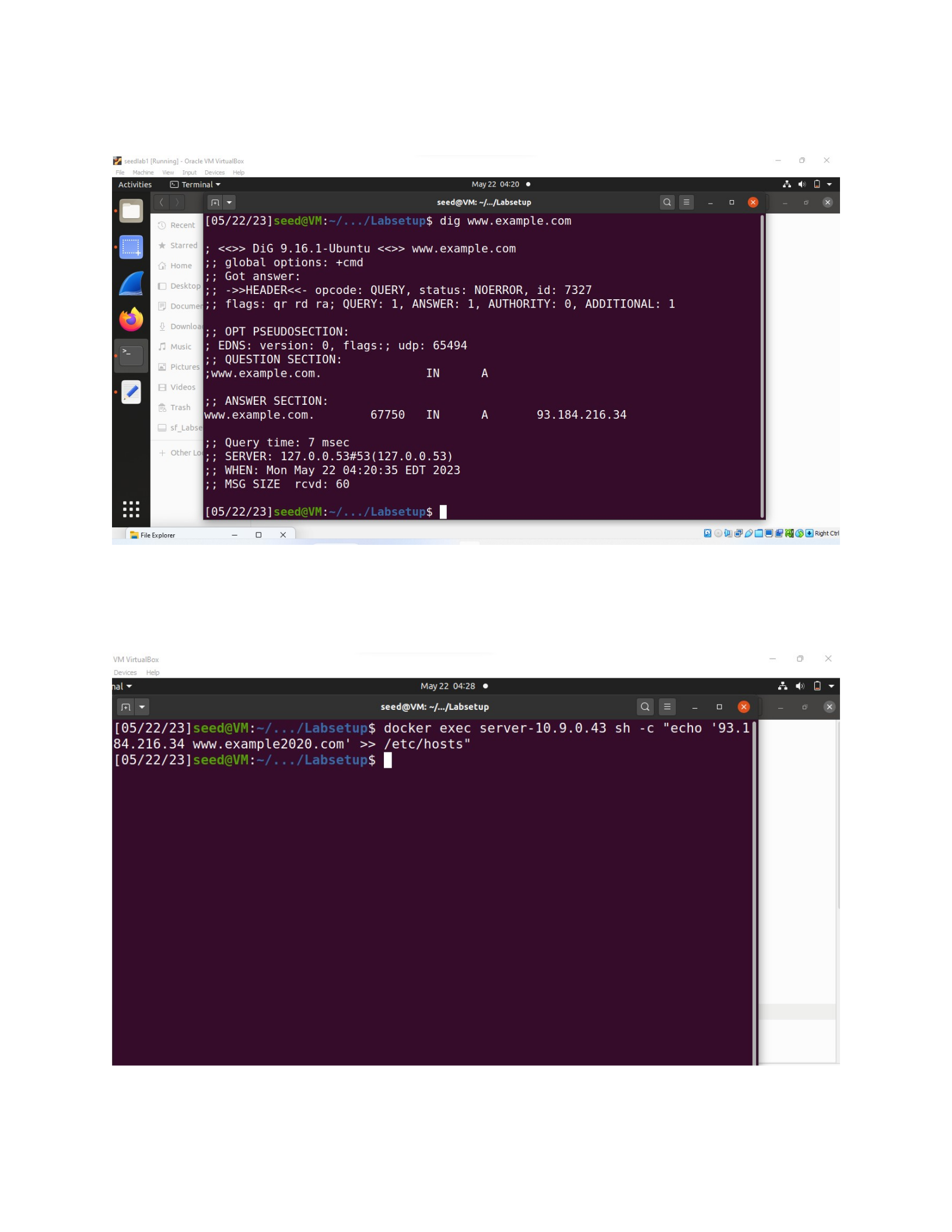
Step1: Obtain the IP address of www.example.com using the dig command outside the container.
Step 2:
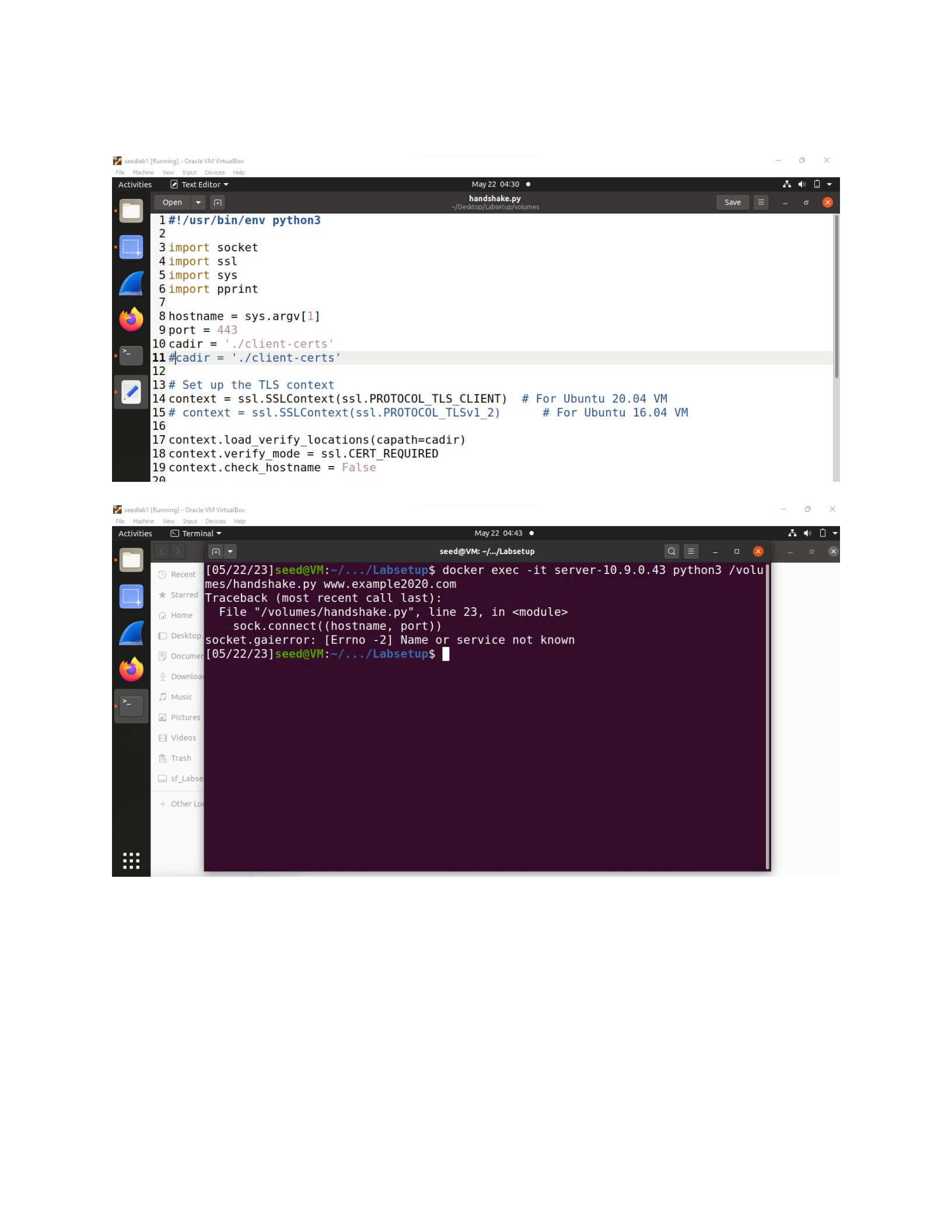
Step 3:
The error message "socket.gaierror: [Errno -2] Name or service not known" indicates that the
hostname "www.example2020.com" could not be resolved to an IP address. This happens
because the host name is invalid.
The importance of hostname check lies in ensuring the authenticity and integrity of the
server to which the client is connecting.

Reasons why hostname check is important:
1. Mitigating Man-in-the-Middle Attacks: Hostname check helps prevent Man-in-the-
Middle (MitM) attacks, where an attacker intercepts the communication between a client
and a server. By verifying that the hostname in the server's certificate matches the
intended server, the client can detect if there is an unauthorized entity trying to
impersonate the server.
2. Preventing DNS Spoofing and Phishing Attacks: Hostname check safeguards against
DNS (Domain Name System) spoofing and phishing attacks. These attacks involve
manipulating DNS responses or using similar domain names to deceive users and redirect
them to malicious websites. By comparing the hostname in the certificate with the actual
hostname being accessed, clients can detect and reject such fraudulent attempts.
3. Ensuring Trust and Authenticity: Hostname check provides an additional layer of trust
and authenticity. It verifies that the server's certificate is issued for the correct hostname
and that the server is the legitimate entity it claims to be. This helps establish a secure and
trusted connection between the client and the server.
The security consequences of not performing hostname check can be severe:
1. Increased Vulnerability to MitM Attacks: Without hostname check, clients become
vulnerable to MitM attacks. Attackers can intercept and manipulate the communication
between the client and the server, potentially capturing sensitive information, injecting
malicious content, or modifying data in transit.
2. Exposure to Phishing and Spoofing: Lack of hostname check makes clients susceptible to
DNS spoofing and phishing attacks. Users may unknowingly interact with malicious
websites or provide sensitive information to unauthorized entities, leading to identity
theft, financial losses, or other security breaches.
3. Loss of Trust and Confidentiality: Failing to verify the hostname compromises trust and
confidentiality. Clients may unknowingly establish connections with untrusted servers,
leading to the exposure of sensitive data, unauthorized access, or compromise of
confidential information.
Task 1.d: Sending and getting Data
Summary of the output:
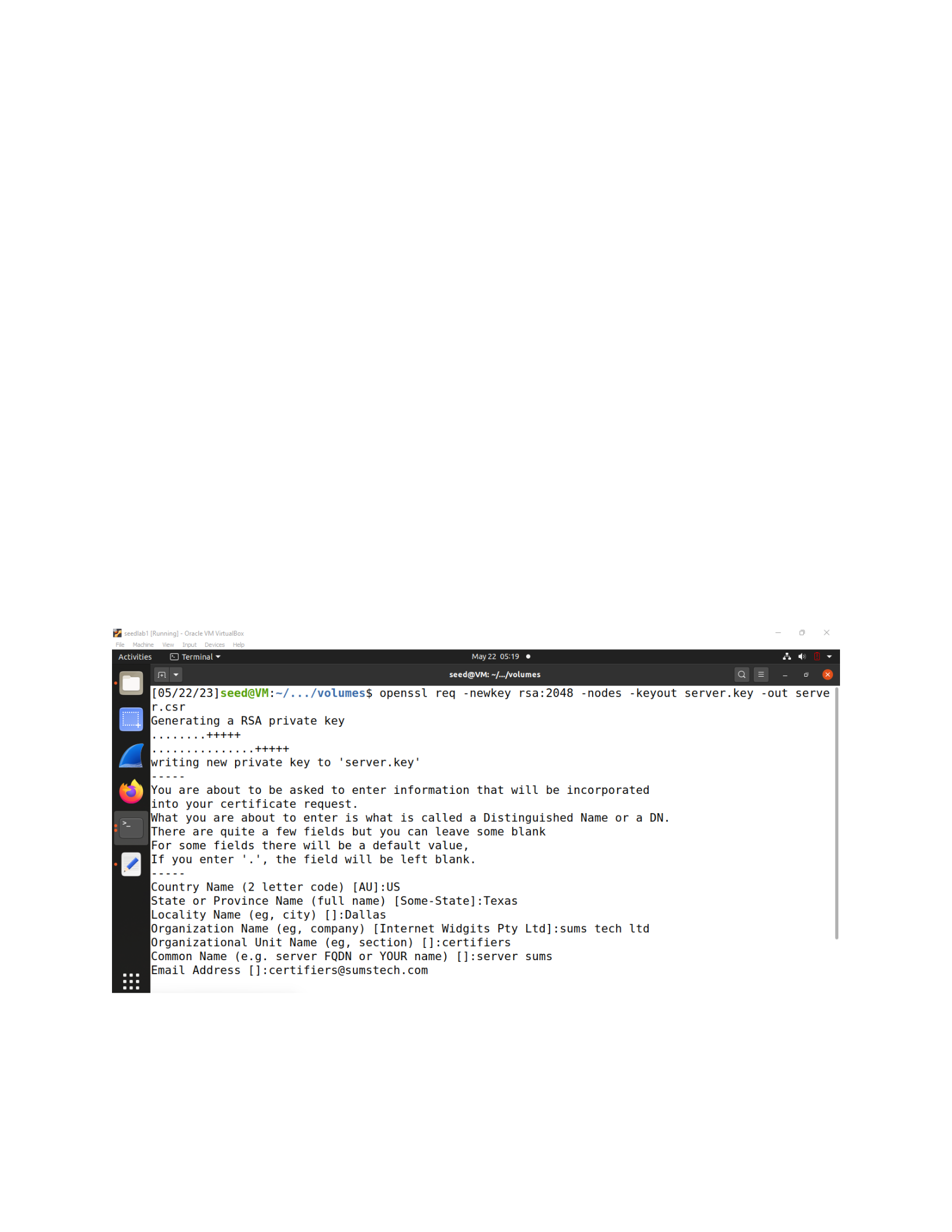
The output shows the response received from the server after sending the HTTP request.
The server responded with a status code of 302 (Moved Temporarily), indicating a temporary
redirection. The response headers include information about the connection, content length, and
content type. The most significant header is the `Location` header, which provides the new URL
where the requested resource is temporarily located. The server redirected the request to the
specified URL.
Task 2: TLS Server
Task 2.a. Implement a simple TLS server
We first generate server certificates and key using “openssl req -newkey rsa:2048 -nodes -keyout
server.key -out server.csr”
Use the CA's private key and certificate to sign the server's CSR and generate the server
certificate:
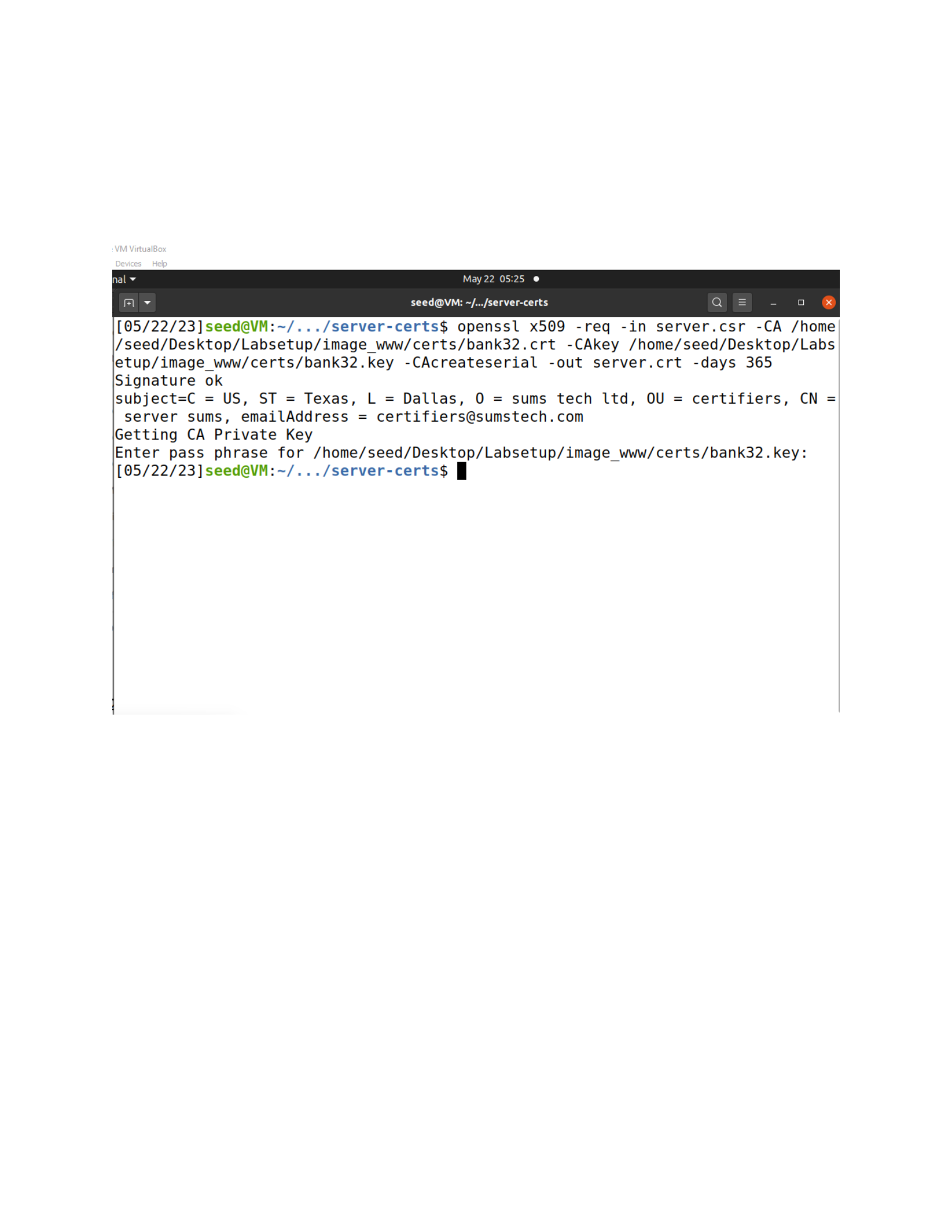
openssl x509 -req -in server.csr -CA /home/seed/Desktop/Labsetup/image_www/certs/bank32.crt
-CAkey /home/seed/Desktop/Labsetup/image_www/certs/bank32.key -CAcreateserial -out
server.crt -days 365
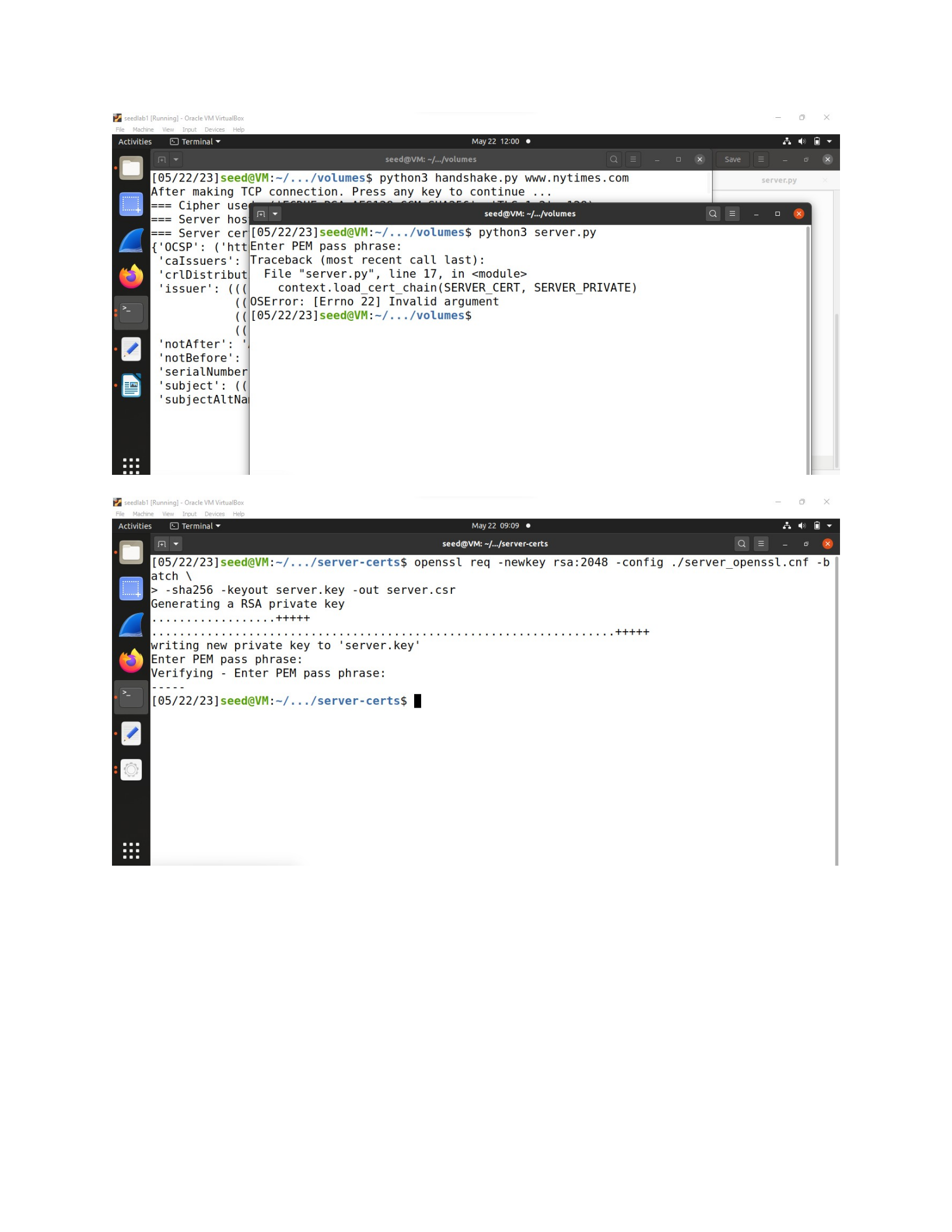
Run the TLS server program:
It does not work
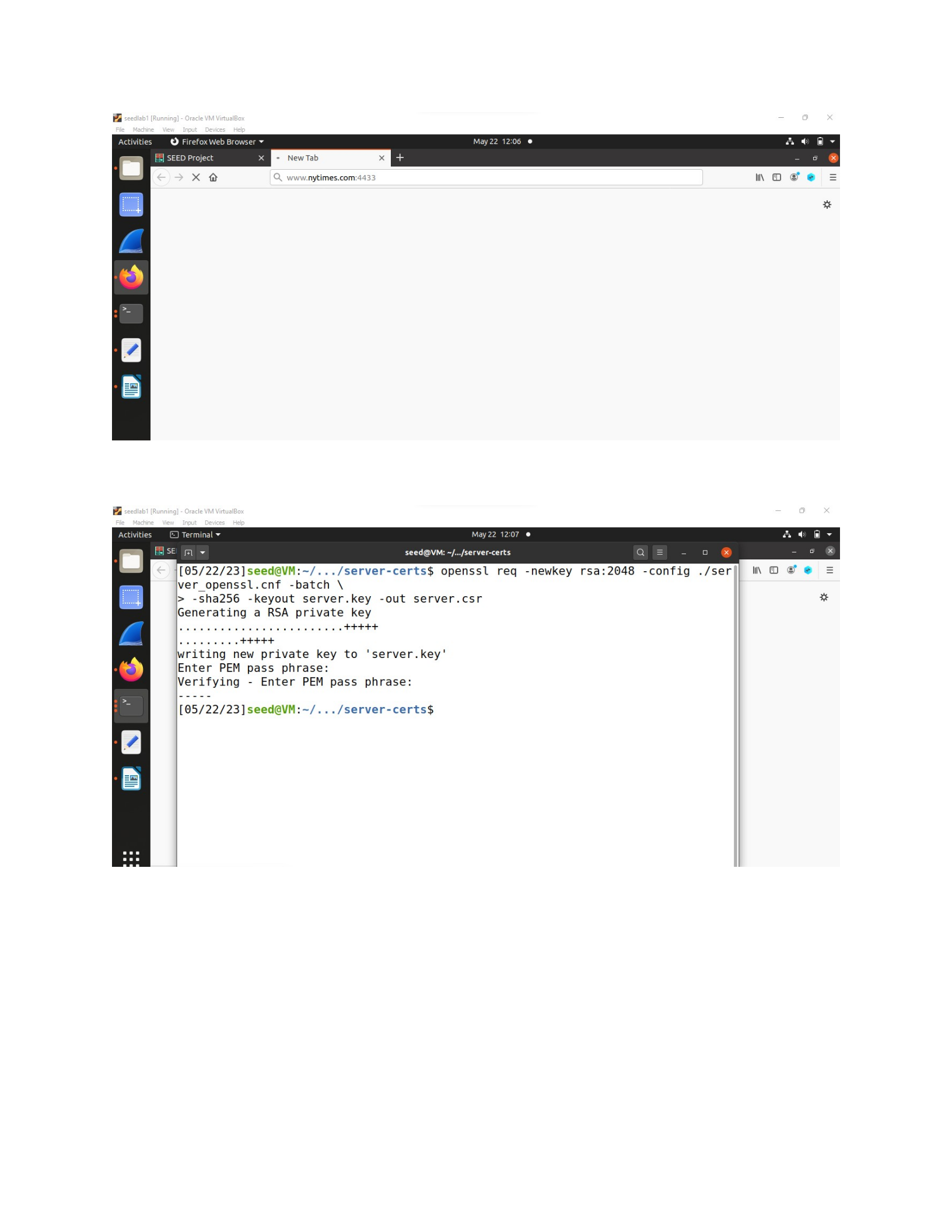
Task 2.b. Testing the server program using browsers
The port remained listening to 4433
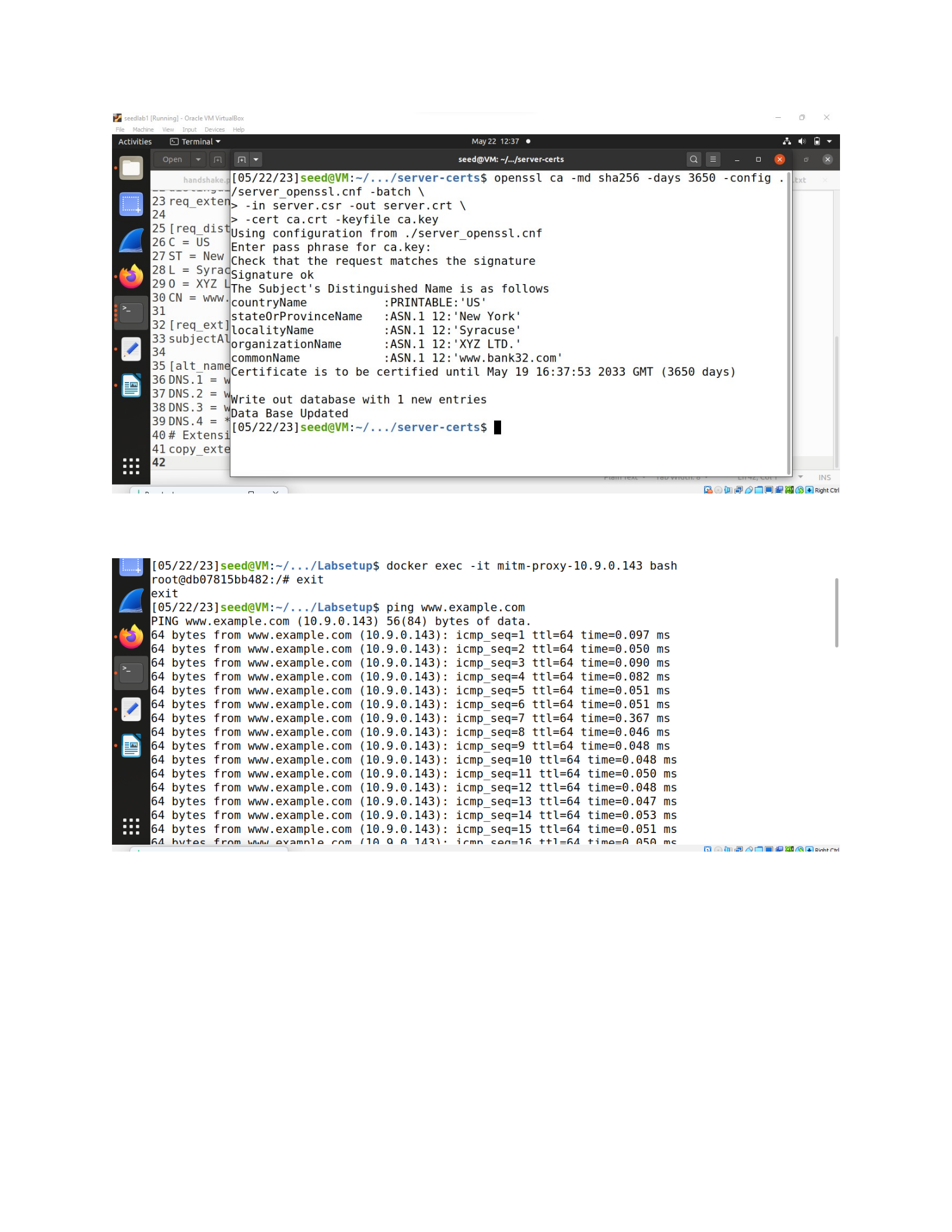
Task 2.c. Certificate with multiple names
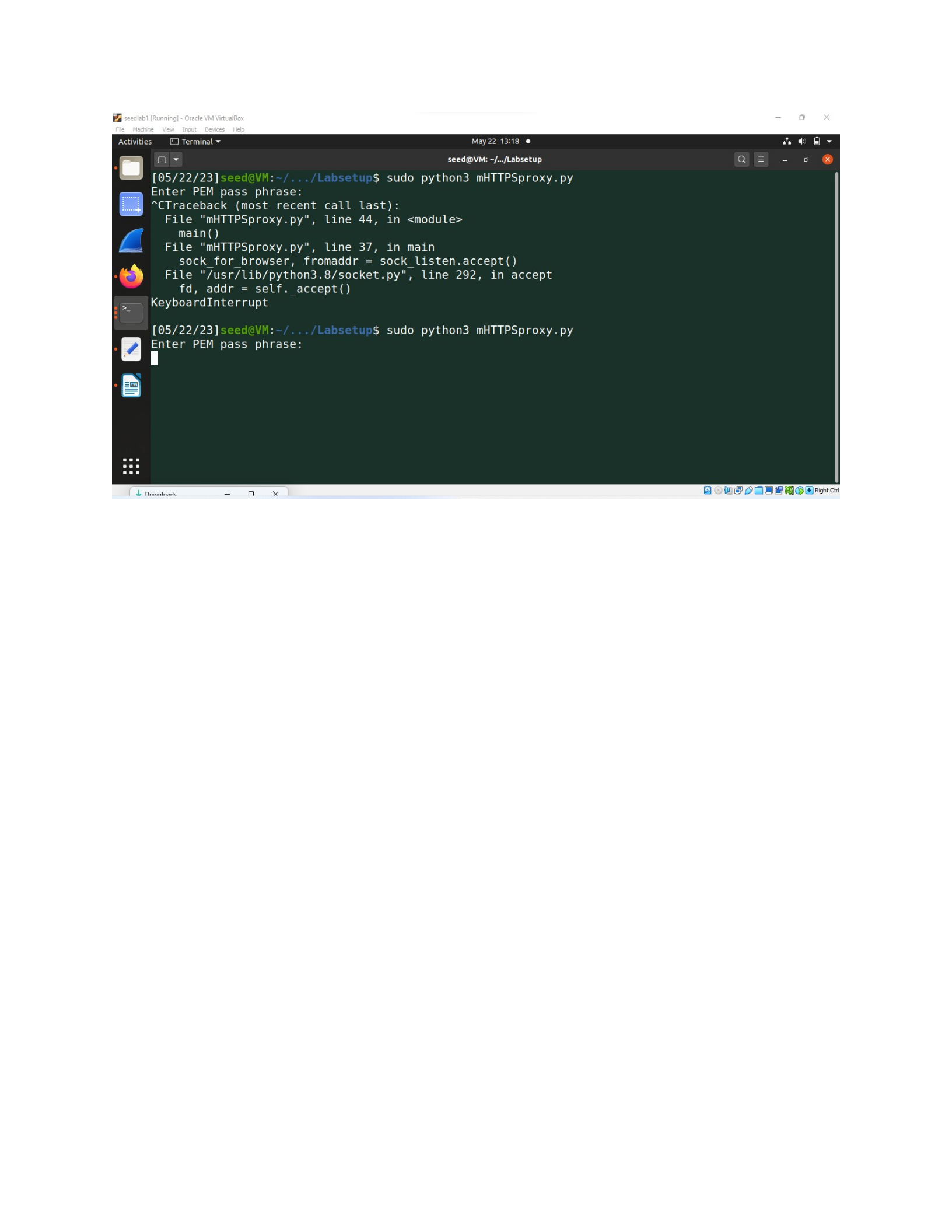
Task 3: A Simple HTTPS Proxy
I wrote the code this way but ironically it just got stuck despite having reached the server
import socket
import ssl
import threading
def process_request(ssock_for_browser):
hostname = 'www.example.com'
# Make a connection to the real server
sock_for_server = socket.create_connection((hostname, 443))

ssock_for_server = ssl.wrap_socket(sock_for_server)
request = ssock_for_browser.recv(2048)
if request:
# Forward request to server
ssock_for_server.sendall(request)
# Get response from server and forward it to the browser
response = ssock_for_server.recv(2048)
while response:
ssock_for_browser.sendall(response) # Forward to browser
response = ssock_for_server.recv(2048)
ssock_for_browser.shutdown(socket.SHUT_RDWR)
ssock_for_browser.close()
def main():
context_srv = ssl.SSLContext(ssl.PROTOCOL_TLS_SERVER)
context_srv.load_cert_chain(certfile='/home/seed/Desktop/Labsetup/
server.crt', keyfile='/home/seed/Desktop/Labsetup/server.key')
sock_listen = socket.socket(socket.AF_INET, socket.SOCK_STREAM)
sock_listen.bind(('0.0.0.0', 8443))
sock_listen.listen(5)
while True:
sock_for_browser, fromaddr = sock_listen.accept()
ssock_for_browser = context_srv.wrap_socket(sock_for_browser,
server_side=True)
x = threading.Thread(target=process_request,
args=(ssock_for_browser,))
x.start()
if __name__ == '__main__':
main()