


First Name (Print)___________________ Last Name _________________Date____
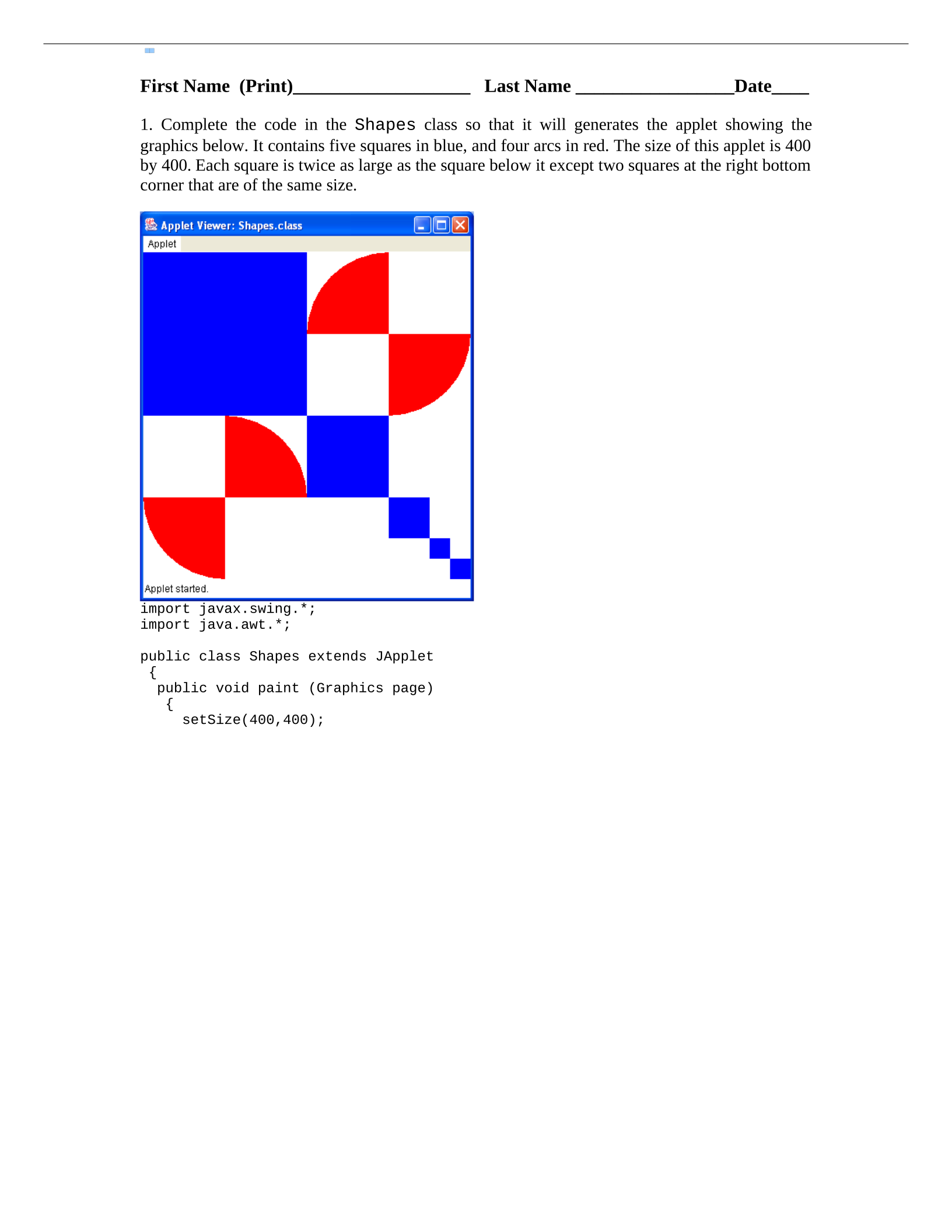
1. Complete the code in the Shapes class so that it will generates the applet showing the
graphics below. It contains five squares in blue, and four arcs in red. The size of this applet is 400
by 400. Each square is twice as large as the square below it except two squares at the right bottom
corner that are of the same size.
import javax.swing.*;
import java.awt.*;
public class Shapes extends JApplet
{
public void paint (Graphics page)
{
setSize(400,400);
CSE 205 - Fall 2008 – Practice Graphics & Mouse Listener
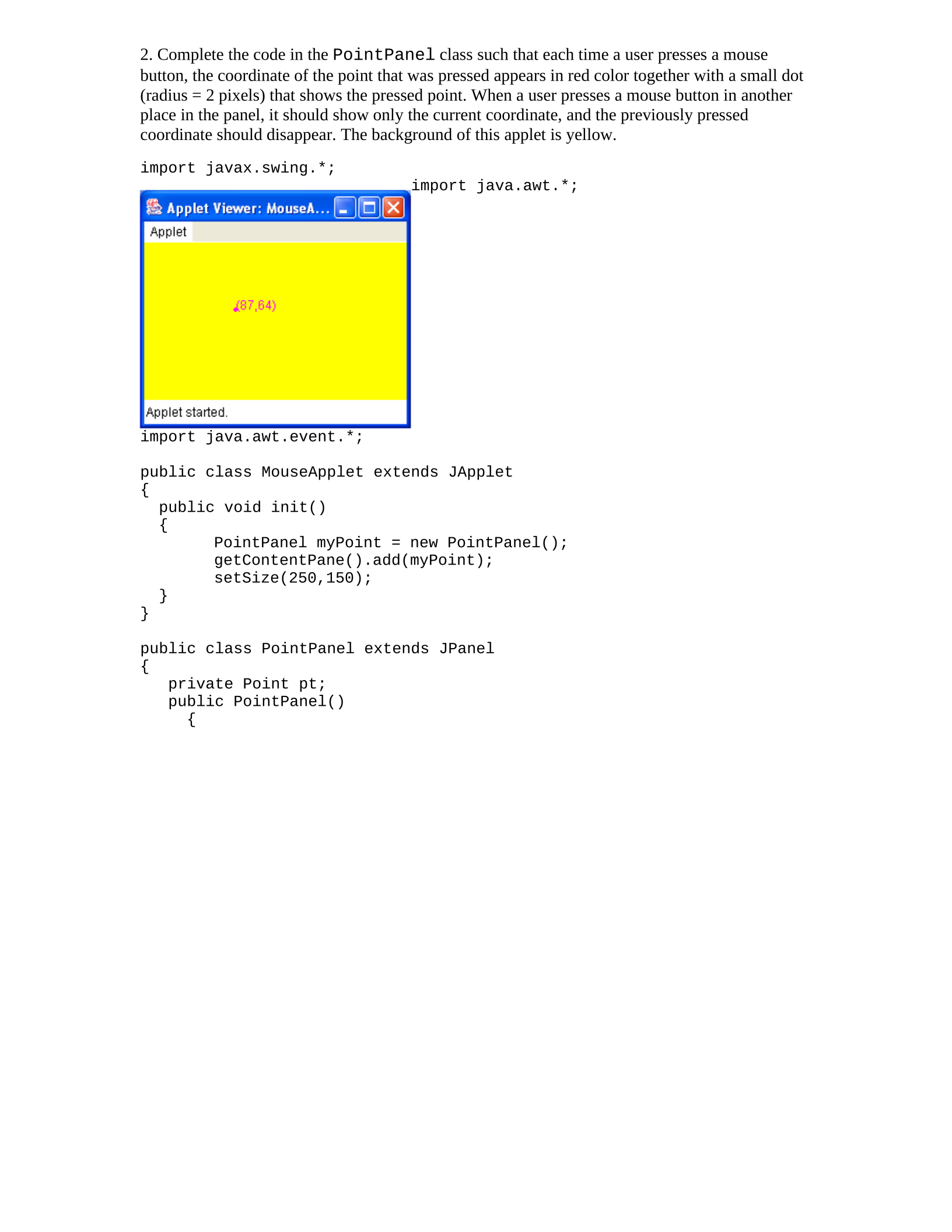
2. Complete the code in the PointPanel class such that each time a user presses a mouse
button, the coordinate of the point that was pressed appears in red color together with a small dot
(radius = 2 pixels) that shows the pressed point. When a user presses a mouse button in another
place in the panel, it should show only the current coordinate, and the previously pressed
coordinate should disappear. The background of this applet is yellow.
import javax.swing.*;
import java.awt.*;
import java.awt.event.*;
public class MouseApplet extends JApplet
{
public void init()
{
PointPanel myPoint = new PointPanel();
getContentPane().add(myPoint);
setSize(250,150);
}
}
public class PointPanel extends JPanel
{
private Point pt;
public PointPanel()
{


