



CSE205
Object-Oriented Programming and
Data Structures

GUI
(Graphical User Interface)
Introduction
How to draw Shapes
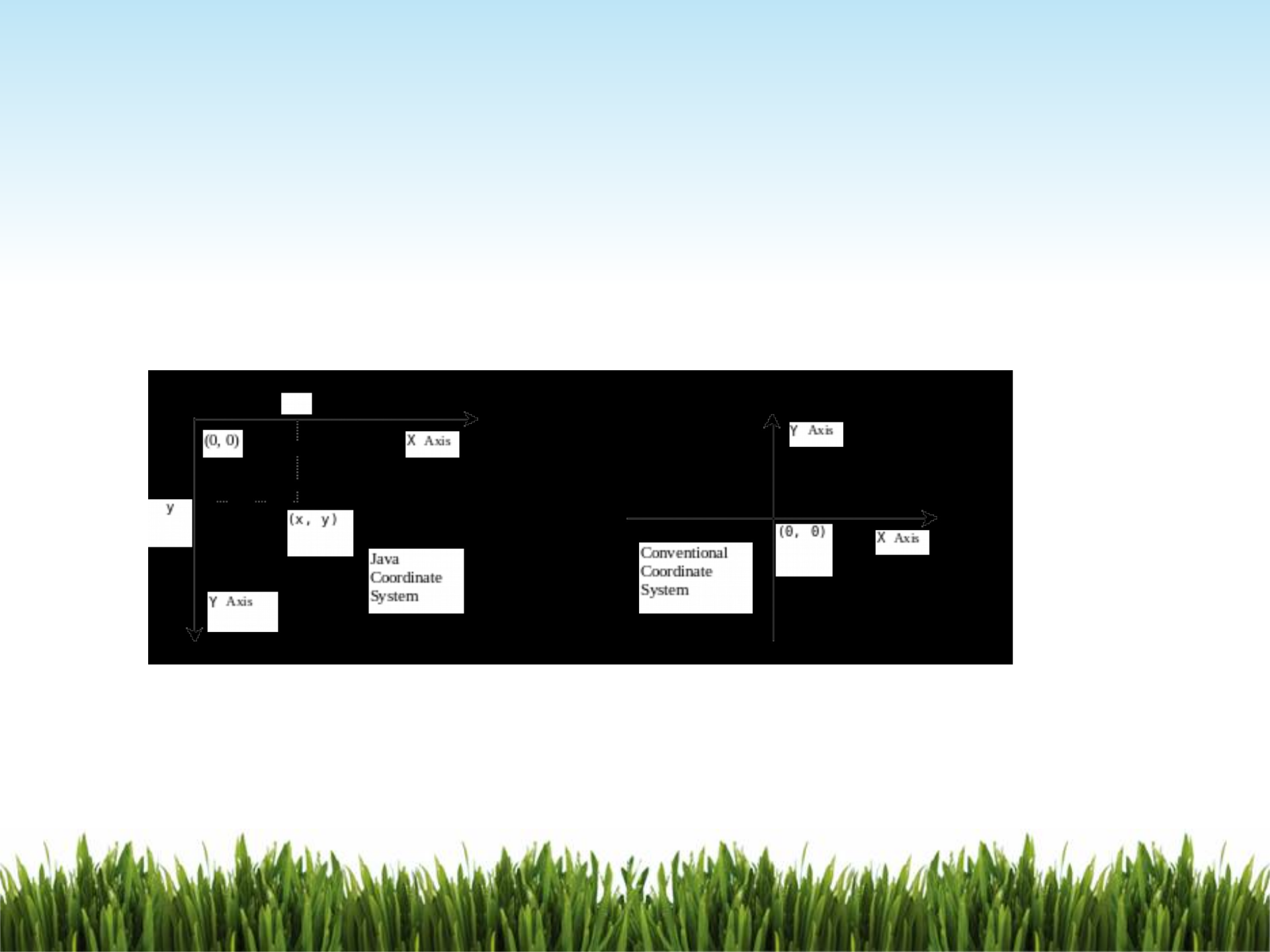
The Java coordinate system is measured in pixels, with (0, 0) at the
upper-left corner of the screen, a pane, etc.
The Shape Class
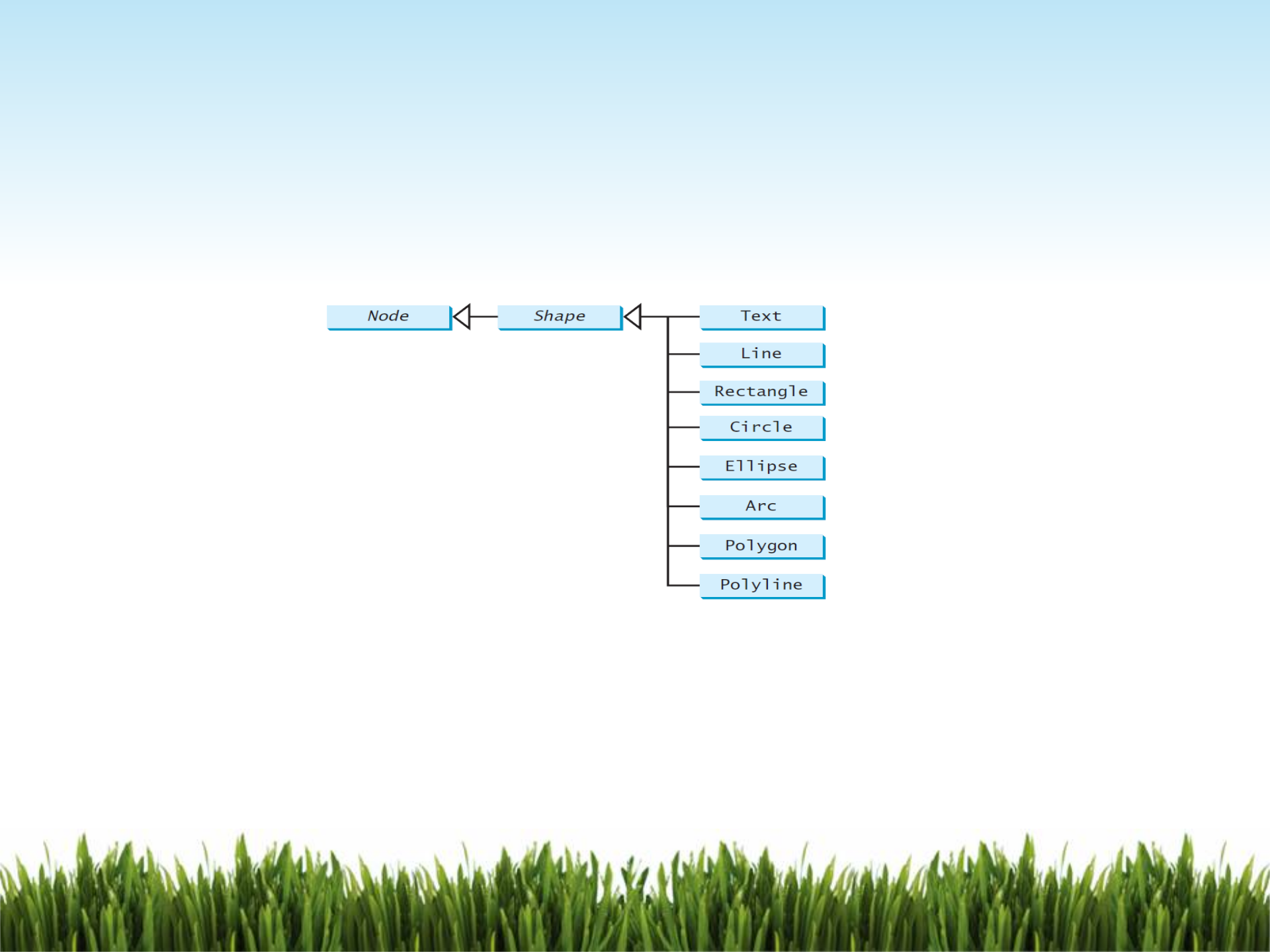
JavaFX provides many shape classes for drawing texts, lines, circles,
rectangles, ellipses, arcs, polygons, and polylines.
The Shape class is the abstract base class that defines the common properties
for all shapes.
Most common properties:
fill - this property specifies a color that fills the interior of a shape.
stroke - this property specifies a color that is used to draw the outline of a shape.
strokeWidth - this property specifies the width of the outline of a shape.

Example: The following code will create a blue rectangle with black
colored outline, its outline thickness is 3 pixels.
Rectangle r1 = new Rectangle(20, 10, 40, 20);
r1.setStroke(Color.BLACK);
r1.setStrokeWidth(3);
r1.setFill(Color.BLUE);

The Text Class
•Need to import javafx.scene.text.Text;
•The Text class defines a node that displays a string at a starting point (x, y).
•A Text object is usually placed in a pane. The pane’s upper-left corner is (0, 0).
•A string may be displayed in multiple lines separated by \n
Pane pane = new Pane();
//Part I - demonstrate Text class
Text text1 = new Text(20, 20, "Programming is fun\nDisplay text");
text1.setFill(Color.RED);
text1.setFont(Font.font("Courier",FontWeight.BOLD,FontPosture.ITALIC, 15));
pane.getChildren().add(text1);
The Line Class
•Need to import javafx.scene.shape.Line;
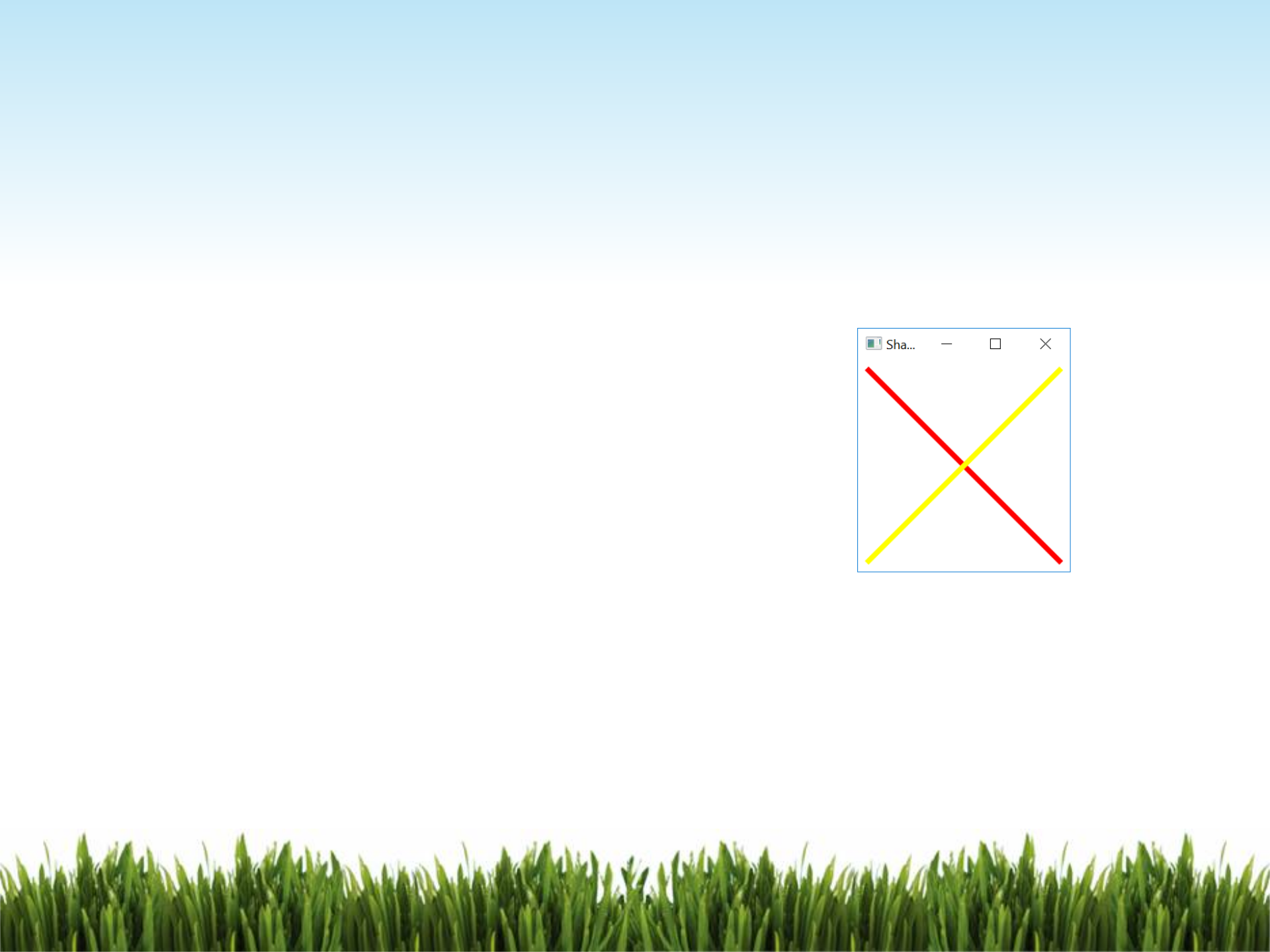
•A line connects two points with four parameters startX, startY, endX,
and endY.
//Part II - demonstrate Line class
Line line1 = new Line(10, 10, 190, 190);
line1.setStrokeWidth(5);
line1.setStroke(Color.RED);
Line line2 = new Line(10, 190, 190, 10);
line2.setStrokeWidth(5);
line2.setStroke(Color.YELLOW);
pane.getChildren().addAll(line1, line2);
The Rectangle class
•Need to import javafx.scene.shape.Rectangle;
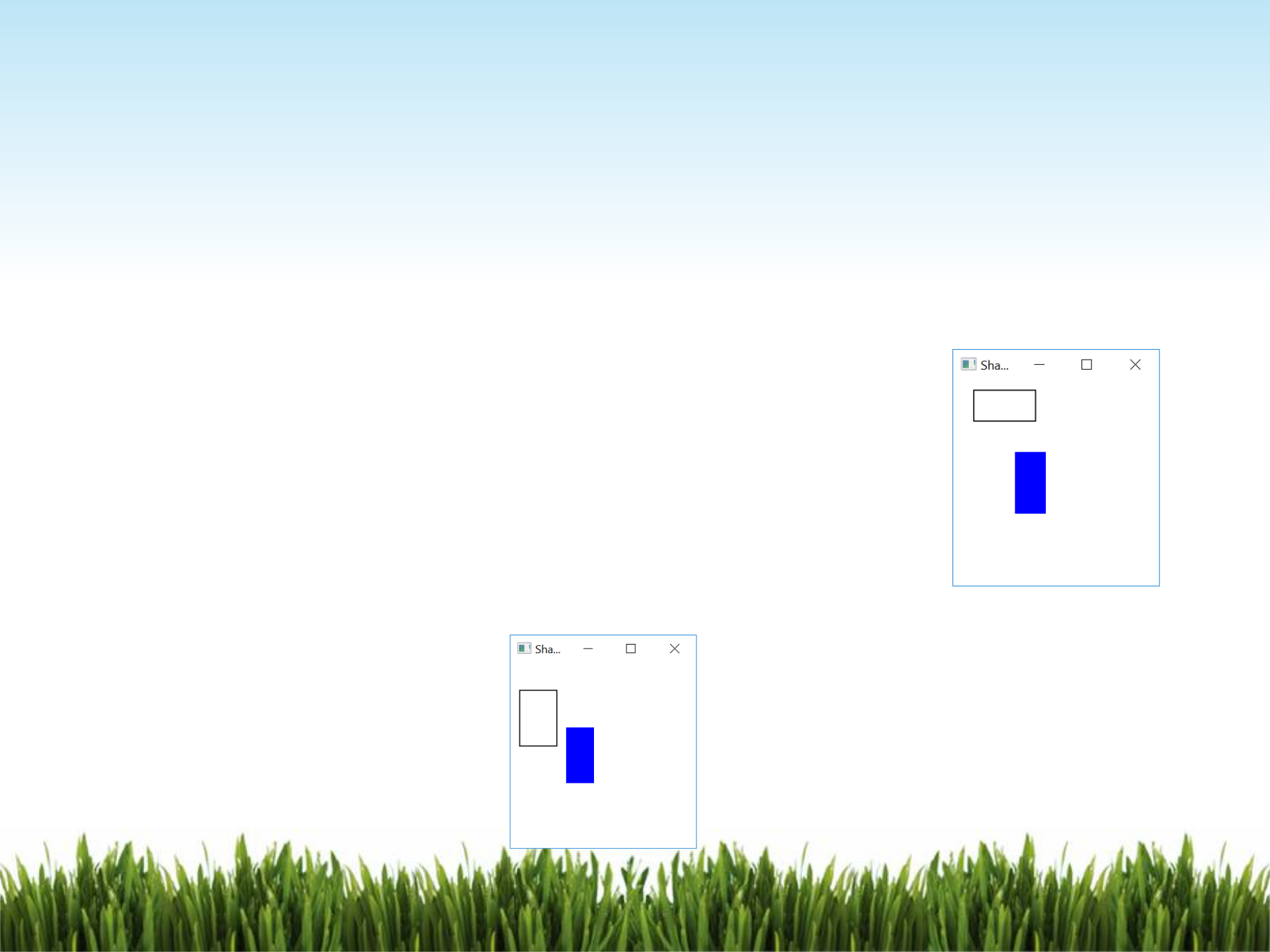
•A rectangle is defined by the parameters x, y, width, height.
•The rectangle’s upper-left corner point is at (x, y)
//Part III - demonstrate Rectangle class
Rectangle r1 = new Rectangle(20, 10, 60, 30);
r1.setStroke(Color.BLACK);
r1.setFill(Color.WHITE);
Rectangle r2 = new Rectangle(60, 70, 30, 60);
r2.setFill(Color.BLUE);
pane.getChildren().addAll(r1, r2);
•To change a rectangle’s upper-left corner coordinates, width and height use the
mutator methods as follows:
r1.setX(10);
r1.setY(30);
r1.setWidth(40);
r1.setHeight(60);
The Circle Class
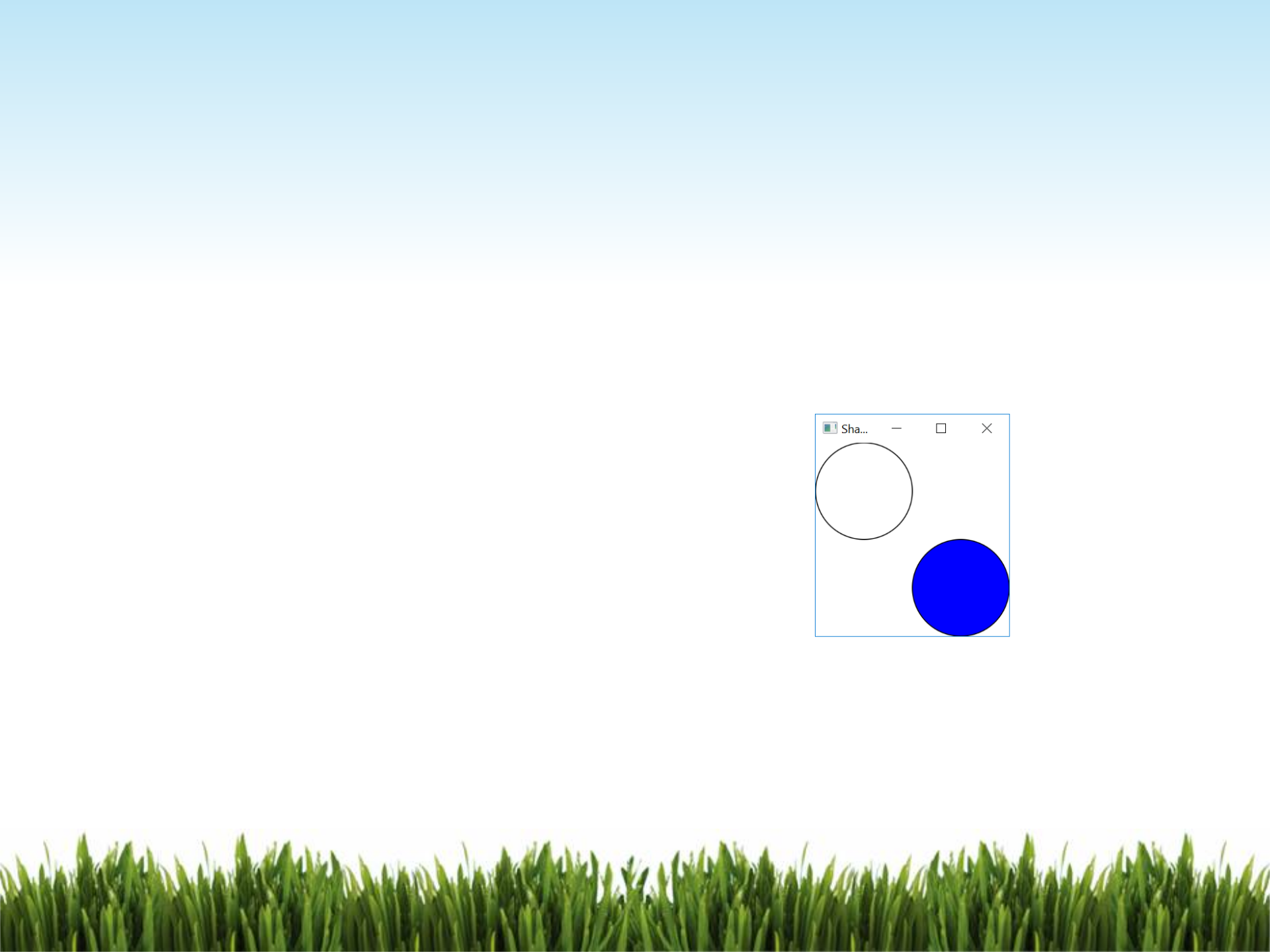
Circle c1 = new Circle(50, 50, 50);
c1.setStroke(Color.BLACK);
c1.setFill(null); //only draw the outline
Circle c2 = new Circle();
c2.setCenterX(150);
c2.setCenterY(150);
c2.setRadius(50);
c2.setStroke(Color.BLACK);
c2.setFill(Color.BLUE);
•Need to import javafx.scene.shape.Circle;
•A circle is defined by its parameters centerX, centerY, and radius.
•You can also change a circle’s center coordinates and its radius by using the
mutators.

The Ellipse Class
Need to import javafx.scene.shape.Ellipse;
An ellipse is defined by its parameters centerX, centerY, radiusX,radiusY.
Ellipse e1 = new Ellipse(100, 100, 80, 40);
e1.setStroke(Color.BLACK);
e1.setFill(Color.WHITE);
Ellipse e2 = new Ellipse(100, 100, 80, 40);
e2.setStroke(Color.BLACK);
e2.setFill(Color.BLUE);
e2.setRotate(90); //rotate 90 degree
pane.getChildren().addAll(e1, e2);
The Arc Class
•Need to
import javafx.scene.shape.Arc;
import javafx.scene.shape.ArcType;
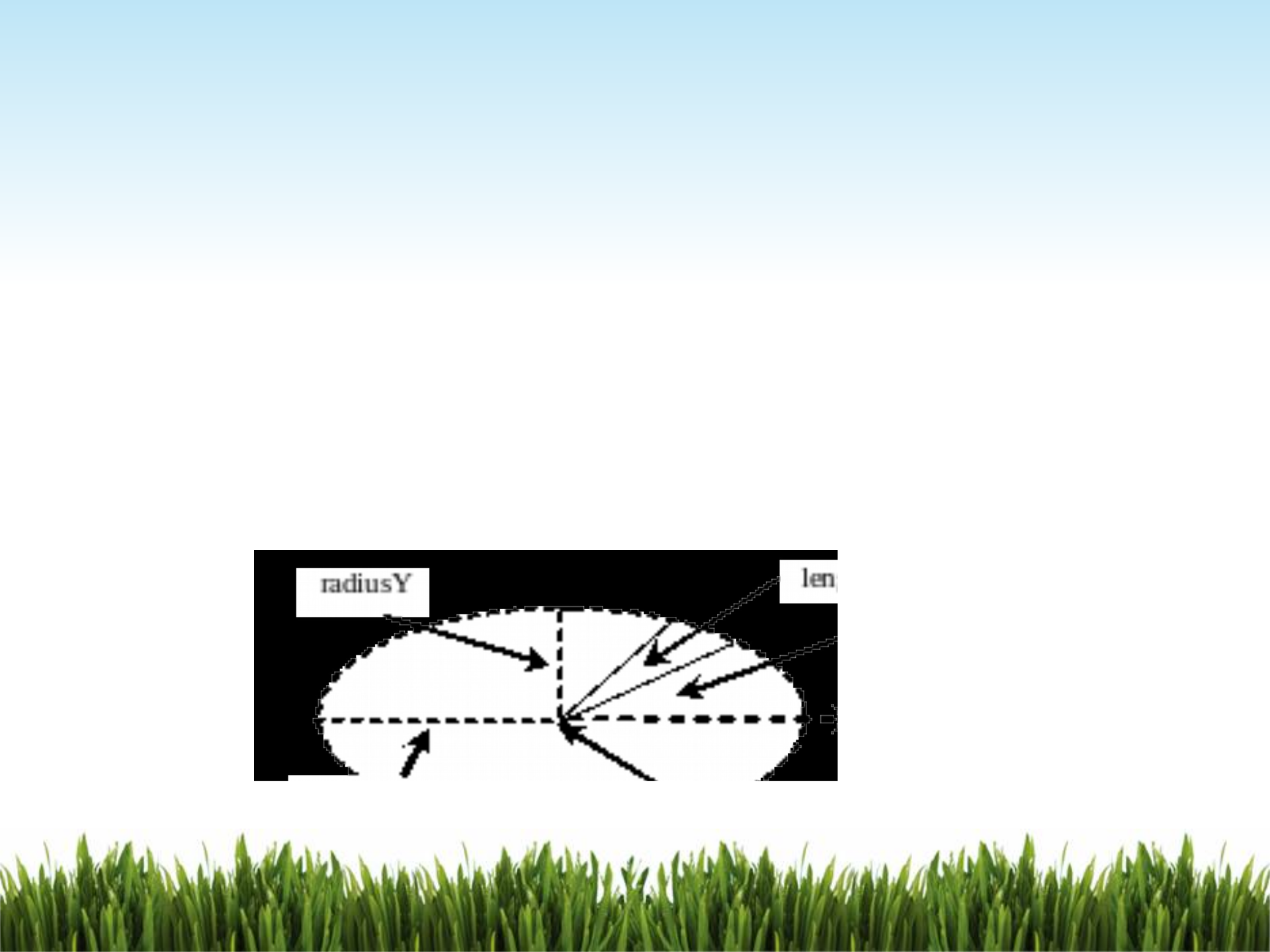
•An arc is conceived as part of an ellipse, defined by the parameters centerX, centerY,
radiusX, radiusY, startAngle, and length.
•length is the spanning angle counter-clock wisely. i.e. it will be positive if from
starting arm going to ending arm in a counter-clockwise direction, otherwise it will
be negative.

Arc arc1 = new Arc(100, 100, 80, 80, 0, 45);
arc1.setFill(Color.RED); // Set fill color
arc1.setStroke(Color.BLACK);
arc1.setType(ArcType.ROUND); //type:ROUND
Arc arc2 = new Arc(100, 100, 80, 80, 90, 45);
arc2.setFill(Color.BLUE);
arc2.setStroke(Color.BLACK);
arc2.setType(ArcType.CHORD); //type:CHORD
Arc arc3 = new Arc(100, 100, 80, 80, 180, 45);
arc3.setFill(Color.YELLOW);
arc3.setStroke(Color.BLACK);
arc3.setType(ArcType.OPEN); //type:OPEN
pane.getChildren().addAll(arc1, arc2, arc3);
There are 3 different arc types, namely ArcType.ROUND, ArcType.CHORD, or
ArcType.OPEN

