


For today’s assignment you will be using a pre-made database. Please open
it from the same Moodle folder you found this in.
Activity 1: Adding/Editing Records:
Use the link below to figure out how to add, find, change and hide records. Also find out how
to format the row colors.
https://edu.gcfglobal.org/en/access/working-with-tables/1/
Now, in the practice database, complete these steps:
1. Open our practice database.
2. Open the Customers table.
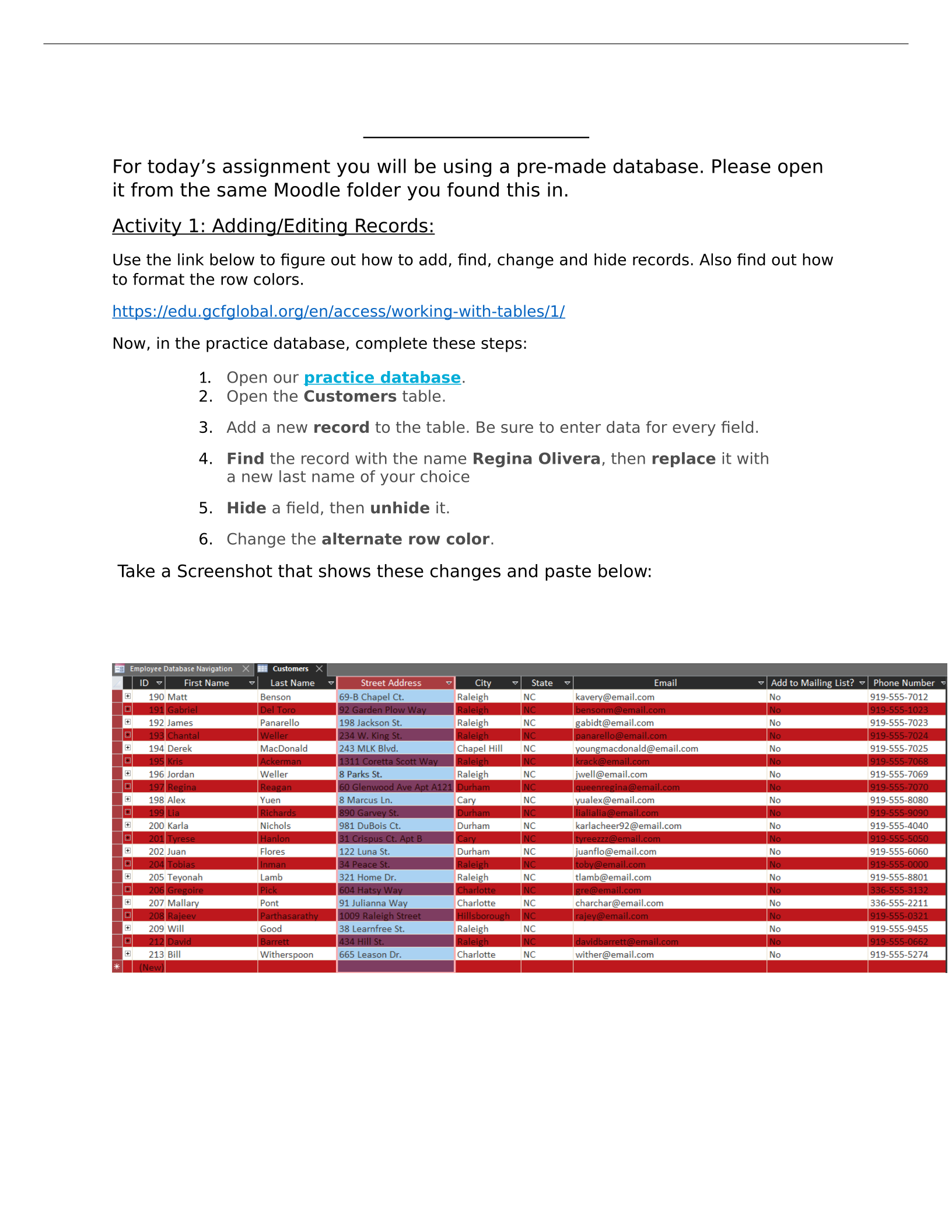
3. Add a new record to the table. Be sure to enter data for every field.
4. Find the record with the name Regina Olivera, then replace it with
a new last name of your choice
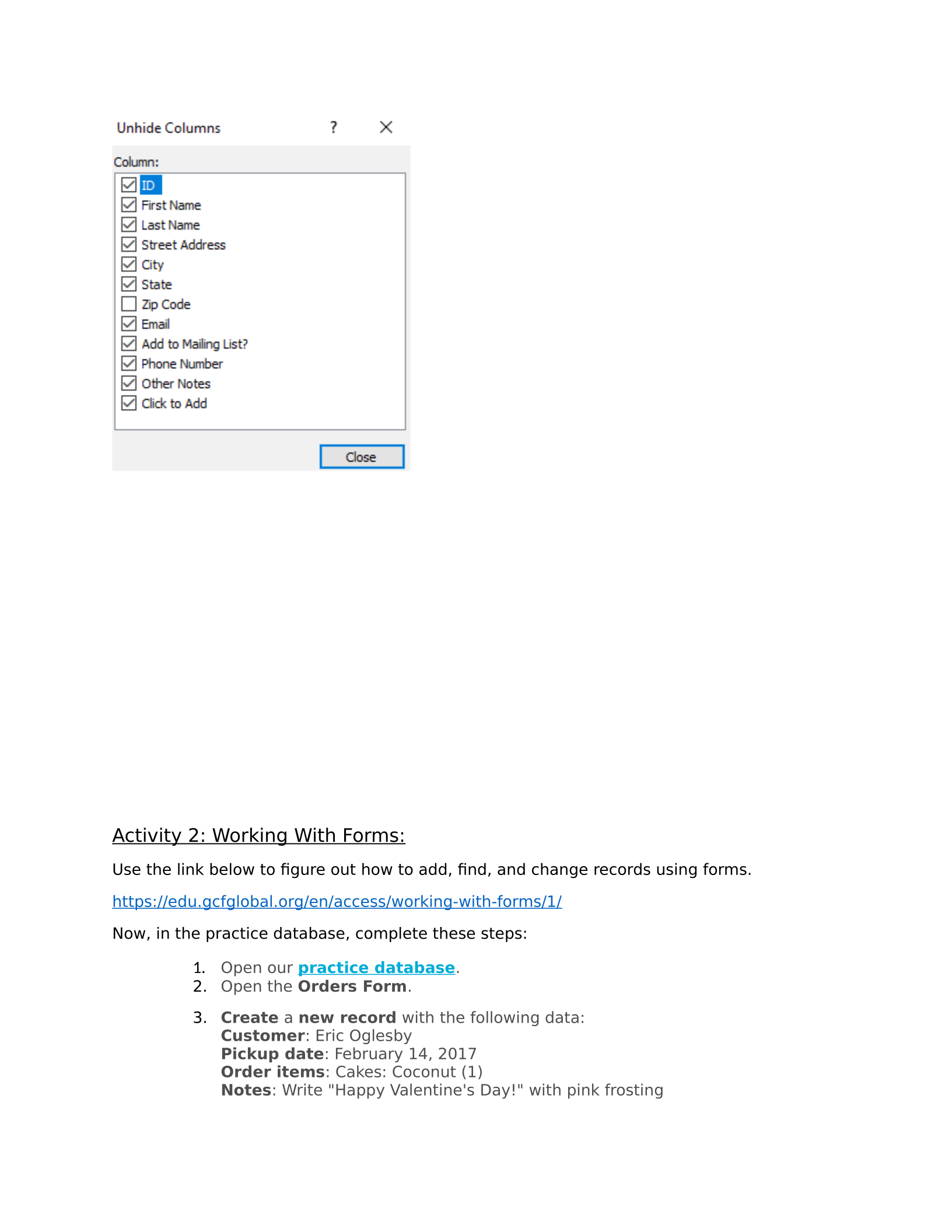
5. Hide a field, then unhide it.
6. Change the alternate row color.
Take a Screenshot that shows these changes and paste below:
Database Practice
Activity 2: Working With Forms:
Use the link below to figure out how to add, find, and change records using forms.
https://edu.gcfglobal.org/en/access/working-with-forms/1/
Now, in the practice database, complete these steps:
1. Open our practice database.
2. Open the Orders Form.
3. Create a new record with the following data:
Customer: Eric Oglesby
Pickup date: February 14, 2017
Order items: Cakes: Coconut (1)
Notes: Write "Happy Valentine's Day!" with pink frosting
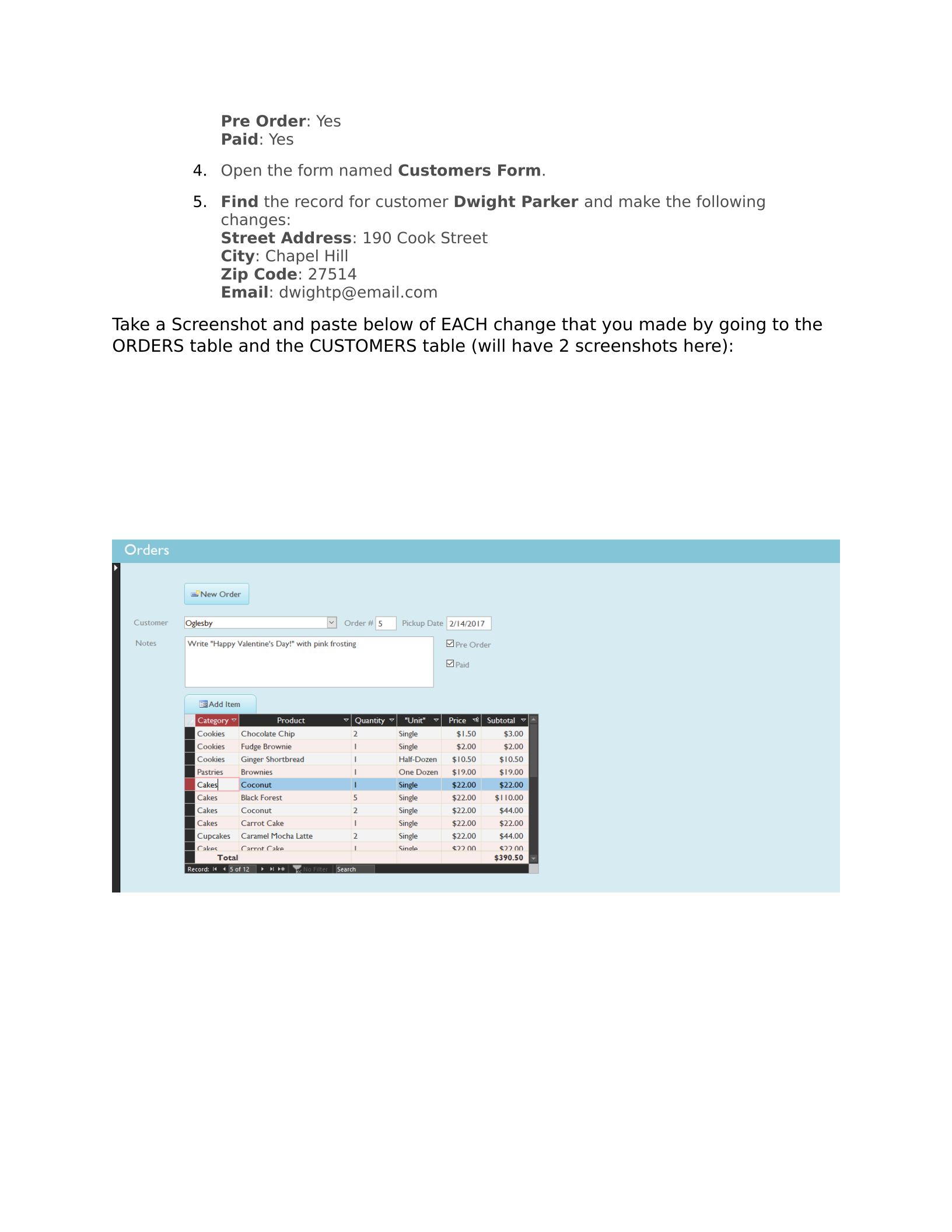
Pre Order: Yes
Paid: Yes
4. Open the form named Customers Form.
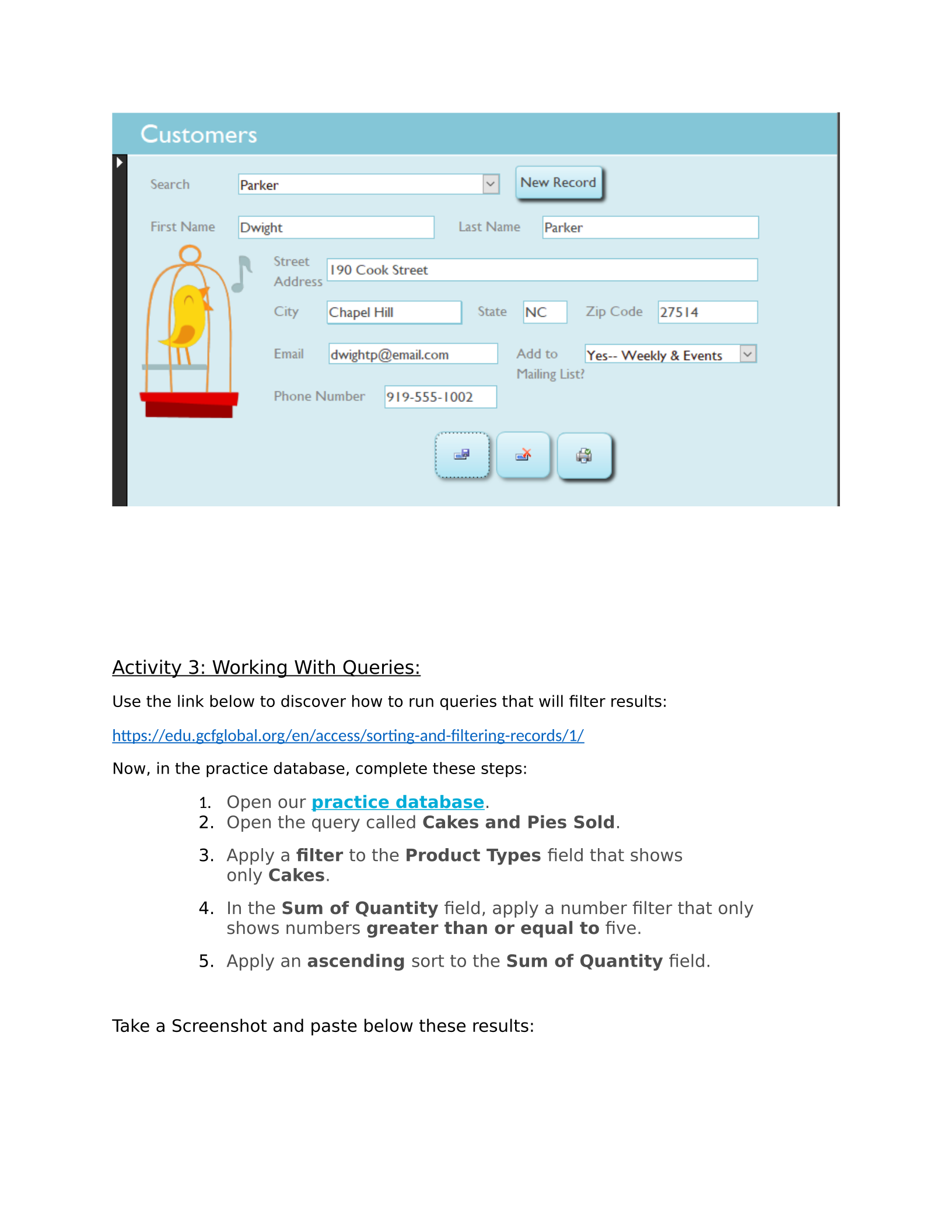
5. Find the record for customer Dwight Parker and make the following
changes:
Street Address: 190 Cook Street
City: Chapel Hill
Zip Code: 27514
Email: dwightp@email.com
Take a Screenshot and paste below of EACH change that you made by going to the
ORDERS table and the CUSTOMERS table (will have 2 screenshots here):
Activity 3: Working With Queries:
Use the link below to discover how to run queries that will filter results:
https://edu.gcfglobal.org/en/access/sorting-and-filtering-records/1/
Now, in the practice database, complete these steps:
1. Open our practice database.
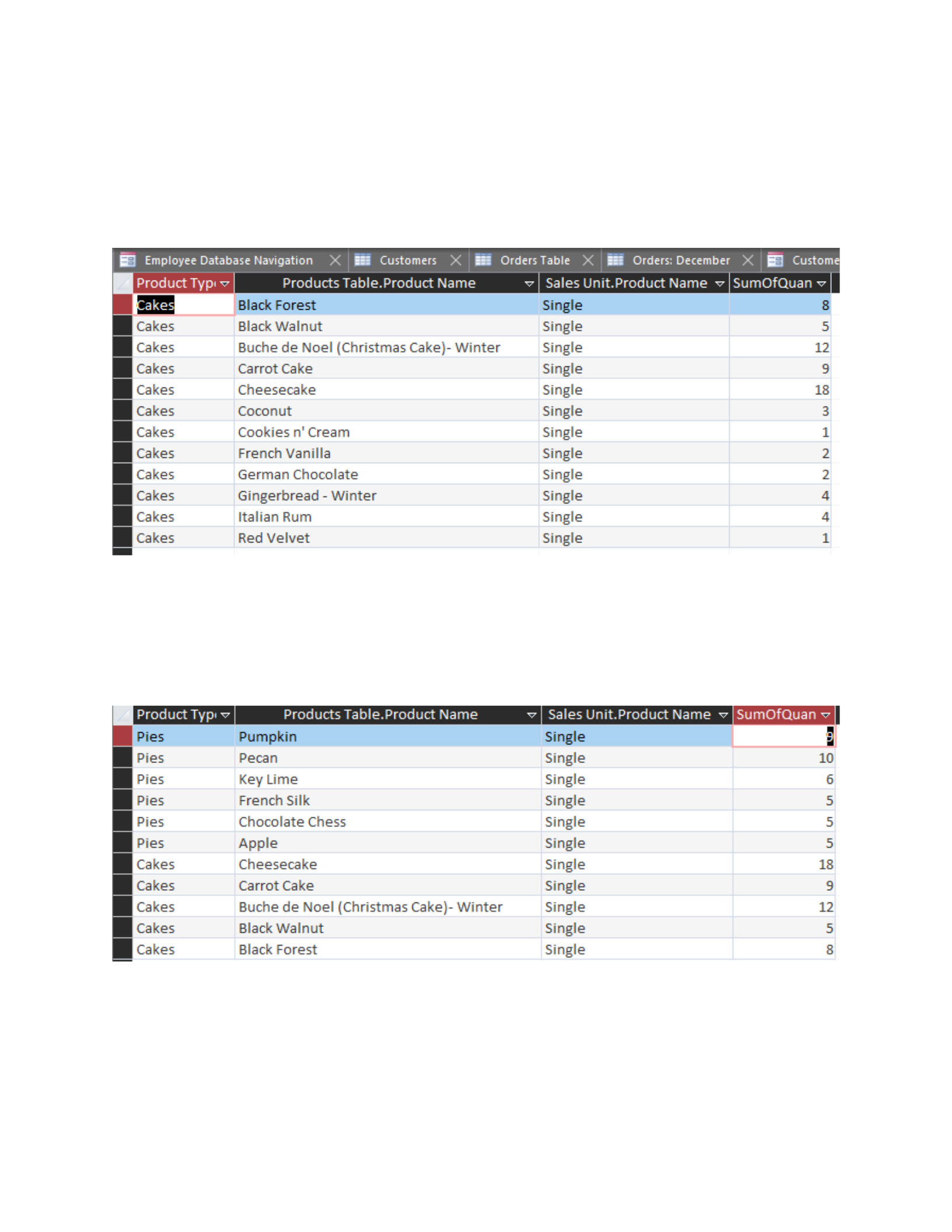
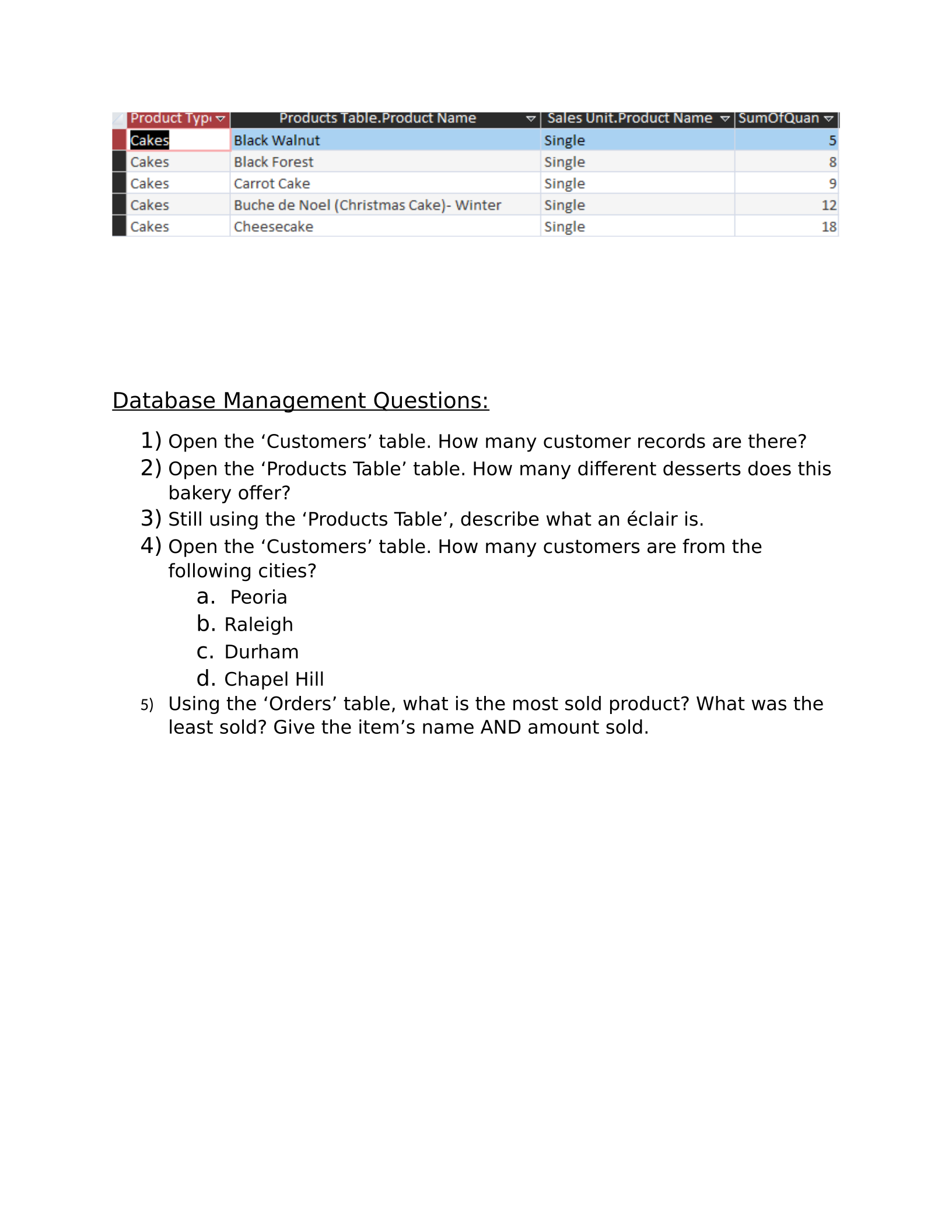
2. Open the query called Cakes and Pies Sold.
3. Apply a filter to the Product Types field that shows
only Cakes.
4. In the Sum of Quantity field, apply a number filter that only
shows numbers greater than or equal to five.
5. Apply an ascending sort to the Sum of Quantity field.
Take a Screenshot and paste below these results:
stomers
|X
ERE
eee
Se
Cakes
Black
Walnut
Single
5
Cakes
Buche
de
Noel
(Christmas
Cake]-
Winter
Single
2
Cakes
Carrot
Cake
Single
9
Cakes
Cheesecake
Single
18
Cakes
Coconut
Single
3
Cakes
Cookies
n'
Cream
Single
1
Cakes
French
Vanilla
Single
2
Cakes
German
Chocolate
Single
2
Cakes
Gingerbread
-
Winter
Single
4
Cakes
Italian
Rum
Single
4
Cakes
Red
Velvet
Single
1
CEE
Pies
Pecan
Single
10
Pies
key
Lime
Single
6
Pies
French
Silk
Single
5
Pies
Chocolate
Chess
Single
5
Pies
Apple
Single
5
Cakes
Cheesecake
Single
18
Cakes
Carrot
Cake
Single
9
Cakes
Buche
de
Noel
(Christmas
Cake)-
Winter
Single
2
Cakes
black
Walnut
single
°
Cakes
Black
Forest Single
8
Database Management Questions:
1) Open the ‘Customers’ table. How many customer records are there?
2) Open the ‘Products Table’ table. How many different desserts does this
bakery offer?
3) Still using the ‘Products Table’, describe what an éclair is.
4) Open the ‘Customers’ table. How many customers are from the
following cities?
a. Peoria
b. Raleigh
c. Durham
d. Chapel Hill
5) Using the ‘Orders’ table, what is the most sold product? What was the
least sold? Give the item’s name AND amount sold.
Powered by TCPDF (www.tcpdf.org)

