


● Folders and files
● Software•Hardware
● Scanners
● Printers
● Webcams
Consider a network made up of three computers (Clients) connected to one computer called a
Server. The server is connected to a printer and a scanner (peripheral devices) enabling all
three clients to use them. Any device connected to a network is called a node.
Network Advantages
Consider a business that tries to save money by not purchasing a network or network software.
Although their initial capital outlay is smaller than the same size business that chooses to buy a
network, they suffer from many disadvantages:
Economic disadvantage
With no network, each computer would need their own peripheral devices, like printers. With a
network, only one shared printer is needed. Software: Software can be loaded on a server for all
clients to use whereas a business with stand-alone computers needs software loaded on
individual boxes.
Collaboration
Networks allow businesses to share and collaborate on projects.
ON EXAM:
Building a Computer Network
All networks require four basic components:
1.Network Interface Controller Card (NIC): Plugged into the motherboard to interface and
connect with other computers.
2.Protocol: TCP/IP controls how data and information is shared between computers.
3.Cables: Cables connect servers to clients which can sometimes be replaced through wireless
connections.
4.Hub: Typically the central location of a network (server) that serves to run the network
smoothly
Network Protocols
Provides a common language and rules for communication between computers. A protocol is a
convention or standard that controls or allows communication and data transfer between two
computers.
Transmission Control Protocol / Internet Protocol (TCP/IP): When sending a file from one
computer to another, the file is broken down into smaller files called “packets”. The packets
Computer Network:
- Two or more computers connected to each other to share resources like
arrive at the receiving computer and must be reassembled correctly to guarantee the receiving
computer gets a file that will work (not corrupted).
User Datagram Packets: Break large files into packets, but unlike TCP/IP, allows a user to use
the incoming file.
Would Youtube exist without UDP? No.
Network Operating Systems
A Network Operating System (NOS) is similar to a stand-alone platform but responsible for
much more:
•Automatic hardware detection. The NOS recognizes it when it becomes part of the network.
•Supports multi-processing which allows several processes to occur at one time. •Recognizes
who is using the network.
•Provides security
Network Administrator
•Responsible for smooth network operations
•Network performance•Implementation of new nodes and users
•Strong business background
Network Topology
Refers to the mapping of a physical network and logical interconnections between nodes.
Basically, the way a network is arranged and laid out
.•Bus Topology: Sometimes called a linear bus topology where the network’s nodes are
connected to a common linear backbone with two endpoints. If the backbone fails, the whole
network fails.
•Star Topology: One central server in which clients connect in a spoke-like fashion, or star. If the
server fails, the network fails. (Most common topology
)•Ring Topology: Data is transferred between computers in a circular manner..
Everything connected is called a node.
Types of Computer Networks
•Local Area Network (LAN): A small network typically confined by a single building. Often used
by smaller businesses.
•Campus Area Network (CAN): Connects two or more LANs which are located on universities or
large businesses. LANs are assigned to business areas like Accounting.
•Metropolitan Area Network (MAN): A computer network that connects CANs and LANs into a
larger network like a city.
•Wide Area Network (WAN): Connects LANs, CANs, and MANs and can cover an entire country
•Peer to Peer (P2P): Generally connect computers to each other. (Exp. LimeWire, BitTorrent)
•Internet: The world’s largest network interconnecting public, private, commercial, and
governmental networks.
Uppercase, lowercase, number, special characters (password)
Network Security
Starts with a solid understanding of network threats. Network administrators must adopt policies
which define rules for network access.
Passwords: A secret word or combination of keyboard characters typed in by the user to
authenticate their identity to a network and gain appropriate access.
Strong Passwords: Same as passwords, but requires a user to use upper case characters,
lower case characters, numbers, and special characters.
Passphrase: Same as a Strong Password, but a phrase that is memorable.
Passphrase is the same as a strong password
Network Security
Web Browsing on a Network: Part of network security includes policies and procedures
regarding employee’s web browsing. Should a business let employees browse on the Web?
Email / Instant Messaging: On a business network, consider that all email and instant message
is recorded and saved, therefore, policies and procedures must be in place regarding
appropriate usage.
Permissions: Network access is called “permissions”, which grants and denies access to a
network depending on the user
.Firewall: Hardware and software on a proxy server that determines who is allowed on a
network, and who is not.
____________________________________________________________________________
Chapter 9
Internet History
In the 1960s, scientists working for the United States Air Force researched
ways to make a highly robust network that would continue to work even if
part of the network was damaged.
In 1969, the Advanced Research Project Agency Network (ARPANET) made
similar networks at the University of California at Los Angeles (UCLA) that
connected them and would eventually be come to known as the Internet.
Until about 1990, there was no common “language” of the Internet and it
remained the domain of scientists and academicians
.
Could the Internet have been based on Microsoft Word?
Internet History
Around 1990, Tim Berners-Lee invented a standard language of the Internet call Hypertext
Markup Language (HTML).
HTML is a platform neutral language which means it will work on all operating
systems like Windows, Mac OS, Linux, and UNIX.
Hypertext Transfer Protocol (HTTP) was developed as a means to transfer
information in a standard fashion so all computers on the Internet could
receive data and information.
Once HTML and HTTP were in place, the World Wide Web (WWW) was born,
as was browsing software which enabled users.
Internet and World Wide Web StructureThe Internet is a “client / server” model.
Reduce the Internet to 11 computers, 10 clients connected to 1 server. Each of
the 10 clients are named 1 through 10, giving it an Internet Protocol Address (IP)
for identification purposes.
On each numbered client resides a file called “index.html” which is a homepage
of a website. If a “web surfer” wanted to access the homepage on computer 7,
they would type 7/index.html, differentiating it from any other homepage.
Multiply the example above by millions of computers on the Internet, all with
unique Internet Protocol Addresses.
Internet Protocol Address
With millions of computers connected to the Internet, it is important to come up with an address
system to identify every one of them.
IP addresses are actually a 32 bit number like 129.219.10.58
Protocol “http://” + “129.219.10.58” = “http:// 129.219.10.58”
Websites have addresses called Uniform Resource Locators (URLs) like
“http://www.yahoo.com” that mask the IP address.
“http:/www.yahoo.com” is the same as “http:// 129.219.10.58”
“http” is Hypertext Transfer Protocol, “www” is World Wide Web,
“yahoo” is
the Domain Name, and “.com” is the Domain Code.
Do you visit a website? No.
The internet is a client server network
URL- uniform resource locator
If you have a system that no one is in charge of, what kind of gov. Is it? -Anarchy/Anarchist
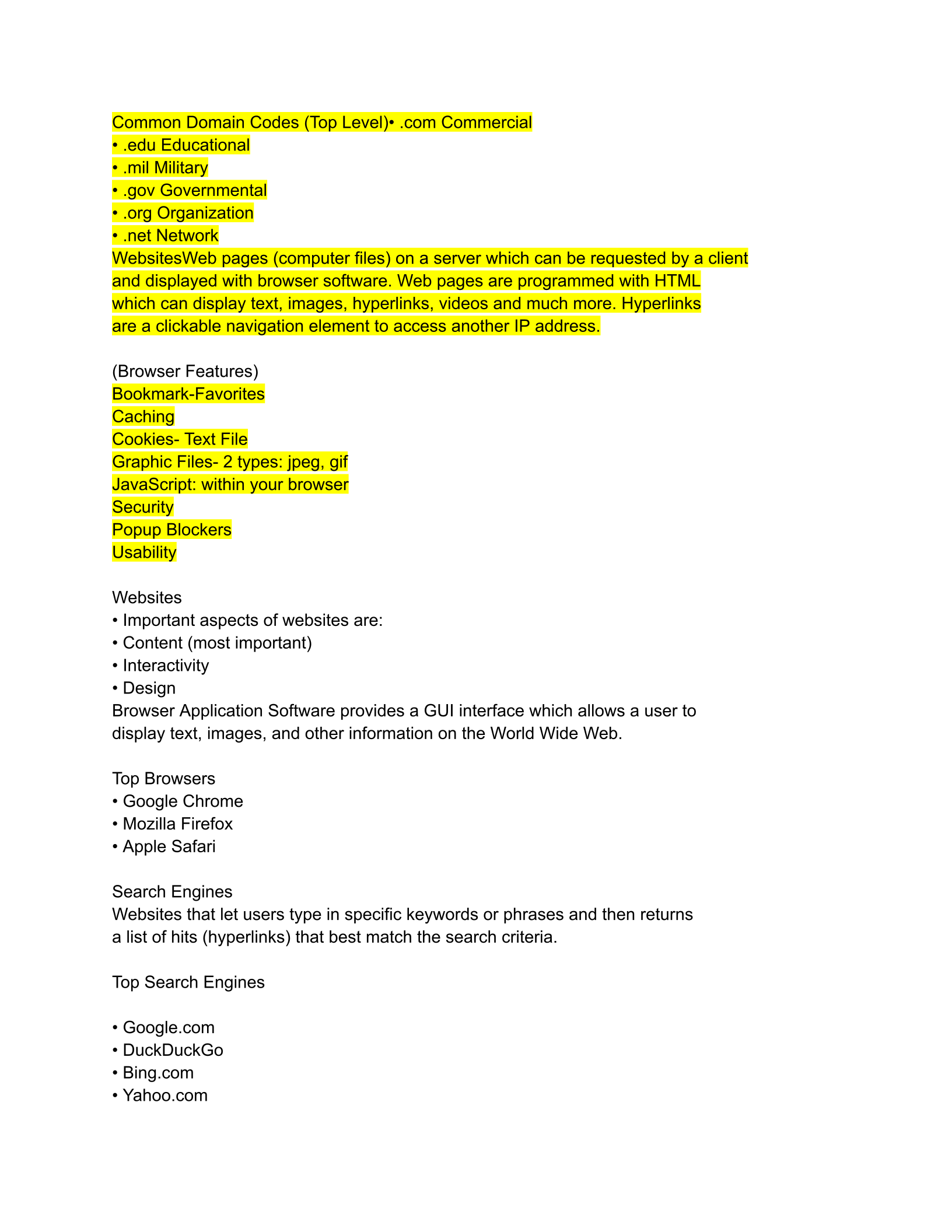
Common Domain Codes (Top Level)• .com Commercial
• .edu Educational
• .mil Military
• .gov Governmental
• .org Organization
• .net Network
WebsitesWeb pages (computer files) on a server which can be requested by a client
and displayed with browser software. Web pages are programmed with HTML
which can display text, images, hyperlinks, videos and much more. Hyperlinks
are a clickable navigation element to access another IP address.
(Browser Features)
Bookmark-Favorites
Caching
Cookies- Text File
Graphic Files- 2 types: jpeg, gif
JavaScript: within your browser
Security
Popup Blockers
Usability
Websites
• Important aspects of websites are:
• Content (most important)
• Interactivity
• Design
Browser Application Software provides a GUI interface which allows a user to
display text, images, and other information on the World Wide Web.
Top Browsers
• Google Chrome
• Mozilla Firefox
• Apple Safari
Search Engines
Websites that let users type in specific keywords or phrases and then returns
a list of hits (hyperlinks) that best match the search criteria.
Top Search Engines
• Google.com
• DuckDuckGo
• Bing.com
• Yahoo.com
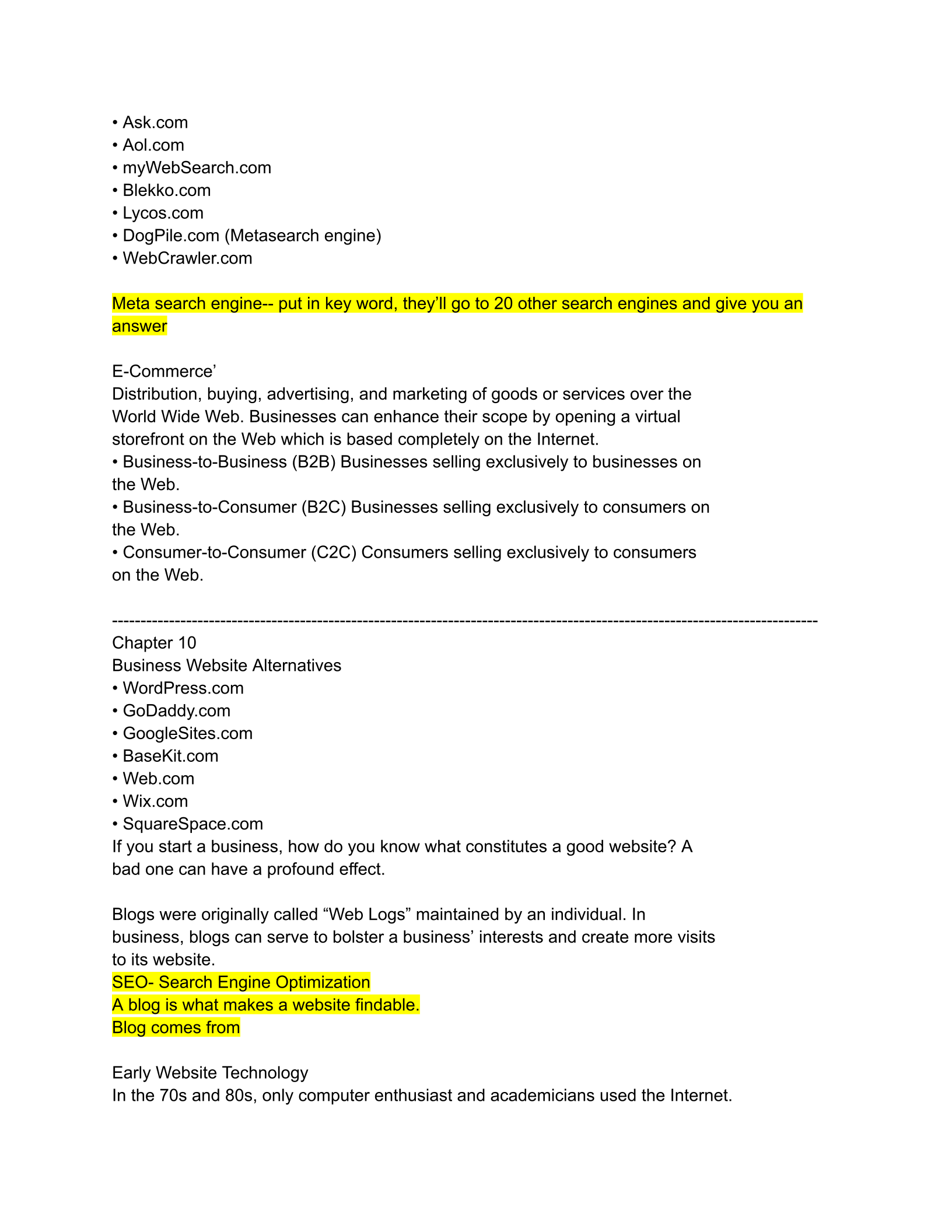
• Ask.com
• Aol.com
• myWebSearch.com
• Blekko.com
• Lycos.com
• DogPile.com (Metasearch engine)
• WebCrawler.com
Meta search engine-- put in key word, they’ll go to 20 other search engines and give you an
answer
E-Commerce’
Distribution, buying, advertising, and marketing of goods or services over the
World Wide Web. Businesses can enhance their scope by opening a virtual
storefront on the Web which is based completely on the Internet.
• Business-to-Business (B2B) Businesses selling exclusively to businesses on
the Web.
• Business-to-Consumer (B2C) Businesses selling exclusively to consumers on
the Web.
• Consumer-to-Consumer (C2C) Consumers selling exclusively to consumers
on the Web.
----------------------------------------------------------------------------------------------------------------------------
Chapter 10
Business Website Alternatives
• WordPress.com
• GoDaddy.com
• GoogleSites.com
• BaseKit.com
• Web.com
• Wix.com
• SquareSpace.com
If you start a business, how do you know what constitutes a good website? A
bad one can have a profound effect.
Blogs were originally called “Web Logs” maintained by an individual. In
business, blogs can serve to bolster a business’ interests and create more visits
to its website.
SEO- Search Engine Optimization
A blog is what makes a website findable.
Blog comes from
Early Website Technology
In the 70s and 80s, only computer enthusiast and academicians used the Internet.
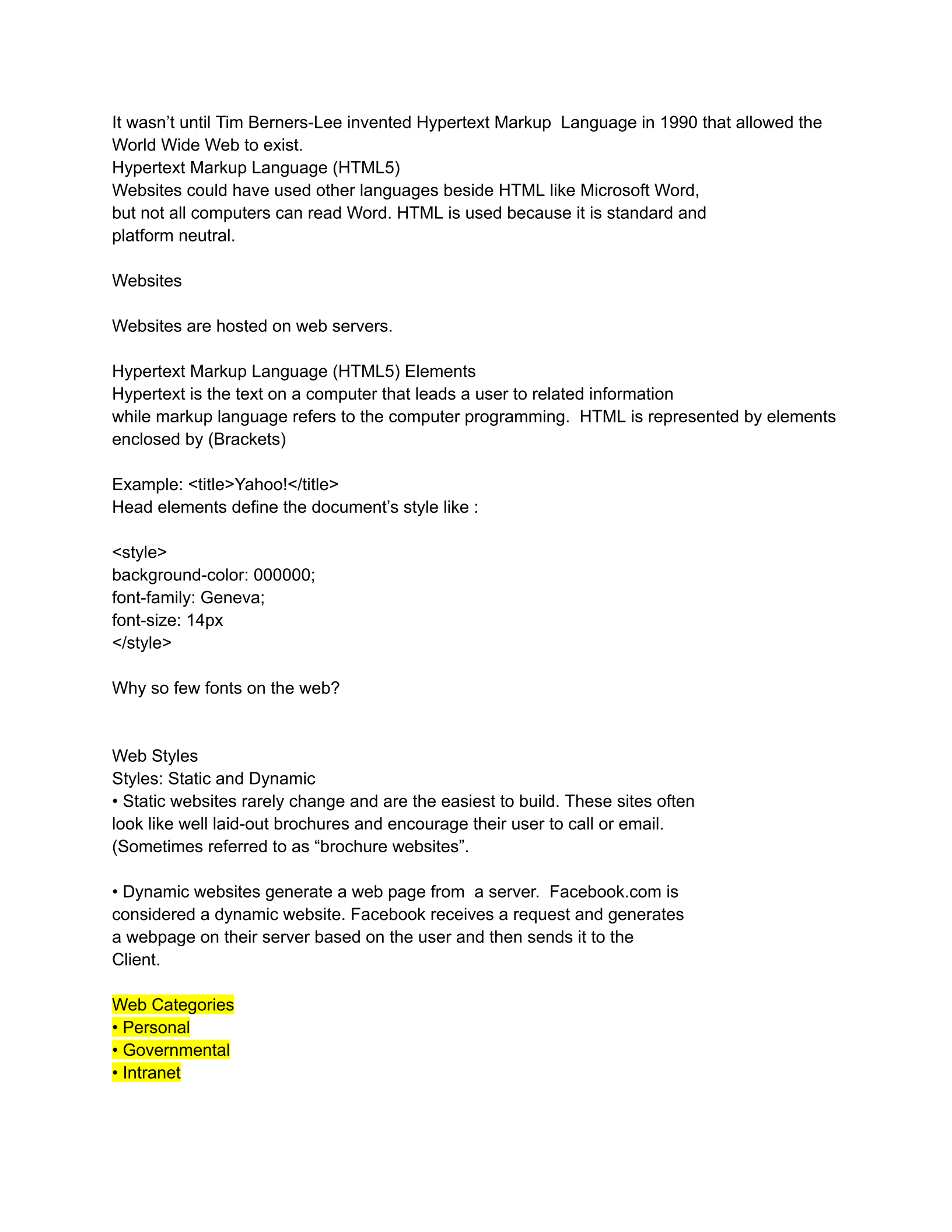
It wasn’t until Tim Berners-Lee invented Hypertext Markup Language in 1990 that allowed the
World Wide Web to exist.
Hypertext Markup Language (HTML5)
Websites could have used other languages beside HTML like Microsoft Word,
but not all computers can read Word. HTML is used because it is standard and
platform neutral.
Websites
Websites are hosted on web servers.
Hypertext Markup Language (HTML5) Elements
Hypertext is the text on a computer that leads a user to related information
while markup language refers to the computer programming. HTML is represented by elements
enclosed by (Brackets)
Example: <title>Yahoo!</title>
Head elements define the document’s style like :
<style>
background-color: 000000;
font-family: Geneva;
font-size: 14px
</style>
Why so few fonts on the web?
Web Styles
Styles: Static and Dynamic
• Static websites rarely change and are the easiest to build. These sites often
look like well laid-out brochures and encourage their user to call or email.
(Sometimes referred to as “brochure websites”.
• Dynamic websites generate a web page from a server. Facebook.com is
considered a dynamic website. Facebook receives a request and generates
a webpage on their server based on the user and then sends it to the
Client.
Web Categories
• Personal
• Governmental
• Intranet
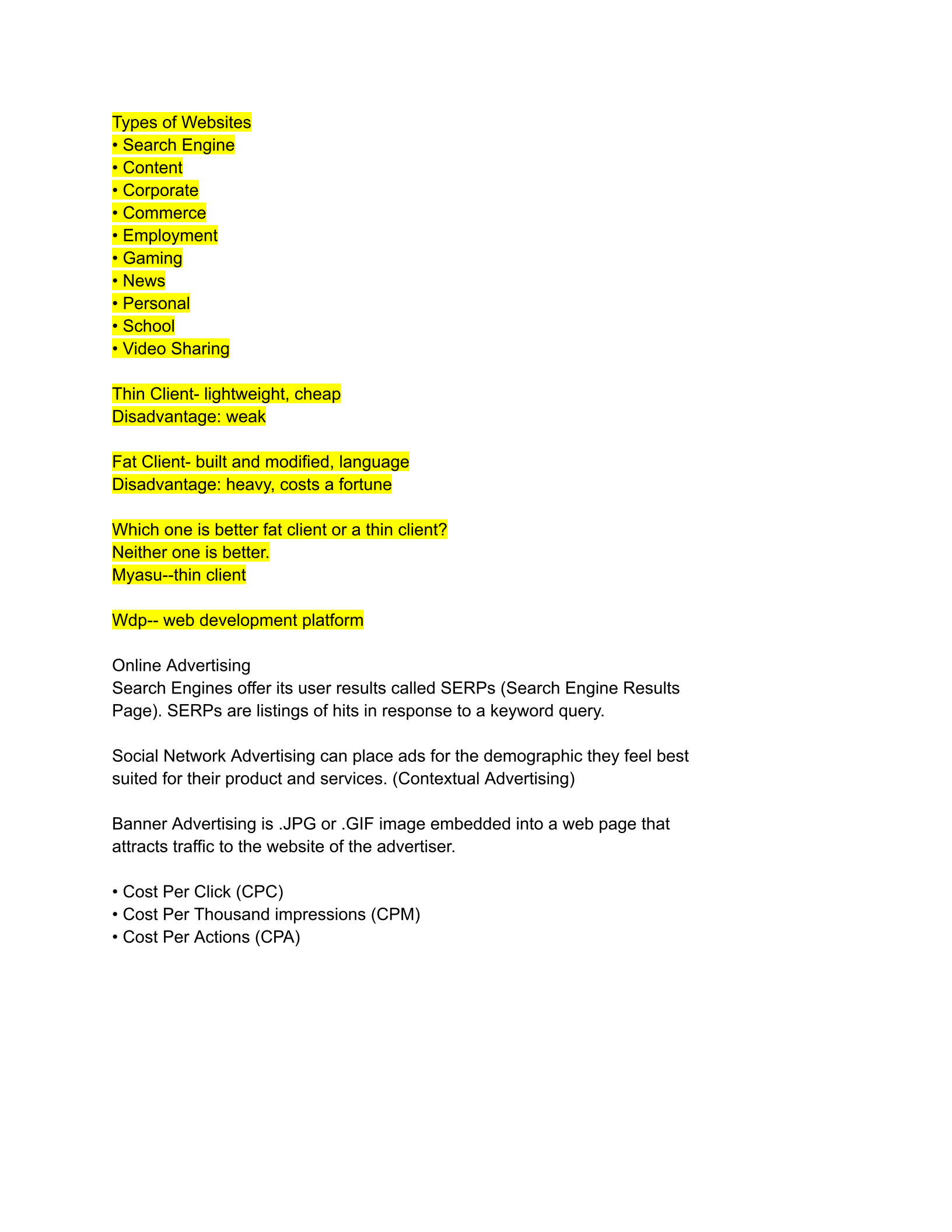
Types of Websites
• Search Engine
• Content
• Corporate
• Commerce
• Employment
• Gaming
• News
• Personal
• School
• Video Sharing
Thin Client- lightweight, cheap
Disadvantage: weak
Fat Client- built and modified, language
Disadvantage: heavy, costs a fortune
Which one is better fat client or a thin client?
Neither one is better.
Myasu--thin client
Wdp-- web development platform
Online Advertising
Search Engines offer its user results called SERPs (Search Engine Results
Page). SERPs are listings of hits in response to a keyword query.
Social Network Advertising can place ads for the demographic they feel best
suited for their product and services. (Contextual Advertising)
Banner Advertising is .JPG or .GIF image embedded into a web page that
attracts traffic to the website of the advertiser.
• Cost Per Click (CPC)
• Cost Per Thousand impressions (CPM)
• Cost Per Actions (CPA)
Powered by TCPDF (www.tcpdf.org)

