


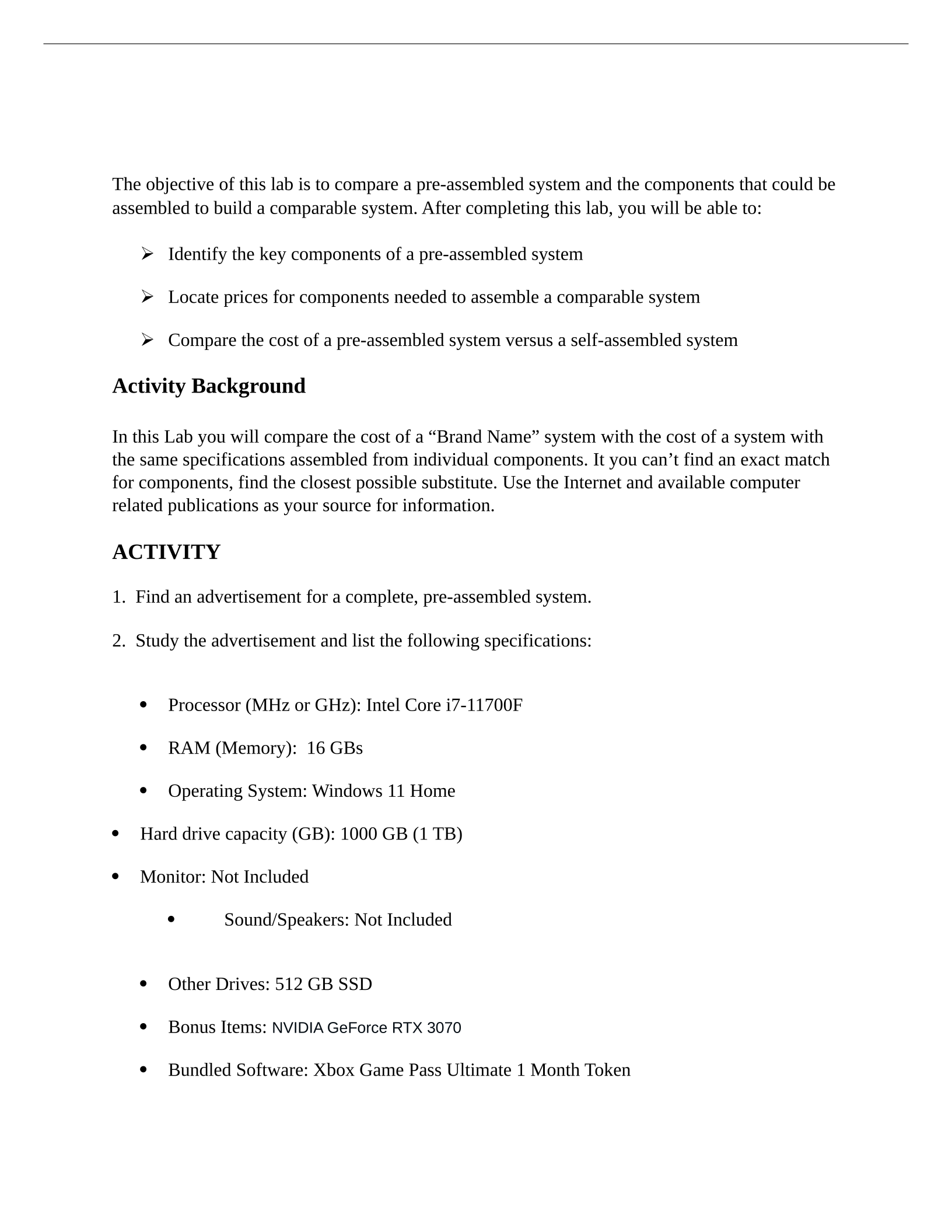
The objective of this lab is to compare a pre-assembled system and the components that could be
assembled to build a comparable system. After completing this lab, you will be able to:
Identify the key components of a pre-assembled system
Locate prices for components needed to assemble a comparable system
Compare the cost of a pre-assembled system versus a self-assembled system
Activity Background
In this Lab you will compare the cost of a “Brand Name” system with the cost of a system with
the same specifications assembled from individual components. It you can’t find an exact match
for components, find the closest possible substitute. Use the Internet and available computer
related publications as your source for information.
ACTIVITY
1. Find an advertisement for a complete, pre-assembled system.
2. Study the advertisement and list the following specifications:
Processor (MHz or GHz): Intel Core i7-11700F
RAM (Memory): 16 GBs
Operating System: Windows 11 Home
Hard drive capacity (GB): 1000 GB (1 TB)
Monitor: Not Included
Sound/Speakers: Not Included
Other Drives: 512 GB SSD
Bonus Items: NVIDIA GeForce RTX 3070
Bundled Software: Xbox Game Pass Ultimate 1 Month Token
LAB 1 COMPARE COSTS Name: __________________
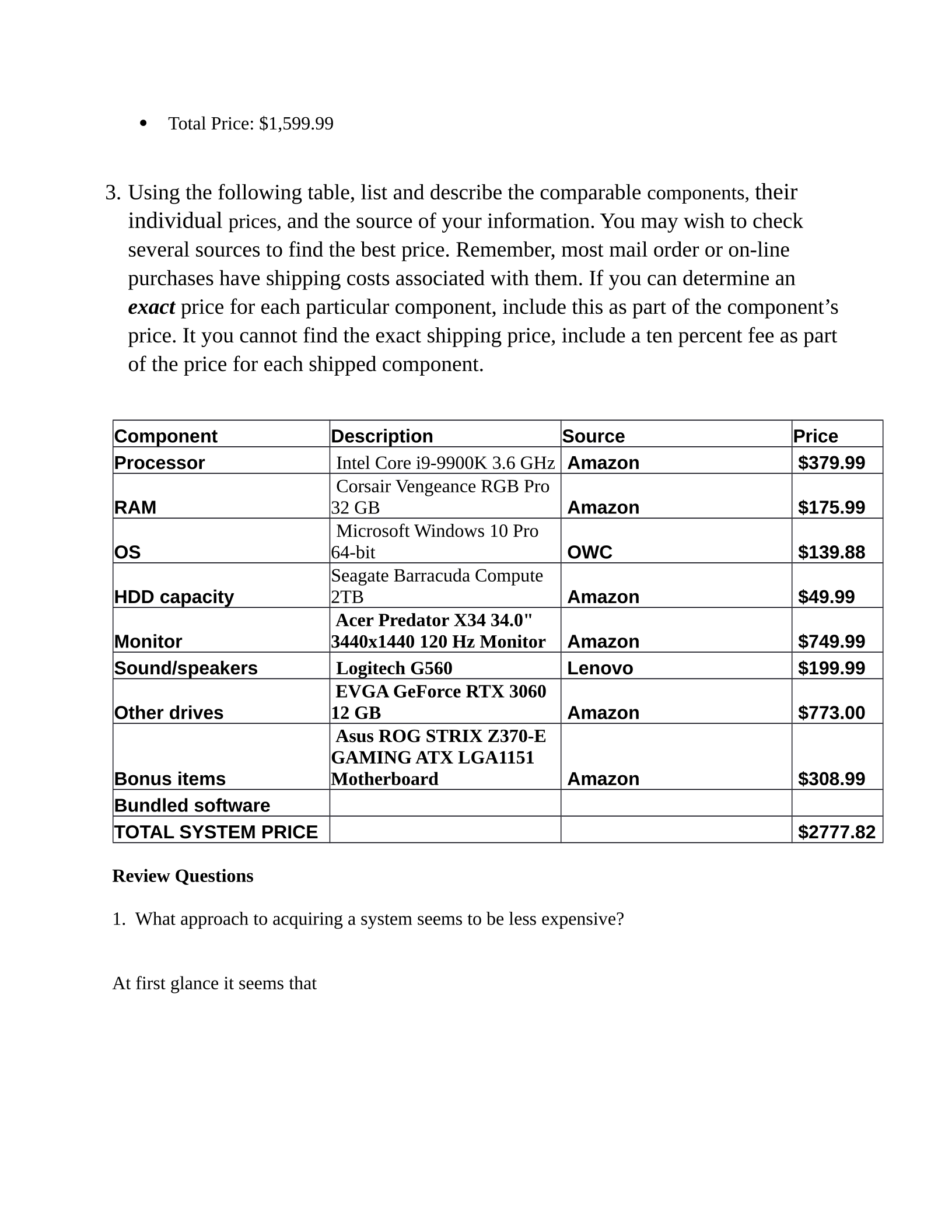
Total Price: $1,599.99
3. Using the following table, list and describe the comparable components, their
individual prices, and the source of your information. You may wish to check
several sources to find the best price. Remember, most mail order or on-line
purchases have shipping costs associated with them. If you can determine an
exact price for each particular component, include this as part of the component’s
price. It you cannot find the exact shipping price, include a ten percent fee as part
of the price for each shipped component.
Component Description Source Price
Processor Intel Core i9-9900K 3.6 GHz Amazon $379.99
RAM
Corsair Vengeance RGB Pro
32 GB Amazon $175.99
OS
Microsoft Windows 10 Pro
64-bit OWC $139.88
HDD capacity
Seagate Barracuda Compute
2TB Amazon $49.99
Monitor
Acer Predator X34 34.0"
3440x1440 120 Hz Monitor Amazon $749.99
Sound/speakers Logitech G560 Lenovo $199.99
Other drives
EVGA GeForce RTX 3060
12 GB Amazon $773.00
Bonus items
Asus ROG STRIX Z370-E
GAMING ATX LGA1151
Motherboard Amazon $308.99
Bundled software
TOTAL SYSTEM PRICE $2777.82
Review Questions
1. What approach to acquiring a system seems to be less expensive?
At first glance it seems that
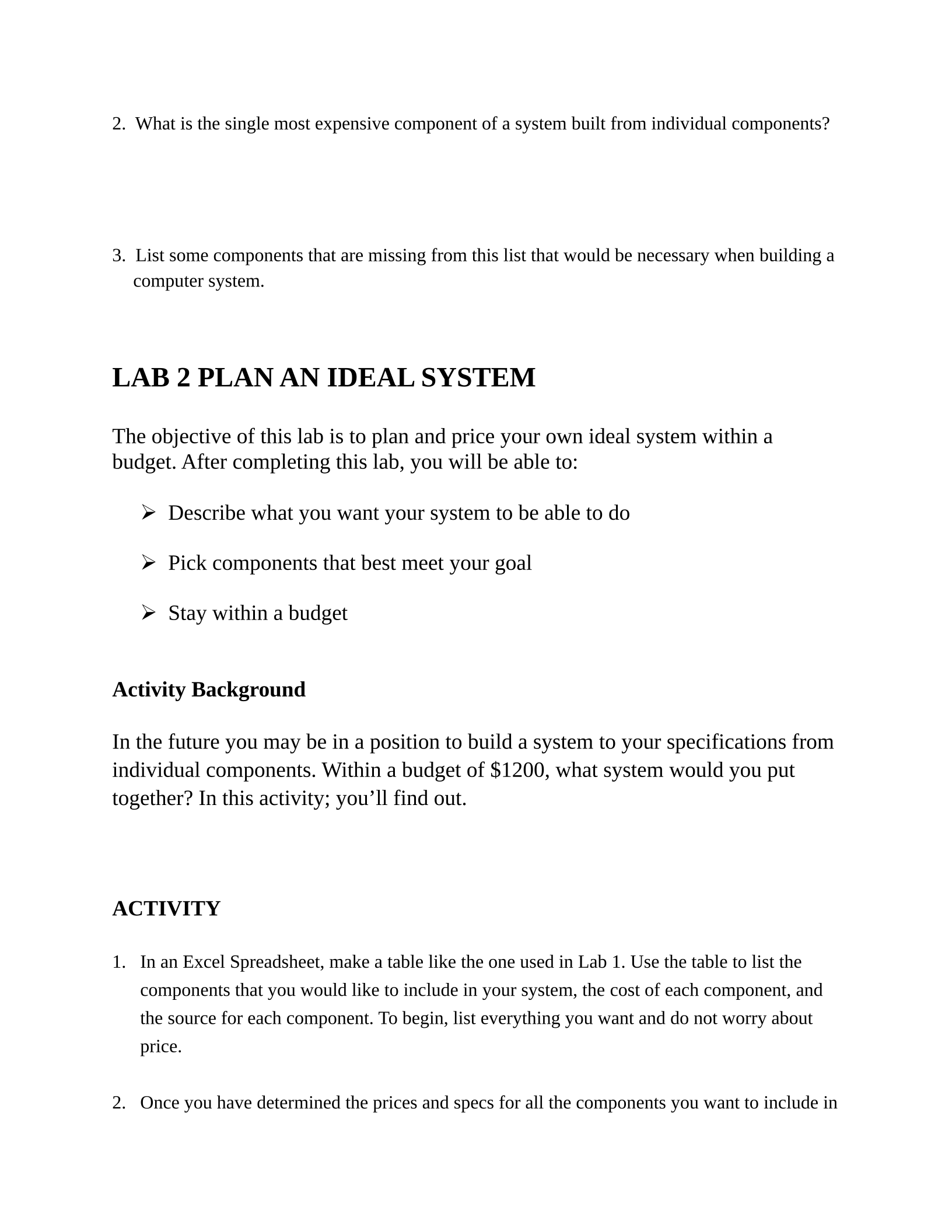
2. What is the single most expensive component of a system built from individual components?
3. List some components that are missing from this list that would be necessary when building a
computer system.
LAB 2 PLAN AN IDEAL SYSTEM
The objective of this lab is to plan and price your own ideal system within a
budget. After completing this lab, you will be able to:
Describe what you want your system to be able to do
Pick components that best meet your goal
Stay within a budget
Activity Background
In the future you may be in a position to build a system to your specifications from
individual components. Within a budget of $1200, what system would you put
together? In this activity; you’ll find out.
ACTIVITY
1. In an Excel Spreadsheet, make a table like the one used in Lab 1. Use the table to list the
components that you would like to include in your system, the cost of each component, and
the source for each component. To begin, list everything you want and do not worry about
price.
2. Once you have determined the prices and specs for all the components you want to include in
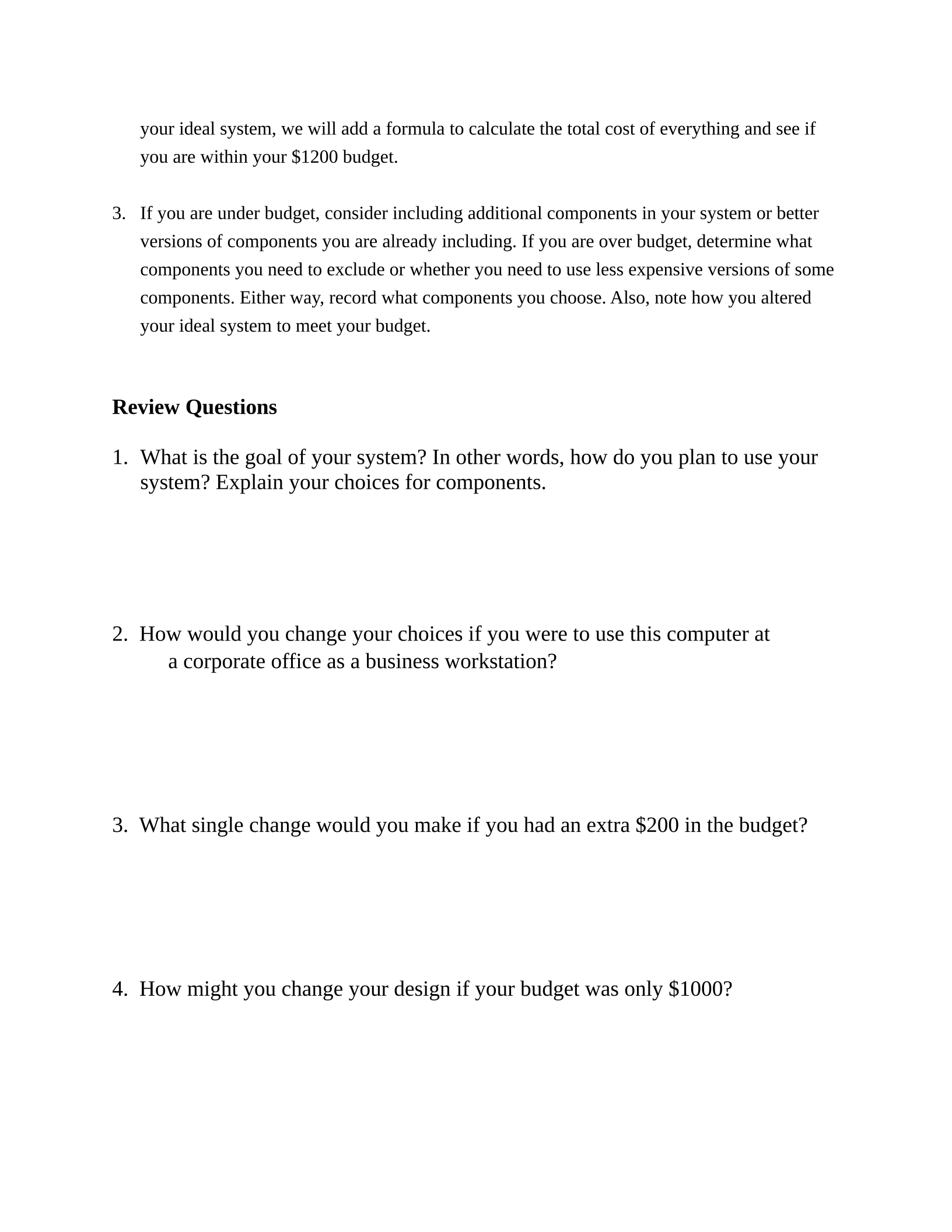
your ideal system, we will add a formula to calculate the total cost of everything and see if
you are within your $1200 budget.
3. If you are under budget, consider including additional components in your system or better
versions of components you are already including. If you are over budget, determine what
components you need to exclude or whether you need to use less expensive versions of some
components. Either way, record what components you choose. Also, note how you altered
your ideal system to meet your budget.
Review Questions
1. What is the goal of your system? In other words, how do you plan to use your
system? Explain your choices for components.
2. How would you change your choices if you were to use this computer at
a corporate office as a business workstation?
3. What single change would you make if you had an extra $200 in the budget?
4. How might you change your design if your budget was only $1000?
Powered by TCPDF (www.tcpdf.org)

