


Preview: CIS376 : SQL Programming
CIS376
Course
Guide
Prerequisites
NOTE: The links in this document do not function. Please refer to your course to view/download linked content.
CIS111 (Introduction to Relational Database Management Systems)
Course Description
This course covers the concept, design and components of querying databases using the Structured Query Language (SQL). It involves the creation of
tables, constraints, use of DML, use of DDL, and defining transactions.
Instructional Materials
Required
Resources
Itzik Ben-Gan. 2017. Exam Ref 70-761 Querying Data with Transact-SQL. Pearson
Education. CBT Nuggets. No date. Microsoft MCSA SQL Server 2016 (70-761).
Note: A student code is required and must be purchased through the Strayer Bookstore. The Strayer Bookstore will distribute this code to each
registered student’s email address. Students should check their junk mail folder as well as their inbox folder for the email.
Course Learning Outcomes
1
Execute SQL statements to select, filter, and aggregate data.
2
Perform advanced data query operations.
3
Program databases using SQL statements.
Weekly Course Schedule
Week 1 - To Do List
Discuss: Introduce yourself to your professor and classmates.
Learn: Read Exam Ref 70-761 Querying Data with Transact-SQL, Chapter 1, Skill 1.1.
Learn: View CBT Nuggets videos.
Discuss: Participate in the discussion, Referential Integrity.
Assignment: Complete CBT Nuggets Virtual Labs 4,6, and 7.
Week 1 - To Do List
Quiz: Complete the Skill 1.1 Quiz.
Week 2 - To Do List
Learn: Read Exam Ref 70-761 Querying Data with Transact-SQL, Chapter 1, Skill 1.2.
Learn: View CBT Nuggets videos.
Discuss: Participate in the discussion, Normalization.
Assignment: Complete CBT Nuggets Virtual Labs 8 and 10.
Quiz: Complete the Skill 1.2 Quiz.
Week 3 - To Do List
Learn: Read Exam Ref 70-761 Querying Data with Transact-SQL, Chapter 1, Skill 1.3.
Learn: View CBT Nuggets videos.
Discuss: Participate in the discussion, Use of Cursors.
Assignment: Complete CBT Nuggets Virtual Labs 12 and 14.
Quiz: Complete the Skill 1.3 Quiz.
Week 4 - To Do List
Learn: Read Exam Ref 70-761 Querying Data with Transact-SQL, Chapter 1, Skill 1.4.
Learn: View CBT Nuggets videos.
Discuss: Participate in the discussion, Stored Procedures and Triggers.
Assignment: Complete CBT Nuggets Virtual Lab 16.
Quiz: Complete the Skill 1.4 Quiz.
Week 5 - To Do List
Learn: Read Exam Ref 70-761 Querying Data with Transact-SQL, Chapter 2, Skill 2.1.
Week 5 - To Do List
Learn: View CBT Nuggets videos.
Discuss: Participate in the discussion, Indexes in a Table.
Assignment: Complete CBT Nuggets Virtual Lab 18.
Quiz: Complete the Skill 2.1 Quiz.
Week 6 - To Do List
Learn: Read Exam Ref 70-761 Querying Data with Transact-SQL, Chapter 2, Skill 2.2.
Learn: View CBT Nuggets videos.
Discuss: Participate in the discussion, Controlling Access to Data.
Assignment: Complete CBT Nuggets Virtual Lab 20.
Quiz: Complete the Skill 2.2 Quiz.
Week 7 - To Do List
Learn: Read Exam Ref 70-761 Querying Data with Transact-SQL, Chapter 2, Skill 2.3.
Learn: View CBT Nuggets videos.
Discuss: Participate in the discussion, SQL Injection.
Assignment: Complete the CBT Nuggets Virtual Lab 22.
Quiz: Complete the Skill 2.3 Quiz.
Week 8 - To Do List
Learn: Read Exam Ref 70-761 Querying Data with Transact-SQL, Chapter 2, Skill 2.4.
Learn: View CBT Nuggets videos.
Discuss: Participate in the discussion, Transaction Processing.
Assignment: Complete CBT Nuggets Labs 24 and 25.
Week 8 - To Do List
Quiz: Complete the Skill 2.4 Quiz.
Week 9 - To Do List
Learn: Read Exam Ref 70-761 Querying Data with Transact-SQL, Chapter 3, Skill 3.1.
Learn: View CBT Nuggets videos.
Discuss: Participate in the discussion, Constraints in a Database.
Assignment: Complete CBT Nuggets Virtual Labs 27, 28, and 29.
Quiz: Complete the Skill 3.1 Quiz.
Week 10 - To Do List
Learn: Read Exam Ref 70-761 Querying Data with Transact-SQL, Chapter 3, Skills 3.2 and 3.3.
Learn: View CBT Nuggets videos.
Discuss: Participate in the discussion, MS SQL and Oracle PL/SQL.
Assignment: Complete CBT Nuggets Virtual Labs 31 and 32.
Quiz: Complete the Skill 3.2 and 3.3 Quiz.
Week 11 - To Do List
Discuss: Participate in the discussion, Impactful Lesson.
Grading Scale
Participation
Total Points
% of Grade
Discussion Participation
200
20%
Assignment
Total Points
% of Grade
w01a1 - CBT Nuggets Virtual Lab: Labs 4, 6, and 7
40
4%
w01q1 - Skill 1.1 Quiz
40
4%
w02a1 - CBT Nuggets Virtual Lab: Labs 8 and 10
40
4%
w02q1 - Skill 1.2 Quiz
40
4%
w03a1 - CBT Nuggets Virtual Lab: Labs 12 and 14
40
4%
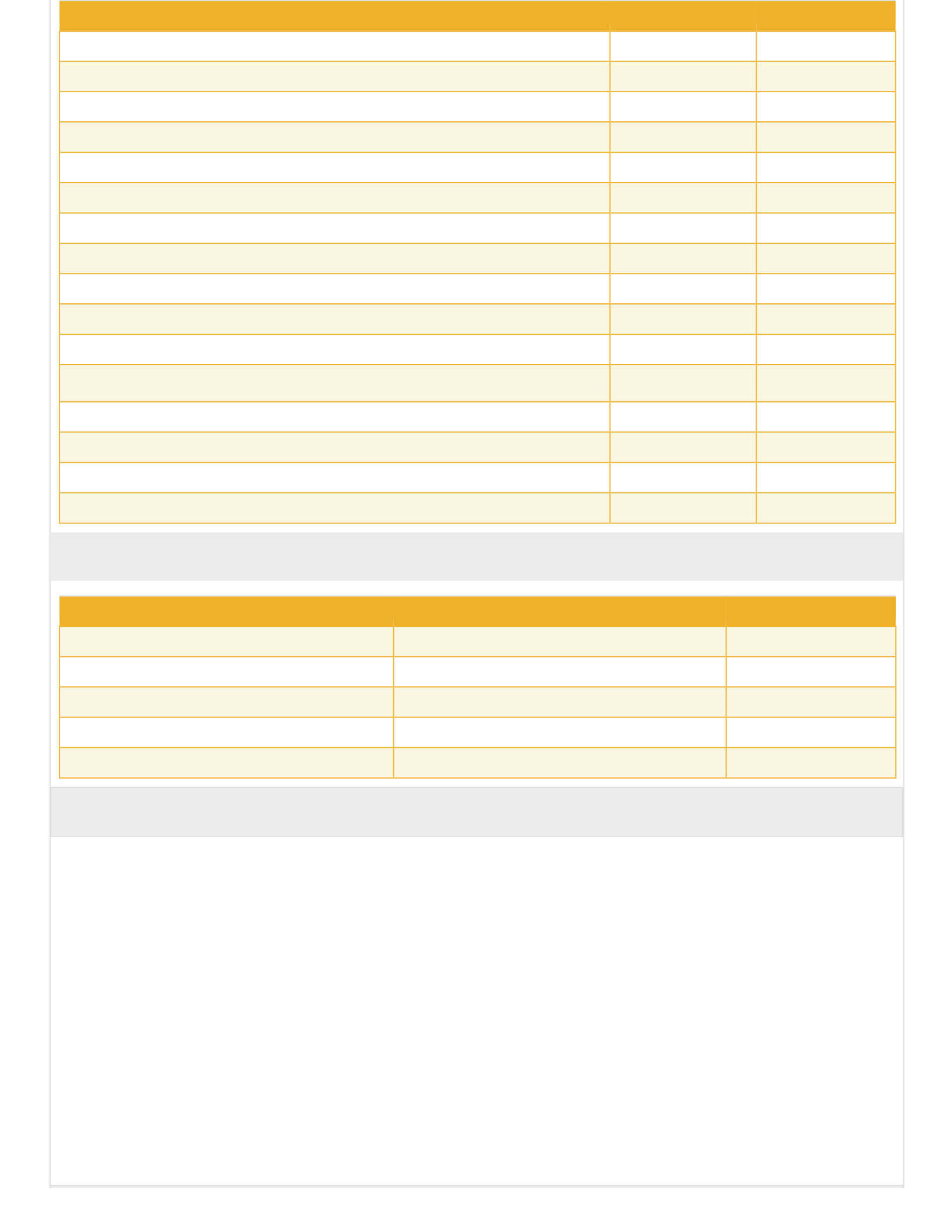
Participation
Total Points
% of Grade
w03q1 - Skill 1.3 Quiz
40
4%
w04a1 - CBT Nuggets Virtual Lab: Lab 16
40
4%
w04q1 - Skill 1.4 Quiz
40
4%
w05a1 - CBT Nuggets Virtual Lab: Lab 18
40
4%
w05q1 - Skill 2.1 Quiz
40
4%
w06a1 - CBT Nuggets Virtual Lab: Lab 20
40
4%
w06q1 - Skill 2.2 Quiz
40
4%
w07a1 - CBT Nuggets Virtual Lab: Lab 22
40
4%
w07q1 - Skill 2.3 Quiz
40
4%
w08a1 - CBT Nuggets Virtual Lab: Labs 24 and 25
40
4%
w08q1 - Skill 2.4 Quiz
40
4%
w09a1 - CBT Nuggets Virtual Lab: Labs 27, 28, and
29
40
4%
w09q1 - Skill 3.1 Quiz
40
4%
w10a1 - CBT Nuggets Virtual Lab: Labs 31 and 32
40
4%
w10q1 - Skill 3.2 and 3.3 Quiz
40
4%
Totals
1000
100%
Final Course Grade
Points
Percentage
Grade
900 - 1000
90% - 100%
A
800 - 899
80% - 89%
B
700 - 799
70% - 79%
C
600 - 699
60% - 69%
D
0 - 599
59% and below
F
Unique Course Features
Grading Scale Notation
Please consult the University Catalog and your academic advisor to determine the final grade needed in this class to satisfy your specific degree
conferral requirements.
Grading Scale Notation
Please consult the University Catalog and your academic advisor to determine the final grade needed in this class to satisfy your specific degree
conferral requirements.
Retired Exam
Microsoft announced that due to its intention to move towards role-based certifications, exams associated with Microsoft Certified Solutions Associate
(MCSA), Microsoft Certified Solutions Developer (MCSD), and Microsoft Certified Solutions Expert (MCSE) certifications will be retired. The exams
associated with these certifications are scheduled to retire on January 31, 2021.
The content in this course aligns to Microsoft certification exam 70-761, which is a retired exam. Students should disregard any and all references to
the Microsoft certification in course materials. However, as the content itself is still relevant and valuable in the industry, students will be expected to
demonstrate competency through the completion of all course activities and assignments, including labs, quizzes, and discussions.
Assignments
w01a1 - CBT Nuggets Virtual Lab: Labs 4, 6, and 7
Summary
Click the linked activity title to access this assignment.
Text
To
complete
your
lab
and
lab
reports,
see
this
week's
lab
report
guide.
Each
report
is
tailored
to
the
specific
labs
assigned:
Week 1 Lab Report [PDF].
Labs
Click each link below and then Launch Virtual Lab on the CBT Nuggets page that appears to launch the following
labs: 4. Getting Started with 70-761 (no lab report required).
6. Writing Basic SELECT
Queries. 7. Filtering Results.
How to Submit Your Lab Reports
To
successfully
submit
your
lab
results,
follow
these
directions:
Complete the CBT Nuggets Virtual Labs assigned this week.
Take screenshots of your results as prescribed by the lab report guide.
Collect your screenshots for the week’s labs into a single report using the guide provided.
Don’t forget to “sign” each lab part. The first line in the SQL Window must be a comment with your Name, Student ID, and Lab number.
Submit your report to this assignment.
(Note: Failure to submit the result into the assignment submission area within the Strayer Blackboard courseroom will result in zero points for
the assignment. Evidence of purposely skipped answers, incomplete answers, or limited effort is at the professor's discretion and may result in
partial or incomplete credit for the assignment.)
Scoring Guide
Complete
lab
and
submit
with
all
required
materials.
100
%
w02a1 - CBT Nuggets Virtual Lab: Labs 8 and 10
Summary
Click the linked activity title to access this assignment.
Text
To
complete
your
lab
and
lab
reports,
see
this
week's
lab
report
guide.
Each
report
is
tailored
to
the
specific
labs
assigned:
Week 2 Lab Report [PDF].
Labs
Click each link below and then Launch Virtual Lab on the CBT Nuggets page that appears to launch the following
lab: 8: Combining Results.
10: Querying Multiple Tables with JOINs.
Unacceptable
Needs Improvement
Satisfactory
Competent
Exemplary
Completed less than
60% of the lab
submission.
Completed 60–69% of the
lab submission.
Completed 70–79% of the
lab submission.
Completed 80–89% of the
lab submission.
Completed 90–100% of the
lab submission.
How to Submit Your Lab Reports
To
successfully
submit
your
lab
results,
follow
these
directions:
Complete the CBT Nuggets Virtual Labs assigned this week.
Take screenshots of your results as prescribed by the lab report guide.
Collect your screenshots for the week’s labs into a single report using the guide provided.
Don’t forget to “sign” each lab part. The first line in the SQL Window must be a comment with your Name, Student ID, and Lab number.
Submit your report to this assignment.
(Note: Failure to submit the result into the assignment submission area within the Strayer Blackboard courseroom will result in zero points for the
assignment. Evidence of purposely skipped answers, incomplete answers, or limited effort is at the professor's discretion and may result in partial or
incomplete credit for the assignment.)
Scoring Guide
Complete
lab
and
submit
with
all
required
materials.
100
%
Unacceptable
Needs Improvement
Satisfactory
Competent
Exemplary
Completed less than
60% of the lab
submission.
Completed 60–69% of the
lab submission.
Completed 70–79% of the
lab submission.
Completed 80–89% of the
lab submission.
Completed 90–100% of the
lab submission.
w03a1 - CBT Nuggets Virtual Lab: Labs 12 and
14 Summary
Click the linked activity title to access this assignment.
Text
To
complete
your
lab
and
lab
reports,
see
this
week's
lab
report
guide.
Each
report
is
tailored
to
the
specific
labs
assigned:
Week 3 Lab Report [PDF].
Labs
Click each link below and then Launch Virtual Lab on the CBT Nuggets page that appears to launch the following lab:
12:
Writing
Queries
with
Built-In
Functions.
14:
Writing
Queries
that
Aggregate
Data.
How to Submit Your Lab Reports
To
successfully
submit
your
lab
results,
follow
these
directions:
Complete the CBT Nuggets Virtual Labs assigned this week.
Take screenshots of your results as prescribed by the lab report guide.
Collect your screenshots for the week’s labs into a single report using the guide provided.
Don’t forget to “sign” each lab part. The first line in the SQL Window must be a comment with your Name, Student ID, and Lab number.
Submit your report to this assignment.
(Note: Failure to submit the result into the assignment submission area within the Strayer Blackboard courseroom will result in zero points for the
assignment. Evidence of purposely skipped answers, incomplete answers, or limited effort is at the professor's discretion and may result in partial or
incomplete credit for the assignment.)
Scoring Guide
Complete
lab
and
submit
with
all
required
materials.
100
%
Unacceptable
Needs Improvement
Satisfactory
Competent
Exemplary
Completed less than
60% of the lab
submission.
Completed 60–69% of the
lab submission.
Completed 70–79% of the
lab submission.
Completed 80–89% of the
lab submission.
Completed 90–100% of the
lab submission.

w04a1 - CBT Nuggets Virtual Lab: Lab 16
Summary
Click the linked activity title to access this assignment.
Text
To
complete
your
lab
and
lab
reports,
see
this
week's
lab
report
guide.
Each
report
is
tailored
to
the
specific
labs
assigned:
Week 4 Lab Report [PDF].
Labs
Click each link below and then Launch Virtual Lab on the CBT Nuggets page that appears to launch the following lab:
16: Writing Queries that Modify Data.
How to Submit Your Lab Reports
To
successfully
submit
your
lab
results,
follow
these
directions:
Complete the CBT Nuggets Virtual Labs assigned this week.
Take screenshots of your results as prescribed by the lab report guide.
Collect your screenshots for the week’s labs into a single report using the guide provided.
Don’t forget to “sign” each lab part. The first line in the SQL Window must be a comment with your Name, Student ID, and Lab number.
Submit your report to this assignment.
(Note: Failure to submit the result into the assignment submission area within the Strayer Blackboard courseroom will result in zero points for the
assignment. Evidence of purposely skipped answers, incomplete answers, or limited effort is at the professor's discretion and may result in partial or
incomplete credit for the assignment.)
Scoring Guide
Complete
lab
and
submit
with
all
required
materials.
100
%
Unacceptable
Needs Improvement
Satisfactory
Competent
Exemplary
Completed less than
60% of the lab
submission.
Completed 60–69% of the
lab submission.
Completed 70–79% of the
lab submission.
Completed 80–89% of the
lab submission.
Completed 90–100% of the
lab submission.
w05a1 - CBT Nuggets Virtual Lab: Lab
18 Summary
Click the linked activity title to access this assignment.
Text
To
complete
your
lab
and
lab
reports,
see
this
week's
lab
report
guide.
Each
report
is
tailored
to
the
specific
labs
assigned:
Week 5 Lab Report [PDF].
Labs
Click each link below and then Launch Virtual Lab on the CBT Nuggets page that appears to launch the following lab:
18: Writing Subqueries and using APPLY.
How to Submit Your Lab Reports
To
successfully
submit
your
lab
results,
follow
these
directions:
Complete the CBT Nuggets Virtual Labs assigned this week.
Take screenshots of your results as prescribed by the lab report guide.
Collect your screenshots for the week’s labs into a single report using the guide provided.
Don’t forget to “sign” each lab part. The first line in the SQL Window must be a comment with your Name, Student ID, and Lab number.
Submit your report to this assignment.
(Note: Failure to submit the result into the assignment submission area within the Strayer Blackboard courseroom will result in zero points for the
assignment. Evidence of purposely skipped answers, incomplete answers, or limited effort is at the professor's discretion and may result in partial or
incomplete credit for the assignment.)
Scoring Guide
Complete
lab
and
submit
with
all
required
materials.
100
%
Unacceptable
Needs Improvement
Satisfactory
Competent
Exemplary
Completed less than
60% of the lab
submission.
Completed 60–69% of the
lab submission.
Completed 70–79% of the
lab submission.
Completed 80–89% of the
lab submission.
Completed 90–100% of the
lab submission.
w06a1 - CBT Nuggets Virtual Lab: Lab
20 Summary
Click the linked activity title to access this assignment.
Text
To
complete
your
lab
and
lab
reports,
see
this
week's
lab
report
guide.
Each
report
is
tailored
to
the
specific
labs
assigned:
Week 6 Lab Report [PDF].
Labs
Click each link below and then Launch Virtual Lab on the CBT Nuggets page that appears to launch the following lab:
20: Writing Queries using Table Expressions.
How to Submit Your Lab Reports
To
successfully
submit
your
lab
results,
follow
these
directions:
Complete the CBT Nuggets Virtual Labs assigned this week.
Take screenshots of your results as prescribed by the lab report guide.
Collect your screenshots for the week’s labs into a single report using the guide provided.
Don’t forget to “sign” each lab part. The first line in the SQL Window must be a comment with your Name, Student ID, and Lab number.
Submit your report to this assignment.
(Note: Failure to submit the result into the assignment submission area within the Strayer Blackboard courseroom will result in zero points for the
assignment. Evidence of purposely skipped answers, incomplete answers, or limited effort is at the professor's discretion and may result in partial or
incomplete credit for the assignment.)
Scoring Guide
Complete
lab
and
submit
with
all
required
materials.
100
%
Unacceptable
Needs Improvement
Satisfactory
Competent
Exemplary
Completed less than
60% of the lab
submission.
Completed 60–69% of the
lab submission.
Completed 70–79% of the
lab submission.
Completed 80–89% of the
lab submission.
Completed 90–100% of the
lab submission.
w07a1 - CBT Nuggets Virtual Lab: Lab
22 Summary
Click the linked activity title to access this assignment.
Text
To
complete
your
lab
and
lab
reports,
see
this
week's
lab
report
guide.
Each
report
is
tailored
to
the
specific
labs
assigned:
Week 7 Lab Report [PDF].
Labs
Click each link below and then Launch Virtual Lab on the CBT Nuggets page that appears to launch the following lab:
22: Writing Queries that Pivot and Rank Data.
How to Submit Your Lab Reports
To
successfully
submit
your
lab
results,
follow
these
directions:
Complete the CBT Nuggets Virtual Labs assigned this week.
Take screenshots of your results as prescribed by the lab report guide.
Collect your screenshots for the week’s labs into a single report using the guide provided.
Don’t forget to “sign” each lab part. The first line in the SQL Window must be a comment with your Name, Student ID, and Lab number.
Submit your report to this assignment.
(Note: Failure to submit the result into the assignment submission area within the Strayer Blackboard courseroom will result in zero points for the
assignment. Evidence of purposely skipped answers, incomplete answers, or limited effort is at the professor's discretion and may result in partial or
incomplete credit for the assignment.)
Scoring Guide
Complete
lab
and
submit
with
all
required
materials.
100
%
Unacceptable
Needs Improvement
Satisfactory
Competent
Exemplary
Completed less than
60% of the lab
submission.
Completed 60–69% of the
lab submission.
Completed 70–79% of the
lab submission.
Completed 80–89% of the
lab submission.
Completed 90–100% of the
lab submission.
w08a1 - CBT Nuggets Virtual Lab: Labs 24 and
25 Summary
Click the linked activity title to access this assignment.
Text
To
complete
your
lab
and
lab
reports,
see
this
week's
lab
report
guide.
Each
report
is
tailored
to
the
specific
labs
assigned:
Week 8 Lab Report [PDF].
Labs
Click each link below and then Launch Virtual Lab on the CBT Nuggets page that appears to launch the following lab:
24: Writing Queries against Temporal Data.
25: Writing Queries against XML and JSON Data.
How to Submit Your Lab Reports
To
successfully
submit
your
lab
results,
follow
these
directions:
Complete the CBT Nuggets Virtual Labs assigned this week.
Take screenshots of your results as prescribed by the lab report guide.
Collect your screenshots for the week’s labs into a single report using the guide provided.
Don’t forget to “sign” each lab part. The first line in the SQL Window must be a comment with your Name, Student ID, and Lab number.
Submit your report to this assignment.
(Note: Failure to submit the result into the assignment submission area within the Strayer Blackboard courseroom will result in zero points for the
assignment. Evidence of purposely skipped answers, incomplete answers, or limited effort is at the professor's discretion and may result in partial or
incomplete credit for the assignment.)
Scoring Guide
Complete
lab
and
submit
with
all
required
materials.
100
%
Unacceptable
Needs Improvement
Satisfactory
Competent
Exemplary
Completed less than
60% of the lab
submission.
Completed 60–69% of the
lab submission.
Completed 70–79% of the
lab submission.
Completed 80–89% of the
lab submission.
Completed 90–100% of the
lab submission.
w09a1 - CBT Nuggets Virtual Lab: Labs 27, 28, and
29 Summary
Click the linked activity title to access this assignment.
Text
To
complete
your
lab
and
lab
reports,
see
this
week's
lab
report
guide.
Each
report
is
tailored
to
the
specific
labs
assigned:
Week 9 Lab Report [PDF].
Labs
Click each link below and then Launch Virtual Lab on the CBT Nuggets page that appears to launch the following lab:
27: Creating Views.
28: Creating User-defined
Functions. 29: Creating Stored
Procedures.
How to Submit Your Lab Reports
To
successfully
submit
your
lab
results,
follow
these
directions:
Complete the CBT Nuggets Virtual Labs assigned this week.
Take screenshots of your results as prescribed by the lab report guide.
Collect your screenshots for the week’s labs into a single report using the guide provided.
Don’t forget to “sign” each lab part. The first line in the SQL Window must be a comment with your Name, Student ID, and Lab number.
Submit your report to this assignment.
(Note: Failure to submit the result into the assignment submission area within the Strayer Blackboard courseroom will result in zero points for the
assignment. Evidence of purposely skipped answers, incomplete answers, or limited effort is at the professor's discretion and may result in partial or
incomplete credit for the assignment.)
Scoring Guide
Complete
lab
and
submit
with
all
required
materials.
100
%
Unacceptable
Needs Improvement
Satisfactory
Competent
Exemplary
Completed less than
60% of the lab
submission.
Completed 60–69% of the
lab submission
Completed 70–79% of the
lab submission.
Completed 80–89% of the
lab submission
Completed 90–100% of the
lab submission.
w10a1 - CBT Nuggets Virtual Lab: Labs 31 and
32 Summary
Click the linked activity title to access this assignment.
Text
To
complete
your
lab
and
lab
reports,
see
this
week's
lab
report
guide.
Each
report
is
tailored
to
the
specific
labs
assigned:
Week 10 Lab Report [PDF].
Labs
Click each link below and then Launch Virtual Lab on the CBT Nuggets page that appears to launch the following lab:
31: Implementing Transactions and Error
Handling. 32: Working Data Types and Handling

Unacceptable
Needs Improvement
Satisfactory
Competent
Exemplary
Completed less than
60% of the lab
submission.
Completed 60–69% of the
lab submission.
Completed 70–79% of the
lab submission.
Completed 80–89% of the
lab submission.
Completed 90–100% of the
lab submission.
2020 Strategic Education, Inc.

