


CSIS 100
LAB: W P C A TIRESHARK ACKET APTURE SSIGNMENT EMPLATE
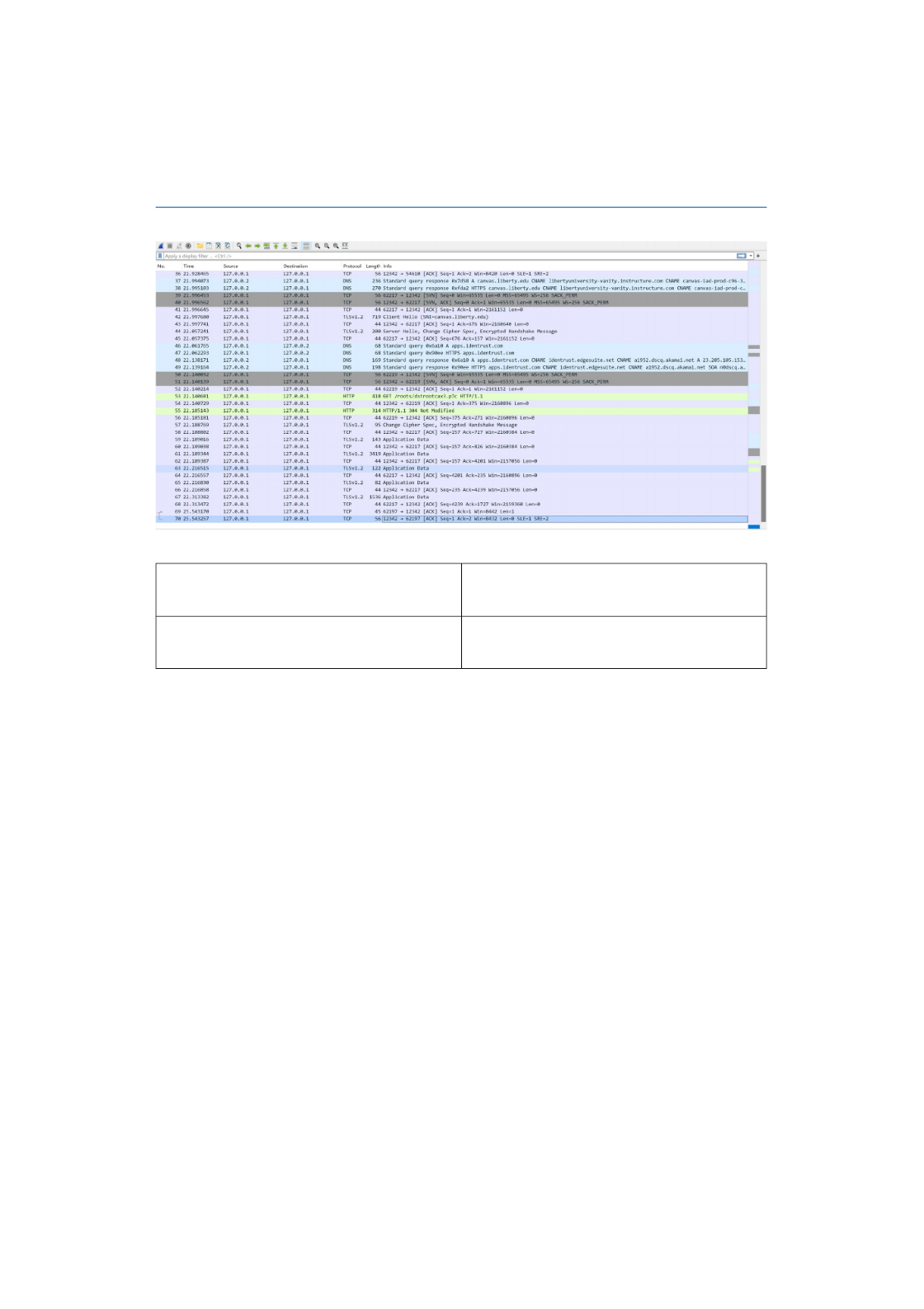
Screenshot #1:
Question #1 How many seconds did your
capture run?
30
Question 2: How many packets did you
capture?
70
Page 1 of 5
CSIS 100
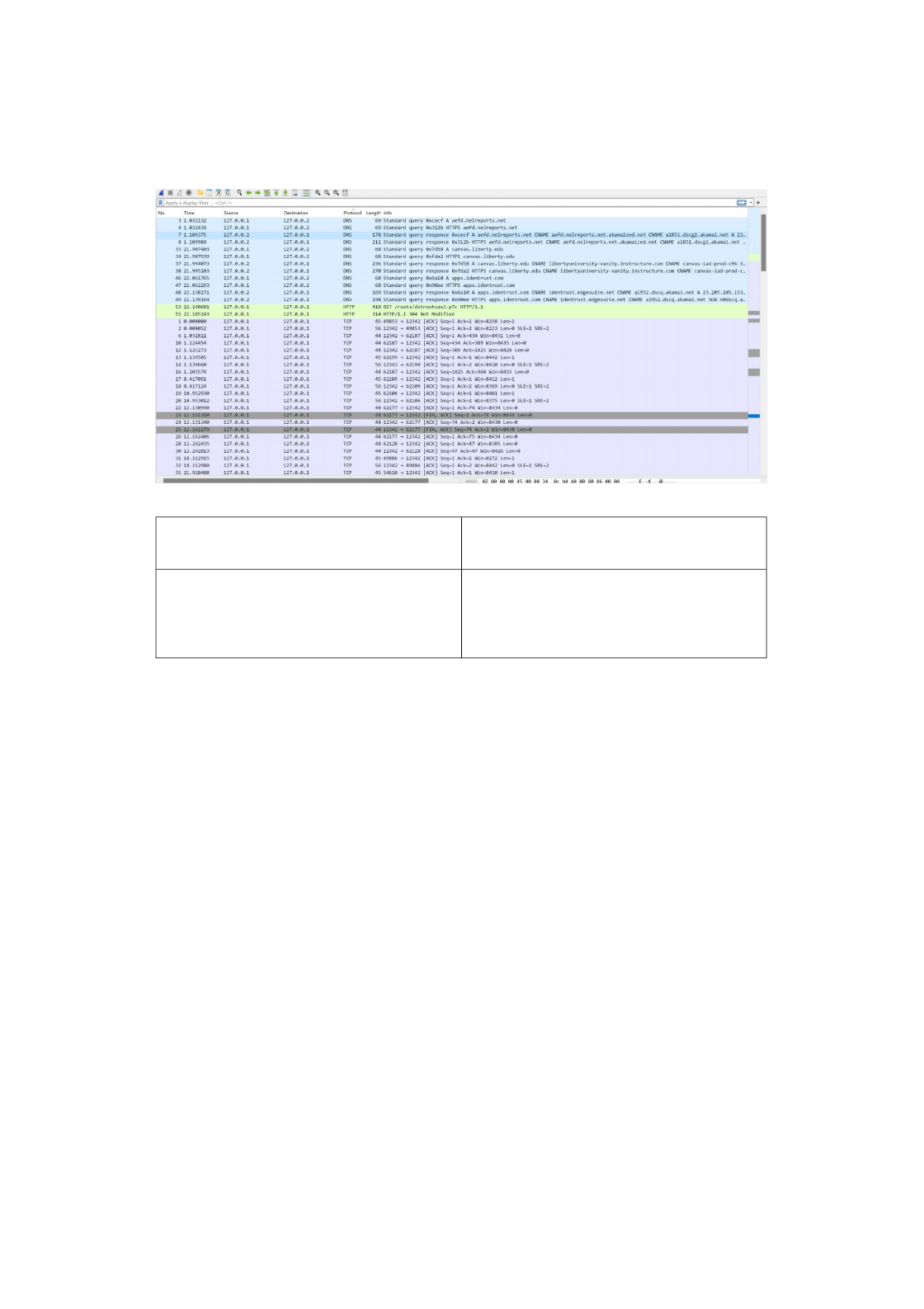
Screenshot #2:
Question 3: What colors are present in your
output?
Light Blue, Light Purple, Light Green,
Dark Gray
Question 4: Are there any protocols that
appear with more than one color? Why or
why not?
Yes, light blue is DNS traffic, light purple
is TCP traffic, light green is HTTP traffic,
and dark gray is traffic that is matching a
coloring rule that is already in place
Page 2 of 5
CSIS 100
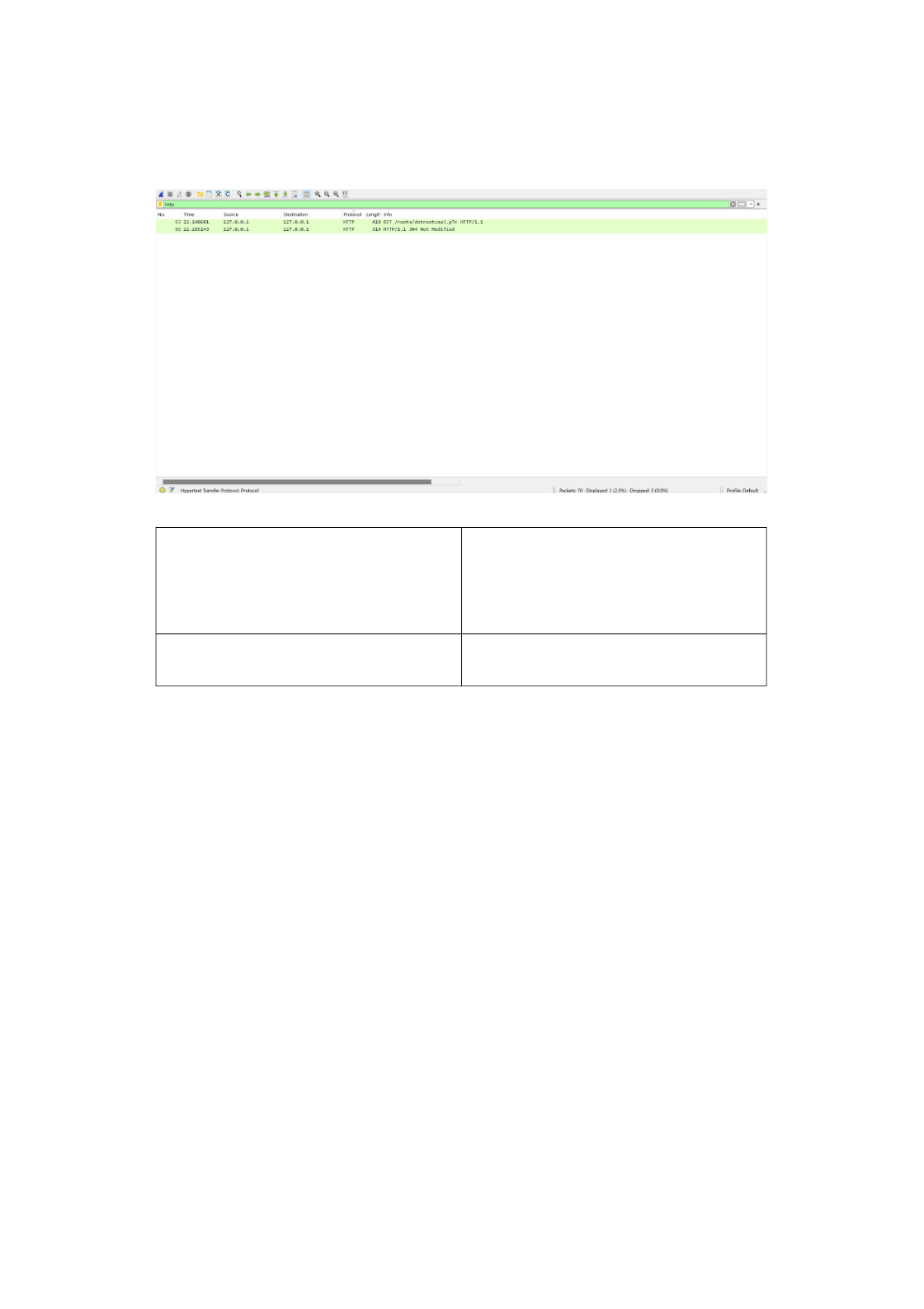
Screenshot #3:
Question 5: How many rows are appearing
in your WireShark capture with the filter in
place? (Be careful with this...The “No.”
column represents the packet number – not
the number of rows currently visible.)
2
Question 6: What other protocols do you see
in the “Protocol” column?
No other protocols are visible other than
HTTP
Page 3 of 5
CSIS 100
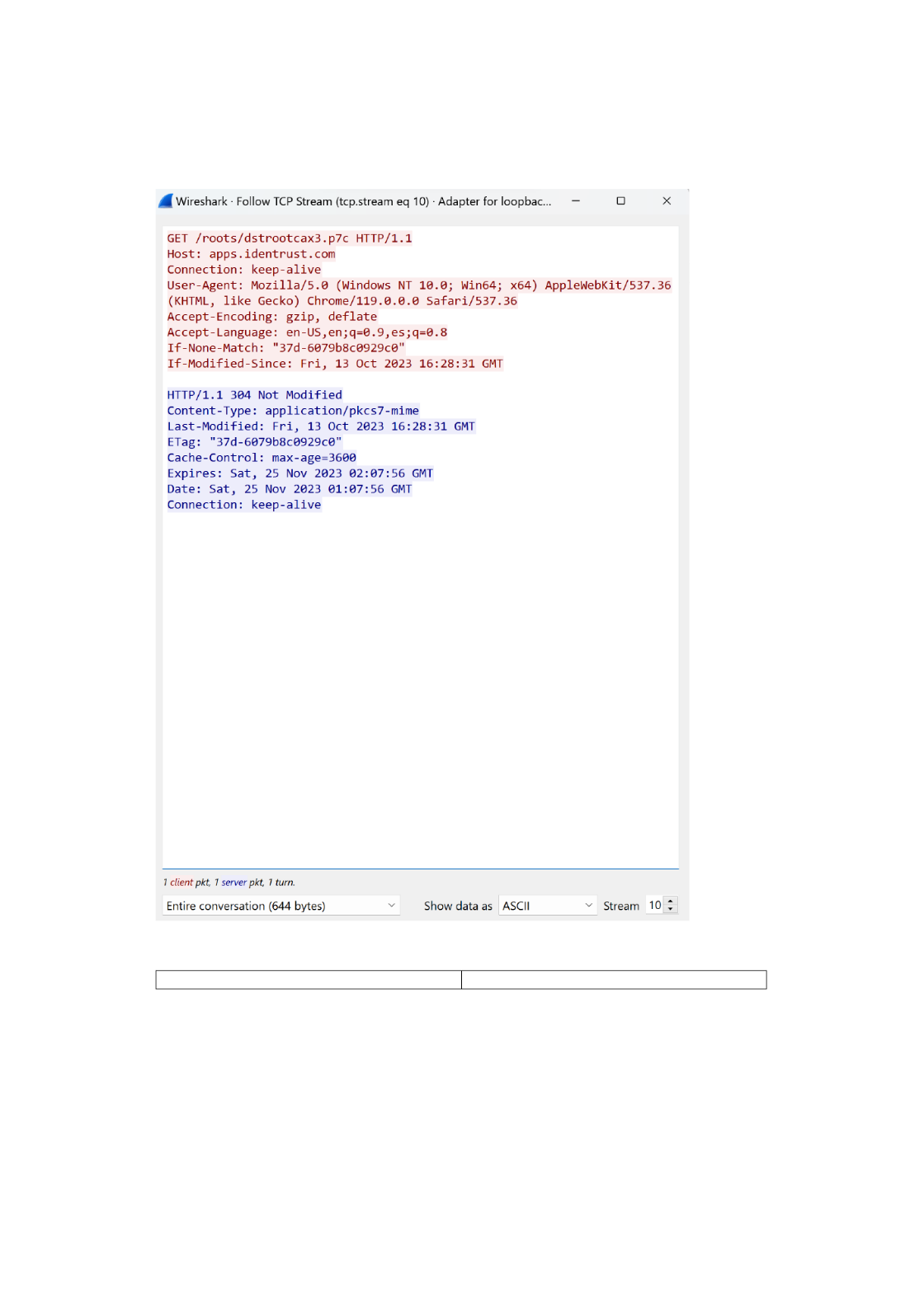
Screenshot #4:
Question 7: What is the host listed directly Apps.identrust.com
Page 4 of 5

CSIS 100
below the GET / HTTP/1.1 command in your
TCP Stream output?
Question 8: How many bytes is the entire
conversation?
644 bytes
Page 5 of 5
CSIS 100
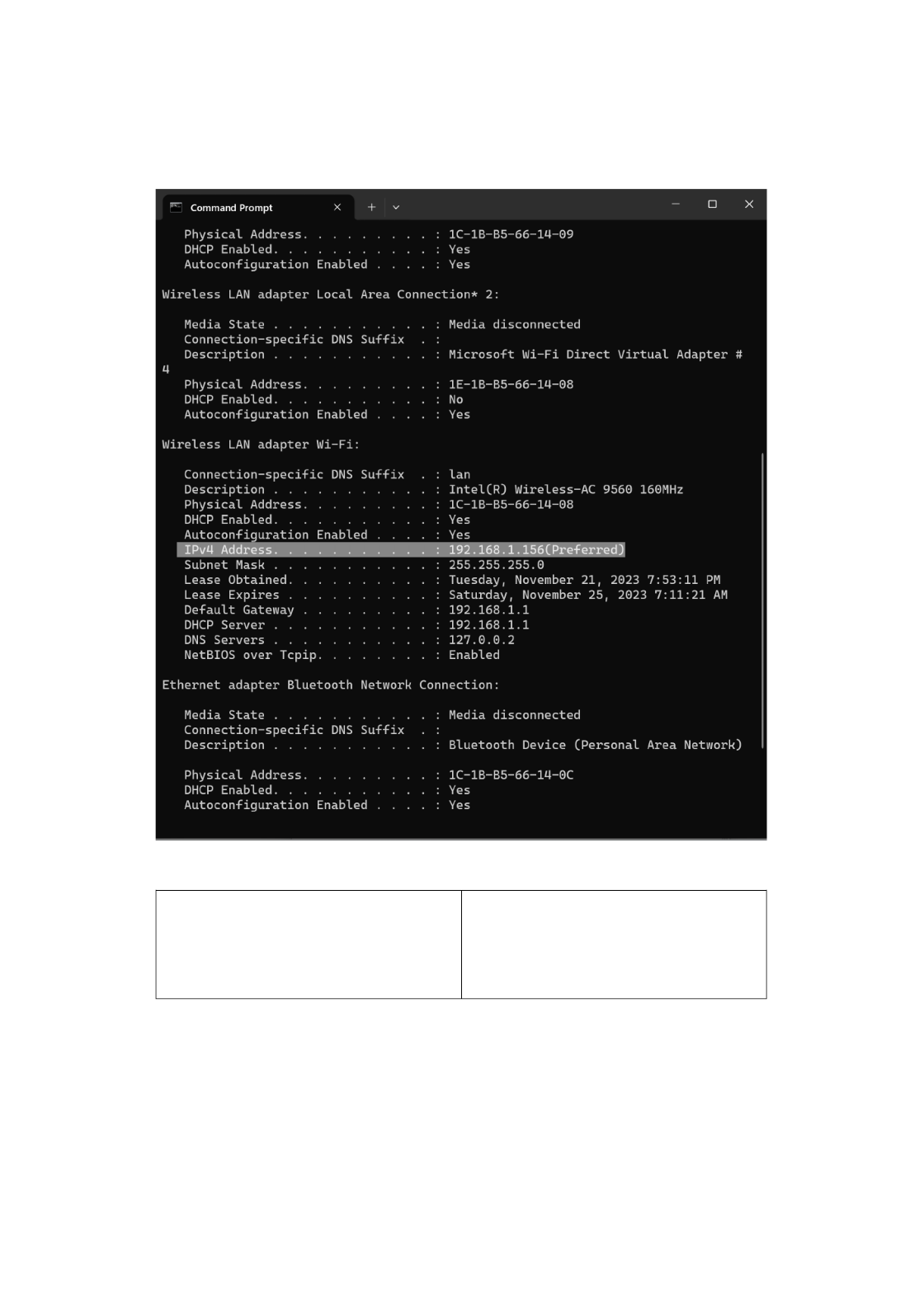
Screenshot #5:
Question 9: Compare the IPv4 address listed
in your ipconfig output to the IP address that
is listed under the Source column in your
Wireshark capture for the first “GET /
HTTP/1.1” row. Are these IP addresses the
same? Why or why not?
No, because NAT is used by your router to
reduce the amount of few public IPs that
are available
Page 6 of 5

CSIS 100
Question 10: Click on the row of the next
packet in this conversation. Does your IP
address appear in the Source or Destination
column? Why?
It appears in both the source and
destination column, because the IPv4 and
IPv6 addresses are the same
Page 7 of 5

