



EEE 120
Lab 1 Answer Sheet (Online Class)
Half Adder, Full Adder, 4-bit Incrementer and Adder
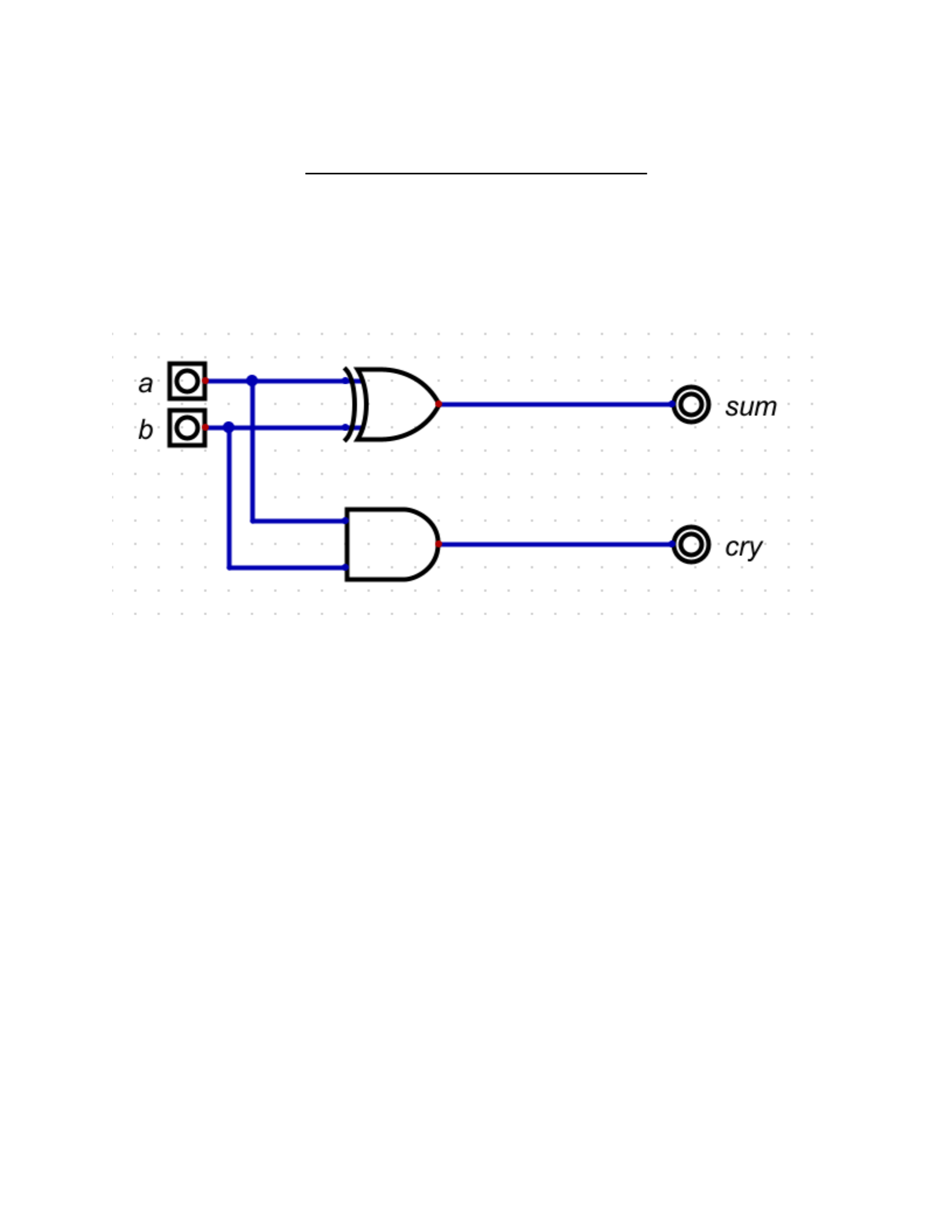
Task 1-1: Build and Test the 1-Bit Half-Adder
Include a picture of your circuit in Digital here:
Please comment on the single biggest issue you were facing when designing the circuit.
No issue when designing the circuit since it was provided.
Include a picture of your waveform (timing diagram) here:
1
version 0.1
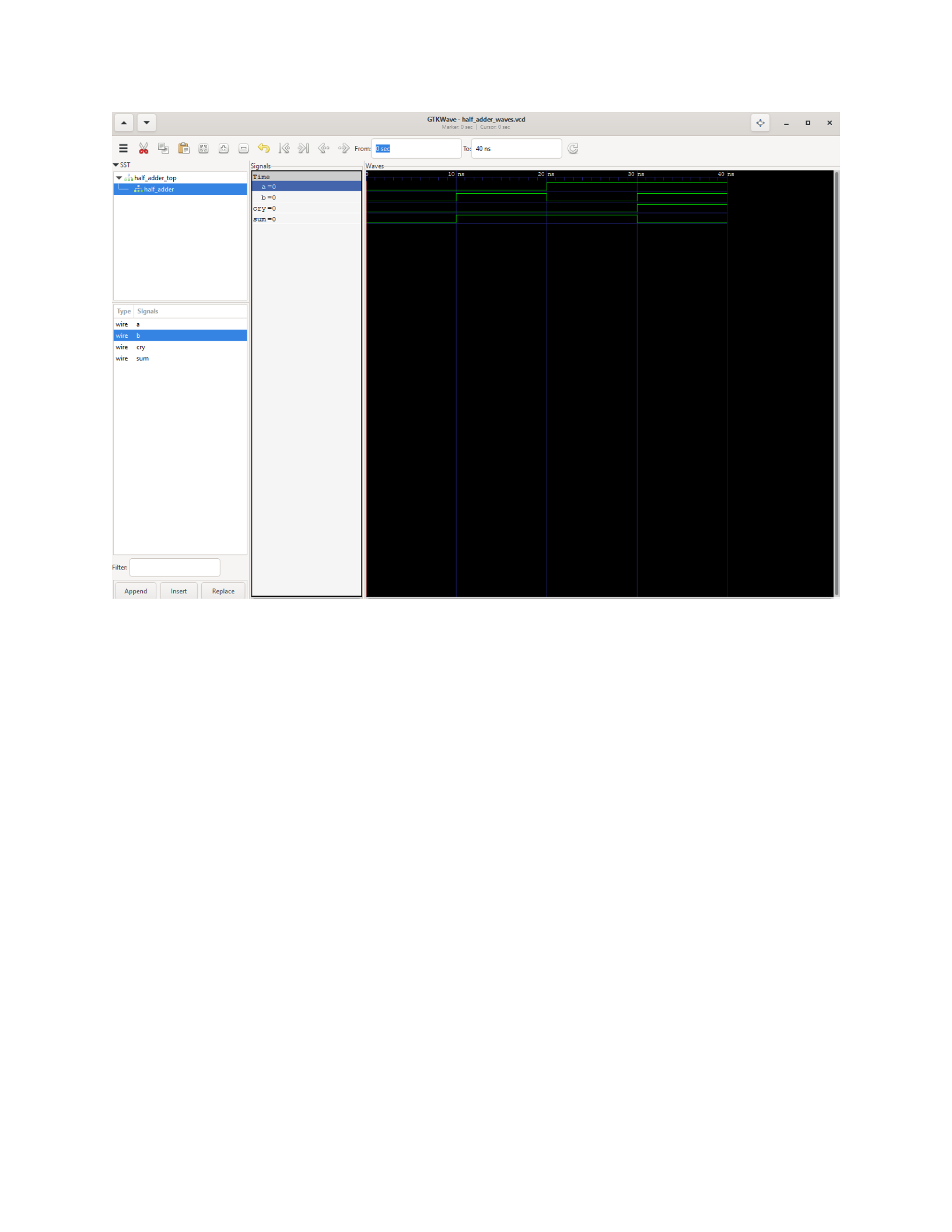
Did the circuit behave as expected? If no, what was wrong?
yes
Please comment on the single biggest issue you were facing when simulating the circuit.
Verifying the output matching the expected behavior.
Task 1-2: Build and Test a 4-Bit Increment Circuit
Include a picture of your circuit in Digital here:
2
version 0.1
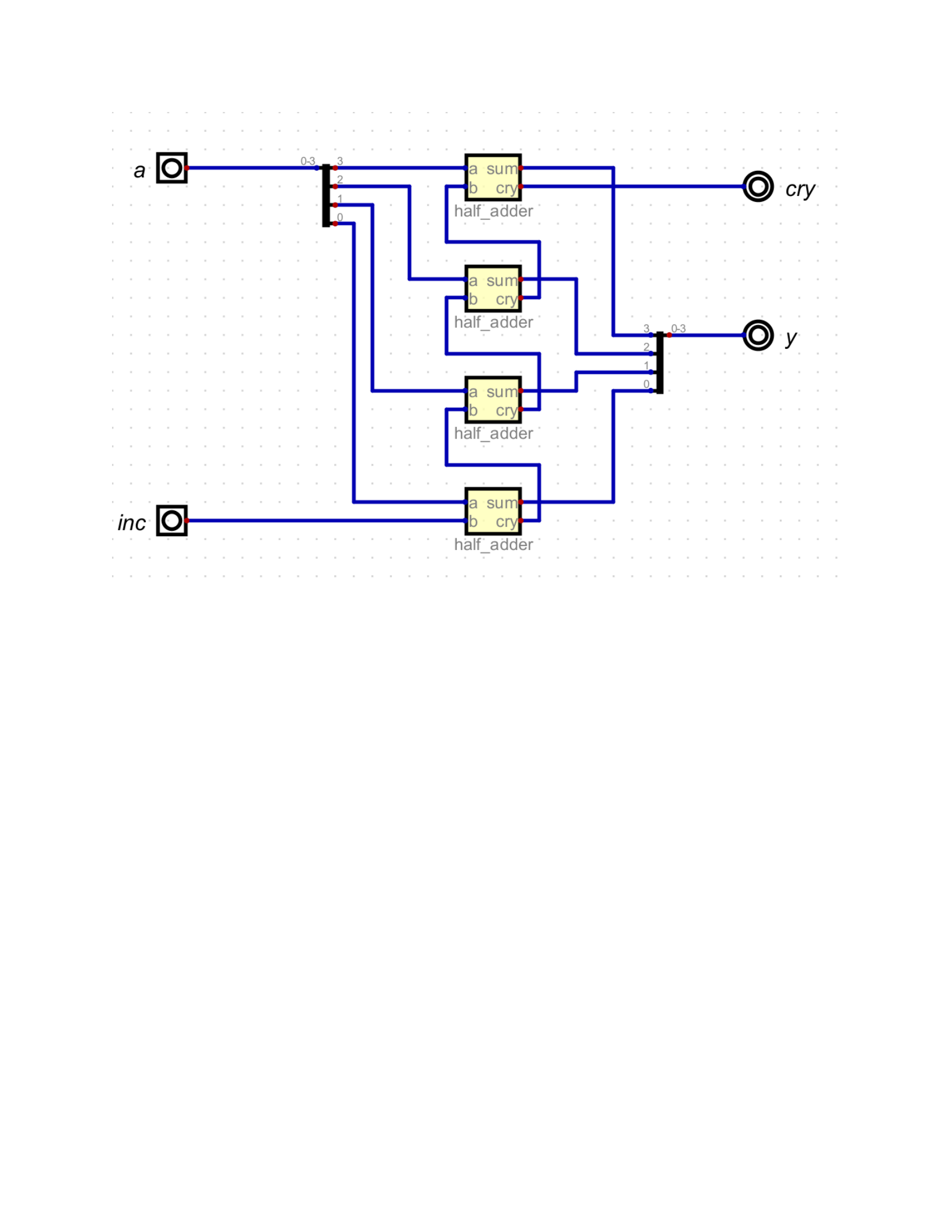
Please comment on the single biggest issue you were facing when designing the circuit.
Making sure the to wire the circuit correctly and set up the bus.
Include a picture of your waveform (timing diagram) here:
3
version 0.1
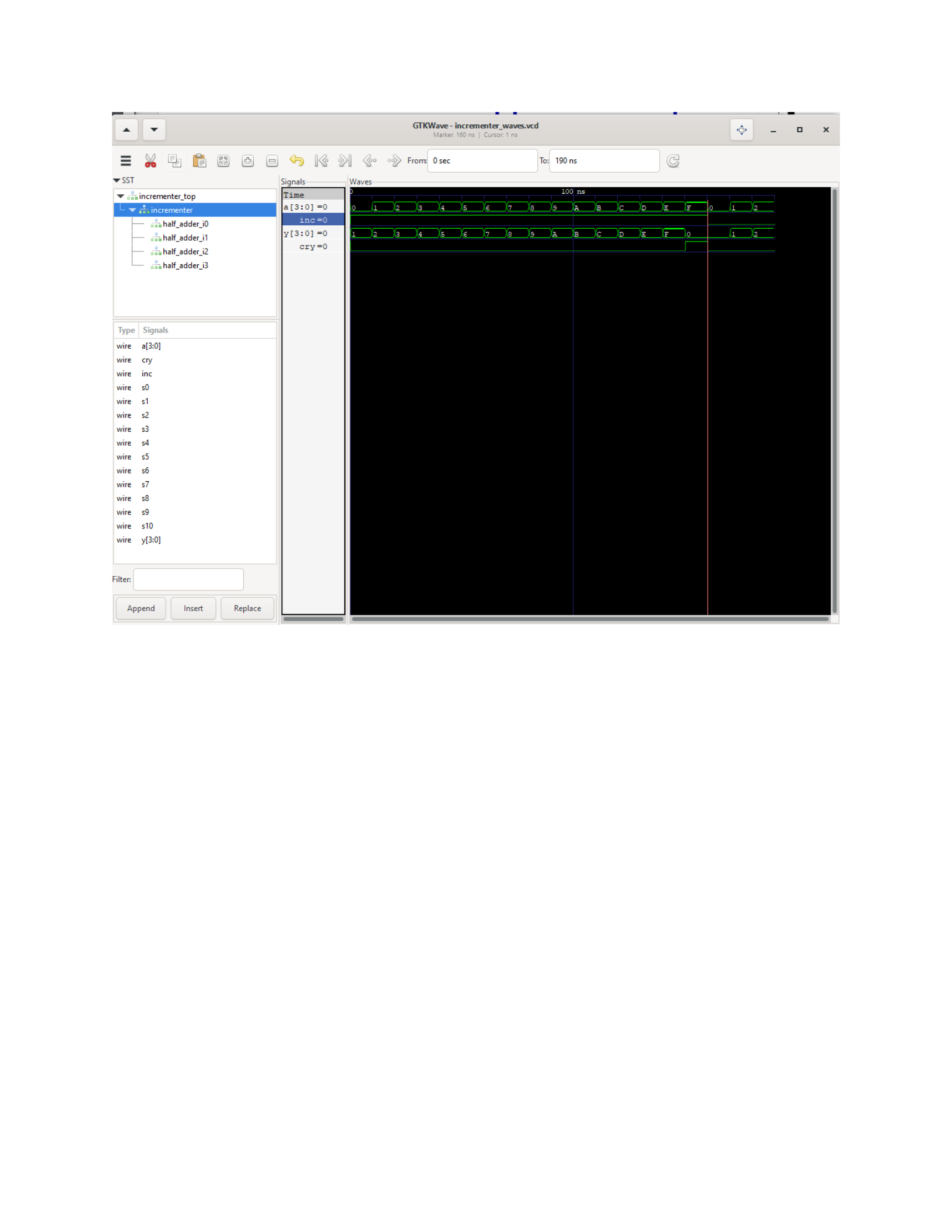
Did the circuit behave as expected? If no, what was wrong?
yes
Please comment on the single biggest issue you were facing when simulating the circuit.
Verifying and understanding the waveform.
Task 1-3: Build and Test a 1-bit Full Adder
Include a picture of your circuit in Digital here:
4
version 0.1
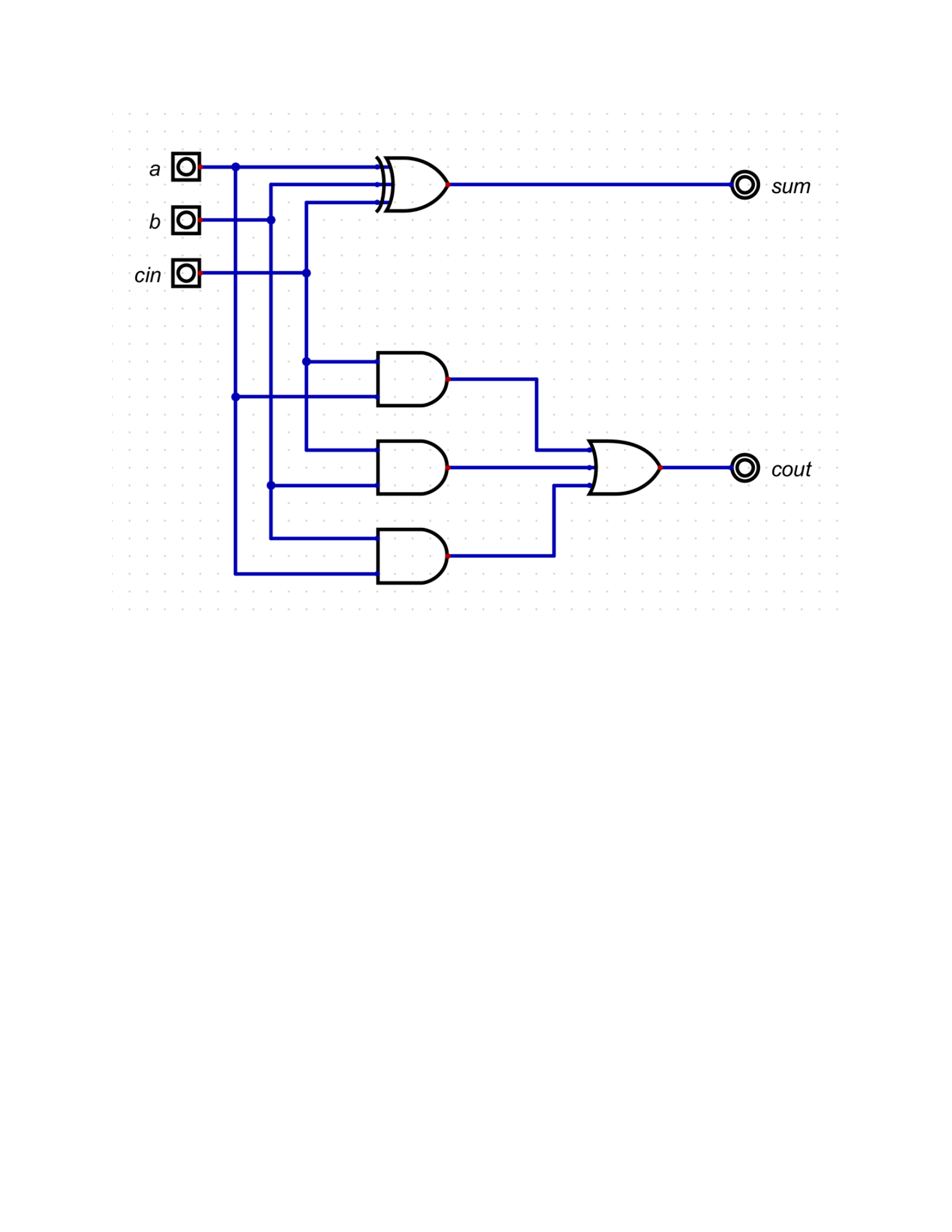
Please comment on the single biggest issue you were facing when designing the circuit.
No issue occurred since the design was provided.
Include a picture of your waveform (timing diagram) here:
5
version 0.1
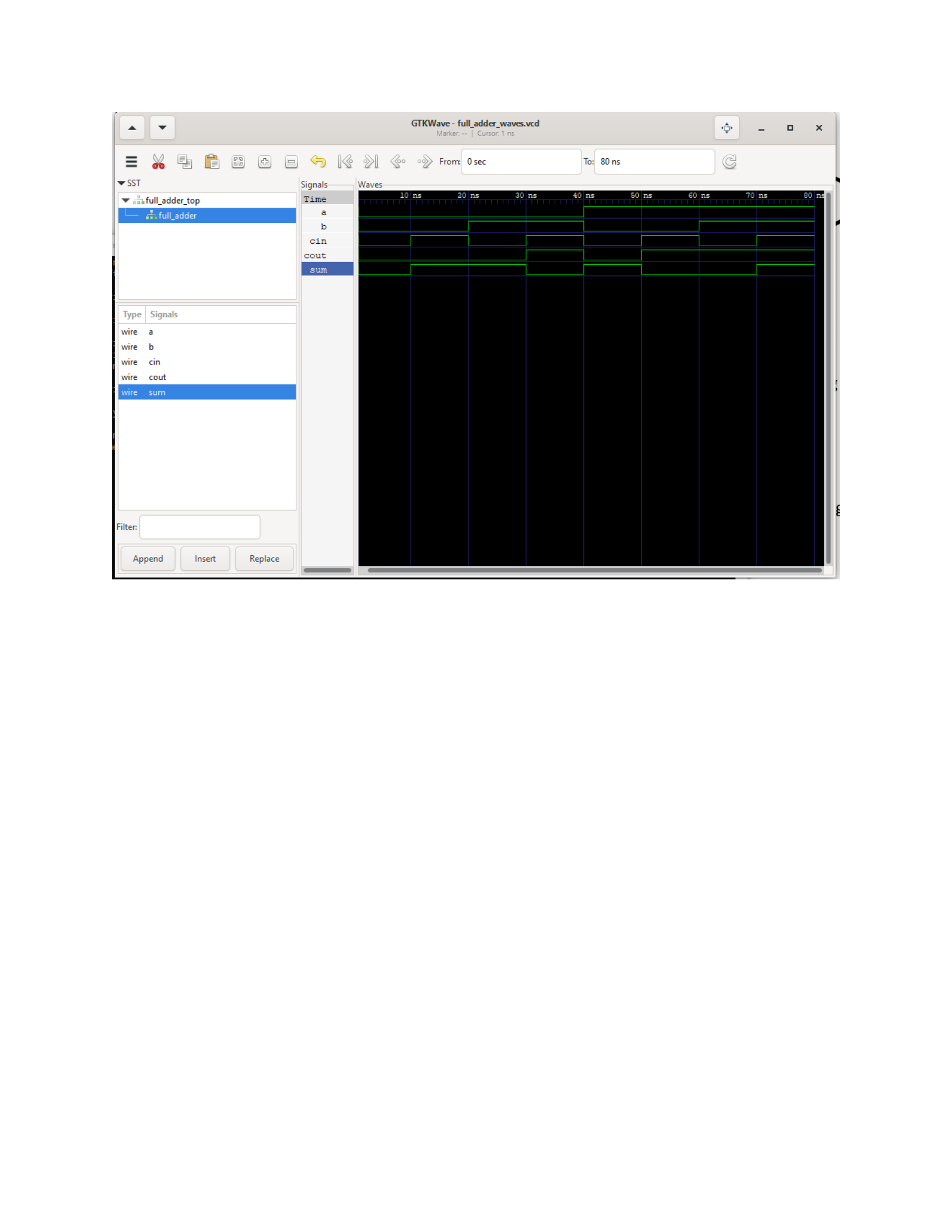
Did the circuit behave as expected? If no, what was wrong?
yes
Please comment on the single biggest issue you were facing when simulating the circuit.
Verifying and understanding the waveform.
Task 1-4: Build and Test a 4-Bit Full Adder
Include a picture of your circuit in Digital here:
6
version 0.1
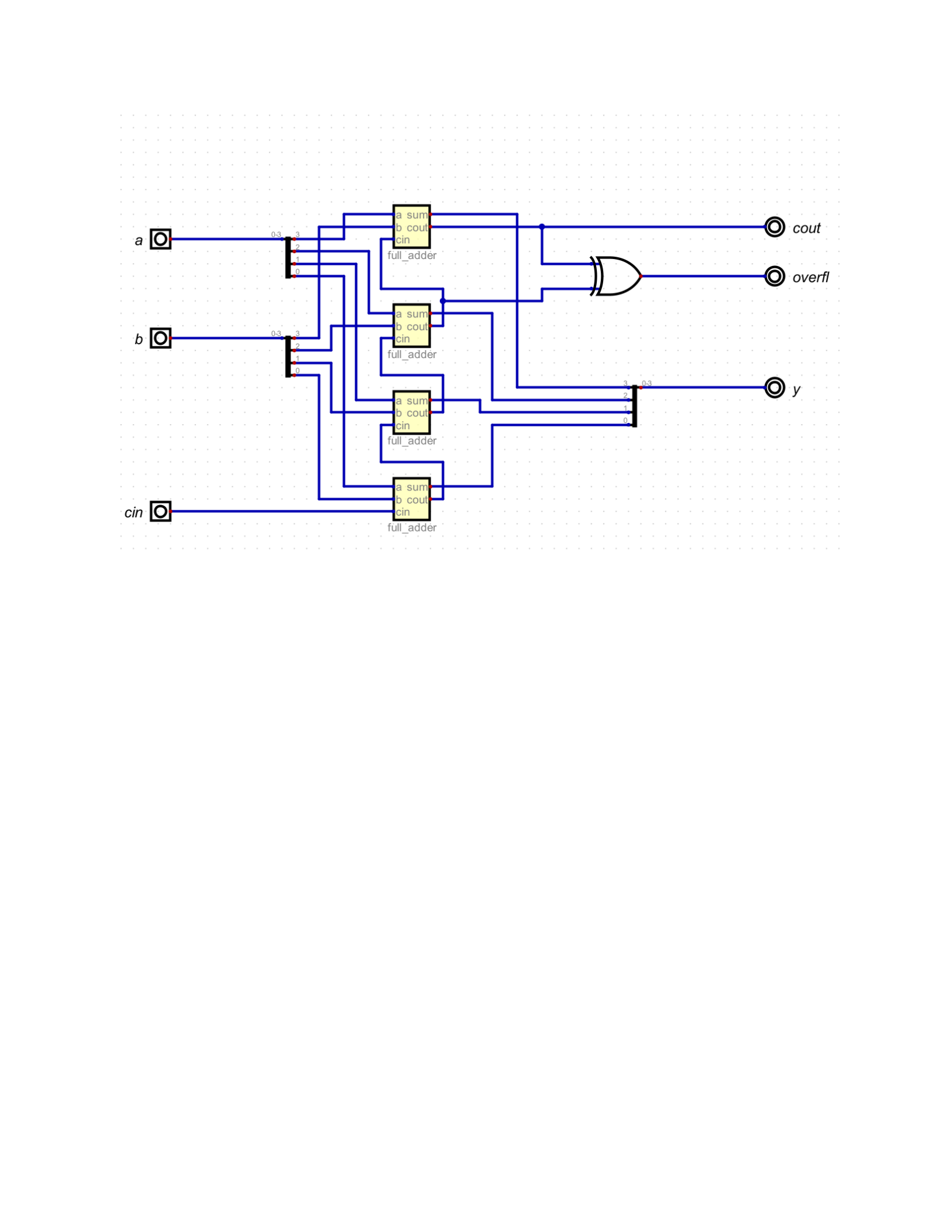
Please comment on the single biggest issue you were facing when designing the circuit.
Making sure the wiring is correct.
Include a picture of your waveform (timing diagram) here:
7
version 0.1
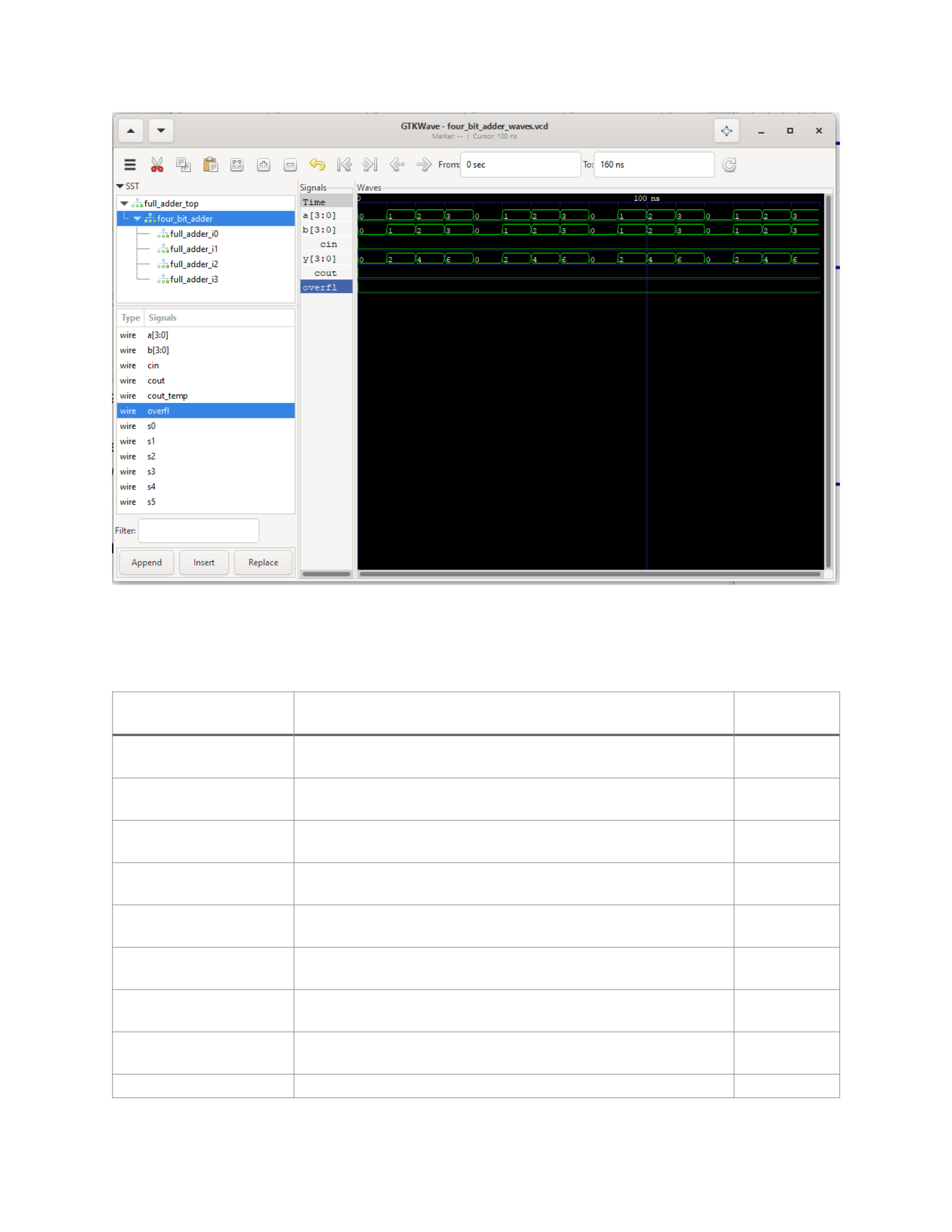
Which tests did you perform and why? The following table is an example of how to describe your test
sequence. You need to make sure to perform a sufficient number of tests to check the circuit for
eventual faults.
Test stimulus Test motivation Pass/Fail
0_0_0_0_0 Check for stuck-at-1 faults pass
0_2_0_1_1 Default addition test Pass
0_4_0_2_2 Default addition test pass
0_6_0_3_3 Default addition test pass
2_9_1_4_4 Carry in,overflow pass
1_E_0_F_F No carry in and overflow, max value pass
2_D_0_6_7 Over flow no carry out pass
1_3_0_7_C Carry out pass
0_F_0_0_F Min+max pass
8
version 0.1

Test stimulus Test motivation Pass/Fail
1_0_0_1_F Max+1 creates overflow pass
1_1_1_1_F Max+1+cin creates overflow pass
0_B_0_3_8 Random addition pass
0_C_1_3_8 Random addition with a carry in pass
1_1_1_7_9 Random addition with a carry in and overflow pass
2_9_0_4_5 Signed addition pass
2_B_0_6_5 Signed addition pass
Please comment on the single biggest issue you were facing when simulating the circuit.
Figuring out the test stimulus cases for the circuit
Task 1-5: Create a video and submit your report (Optional).
[This task is useful to get partial credit if your schematic is not working. Take advantage of it to explain
to the grader your understanding of the circuit. More importantly, explain where you think the mistake
is in and what you would do if you were given more time to fix it.]
Record a short video showing your schematic in Digital and your waveforms in GTKWave. Be sure to
show yourself in the video and show your screen. Upload the video to your Google Drive (personal one
or ASU one). Copy and paste the sharing link to that video here. Make sure the link is working and
pointing to the correct video. Do NOT upload your video to YouTube. If your circuit is not working as
expected, explain in the video how it is not working and where you expect the mistake to be from.
Video Link: https://www.dropbox.com/scl/fi/s5jybi03nwgc4xjmclrlp/lab1.mp4?
rlkey=qphil4w0v5biwrh75lib826dg&dl=0
At the beginning of your recording, say your name, the task number and circuit
name. Be brief in your recording. Submit the completed template to Canvas.
9
version 0.1

Make sure all your files are in the Lab0 directory. Create a zip file of the Lab0
directory. Remember to turn in the zip file and your completed template on
Canvas! Make sure you upload the template before the zip file.
10
version 0.1
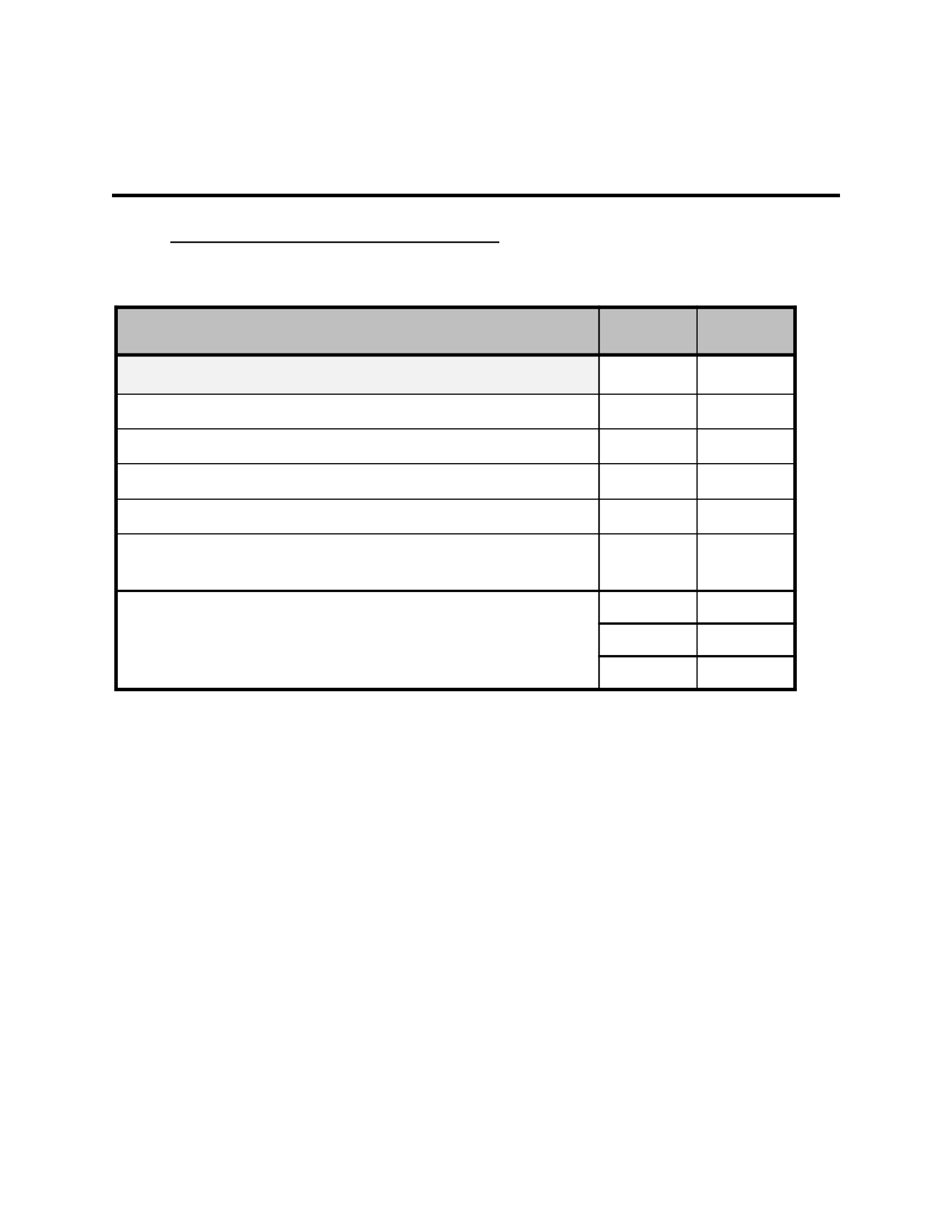
LAB 1: LAB REPORT GRADE SHEET
Name
:
Instructor Assessment
Grading Criteria Max Points Points Lost
Description of Assigned Tasks, Work Performed & Outcomes Met
Task 1-1: Build and Test a 1-Bit Half-Adder 15
Task 1-2: Build and Test a 4-Bit Increment Circuit 20
Task 1-3: Build and Test a 1-Bit Full Adder 15
Task 1-4: Build and Test a 4-Bit Full Adder 20
Task 1-5: Create a video and submit your report (Optional) -
Points Lost
Lab Score (70 points total) Late Lab
Lab Score
11
version 0.1

