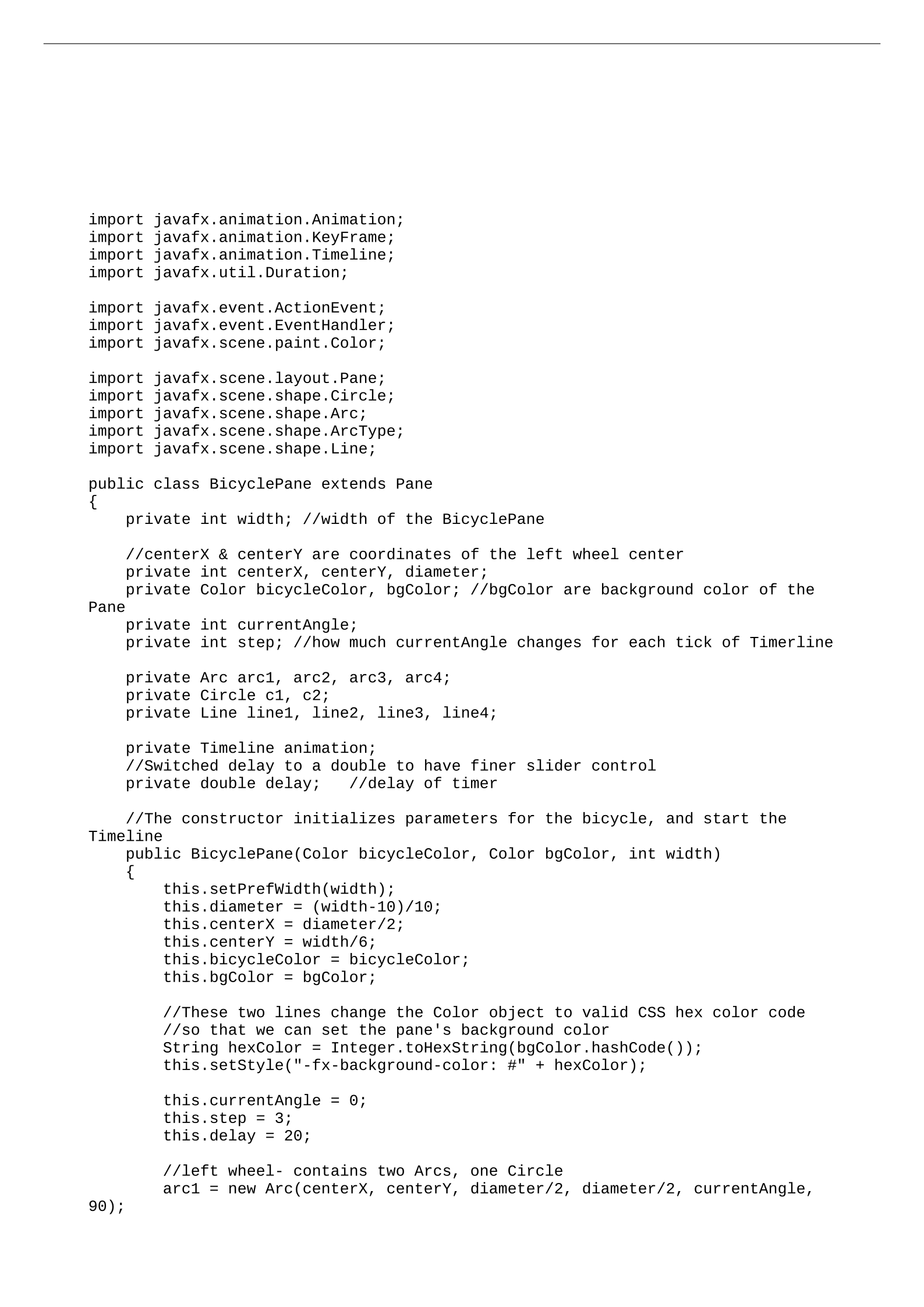
import javafx.animation.Animation;
import javafx.animation.KeyFrame;
import javafx.animation.Timeline;
import javafx.util.Duration;
import javafx.event.ActionEvent;
import javafx.event.EventHandler;
import javafx.scene.paint.Color;
import javafx.scene.layout.Pane;
import javafx.scene.shape.Circle;
import javafx.scene.shape.Arc;
import javafx.scene.shape.ArcType;
import javafx.scene.shape.Line;
public class BicyclePane extends Pane
{
private int width; //width of the BicyclePane
//centerX & centerY are coordinates of the left wheel center
private int centerX, centerY, diameter;
private Color bicycleColor, bgColor; //bgColor are background color of the
Pane
private int currentAngle;
private int step; //how much currentAngle changes for each tick of Timerline
private Arc arc1, arc2, arc3, arc4;
private Circle c1, c2;
private Line line1, line2, line3, line4;
private Timeline animation;
//Switched delay to a double to have finer slider control
private double delay; //delay of timer
//The constructor initializes parameters for the bicycle, and start the
Timeline
public BicyclePane(Color bicycleColor, Color bgColor, int width)
{
this.setPrefWidth(width);
this.diameter = (width-10)/10;
this.centerX = diameter/2;
this.centerY = width/6;
this.bicycleColor = bicycleColor;
this.bgColor = bgColor;
//These two lines change the Color object to valid CSS hex color code
//so that we can set the pane's background color
String hexColor = Integer.toHexString(bgColor.hashCode());
this.setStyle("-fx-background-color: #" + hexColor);
this.currentAngle = 0;
this.step = 3;
this.delay = 20;
//left wheel- contains two Arcs, one Circle
arc1 = new Arc(centerX, centerY, diameter/2, diameter/2, currentAngle,
90);
// Assignment #: Arizona State University CSE205 #12
// Name: Randy Ngo
// StudentID: 1215844526
// Lecture: T/Th 4:30-5:45
// Description: The BicyclePane class draws a bicycle in a pane
// and moves it using Javafx Timeline
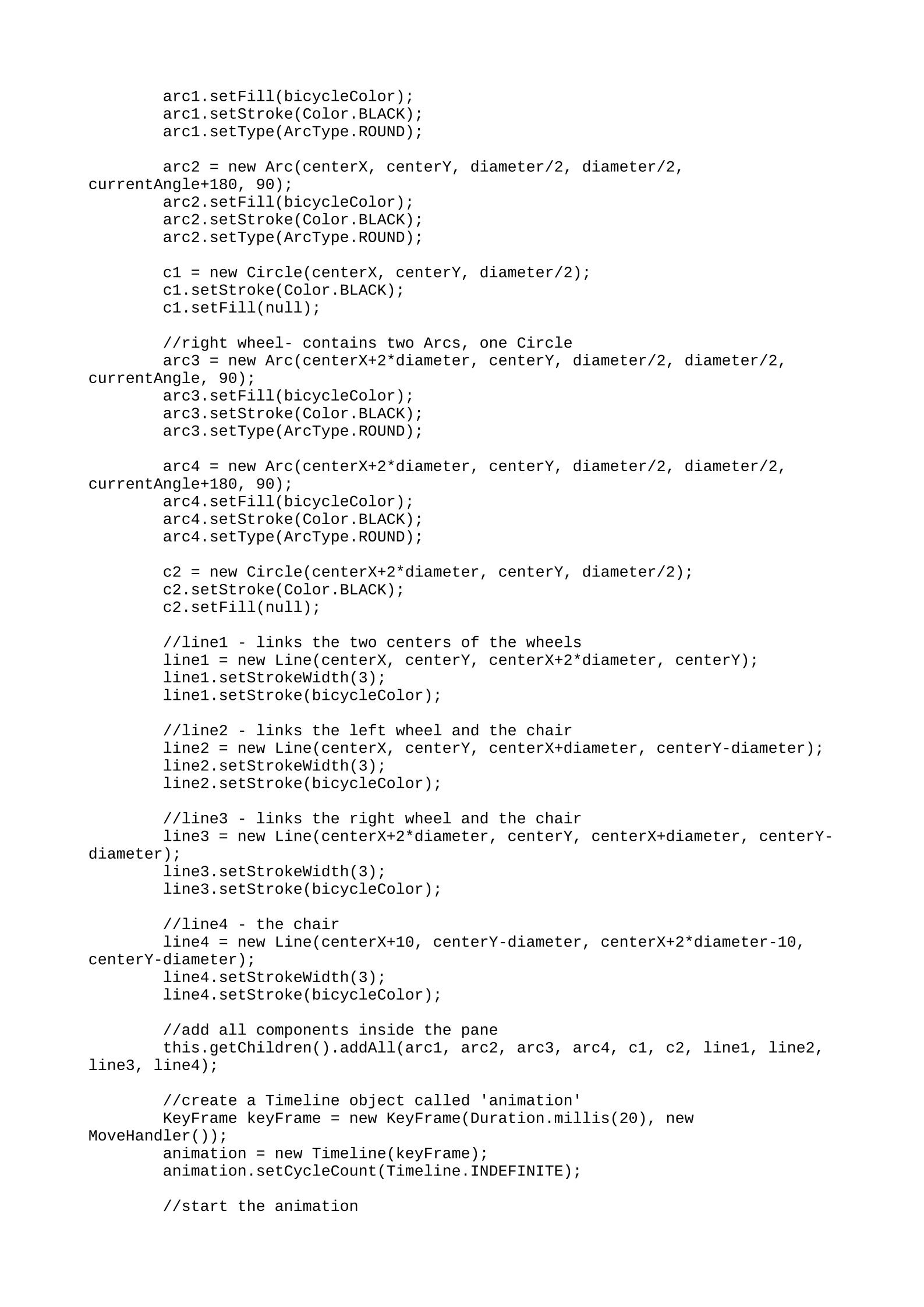
arc1.setFill(bicycleColor);
arc1.setStroke(Color.BLACK);
arc1.setType(ArcType.ROUND);
arc2 = new Arc(centerX, centerY, diameter/2, diameter/2,
currentAngle+180, 90);
arc2.setFill(bicycleColor);
arc2.setStroke(Color.BLACK);
arc2.setType(ArcType.ROUND);
c1 = new Circle(centerX, centerY, diameter/2);
c1.setStroke(Color.BLACK);
c1.setFill(null);
//right wheel- contains two Arcs, one Circle
arc3 = new Arc(centerX+2*diameter, centerY, diameter/2, diameter/2,
currentAngle, 90);
arc3.setFill(bicycleColor);
arc3.setStroke(Color.BLACK);
arc3.setType(ArcType.ROUND);
arc4 = new Arc(centerX+2*diameter, centerY, diameter/2, diameter/2,
currentAngle+180, 90);
arc4.setFill(bicycleColor);
arc4.setStroke(Color.BLACK);
arc4.setType(ArcType.ROUND);
c2 = new Circle(centerX+2*diameter, centerY, diameter/2);
c2.setStroke(Color.BLACK);
c2.setFill(null);
//line1 - links the two centers of the wheels
line1 = new Line(centerX, centerY, centerX+2*diameter, centerY);
line1.setStrokeWidth(3);
line1.setStroke(bicycleColor);
//line2 - links the left wheel and the chair
line2 = new Line(centerX, centerY, centerX+diameter, centerY-diameter);
line2.setStrokeWidth(3);
line2.setStroke(bicycleColor);
//line3 - links the right wheel and the chair
line3 = new Line(centerX+2*diameter, centerY, centerX+diameter, centerY-
diameter);
line3.setStrokeWidth(3);
line3.setStroke(bicycleColor);
//line4 - the chair
line4 = new Line(centerX+10, centerY-diameter, centerX+2*diameter-10,
centerY-diameter);
line4.setStrokeWidth(3);
line4.setStroke(bicycleColor);
//add all components inside the pane
this.getChildren().addAll(arc1, arc2, arc3, arc4, c1, c2, line1, line2,
line3, line4);
//create a Timeline object called 'animation'
KeyFrame keyFrame = new KeyFrame(Duration.millis(20), new
MoveHandler());
animation = new Timeline(keyFrame);
animation.setCycleCount(Timeline.INDEFINITE);
//start the animation
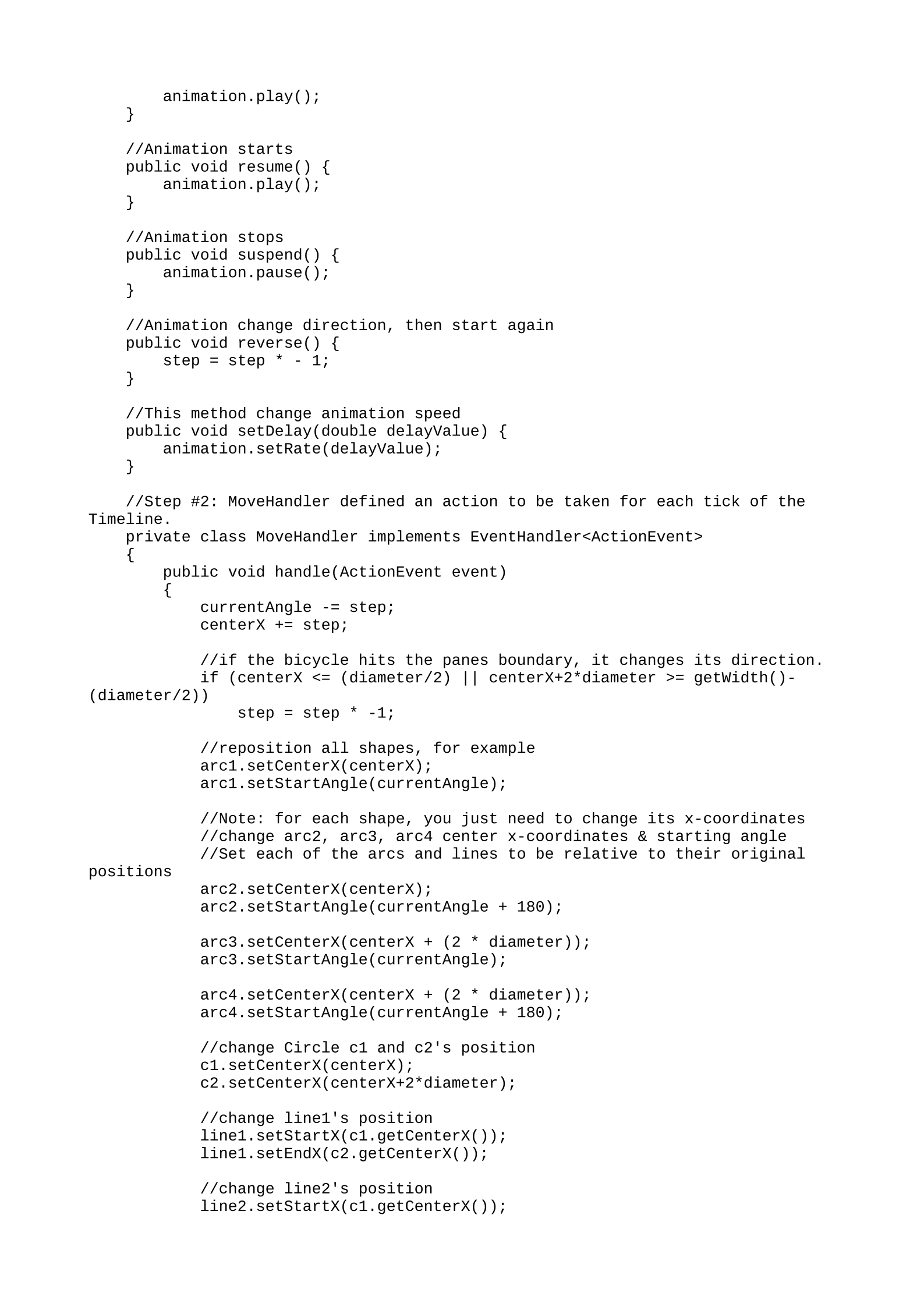
animation.play();
}
//Animation starts
public void resume() {
animation.play();
}
//Animation stops
public void suspend() {
animation.pause();
}
//Animation change direction, then start again
public void reverse() {
step = step * - 1;
}
//This method change animation speed
public void setDelay(double delayValue) {
animation.setRate(delayValue);
}
//Step #2: MoveHandler defined an action to be taken for each tick of the
Timeline.
private class MoveHandler implements EventHandler<ActionEvent>
{
public void handle(ActionEvent event)
{
currentAngle -= step;
centerX += step;
//if the bicycle hits the panes boundary, it changes its direction.
if (centerX <= (diameter/2) || centerX+2*diameter >= getWidth()-
(diameter/2))
step = step * -1;
//reposition all shapes, for example
arc1.setCenterX(centerX);
arc1.setStartAngle(currentAngle);
//Note: for each shape, you just need to change its x-coordinates
//change arc2, arc3, arc4 center x-coordinates & starting angle
//Set each of the arcs and lines to be relative to their original
positions
arc2.setCenterX(centerX);
arc2.setStartAngle(currentAngle + 180);
arc3.setCenterX(centerX + (2 * diameter));
arc3.setStartAngle(currentAngle);
arc4.setCenterX(centerX + (2 * diameter));
arc4.setStartAngle(currentAngle + 180);
//change Circle c1 and c2's position
c1.setCenterX(centerX);
c2.setCenterX(centerX+2*diameter);
//change line1's position
line1.setStartX(c1.getCenterX());
line1.setEndX(c2.getCenterX());
//change line2's position
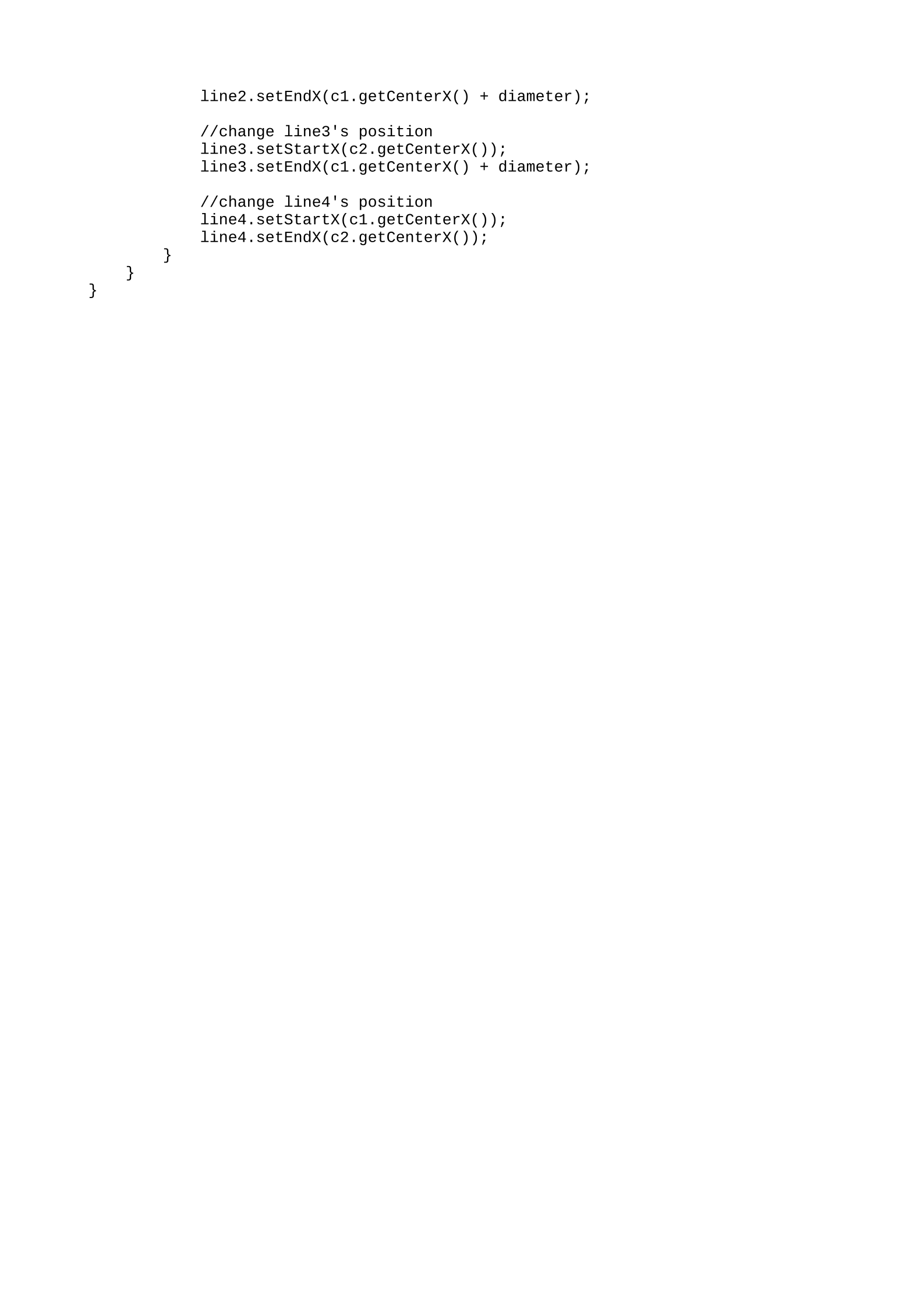
line2.setStartX(c1.getCenterX());