


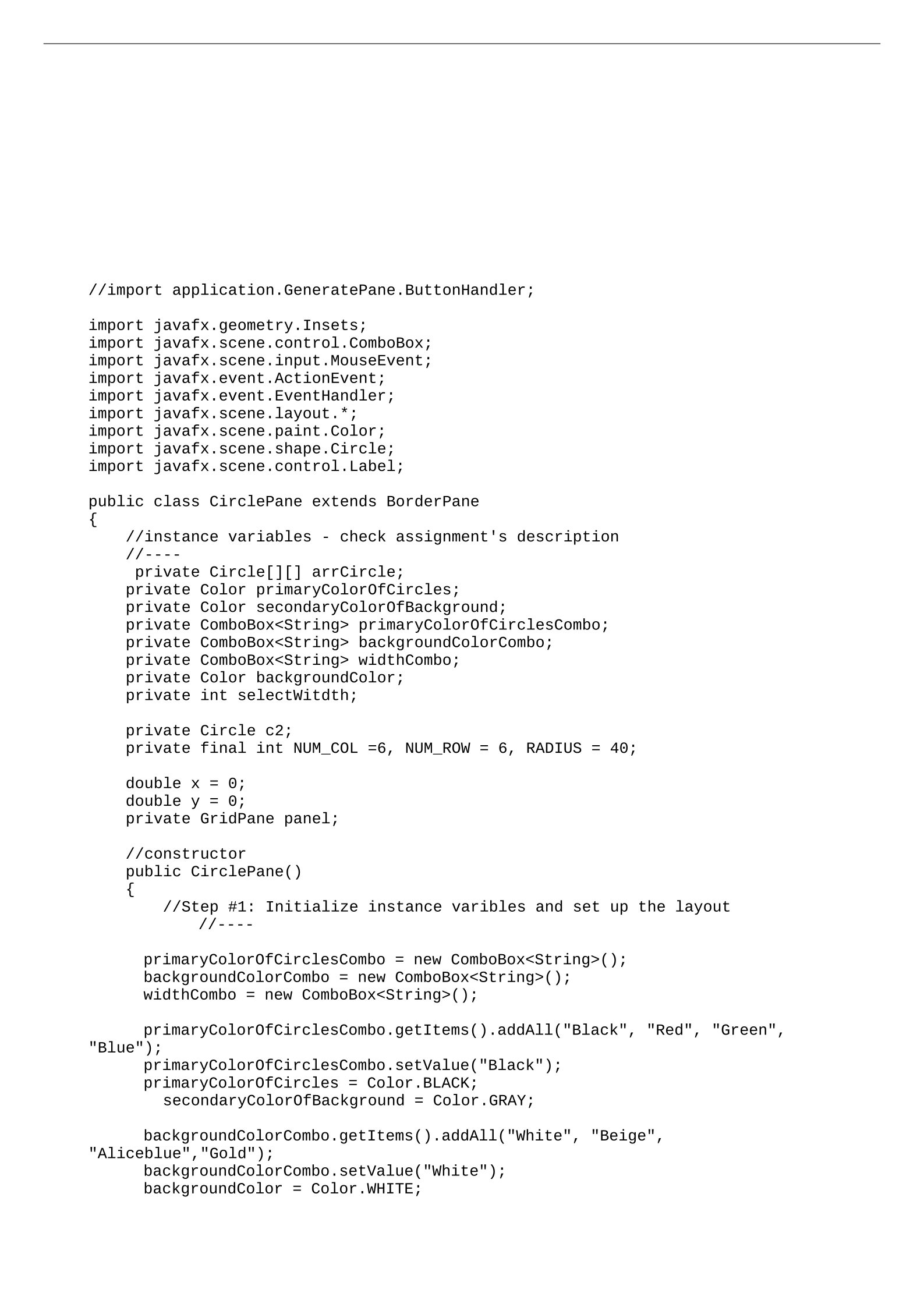
//import application.GeneratePane.ButtonHandler;
import javafx.geometry.Insets;
import javafx.scene.control.ComboBox;
import javafx.scene.input.MouseEvent;
import javafx.event.ActionEvent;
import javafx.event.EventHandler;
import javafx.scene.layout.*;
import javafx.scene.paint.Color;
import javafx.scene.shape.Circle;
import javafx.scene.control.Label;
public class CirclePane extends BorderPane
{
//instance variables - check assignment's description
//----
private Circle[][] arrCircle;
private Color primaryColorOfCircles;
private Color secondaryColorOfBackground;
private ComboBox<String> primaryColorOfCirclesCombo;
private ComboBox<String> backgroundColorCombo;
private ComboBox<String> widthCombo;
private Color backgroundColor;
private int selectWitdth;
private Circle c2;
private final int NUM_COL =6, NUM_ROW = 6, RADIUS = 40;
double x = 0;
double y = 0;
private GridPane panel;
//constructor
public CirclePane()
{
//Step #1: Initialize instance varibles and set up the layout
//----
primaryColorOfCirclesCombo = new ComboBox<String>();
backgroundColorCombo = new ComboBox<String>();
widthCombo = new ComboBox<String>();
primaryColorOfCirclesCombo.getItems().addAll("Black", "Red", "Green",
"Blue");
primaryColorOfCirclesCombo.setValue("Black");
primaryColorOfCircles = Color.BLACK;
secondaryColorOfBackground = Color.GRAY;
backgroundColorCombo.getItems().addAll("White", "Beige",
"Aliceblue","Gold");
backgroundColorCombo.setValue("White");
backgroundColor = Color.WHITE;
// Assignment #7: Arizona State University CSE205
// Name: Mustafa Saify
// StudentID: 1220087856
// Lecture: (MWF 12:20pm)
// Description: CirclePane class creates a pane where we can use
// mouse key to drag on panel and there will be some color
following
// the mouse. We can also use combo boxes to change its colors
and stroke widths
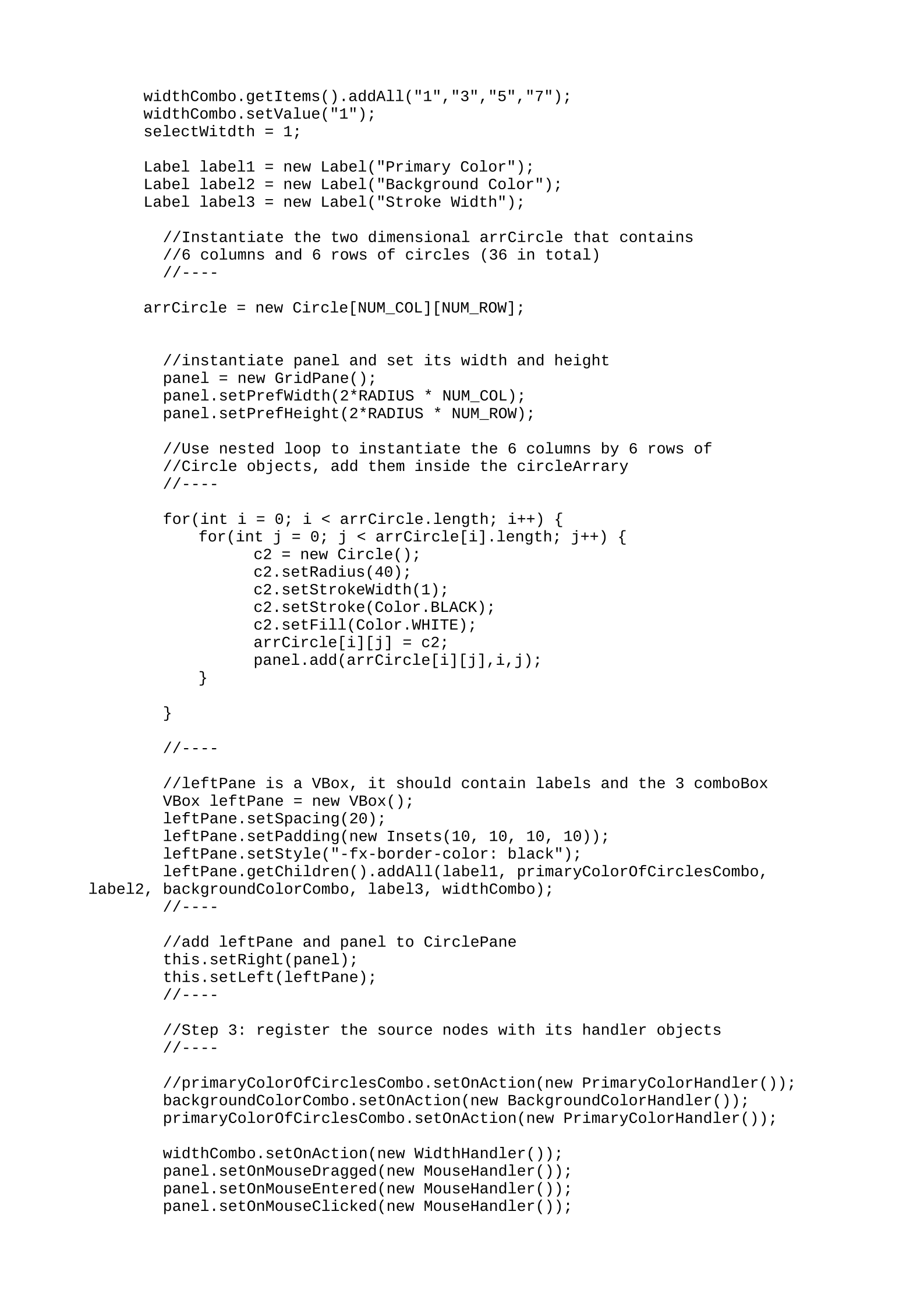
widthCombo.getItems().addAll("1","3","5","7");
widthCombo.setValue("1");
selectWitdth = 1;
Label label1 = new Label("Primary Color");
Label label2 = new Label("Background Color");
Label label3 = new Label("Stroke Width");
//Instantiate the two dimensional arrCircle that contains
//6 columns and 6 rows of circles (36 in total)
//----
arrCircle = new Circle[NUM_COL][NUM_ROW];
//instantiate panel and set its width and height
panel = new GridPane();
panel.setPrefWidth(2*RADIUS * NUM_COL);
panel.setPrefHeight(2*RADIUS * NUM_ROW);
//Use nested loop to instantiate the 6 columns by 6 rows of
//Circle objects, add them inside the circleArrary
//----
for(int i = 0; i < arrCircle.length; i++) {
for(int j = 0; j < arrCircle[i].length; j++) {
c2 = new Circle();
c2.setRadius(40);
c2.setStrokeWidth(1);
c2.setStroke(Color.BLACK);
c2.setFill(Color.WHITE);
arrCircle[i][j] = c2;
panel.add(arrCircle[i][j],i,j);
}
}
//----
//leftPane is a VBox, it should contain labels and the 3 comboBox
VBox leftPane = new VBox();
leftPane.setSpacing(20);
leftPane.setPadding(new Insets(10, 10, 10, 10));
leftPane.setStyle("-fx-border-color: black");
leftPane.getChildren().addAll(label1, primaryColorOfCirclesCombo,
label2, backgroundColorCombo, label3, widthCombo);
//----
//add leftPane and panel to CirclePane
this.setRight(panel);
this.setLeft(leftPane);
//----
//Step 3: register the source nodes with its handler objects
//----
//primaryColorOfCirclesCombo.setOnAction(new PrimaryColorHandler());
backgroundColorCombo.setOnAction(new BackgroundColorHandler());
primaryColorOfCirclesCombo.setOnAction(new PrimaryColorHandler());
widthCombo.setOnAction(new WidthHandler());
panel.setOnMouseDragged(new MouseHandler());
panel.setOnMouseEntered(new MouseHandler());
panel.setOnMouseClicked(new MouseHandler());
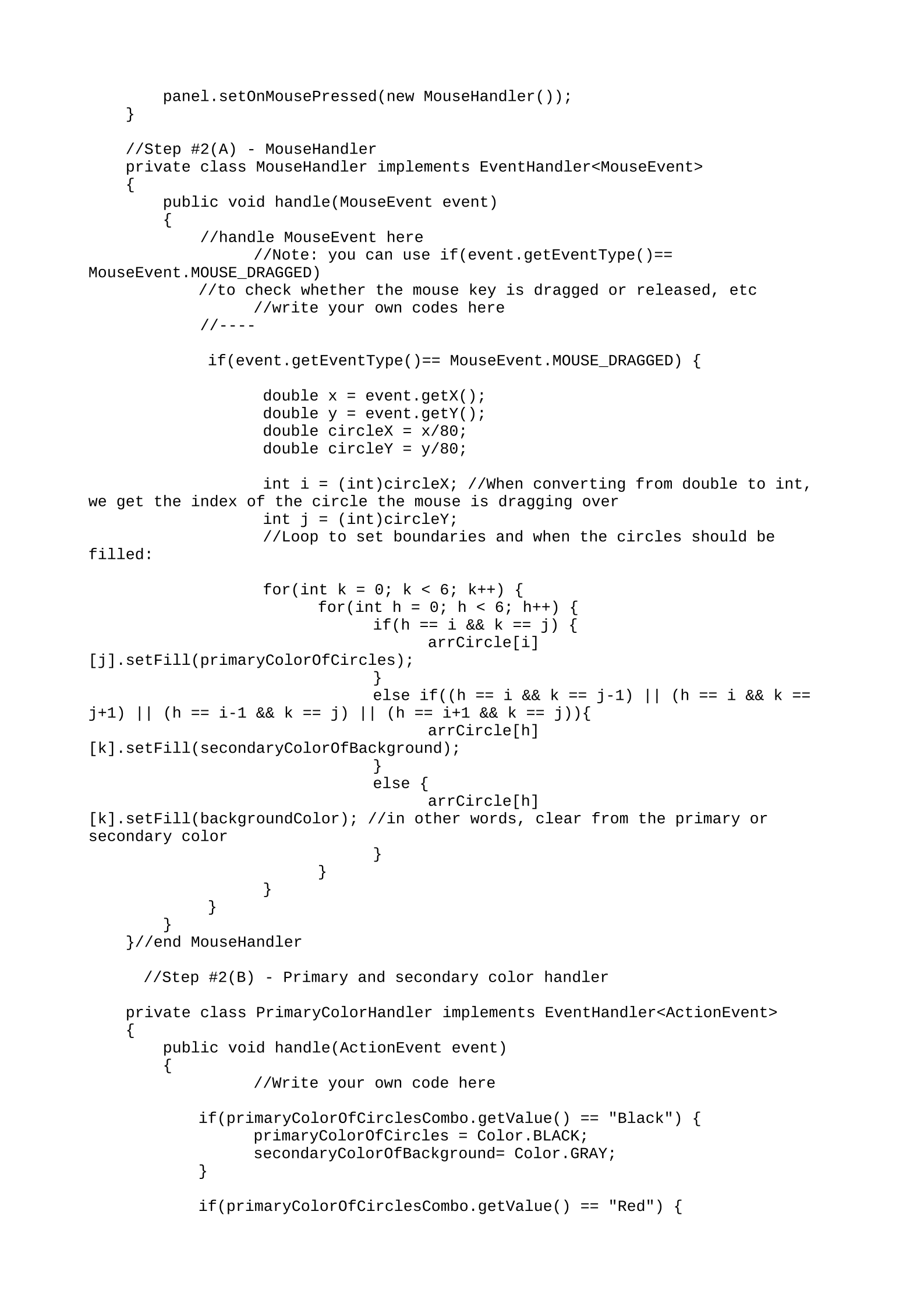
panel.setOnMousePressed(new MouseHandler());
}
//Step #2(A) - MouseHandler
private class MouseHandler implements EventHandler<MouseEvent>
{
public void handle(MouseEvent event)
{
//handle MouseEvent here
//Note: you can use if(event.getEventType()==
MouseEvent.MOUSE_DRAGGED)
//to check whether the mouse key is dragged or released, etc
//write your own codes here
//----
if(event.getEventType()== MouseEvent.MOUSE_DRAGGED) {
double x = event.getX();
double y = event.getY();
double circleX = x/80;
double circleY = y/80;
int i = (int)circleX; //When converting from double to int,
we get the index of the circle the mouse is dragging over
int j = (int)circleY;
//Loop to set boundaries and when the circles should be
filled:
for(int k = 0; k < 6; k++) {
for(int h = 0; h < 6; h++) {
if(h == i && k == j) {
arrCircle[i]
[j].setFill(primaryColorOfCircles);
}
else if((h == i && k == j-1) || (h == i && k ==
j+1) || (h == i-1 && k == j) || (h == i+1 && k == j)){
arrCircle[h]
[k].setFill(secondaryColorOfBackground);
}
else {
arrCircle[h]
[k].setFill(backgroundColor); //in other words, clear from the primary or
secondary color
}
}
}
}
}
}//end MouseHandler
//Step #2(B) - Primary and secondary color handler
private class PrimaryColorHandler implements EventHandler<ActionEvent>
{
public void handle(ActionEvent event)
{
//Write your own code here
if(primaryColorOfCirclesCombo.getValue() == "Black") {
primaryColorOfCircles = Color.BLACK;
secondaryColorOfBackground= Color.GRAY;
}
if(primaryColorOfCirclesCombo.getValue() == "Red") {
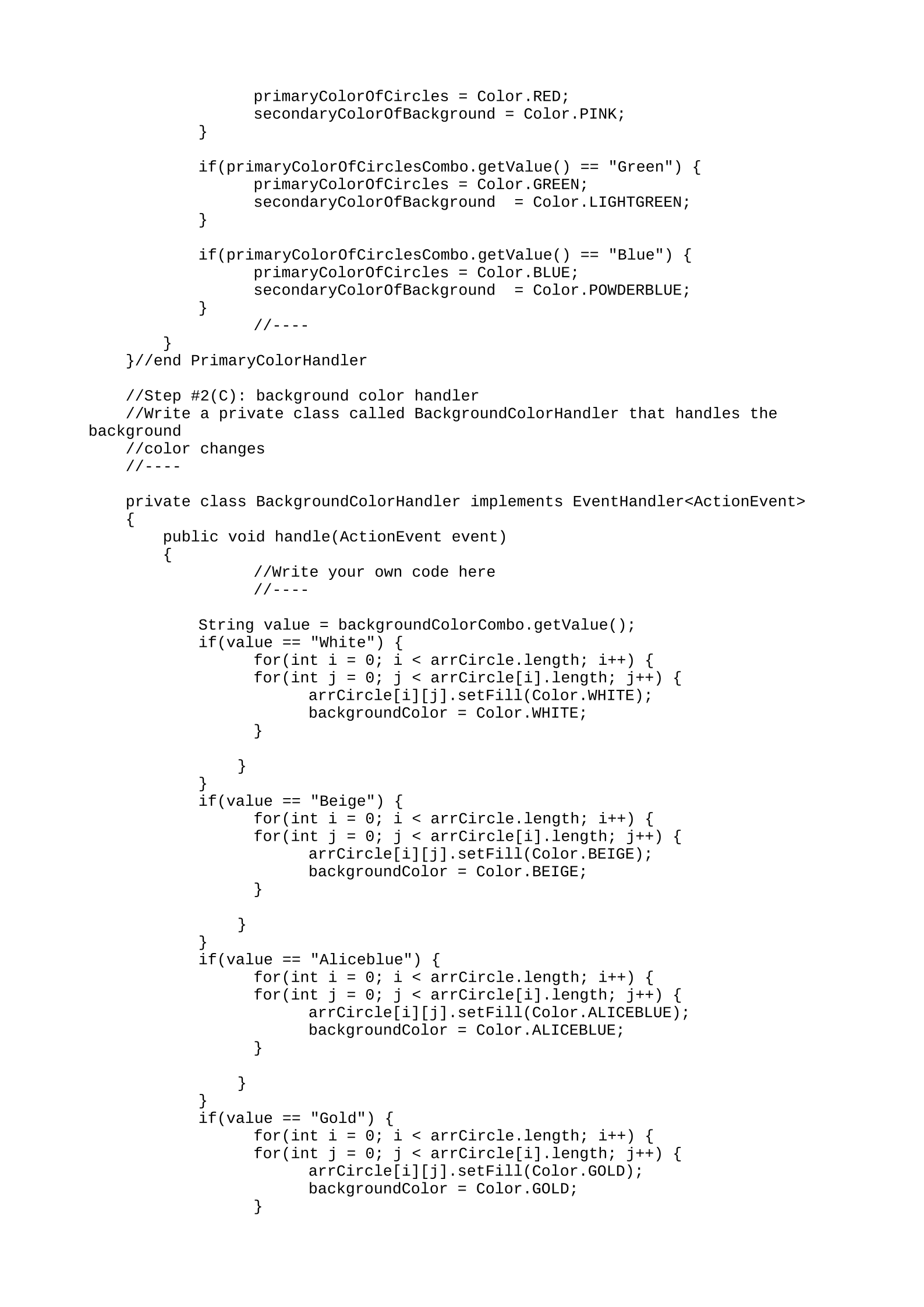
primaryColorOfCircles = Color.RED;
secondaryColorOfBackground = Color.PINK;
}
if(primaryColorOfCirclesCombo.getValue() == "Green") {
primaryColorOfCircles = Color.GREEN;
secondaryColorOfBackground = Color.LIGHTGREEN;
}
if(primaryColorOfCirclesCombo.getValue() == "Blue") {
primaryColorOfCircles = Color.BLUE;
secondaryColorOfBackground = Color.POWDERBLUE;
}
//----
}
}//end PrimaryColorHandler
//Step #2(C): background color handler
//Write a private class called BackgroundColorHandler that handles the
background
//color changes
//----
private class BackgroundColorHandler implements EventHandler<ActionEvent>
{
public void handle(ActionEvent event)
{
//Write your own code here
//----
String value = backgroundColorCombo.getValue();
if(value == "White") {
for(int i = 0; i < arrCircle.length; i++) {
for(int j = 0; j < arrCircle[i].length; j++) {
arrCircle[i][j].setFill(Color.WHITE);
backgroundColor = Color.WHITE;
}
}
}
if(value == "Beige") {
for(int i = 0; i < arrCircle.length; i++) {
for(int j = 0; j < arrCircle[i].length; j++) {
arrCircle[i][j].setFill(Color.BEIGE);
backgroundColor = Color.BEIGE;
}
}
}
if(value == "Aliceblue") {
for(int i = 0; i < arrCircle.length; i++) {
for(int j = 0; j < arrCircle[i].length; j++) {
arrCircle[i][j].setFill(Color.ALICEBLUE);
backgroundColor = Color.ALICEBLUE;
}
}
}
if(value == "Gold") {
for(int i = 0; i < arrCircle.length; i++) {
for(int j = 0; j < arrCircle[i].length; j++) {
arrCircle[i][j].setFill(Color.GOLD);
backgroundColor = Color.GOLD;
}
}
}
}
}//end BackgroundColorHandler
//----
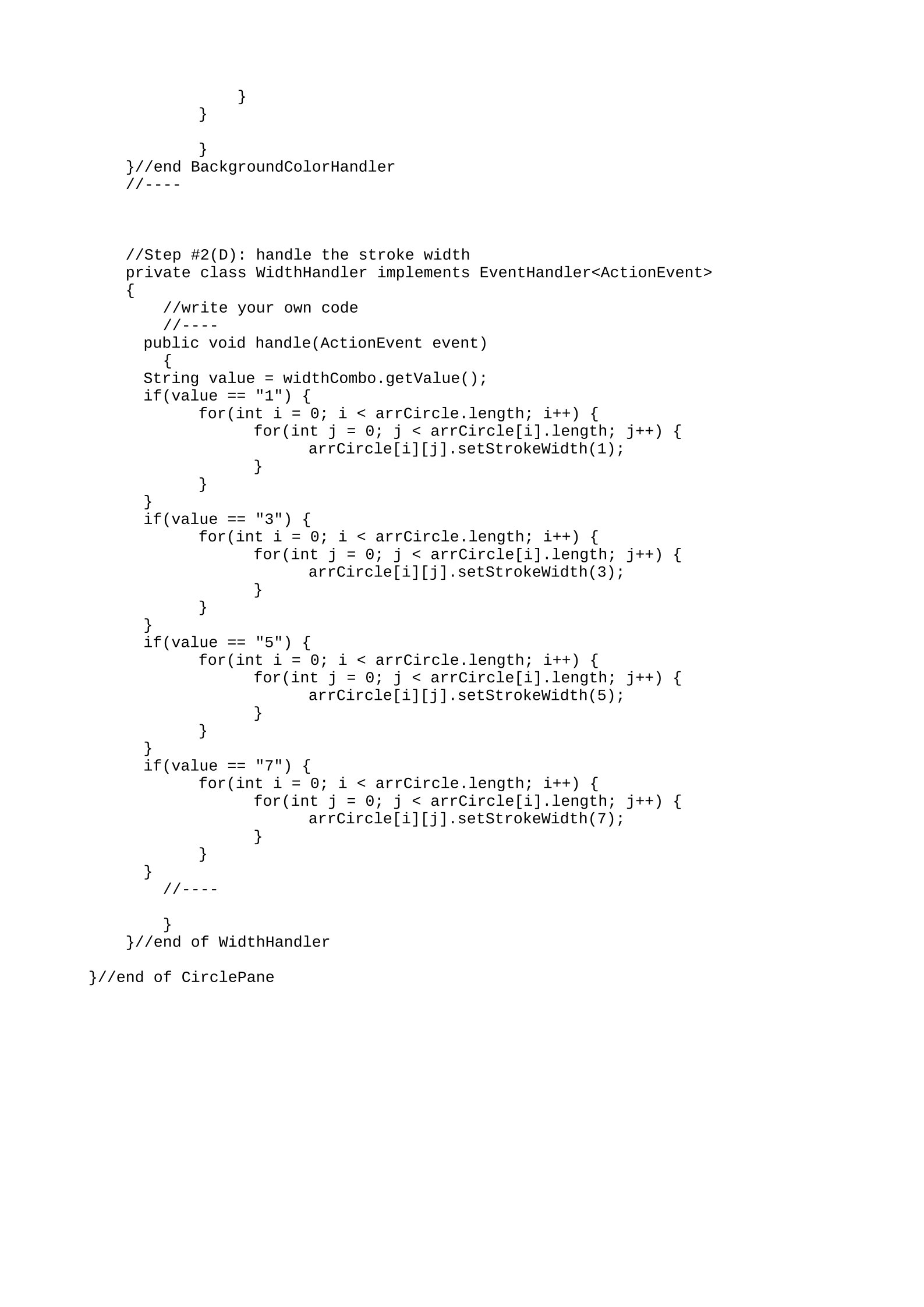
//Step #2(D): handle the stroke width
private class WidthHandler implements EventHandler<ActionEvent>
{
//write your own code
//----
public void handle(ActionEvent event)
{
String value = widthCombo.getValue();
if(value == "1") {
for(int i = 0; i < arrCircle.length; i++) {
for(int j = 0; j < arrCircle[i].length; j++) {
arrCircle[i][j].setStrokeWidth(1);
}
}
}
if(value == "3") {
for(int i = 0; i < arrCircle.length; i++) {
for(int j = 0; j < arrCircle[i].length; j++) {
arrCircle[i][j].setStrokeWidth(3);
}
}
}
if(value == "5") {
for(int i = 0; i < arrCircle.length; i++) {
for(int j = 0; j < arrCircle[i].length; j++) {
arrCircle[i][j].setStrokeWidth(5);
}
}
}
if(value == "7") {
for(int i = 0; i < arrCircle.length; i++) {
for(int j = 0; j < arrCircle[i].length; j++) {
arrCircle[i][j].setStrokeWidth(7);
}
}
}
//----
}
}//end of WidthHandler
}//end of CirclePane
Powered by TCPDF (www.tcpdf.org)

