


I need this in 2 days the is an excel assignment
 magicman
Objectives:
Create 3 Pivot Tables with Analysis Charts
Create Conditional Formatting for easy viewing of key information
Apply Sort and Filters to data set
Present a professionally formatted report with custom formatting
Part 1: Pivot Tables and Charts
Using the data file:
Create a total of three (3) pivot tables on separate worksheets with the following data fields:
Sum of Revenue by Store and Region
Sum of COGS by Store and Region
Sum of Profit by Store and Region

Sample of the basic format of the pivot table (5x5 box, numbers will be different)
LINK TO PART 1 OF VIDEO: https://www.youtube.com/watch?v=rx1LeeW76AU
Design a properly formatted chart for each pivot table with a directed point of view chart title, axis titles, and accurate chart type.
Part 2: Conditional Formatting
Copy the data sheet provided into a new worksheet within the same workbook
On the copied worksheet, apply two different custom conditional formats in the COGS (Cost of Goods Sold) column.
Criteria to include:
Top 10% COGS figures as one format
Bottom 10% COGS figures as a second format
Format should be unique/customized and NOT one of the defaults set by Excel
Apply another Conditional Format in the Regions Column.
Criteria to include:
Region contains the word “East”
Format should be unique/customized and NOT one of the defaults set by Excel
LINK TO PART 2 OF THE VIDEO: https://www.youtube.com/watch?v=ydNAQzY3I_A
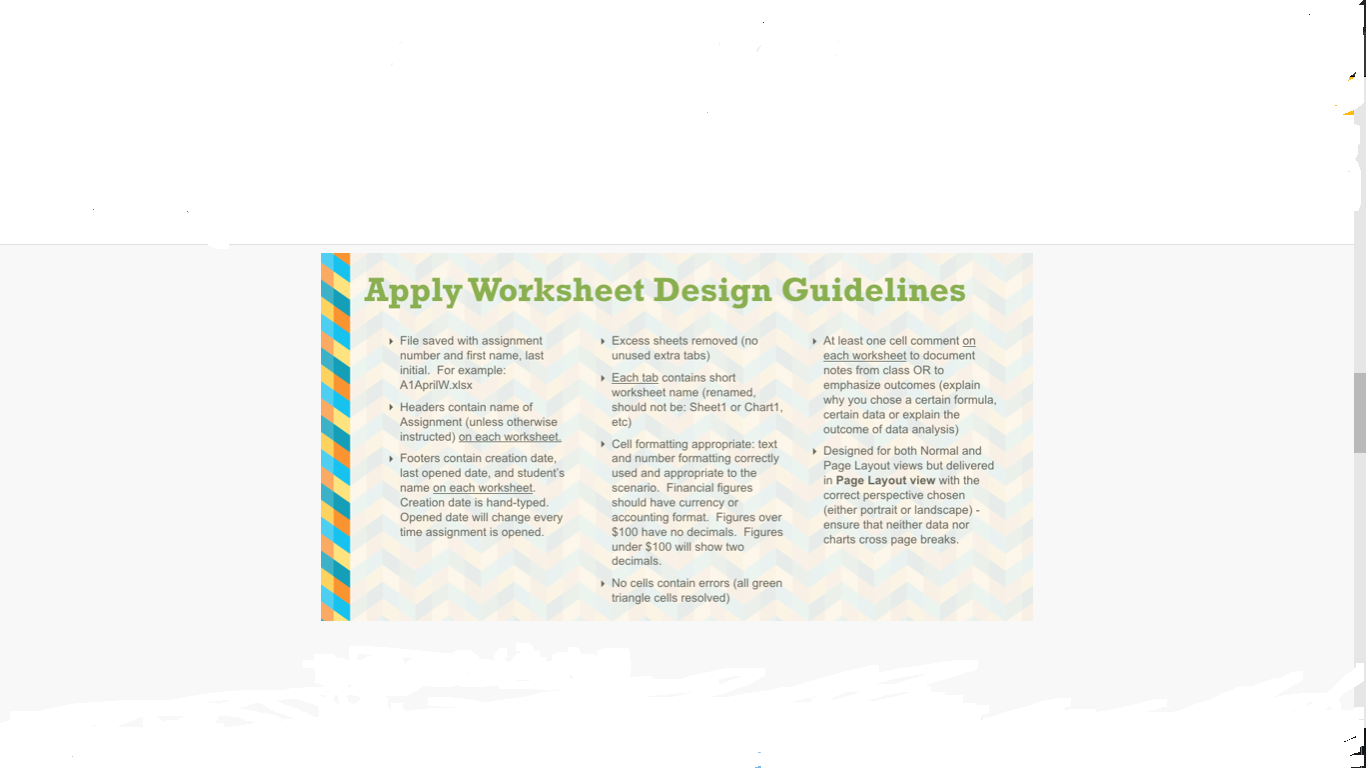
Apply all worksheet design guidelines to all worksheets*
*Note: It is important to do Currency/Accounting formatting prior to Part 3 or all of your figures may not format properly due to the filter

Part 3: Sort and Filter
Using the same worksheet that you have applied conditional formatting to:
Sort the data with the criteria of Revenues as Largest to Smallest
Apply Filter#1 in the Profits Column to show only the Top 25 Profit stores (show items, not %)
Apply Filter#2 in the Region Column to show only data in the East Region
Adjust sizing of rows and columns as needed to be able to read all data presented.
Note: your final sheet may show less than 25 stores in the filter due to the top 25 having other locations such as West or Central. You will not be able to see all of your conditional formats on the screen (bottom % for example) due to the filter; however, they are still applied in the background if created correctly in Step 2.
LINK TO PART 3 VIDEO: https://www.youtube.com/watch?v=mI2vLhWkRxc
THIS IS AN EXCEL ASSIGNMENT BEFORE AGREE TO ASSIGNMENT PLEASE MAKE SURE YOU ARE GOOD IN EXCEL. THANK YOU....
PLEASE MAKE SURE YOU READ THE DIRECTIONS CAREFULLY AND LOOK AT THE VIDEOS AND THE ATTACHMENTS.
 9 years ago
 20
20
Answer(1)![blurred-text]()

Purchase the answer to view it

NOT RATED
 a3studenti.xlsx
Bids(1)
other Questions(10)
- research paper!
- Moral Issues in Film: The Watchmen (2009)
- Complementary Partners
- Nr 361 week 4 Assignment_Telenursing the future is now
- BHR 5
- Bs402 wk 6dis
- Informative Intercultural Paper
- I need this done by tonight.
- This is a two-part assignment that consists of two different contract analysis scenarios.
- CIS 525 Case Study 1: Success with Agile Project Management in General Dynamics

